Managed Sentinel Service: Expert SIEM Without Internal SOC Team

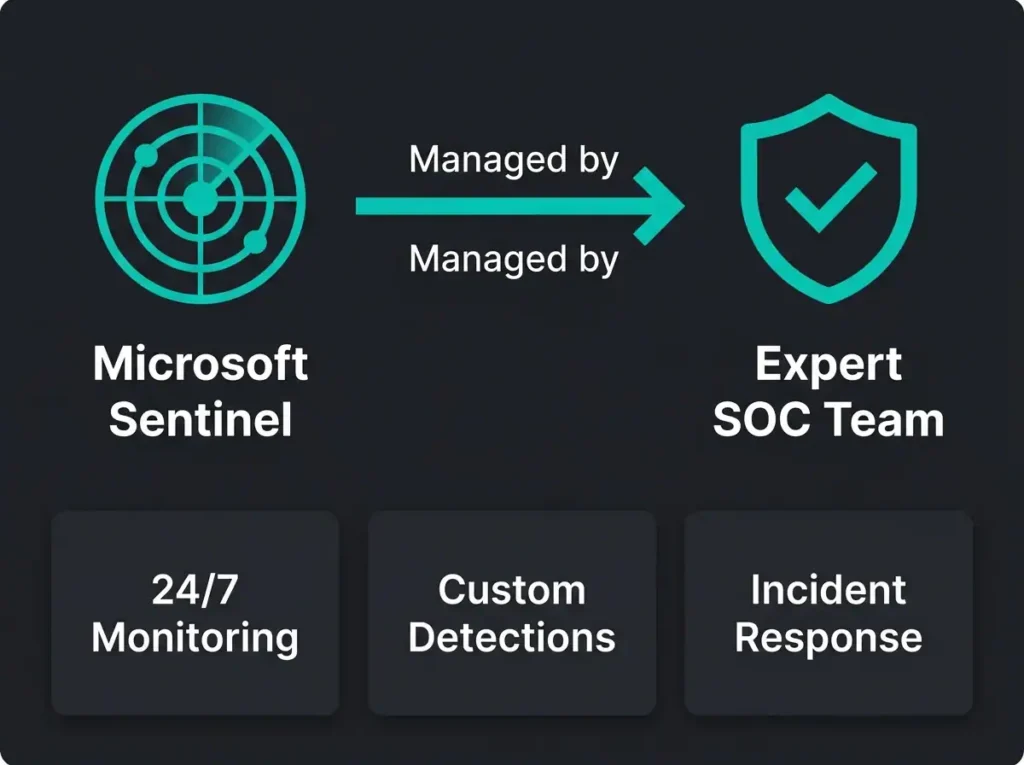
SIEM isn’t the problem. Configuration and tuning expertise is. That gap is exactly what a managed Sentinel service closes.
DIY Sentinel rollouts tend to break at three specific places: ingestion costs that climb past $25K a month without anyone noticing, alert volumes that grind analysts down inside six months, and generic detection rules that miss the actual threats the platform was bought to catch. All three are fixable. None of them fix themselves.
The awkward truth underneath that is that effective SIEM requires expertise that most organisations don’t have in-house and can’t hire fast enough to build. The Swedish and Nordic market for a qualified Sentinel analyst runs a 6-to-9 month time-to-hire, salaries in the $100K to $150K band, and you need six to eight of them to run genuine 24/7 coverage. The arithmetic on that is $800K to $1.2M a year for the SOC staff alone, before you’ve paid for a single licence.
What follows is how managed SIEM services fill that gap: expert Sentinel deployment, optimisation, and ongoing tuning, without the build-out of an internal SOC. If you’re also weighing broader outsourced security models, the SOC as a Service vs MSSP comparison is the companion piece.
High false positive rates in untuned SIEM deployments
Common industry challenge for SIEM deployments
- DIY staffing is the real cost. Running Sentinel in-house takes 6 to 8 analysts at $100K to $150K each, roughly $800K to $1.2M a year before any licence spend.
- Ingestion waste is fixable. Managed optimisation typically cuts Sentinel data costs 30 to 60 percent; one client dropped from $32,000 to $11,500 a month with the same detection coverage.
- Tuning kills the noise. A 60-day alert tuning program usually cuts alert volume by around 70 percent while lifting the true positive rate.
- Speed gap is dramatic. A managed deployment reaches a tuned platform in 2 to 4 weeks, while DIY teams average 6 to 12 months to effective detection.
- Know which service you are buying. Managed SIEM tunes the platform and hands your team the keys; MDR adds 24/7 SOC monitoring, triage, and response on top.
Managed SIEM, defined properly
A managed SIEM service is an expert security team that deploys, configures, tunes, and optimises your SIEM platform. The deliverables sit in the same categories every time (custom detection rules, automated response playbooks, cost optimisation work on a rolling basis), but the specific mix varies by environment.
The licensing and the infrastructure stay yours. What the managed service contributes is the specialist expertise that turns raw log data into actual threat detection, rather than a very expensive data lake.
Platform management versus full MDR
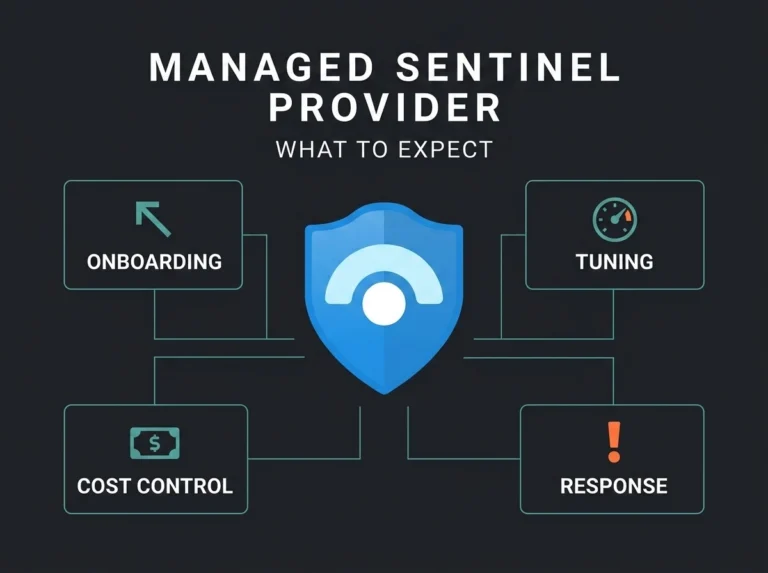
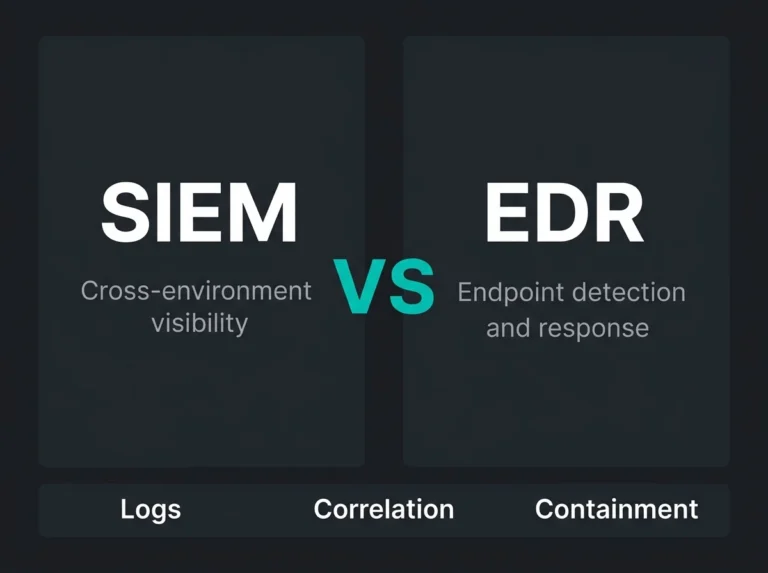
The two common service shapes get confused in sales conversations more often than they should. Managed SIEM in the platform-management sense is what I just described: we deploy Sentinel, configure the data connectors (which often includes migrating from legacy agents to AMA), build custom detection rules, tune alerts, optimise cost, and hand you a well-configured platform. Your internal security team monitors alerts and responds to incidents from there. Managed Detection and Response (MDR) is everything in that first package plus 24/7 SOC analyst coverage: triage, threat hunting, and incident response. Platform plus people, as a single service.
Key Difference
Managed SIEM tunes the car and hands you the keys. MDR drives the car 24/7. This article focuses on managed SIEM platform services.
How DIY Sentinel deployments go wrong
Owning a Sentinel licence doesn’t equal effective threat detection, which is a sentence I’ve said in a lot of kickoff meetings. Organisations that try to run the deployment internally usually hit problems at three places, and the three tend to compound each other.
Costs run away before anyone checks
Sentinel is consumption-priced. Per gigabyte ingested, billed monthly. Send too much and the cost explodes. Send too little and you miss threats. The usual DIY mistakes are some combination of ingesting verbose low-value logs (IIS, debug output, application traces), collecting raw logs instead of filtered or parsed ones (the volume difference is frequently 10x), flipping on every available data connector without asking whether it’s useful, and ignoring retention policies (365 days of data stored because nobody set the policy to 90).
Real-World Cost Impact
Organization enabled all M365 audit logs, Azure diagnostics, and network flow logs at full verbosity. Monthly Sentinel cost: $32,000. After optimization by the managed service: $11,500 (64% reduction) with the same threat detection coverage.
A well-managed SIEM rollout will usually pull 30 to 60 percent of the cost out through intelligent filtering, tiered retention, and value-based connector configuration. The savings pay for the service fee in most cases.
Out-of-the-box rules bury the team in noise
Sentinel ships with 300+ pre-built detection rules. Deploy them as-is and you get an alert avalanche, because generic rules don’t know anything about your environment. The classic examples are tedious to watch in real time: “Risky sign-in from new location” fires every time the sales team flies to a conference, “Multiple failed authentication attempts” fires during password reset waves, “Anomalous network traffic” flags the scheduled cloud backup, “Privileged role activation” triggers on standard IT admin work. Real threats get buried under the false positives, analysts burn out reviewing rubbish, and the critical detections get missed.
KQL Expertise Gap
Effective Sentinel detection requires Kusto Query Language (KQL) expertise. Writing detection rules that catch real threats while minimizing false positives takes 6-12 months to master. Organizations without KQL expertise deploy generic rules and suffer the consequences.
Everything becomes manual because nobody builds playbooks
Detection speed only matters if response speed keeps pace. Manual incident response averages 45 minutes to 2 hours from alert to containment. Automated response via Sentinel playbooks (Logic Apps) runs under two minutes, which is most of the difference between catching an intrusion and explaining it to your board.
A realistic compromised-account playbook looks something like this. A correlation rule fires on the combination of impossible travel, risky sign-in signal, and unusual file access. The playbook triggers inside seconds. User sessions get revoked, the account goes into a disabled state pending investigation, the security team receives the alert with full correlation context, an incident ticket is created automatically, and MFA re-authentication is forced if and when the account is re-enabled. Total wall-clock time from detection to containment: roughly 90 seconds.
DIY Sentinel deployments typically lack automated playbooks because building Logic Apps workflows needs development expertise most security teams don’t have on staff. When we come into an existing deployment, the first step is usually a cost autopsy to identify the wasted spend, and when we come in for a new deployment we work through an MSSP onboarding checklist that’s designed to avoid these problems rather than fix them later.
What we actually do inside a managed Sentinel engagement
The standard deliverable set for a managed Sentinel engagement is broader than most buyers expect going in, and explaining it usually helps clarify where the service fee is going. I’ll describe the work the way it typically unfolds rather than list it as a checklist, because the sequence matters.
The first two or three weeks are deployment and architecture work. For a greenfield deployment, that means workspace design and RBAC configuration, deciding whether the environment needs a single workspace or a multi-workspace architecture (larger estates with distinct compliance boundaries almost always need the latter), setting retention policies that balance audit requirements against ingestion cost, wiring the platform into existing Azure and M365 infrastructure, and producing a cost estimate that doesn’t surprise anyone in month three. For organisations that need the compliance work, our NIS2 Article 21 guide walks through how Sentinel detection maps to the specific regulatory requirements.
Running parallel with that is data connector optimisation, which is the piece that tends to deliver the most visible cost savings. Not all logs are equal, and high-value sources get prioritised over low-value ones. The connectors that earn their place in almost every engagement are Entra ID (sign-in logs, audit logs, risky user detections, Conditional Access hits), Microsoft 365 Defender (endpoint alerts, email threats, identity detections), Azure Activity Logs filtered down to security-relevant events only, Defender for Endpoint (endpoint telemetry, process execution, network connections), and Office 365 Audit Logs filtered to manageable volumes. Typical outcome: 30 to 40 percent ingestion cost reduction with equal or better detection coverage.
Custom detection rule development is where the engagement shifts from commodity work into the part that’s actually hard to buy anywhere else. Pre-built rules give you baseline coverage. Catching threats specific to a particular environment requires rules that know about the environment. Executive account monitoring, for instance, needs tailored detection for C-suite accounts (risky sign-ins, unusual file access, privilege escalation attempts tuned for how executives actually use their accounts, which tends to be unusual by default). Industry-specific detection is another layer: financial services clients need payment fraud patterns, healthcare clients need PHI access monitoring for HIPAA purposes, legal firms need privileged document access tracking. Business-logic-aware rules matter more than most buyers realise; “unusual login location” means one thing for an office-based accounting firm and something entirely different for a remote-first software company, and the rules have to know the difference. Supply chain detection rounds out the picture: third-party vendor access monitoring, compromised service account detection, and unusual API activity from partner integrations. The typical managed-service engagement ends up producing 15 to 30 custom rules by the time the environment is fully tuned.
Alert tuning is its own ongoing workstream, and it’s where the false positive rate actually moves. A new Sentinel deployment typically fires hundreds to thousands of alerts a day, the large majority of them false. Sixty to ninety days of tuning later, alert volume drops to a fraction of the starting number and the true positive rate climbs. The working methods behind that tuning are less glamorous than the product marketing suggests: baseline the normal behaviour of the environment first (travel patterns, authentication flows, resource access), then set detection thresholds against that baseline. Context-based suppression handles the tedious cases (sales team in Berlin, don’t alert on new-location sign-ins for those users that week). Correlation rules replace single-event rules where possible, so instead of an alert on one risky sign-in, the alert fires when risky sign-in and unusual file access and privilege escalation land together. A weekly review loop keeps the rules tuned against real-world false positive patterns, and month-over-month metrics track the improvement.
Proven Impact
Organizations working with managed SIEM services typically see 70% reduction in alert volume within 60 days while also improving detection of actual threats.
Playbook development runs alongside the tuning work. Logic Apps playbooks automate response to the threat categories that don’t need human judgement. Compromised account response is usually the first one we build: revoke sessions immediately, disable the account, require MFA re-authentication, alert the security team with the correlation context, create the investigation ticket. Malware response is similar in shape: isolate the affected endpoint, quarantine the malicious files, block the command-and-control communication at the firewall, escalate to SOC for investigation. Data exfiltration gets a separate playbook: block the suspicious transfer, revoke sharing permissions, kill external access, preserve forensic evidence, escalate to incident response. Impossible-travel detection triggers a lighter-touch playbook: force MFA re-auth, alert user and security team, watch for further suspicious signal, auto-escalate if the compromise signal gets confirmed. Most playbooks finish running inside two minutes, well before the on-call analyst has finished reading the incident notification.
Cost optimisation is continuous rather than a one-off exercise. Sentinel costs vary wildly depending on how the platform is configured, and keeping them predictable requires ongoing work. Tiered retention is the big lever: security alerts at 90 to 180 days, compliance audit logs at 365 days, low-value operational logs at 30 days or dropped entirely. Query optimisation is less visible but adds up: inefficient KQL queries burn compute that gets billed to the workspace, and rewriting them typically pulls 40 to 50 percent out of the query processing cost. Commitment tier pricing is the other big lever; Sentinel’s discounted pricing for committed daily ingestion is worth 15 to 25 percent once usage patterns are stable enough to commit to. Anomaly-based collection is the subtler one: dial down verbose logging during known quiet periods, dial it back up during higher-threat windows.
The final piece is monthly reporting, which is also the piece clients ask about least during sales and most during renewal. The managed service isn’t set-and-forget. Attack techniques keep shifting, detection rules keep needing adjustment, and the reporting cadence is what forces that work to actually happen. Monthly reports cover platform performance metrics (query response times, ingestion volumes, costs), detection rule efficacy broken down by which rules caught threats and which generated noise, alert volume trends with false positive reduction tracking, summaries of the top threats detected, cost analysis with optimisation recommendations, and a running view of detection coverage gaps with a roadmap for new rules. Quarterly optimisation reviews go deeper, adding new detection rules for emerging threats, tuning existing rules against 90-day performance data, reviewing cost optimisation opportunities more formally, and integrating whatever new Microsoft security services have shipped since the last review.
Managed SIEM vs DIY, in numbers
Cost and resource comparison
| Factor | DIY SIEM approach | Managed SIEM service |
|---|---|---|
| Hiring timeline | 6-9 months | Immediate expert access |
| Annual salaries | $200K-300K | 50+ deployments experience |
| Time to effective detection | 6-12 months | 2-4 weeks to optimized platform |
| Monthly costs | $20K-35K unoptimized | $8K-18K optimized |
| Staff retention risk | High turnover risk | No retention concerns |
| Total annual cost | $800K-1.2M | 60-70% cost savings |
Two realistic comparison scenarios
A common pattern from DIY engagements that later migrate to us: the first organisation (call them Company A) spent 9 months going from Sentinel deployment to anything resembling effective threat detection. The salary cost during that learning phase came out around $280K, and unoptimised Sentinel burn was another $185K on top. They were breached four months into the deployment because the detection rules were misconfigured and nobody had caught it.
The contrast from a managed deployment (Company B in our internal notes): three weeks from kickoff to optimised platform. A sophisticated phishing campaign was detected in week 2 by one of the custom detection rules written during onboarding. Annual managed service cost: $120K for platform optimisation and ongoing tuning. No breach incidents since.
Expertise matters, speed to effective protection matters, and cost efficiency matters. Those three together are most of the case for managed over DIY.
Wiring Sentinel into the rest of Microsoft security
A SIEM worth paying for isn’t a standalone tool. It’s the central nervous system that pulls signal from every security data source in the environment, which is what makes correlation possible in the first place. As Sentinel picks up new capabilities like MCP integrations the attack surface grows with it, and expert management becomes more valuable rather than less.
Microsoft 365 integration
The M365 data sources that make it into most productive engagements: Exchange Online for email security events, mailbox rules, and suspicious activity; SharePoint and OneDrive for file access, sharing changes, and exfiltration indicators; Teams for collaboration security and external guest access; M365 audit logs for admin actions, configuration changes, and privilege usage; and Defender for Office 365 for phishing detections, malware blocks, and safe-links or safe-attachments hits.
Example Correlated Detection
Suspicious email link clicked (Defender for Office 365) plus risky sign-in from new location (Entra ID) plus unusual file downloads (SharePoint audit logs) equals high-confidence BEC attack detection
Azure security integration
Azure-side sources tend to be: Azure Activity Logs (resource changes, configuration modifications, subscription activity); Defender for Cloud for vulnerability detections, cloud misconfigurations, and threat alerts; Network Security Group flow logs for traffic pattern analysis, lateral movement, and data exfiltration signal; Key Vault access logs for secrets access and certificate changes; and Azure Firewall logs for blocked connections and threat intelligence hits.
Identity and endpoint integration
Entra ID contributes sign-in logs, risky user detections, Conditional Access policy hits, and privileged role activations. Defender for Endpoint delivers endpoint alerts, process execution telemetry, file and registry modifications, and network connections from endpoints. When both feeds land in the same Sentinel workspace and correlation rules are written across them, a phishing email that leads to endpoint compromise to credential theft to cloud resource access becomes one connected attack chain rather than four unconnected alerts arriving independently.
Managed SIEM or full MDR: the decision
Both services run on Microsoft Sentinel. The operational split is what’s different.
Managed SIEM makes sense when you already have an internal security team, you need expert platform management (deployment, detection tuning, cost optimisation, playbook development) but your team is covering day-to-day monitoring, you want a cost-optimised SIEM (30 to 40 percent data ingestion savings, 70 percent false positive reduction, retention policies tuned properly) handed over in working order, and you lack Sentinel-specific expertise (KQL, Logic Apps) without wanting to hire it full-time. The typical customer is a midsize organisation with a 2-to-4-person security team that needs Sentinel expertise but wants to run its own alert monitoring.
Full MDR makes sense when 24/7 SOC operations are the actual requirement (monitoring, triage, investigation, threat hunting, incident response delivered as a complete outsourced function), when there’s no internal security team or the team is too small for continuous coverage, when active response is needed rather than just alerts (containment, remediation, forensic work executed by the service), and when the operational model is simplest as platform management plus 24/7 monitoring plus incident response inside one engagement. The typical customer here is an organisation without an internal SOC, or one that needs 24/7 but can’t realistically staff it (6 to 8 analysts, $800K+ annually, 9-month hiring timeline).
Many organizations start with Managed SIEM, get an optimized Sentinel platform, train the internal team on monitoring, then upgrade to full MDR when the internal team becomes overwhelmed or when compliance requires 24/7 coverage. See our MDR pricing breakdown to understand costs.
Natural Progression Path
Real-world managed SIEM outcomes
Client Outcome: Significant Cost Reduction While Improving Detection
Challenge: Healthcare organization deployed Sentinel, monthly costs hit $32K from unoptimized data ingestion. Security team overwhelmed by 1,400 daily alerts.
Result: Optimized data connectors, deployed custom healthcare detection rules, reduced alerts to 280 daily (80% reduction). Monthly Sentinel cost reduced to $11,500 (64% savings). Caught unauthorized PHI access attempt within first month.
Outcome #2: From 9 Months to 3 Weeks Time-to-Value
Challenge: Financial services firm attempted DIY Sentinel deployment. After 9 months, still generating 95% false positive alerts, detection rules not customized, no automated response playbooks.
Result: Conducted Sentinel health check, rebuilt detection rules with financial services threat focus, implemented automated playbooks, optimized costs (35% reduction). Completed in 3 weeks. Detected payment fraud attempt first week post-optimization.
Outcome #3: 70% False Positive Reduction Enabling Analyst Effectiveness
Challenge: Technology company with 4-person security team drowning in 1,100 daily Sentinel alerts. Real threats missed in noise. Analyst burnout high.
Result: 60-day alert tuning program, implemented behavior baselines, deployed context-aware detection rules, built automated response playbooks. Alert volume reduced to 310 daily (72% reduction). True positive rate improved from 5% to 75%.
Signals that you need this
A few patterns recur often enough to be reliable. Sentinel monthly spend above $20K with no clear answer on value. A security team receiving 500+ daily alerts with a 90%+ false positive rate. A Sentinel deployment still running mostly default detection rules a year in. No automated response playbooks, so every incident requires manual handling from alert to containment. A Sentinel analyst hire that’s been open for six months with no realistic candidates. A security team that doesn’t have the KQL skills to write custom detection rules. A prior deployment attempt that hit nine months and still isn’t optimised.
If any of those sound familiar, the starting point is an assessment of the current Sentinel configuration (or the environment and requirements if you’re still pre-deployment), surfacing cost optimisation opportunities, reviewing detection rule efficacy, and coming back with a prioritised optimisation roadmap.
Typical outcomes from the first phase of engagement: 30 to 40 percent cost reduction, 70 percent false positive reduction, three weeks to a tuned platform, custom detection rules catching threats the default library misses.
Part of our full managed security services offering, which includes an MDR option if 24/7 SOC operations are what you actually need.
Stop drowning in SIEM alerts and spiraling costs. Book your managed Sentinel assessment today.
Frequently asked questions
What is a managed Sentinel service?
A managed Sentinel service is an outsourced security operations model where a specialized provider deploys, configures, tunes, and monitors Microsoft Sentinel on your behalf. The provider handles data connector setup, custom detection rule creation, alert triage, incident investigation, and ongoing optimization. This gives organizations enterprise-grade SIEM capabilities without hiring and retaining an internal SOC team.
How much does Microsoft Sentinel cost per month?
Microsoft Sentinel pricing is based on data ingestion volume, charged per gigabyte. Typical costs range from $2.46/GB (pay-as-you-go) to $1.50/GB (commitment tiers). An SMB ingesting 10-50 GB/day can expect $750 to $3,750/month for Sentinel data costs alone. A managed Sentinel service adds provider fees but typically reduces total cost by optimizing data ingestion, eliminating unnecessary log sources, and avoiding the cost of hiring dedicated SIEM analysts.
Can we run Microsoft Sentinel without a SOC team?
You can deploy Microsoft Sentinel without a SOC team, but it will not be effective. Sentinel generates alerts that require human investigation, detection rules that need continuous tuning, and incidents that demand timely response. Without dedicated analysts, alerts go uninvestigated, false positives erode trust in the system, and real threats are missed. A managed Sentinel service solves this by providing the human expertise Sentinel requires to function as intended.
What is the difference between managed Sentinel and MDR?
Managed Sentinel focuses specifically on operating Microsoft Sentinel as your SIEM platform: ingestion, detection, tuning, and monitoring. Managed Detection and Response (MDR) is a broader service that may include endpoint detection, threat hunting, and incident response across your entire environment. Many providers, including Falconer Security, combine both: managed Sentinel as the detection platform with MDR-level response capabilities.
How long does it take to deploy Microsoft Sentinel?
A basic Microsoft Sentinel deployment with standard data connectors (Azure AD, Office 365, Defender suite) can be operational within 1 to 2 weeks. A full deployment with custom detection rules, playbooks, workbooks, and tuned alert thresholds typically takes 4 to 8 weeks. Ongoing tuning continues for 2 to 3 months as the system learns your environment’s normal behavior patterns and detection rules are refined to reduce false positives.