MSP vs MSSP: Which IT Partner Do You Need?

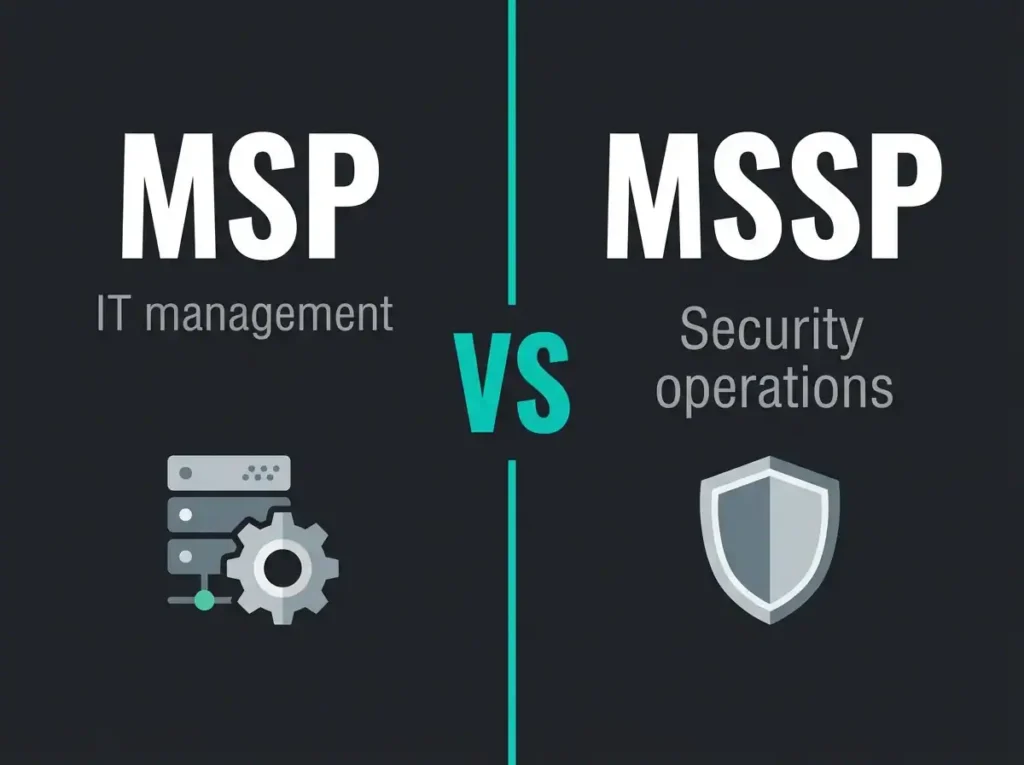
Your MSP keeps the lights on. They manage your Microsoft 365 tenant, handle endpoint deployments, run backups, and fix things when they break. Good. When a phishing email bypasses your spam filter at 02:00 and an attacker starts pulling files out of SharePoint, your MSP is asleep. Their NOC isn’t watching your security logs. They don’t operate a SOC. That’s the MSP vs MSSP gap in one sentence: they’ll find out about the breach the same way you will, or later, if they find out at all.
That’s the fault line between a Managed Service Provider (MSP) and a Managed Security Service Provider (MSSP). Both manage IT infrastructure. Only one is built to detect, investigate, and respond to security threats. Picking the wrong partner for the wrong job is how Swedish SMBs end up with a signed contract that looks like security coverage and isn’t. IBM’s latest breach cost figure tops $4.44 million, and that’s an average.
- Different jobs entirely. An MSP keeps IT running through a NOC on business hours; an MSSP defends it through a 24/7/365 SOC measured on MTTD and MTTR.
- MSP security is hygiene. Antivirus, MFA, patching, and firewall rules reduce attack surface but provide zero detection and response once prevention fails.
- Know the price bands. MSPs run $50 to $150 per user per month; MSSPs run $15 to $50 per endpoint per month, or $2,000 to $10,000+ monthly for full SOC services.
- Most SMBs need both. Past roughly 50 employees the working model is an MSP owning IT operations and an MSSP protecting them, coordinating on hardening.
- Pressure-test before signing. Demand named SOC locations, MTTD under one hour, MTTR under four hours, and containment under an agreed runbook rather than alert forwarding.
What an MSP actually is
A Managed Service Provider is the outsourced IT department for an organisation that can’t justify or doesn’t want to keep a full internal IT team. The MSP handles day-to-day running and maintenance of the estate.
The work falls into a few buckets. Infrastructure sits at the centre: servers, networking, cloud resources, and system updates. The helpdesk layer runs parallel to that, handling password resets, software installation, hardware problems, and the onboarding and offboarding churn every organisation deals with. Microsoft 365 administration is usually the biggest single workload in a modern engagement, covering tenant configuration, license management, Exchange Online setup, SharePoint work, and Teams deployment. Backup and disaster recovery gets its own line item (configuring backup tooling, testing the restore path, and keeping business continuity plans current). Endpoint management runs alongside that, handling workstation provisioning and patching, Intune policies for mobile devices, and software inventory.
And then there’s the area where the confusion tends to start. MSPs do provide some security work: antivirus deployment, firewall rules, patching, enforcing MFA. Call it security hygiene. It’s reactive and configuration-focused, not detection and response, and that distinction is what the rest of this article is about.
Commercially, MSPs charge per user or per device on a monthly basis, operate during business hours (sometimes extended), and get measured on uptime, ticket resolution speed, and user satisfaction scores. Good ones are excellent at that job. None of them are a security operations function.
What an MSSP actually is
A Managed Security Service Provider has one purpose: protect your environment against threats. That translates in practice to a Security Operations Center (SOC) that watches your systems around the clock, detects suspicious activity, investigates what the detection means, and responds when the investigation confirms something real.
The work looks quite different from what an MSP does. The headline service is 24/7 threat monitoring, and the word that matters in that phrase is “monitoring”. It’s not a dashboard someone checks in the morning. It’s real-time analysis of security logs, alerts, and telemetry from endpoints, email, identity, cloud, and network, performed by trained security analysts on rotating shifts.
Behind the monitoring sits SIEM management: deploying and operating a platform like Microsoft Sentinel, building the ingestion pipelines, writing the detection rules, tuning the thresholds, and driving down the false positive rate. When a detection fires and an analyst confirms it’s real, the process moves into incident detection and response: work out scope, contain the threat, and execute or direct the remediation. That’s managed detection and response (MDR), which is the specific capability that makes an MSSP an MSSP rather than a rebadged MSP.
Around the core detection-and-response work, the better MSSPs add preventive and assurance layers. Vulnerability management runs on a schedule to find weaknesses before attackers do. Security assessments and hardening work compare your configuration against baselines; a proper M365 security audit regularly turns up gaps an MSP’s default setup left behind. Compliance support wraps around all of it, helping organisations produce the evidence NIS2, GDPR, ISO 27001, and cyber insurers now expect.
MSSPs run 24/7/365. They get measured on mean time to detect (MTTD), mean time to respond (MTTR), and the number of threats actually contained before business impact. Those metrics are not interchangeable with uptime SLAs.
Side by side
The cleanest framing is that an MSP makes sure your IT works, and an MSSP makes sure your IT is defended. They aren’t alternatives. They’re complementary functions, and most organisations past a certain size need both.
| MSP | MSSP | |
|---|---|---|
| Primary focus | IT operations and infrastructure | Cybersecurity and threat protection |
| Core objective | System uptime and user productivity | Threat detection, incident response, and risk reduction |
| Operations center | Network Operations Center (NOC) | Security Operations Center (SOC) |
| Security depth | Baseline: antivirus, MFA, patching, firewall rules | Advanced: SIEM, EDR/XDR, threat hunting, incident response |
| Operating hours | Business hours or extended hours | 24/7/365 |
| Staff expertise | IT generalists: networking, cloud, Microsoft 365 | Security specialists: SOC analysts, incident responders, threat hunters |
| Compliance support | Limited: basic configuration documentation | Full evidence: NIS2, GDPR, ISO 27001, cyber insurance logs |
| Typical cost | $50 to $150 per user/month | $15 to $50 per endpoint/month, or $2,000 to $10,000+/month for a full SOC |
What the table misses
Tables are useful for buyers in procurement mode and not very useful for explaining why the shape of the two operations is different. A few points worth drawing out.
The first is about security scope. MSPs do preventive security: antivirus, MFA, firewall rules, patching. That’s surface reduction. It’s necessary and it’s not remotely sufficient, because prevention eventually fails. Every organisation that has ever existed has faced an attack that got past preventive controls at some point, and the question from then onward is what happens next. MSSPs own the next part: detect, investigate, contain. The way I usually put it with prospects is that the MSP installs the locks and the alarm; the MSSP is the one who answers the alarm at 03:00 and dispatches someone.
The second is about who actually works at each provider. MSP engineers are generalists (networking, Windows Server, Microsoft 365, cloud), and they’re good at keeping estates running. Most of them haven’t done threat hunting, don’t have incident response reps, and have never written a detection rule. MSSP analysts tend to hold certifications like SC-200, GCIA, or GCIH, and they spend their working hours looking at attack patterns rather than broken printers. That specialisation is expensive to build internally (the (ISC)² workforce study has the global cybersecurity shortfall at 4.8 million people and the numbers aren’t improving), which is the underlying reason SMBs outsource it rather than hire for it.
The third is operating hours, which matters more than most buyers think at the time of signing. An MSP working 07:00 to 19:00 is fine for IT issues because users are mostly asleep outside that window. Attackers are not. They deliberately pick evenings, weekends, Swedish public holidays, and the summer shutdown. A ransomware deployment at 03:00 on a Saturday in July needs the same response speed as one during working hours on Tuesday morning, and the MSP isn’t there for it. MSSPs run 24/7/365 because that’s the problem.
The fourth shows up in the building itself. MSPs run NOCs where the screens track network performance, system availability, and the ticket queue. MSSPs run SOCs where the screens show alert queues, detection rule hits, and incident timelines. Different tools, different shift patterns, different skillsets. Which is why MSPs that add “security services” as a product line rarely deliver anything close to what a purpose-built MSSP does; the operation isn’t the same operation.
The fifth is the tooling stack. MSP estates run on RMM platforms, ticketing systems, endpoint management tools, and a standard antivirus or email filtering product. MSSP estates run on SIEM, EDR, threat intelligence feeds, SOAR (Security Orchestration, Automation, and Response), and forensic tooling. The two stacks don’t overlap much, because they’re built for different jobs.
And finally there’s pricing, which is where buyers sometimes get confused by the numbers. MSP pricing sits in the $50 to $150 per user per month range for full IT management. MSSP pricing runs $15 to $50 per endpoint per month for monitoring and response, or $2,000 to $10,000+ per month for full SOC services depending on environment size. Running both costs less than one in-house SOC, because a single SOC analyst runs $80,000 to $120,000 a year in salary alone and you need at least three to cover 24/7.
When the answer is an MSP
An MSP is the right answer when what you actually need is IT operations and user support: someone managing the Microsoft 365 tenant, servers, and network; a helpdesk for day-to-day issues; backup and disaster recovery that actually works when tested; endpoint management and patching; and the baseline security hygiene of antivirus, MFA, and firewall config. Most SMBs in the 20-to-500 employee range need an MSP; it’s the operational foundation of outsourced IT and nothing replaces it.
When the answer is an MSSP
An MSSP becomes non-optional once your security requirements go beyond what basic configuration can deliver. A few of the usual triggers:
- You handle sensitive data. Financial records, health data, personal data, or intellectual property where a breach would be expensive and publicly embarrassing.
- Regulatory compliance requires active monitoring. NIS2 is mandatory for essential and important entities in the EU, GDPR requires demonstrable appropriate security measures, ISO 27001 and cyber insurance policies now expect documented 24/7 monitoring and response capability.
- You’re a target. Finance, healthcare, legal, government, critical infrastructure. Sophisticated and persistent adversaries aren’t deterred by baseline controls.
- You’ve been breached. After an incident, the question of whether the MSP’s security was enough tends to answer itself. An MSSP closes the monitoring gap so the same attack vector doesn’t work twice.
- Your MSP admits they can’t do it. Good MSPs are honest about their limits. If yours says “you need a separate security monitoring provider”, believe them; they’re right, and the conversation is rarer and more useful than the opposite one.
The practical answer for most SMBs: both
Most organisations past the 50-employee mark land on using an MSP and an MSSP in parallel. Different functions, different operational rhythms, different providers in most cases. Your MSP owns the IT environment. Your MSSP protects it. They coordinate on security hardening: the MSSP identifies the gaps (often through an M365 security best practices review), and the MSP executes the fixes. That’s the working model.
A small number of providers offer both MSP and MSSP in a single engagement, which simplifies vendor management. The caveat is to verify that what’s being sold as security is actually SOC-backed, rather than MSP services with security terminology applied to them. Ask to see the SOC, ask to meet the analysts, and ask how detection and response actually works end-to-end. If the answers are vague, the service is probably vague too.
How to pressure-test an MSSP before signing
Most MSSP sales calls sound identical. The way to tell one provider from another is to push on specifics, ideally in the first meeting. The questions I suggest clients ask:
“Do you operate a 24/7 SOC, and where are the analysts?” The answer should name locations and describe the shift rotation. “We have automated monitoring” isn’t a yes to the question that was asked.
“What SIEM do you run, and for Microsoft-heavy environments do you use Sentinel?” For Microsoft estates, an MSSP running Sentinel has a real connector-economics advantage, and a decent one will be able to talk specifically about their detection rule library and how they tune false positives.
“What’s your mean time to detect and respond?” Real answers come with numbers. Industry benchmarks sit under one hour for MTTD and under four hours for MTTR. Anything softer than that is probably marketing.
“What actually happens during an incident? Do you contain threats or forward alerts?” There’s a big operational difference between an MSSP that executes containment under an agreed runbook and one that sends an email and leaves the next step to you. The second model exists and is often priced as if it’s the first one.
“Can you produce compliance documentation for NIS2 and ISO 27001?” For any SMB in scope for NIS2 this isn’t optional. Regular reports on monitoring coverage, incident activity, and security posture need to be a standing deliverable, not a bespoke request.
Frequently asked questions
What is the main difference between an MSP and an MSSP?
An MSP (Managed Service Provider) manages your IT infrastructure: servers, networks, Microsoft 365, helpdesk, and backups. An MSSP (Managed Security Service Provider) protects your IT environment: 24/7 threat monitoring, incident detection and response, SIEM management, and security assessments. MSPs focus on uptime and operations. MSSPs focus on threat detection and response.
Can my MSP handle security too?
MSPs can handle basic security configuration: antivirus deployment, MFA enforcement, firewall management, and patching. Most MSPs do not operate a 24/7 Security Operations Center, employ dedicated security analysts, or have the SIEM and EDR tooling needed for real-time threat detection and incident response. For organizations with compliance requirements or sensitive data, an MSP’s security capabilities are typically not enough on their own.
How much does an MSSP cost compared to an MSP?
MSP services typically cost $50 to $150 per user per month for full IT management. MSSP services typically cost $15 to $50 per endpoint per month for security monitoring and response, or $2,000 to $10,000+ per month for full SOC services depending on environment size. Most SMBs use both, and the combined cost is still well below building internal IT and security teams.
Do I need both an MSP and an MSSP?
Most organizations benefit from both. Your MSP manages day-to-day IT operations while your MSSP provides security monitoring and incident response. Some providers offer both capabilities, but verify they have genuine SOC operations and security expertise rather than simply adding “security” to their existing MSP offering.
Is an MSSP required for NIS2 compliance?
NIS2 does not specifically require an MSSP, but it mandates security monitoring, incident detection and response capabilities, and incident reporting within 24 hours. For most SMBs classified as essential or important entities under NIS2, meeting these requirements without an MSSP or an internal SOC is impractical. An MSSP provides the documented monitoring and response capabilities that NIS2 compliance demands.