What We Find When We Inherit a Client’s Sentinel: A Cost Autopsy

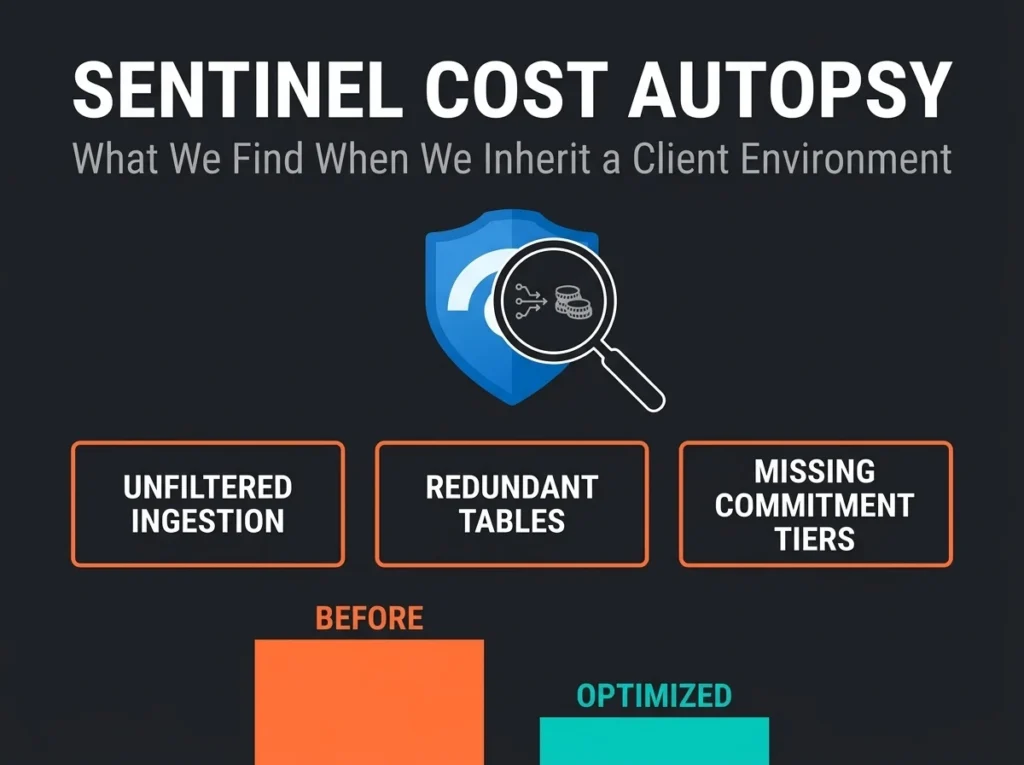
A new MSSP has just inherited your Microsoft Sentinel workspace. The first thing we do is a Sentinel cost autopsy, and it is almost never pleasant reading. On the workspaces Falconer Security has taken over in the last eighteen months, thirty to fifty percent of the daily ingestion bill is attached to data that produces exactly zero security signal. The money is real. The detection value is imaginary.
We’ve inherited dozens of these workspaces. Some were built by in-house teams. Plenty were built by other MSSPs. A depressing number were built by certified Microsoft partners following “best practice” templates that nobody revisited after go-live. The waste pattern looks almost identical every time: bloated ingestion, the wrong commitment tier, unclaimed license grants sitting there untouched, and detection rules that don’t match the data actually arriving in the workspace.
What follows is the five specific cost failures we find during a Sentinel optimisation engagement. What each one costs. And, concretely, how we unpick it.
- Half the bill can be waste. On inherited workspaces, 30 to 50 percent of daily ingestion cost is attached to data that produces zero security signal, and a full autopsy typically cuts Sentinel spend by 30 to 40 percent.
- DCRs filter before billing starts. Data Collection Rules drop noise at source, cutting Windows Security Events from 4 to 8 GB per server per day to 0.5 to 1.5 GB and Azure Diagnostics volume by 60 to 80 percent.
- Size the commitment tier to P90. Wrong or missing tiers waste $1,500 to $8,000 per month, and the optimal tier tracks the daily volume you exceed only ten percent of the time.
- Claim your free ingestion grants. Roughly half of inherited workspaces never activated the E5 per-user allowance or the 500 MB per server Defender for Servers P2 grant, worth $10,000 to $15,000 a year on twenty servers.
- Tier the storage. Moving 30 to 50 percent of log volume from analytics to the data lake tier drops total spend by 15 to 25 percent while keeping full investigation capability.
Why Sentinel costs spiral after the initial deployment
Sentinel bills on consumption. You pay per gigabyte of data landing in your Log Analytics workspace, which on pay-as-you-go runs about $4.30 per GB under the simplified pricing tier (Sentinel analysis plus Log Analytics ingestion combined). Sign up for a commitment tier starting at 100 GB per day and the effective rate falls by as much as fifty percent at the top end.
No Sentinel workspace stays static. Connectors get enabled during onboarding and then forgotten. Verbose diagnostic settings get turned on for a troubleshooting session and never turned back off. Engineering stands up new workloads that start logging. Six months later, nobody on the team can remember which data connectors are active, let alone whether the commitment tier still matches the volume coming through.
Within six to twelve months, most workspaces have drifted a long way from their original cost model. By eighteen months, the drift is usually obvious on the invoice.
Falconer Security typically cuts inherited Sentinel ingestion cost by 30 to 40 percent through log tiering, DCR filtering at source, realigned commitment tier, and removal of low-value data. The savings generally fund the ongoing managed Sentinel engagement with budget left over.
Finding #1: ingesting everything, detecting nothing
This is the expensive classic. The team that originally stood up Sentinel enabled every data connector in sight, often quoting Microsoft’s “connect everything” guidance as cover, without ever mapping each source to a specific detection rule or investigation workflow. The data arrives. The analytic rules stay silent. The bill keeps growing.
Representative examples from recent audits:
- IIS access logs at 15 to 30 GB per day with no analytic rules referencing the IISLogs table at all
- Azure Activity logs at full verbosity, dragging in hundreds of daily read operations that carry no security signal
- Network flow logs (AzureNetworkAnalytics) pushing 5 to 20 GB per day that nobody has queried in months
- Application Insights data duplicated into Sentinel when it already lives in its own workspace
How we fix it
Every active analytic rule gets exported. Every KQL query gets parsed for the tables it actually references. Any table that shows up nowhere (not in a rule, not in a hunting query, not in an active investigation) gets flagged. Tables with zero queries over the last 30 days (verified through LAQueryLogs) become candidates for removal or a move to the cheaper data lake tier.
Typical saving from this step alone is 20 to 35 percent of total ingestion cost.
Finding #2: no Data Collection Rules filtering at source
Data Collection Rules (DCRs) sit between your log sources and your Log Analytics workspace. They filter fields, transform events, and route data to cheaper tiers before any ingestion billing happens. They are the single most effective cost tool Microsoft gives you, which is why it is genuinely baffling how rarely we find them deployed.
Without DCRs, you are ingesting raw verbose logs and paying full analytics-tier pricing for every byte, including the ones that would never have triggered a detection. With DCRs, you strip the noise, filter low-value events, route secondary data to auxiliary tiers, and do it all before the billing meter starts.
Three examples from recent DCR rollouts:
- Windows Security Events: the “All Events” preset pulls 4 to 8 GB per server per day. Switching to “Common” or a well-built custom DCR brings that down to 0.5 to 1.5 GB while keeping every event your detection rules actually use.
- Syslog from firewalls and proxies: raw syslog is bloated with informational messages, health checks, and duplicate entries. A well-tuned DCR transformation routinely cuts volume 40 to 60 percent.
- Azure Diagnostics: filter out read-only operations. Keep writes, deletes, and actions. Volume drops 60 to 80 percent with no detection impact.
Why DCRs matter more than workspace filtering. DCR transformations apply before ingestion billing. Data that never reaches the workspace is never charged. Workspace-level transformations still incur the ingestion cost. That gap is the whole reason DCRs are worth the work.
How we implement DCRs
DCR configurations get built to match the environment. The process opens with a two-week baseline where we measure actual log volume per table, identify which fields and event IDs the detection rules are really using, and design transformations that preserve detection fidelity while cutting the rest.
Nothing goes to production without a test-environment run. A misconfigured DCR can filter too aggressively and create detection blind spots. A blind spot is worse than overspending, by a large margin.
Finding #3: wrong commitment tier (or no tier at all)
Microsoft’s simplified commitment tiers bundle Sentinel analysis and Log Analytics ingestion into one discounted rate, starting at 100 GB per day and scaling up. At higher volumes the discount climbs toward fifty percent off pay-as-you-go.
We see three recurring commitment tier mistakes, and typically at least one of them on every inherited workspace.
| Mistake | What Happens | Typical Cost Impact |
|---|---|---|
| No commitment tier (pay-as-you-go at 100+ GB/day) | Paying full rate despite qualifying for 30%+ discount | $3,000 to $8,000 per month wasted |
| Commitment tier set too high | Paying for 200 GB/day but only ingesting 120 GB/day | $1,500 to $4,000 per month wasted |
| Commitment tier never adjusted | Ingestion grew from 100 to 180 GB/day, overage billed at PAYG rate | $2,000 to $5,000 per month wasted |
How we fix it
Ninety days of ingestion history goes through the Sentinel cost workbook and Azure Cost Analysis. The optimal commitment tier is the one that tracks your P90 daily ingestion volume, the level you exceed only ten percent of the time. That is the sweet spot between locked-in savings and overage exposure.
Quarterly review is non-negotiable once it’s set. Ingestion moves as connectors come and go, workloads scale, detection rules get rewritten. Treat the tier as set-and-forget and you will drift off-optimal within months. The reviews are cheap. The drift is not.
Finding #4: unclaimed license grants burning money
Microsoft ships free Sentinel ingestion allowances with several common licenses. Claiming them requires specific configuration, which is where it all falls apart. Roughly half of the workspaces we inherit haven’t activated one or both of the grants below. The licenses have been paid for. The ingestion is being billed again on top. The grant is sitting there unused.
Microsoft 365 E5 data grant
Organisations on Microsoft 365 E5, A5, F5, or G5 get a free daily ingestion allowance of up to 5 MB per user per day for specific Microsoft 365 data sources. For a 200-user org, that’s roughly 1 GB per day free, which works out to $1,200 to $1,500 of annual saving you’re otherwise double-paying for.
The grant auto-applies to eligible data types (Azure AD sign-in logs, Office 365 audit logs, Microsoft 365 Defender incidents) provided the workspace is configured correctly and the benefit is enrolled. Verification of enrollment sits in our standard onboarding checklist for a reason.
Defender for Server Plan 2 grant
Each server covered by Microsoft Defender for Servers Plan 2 brings 500 MB of free security log ingestion per day with it. Twenty servers: 10+ GB per day of free ingestion, worth $10,000 to $15,000 a year. There’s a catch in there. The grant only applies to specific security-related tables, so ingesting non-security data from those same servers into the same workspace dilutes the benefit. The engineering fix is straightforward, but it is work.
Finding #5: all data in the analytics tier when it shouldn’t be
Sentinel gives you multiple data tiers. Each has its own pricing, its own query capability, and its own retention profile.
| Tier | Best For | Query Support | Approximate Cost |
|---|---|---|---|
| Analytics | Active detection, real-time alerts, investigation | Full KQL, scheduled rules, workbooks | $4.30/GB (PAYG simplified) |
| Data Lake / Auxiliary | High-volume, low-fidelity data, compliance retention | Limited KQL, no scheduled rules | Significantly lower |
| Archive | Long-term compliance, rare investigation needs | Restore before querying | Lowest storage cost |
Most inherited workspaces have stuffed every table into analytics. Firewall logs at 30 GB a day sitting next to critical identity threat data, all billed at the same premium rate, even though firewall data is mainly relevant for occasional forensic investigation after the fact. The money sits in that mismatch.
How we implement tiered storage
Every data source gets classified by how the SOC actually uses it, not how it was originally categorised. Three buckets come out of it:
- Tier 1 (Analytics): data the detection rules, threat hunting queries, and real-time investigation actually touch. Identity logs, endpoint alerts, email threat data.
- Tier 2 (Data Lake / Auxiliary): high-volume forensic-useful data that doesn’t need live detection. Firewall logs, proxy logs, DNS query logs, network flow data.
- Tier 3 (Archive): retained only for compliance or rare historical investigation. Older than 90 days. Restored on demand when a case actually needs it.
Moving 30 to 50 percent of log volume from analytics down to the data lake tier typically drops total Sentinel spend by 15 to 25 percent while keeping full investigation capability in reach.
The cost autopsy process: what a Sentinel optimization engagement looks like
When Falconer Security takes over a Sentinel workspace, the optimisation work runs on a four-week cadence. The weeks are not interchangeable. Each one sets up the next.
Discovery comes first. Baseline ingestion volume per table using the Sentinel cost workbook. Map every active data connector to its associated detection rules. Confirm whether the commitment tier matches actual ingestion. Check license grant enrollment (E5 and Defender for Server P2). Document current monthly spend for both Sentinel and Log Analytics so there’s an honest starting line.
Analysis follows. Identify tables with no analytic rule coverage and no recent ad-hoc queries. Quantify the saving available from DCR transformations per data source. Model the optimal commitment tier based on projected post-optimisation volume. Classify data sources into analytics, data lake, or archive tiers with the engineering team.
Implementation week is the one that reads boring and matters most. DCR transformations get deployed in a test environment and validated against detection fidelity. Eligible tables migrate to data lake or auxiliary tiers. Commitment tier gets adjusted to the optimised volume. Unclaimed license grants get activated, sometimes for the first time in that workspace’s history.
Validation closes the engagement. Post-optimisation ingestion gets compared against the baseline on a per-table view. Every detection rule gets re-verified against test data. The final cost position gets documented as a before-and-after comparison with monthly impact. A quarterly review cadence gets scheduled in the calendar so the drift does not return.
NIS2 compliance and Sentinel cost optimization
For organisations in scope of the NIS2 Directive, cost optimisation is not a standalone decision. Article 21 sets specific log retention and monitoring expectations. Cut the wrong logs to save money and you’ve traded a bill for a compliance gap, which is a bad trade.
Falconer Security’s optimisation process maps NIS2 obligations to data sources before anyone touches a DCR. If a source is needed for NIS2 compliance monitoring, it stays in the analytics tier whatever the cost reads. The NIS2 mapping to Microsoft Sentinel guide lays out which detection capabilities map to which directive requirements.
The reassuring bit: NIS2 and cost optimisation are not in conflict in practice. Almost everything we remove or downgrade during optimisation has no compliance relevance at all. The savings are in the waste, not in the coverage.
When to call an MSSP for Sentinel cost optimization
Plenty of organisations can optimise Sentinel themselves and should. The trigger for bringing in outside help tends to be one of five conditions.
- Monthly Sentinel spend exceeds $5,000 and you do not have a dedicated Sentinel administrator
- Pay-as-you-go pricing with ingestion above 50 GB per day
- A Sentinel deployment older than 12 months that has never been reviewed
- A recent MSSP change where you want an independent cost assessment
- Detection rules that haven’t been updated in six months or more, which usually means nobody’s actively managing the platform
Our managed Sentinel services include ongoing cost optimisation as a standard deliverable, not a one-off project. The Sentinel pricing guide adds useful context on how Microsoft’s billing model works and where the savings usually come from.
Frequently asked questions
How much can Sentinel cost optimization save?
On inherited workspaces, Falconer Security typically cuts Sentinel costs by 30 to 40 percent. Exact savings depend on current ingestion volume, how many data sources are running without detection coverage, and whether the commitment tier is sized correctly. Organisations ingesting above 100 GB per day generally see the largest absolute savings.
Will reducing ingestion create security blind spots?
Not when done properly. The optimisation process maps every data source to its detection rules before any change happens. Only data with no analytic rule coverage and no recent query activity gets removed or downgraded. Detection fidelity is verified in a test environment before anything goes live.
How long does a Sentinel cost optimization take?
A full cost autopsy and implementation usually runs four weeks: one for discovery, one for analysis, one for implementation, one for validation. Quick wins like commitment tier adjustment and license grant activation can land inside the first week.
Does Microsoft Sentinel charge for data filtered by DCRs?
No. Data Collection Rules filter data before it reaches the Log Analytics workspace, so filtered data is never billed. That is the whole reason DCRs are the most cost-effective optimisation tool available. You pay nothing for data that never enters the workspace.
How does NIS2 affect Sentinel cost optimization?
NIS2 Article 21 requires organisations in essential and important sectors to implement appropriate monitoring and logging capabilities. Cost optimisation has to preserve every data source needed for NIS2 compliance. Falconer Security maps NIS2 obligations to specific Sentinel data sources before recommending changes, so compliance coverage is never traded off to save money.