NIS2 Article 21 Mapped to Microsoft Sentinel: What Detection Requirements Actually Mean

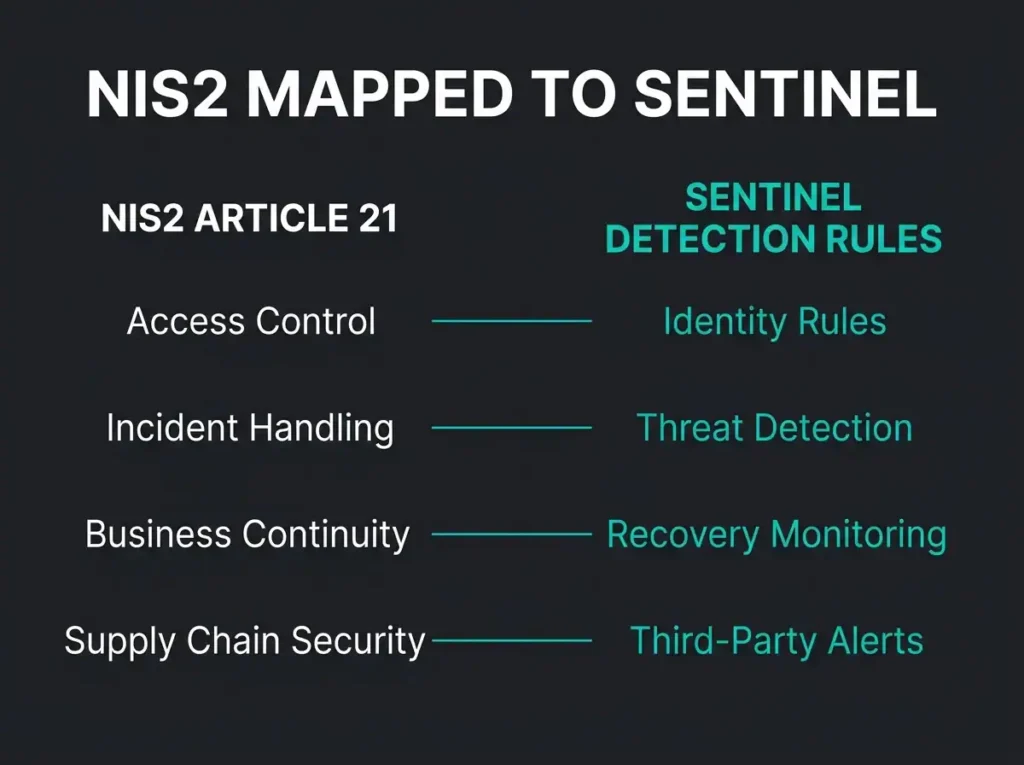
NIS2 applies to you. The stack in your SOC is Microsoft Sentinel. The question nobody is answering cleanly: which of the ten Article 21 requirements does Sentinel actually get you over the line on, and which ones are you still going to have to handle with something else?
This post maps every NIS2 Article 21(2) requirement to concrete Sentinel capability, with implementation notes for each one. No vague “Sentinel helps with compliance” phrasing. KQL queries, analytics rule types, and workbook patterns tied back to specific regulatory obligations.
- Sentinel covers half directly. It gives primary coverage on 5 of the 10 Article 21(2) requirements (incident handling, vulnerability handling, effectiveness assessment, access control, MFA monitoring) and supporting evidence collection on the other 5.
- Penalties are real money. Essential entities face fines up to EUR 10 million or 2% of global turnover, important entities up to EUR 7 million or 1.4%, and Article 20 puts personal liability on management.
- Article 23 sets three deadlines. Significant incidents need a 24-hour early warning, a 72-hour full notification, and a one-month final report, so wire Sentinel playbooks straight into the reporting workflow.
- Documentation stays on you. Risk policies, business continuity plans, supplier assessments, training programmes, and cryptographic standards live outside Sentinel and auditors will ask for them.
- Start with connectors and mapped rules. Enable the minimum connector set (Entra ID, Microsoft 365 audit, Defender for Endpoint and Office 365, Azure Activity), then document which analytics rule satisfies which requirement; that mapping is your audit evidence.
What NIS2 Article 21 actually requires
Article 21 of Directive (EU) 2022/2555 (NIS2) tells essential and important entities to take “appropriate and proportionate technical, operational and organisational measures” around cybersecurity risk. Article 21(2) lists ten minimum measures. Risk analysis policies sit at one end. Multi-factor authentication sits at the other.
If you run Microsoft, Sentinel is where this conversation starts. Microsoft’s cloud-native SIEM already ingests the logs and telemetry that map to most of the ten measures. What’s left is configuring it to produce the detection coverage and the audit evidence that NIS2 is looking for.
Scope: energy, transport, banking, health, digital infrastructure (the “essential” sectors), plus postal, waste, manufacturing, and digital providers (the “important” sectors). Swedish entities fall under the national transposition. Penalties for essential entities reach 2% of global annual turnover or EUR 10 million, whichever is the higher number.
The complete Article 21(2) mapping
Each of the ten requirements below, with what Sentinel can do, what it can’t, and what you need to configure to show a straight face at audit.
(a) Risk analysis and information system security policies
NIS2 wants policies on risk analysis and information system security.
Sentinel’s contribution is the data layer for continuous risk analysis. With logs flowing in from Microsoft 365, Azure, Entra ID, Defender XDR, firewalls, and whatever else you’re running, the platform gives your team live visibility into active risks across the estate.
- Security posture workbooks visualize risk trends over time (failed authentications, vulnerability scan results, configuration drift)
- Anomaly detection rules (UEBA) flag deviations from baseline user and entity behaviour for continuous risk monitoring
- Microsoft Secure Score integration tracks security configuration against Microsoft’s recommended baselines
The thing to be honest about: Sentinel watches the risks. It doesn’t produce your risk analysis policy. You still need a documented risk management framework (ISO 27001, NIST CSF, BSI IT-Grundschutz, pick one) with defined risk appetite, assessment methodology, and governance wiring. Treat Sentinel as the evidence source, not the policy.
(b) Incident handling
NIS2 asks for measures around incident prevention, detection, and response. This is exactly the job Sentinel was designed for.
- Detection rules: Scheduled KQL queries, near-real-time (NRT) rules, anomaly detection, and Fusion-based multistage attack detection that correlates signals across the kill chain
- Incident management: Automated alert grouping into incidents, severity classification, assignment, and investigation workflows
- Automated response: Logic Apps playbooks that isolate compromised devices, disable accounts, block IPs, and notify the security team within seconds of detection
- Investigation tools: Entity timelines, hunting queries, and bookmarks for forensic analysis
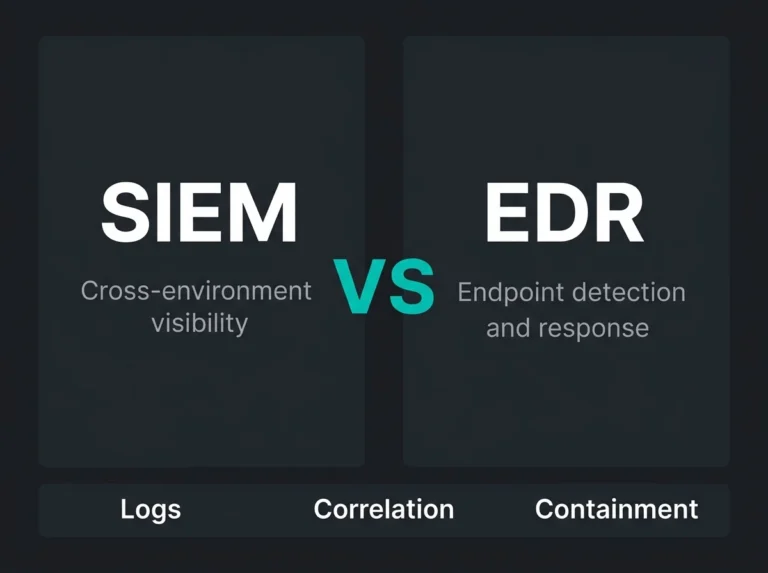
Tied directly to this: NIS2 Article 23 wants significant incidents reported to the competent authority in three waves. Early warning in 24 hours. Full notification in 72 hours. Final report in one month. Sentinel’s incident timeline and evidence collection carry the reporting workflow straight through that cascade. Teams without an in-house SOC usually close the operational gap by pairing SIEM with managed detection and response (MDR).
Practical tip: Create a dedicated Sentinel workbook that tracks the incident metrics NIS2 reporting expects: mean time to detect (MTTD), mean time to respond (MTTR), incident classification breakdown, and resolution status. This workbook becomes your compliance evidence for requirement (b).
(c) Business continuity, backup management, and disaster recovery
NIS2 rolls business continuity, backup, disaster recovery, and crisis management together. Sentinel has a role here, but the role is supporting.
- Backup monitoring: Ingest Azure Backup logs and Azure Site Recovery events into Sentinel. Create detection rules that alert on backup job failures, missed backup schedules, or unauthorized backup policy changes
- Availability monitoring: Track service health events and infrastructure availability through Azure Monitor integration
- Crisis detection: Sentinel detects attack patterns (ransomware encryption activity, mass deletion events, domain controller compromise) that trigger business continuity plan activation
Where Sentinel drops out: business continuity planning itself, disaster recovery testing, RTO and RPO definitions, crisis communication procedures. Those require dedicated BCP/DR frameworks and regular tabletop exercises. Sentinel tells you an event has started. The plan you already wrote tells people what to do next.
(d) Supply chain security
NIS2 pulls supply chain explicitly into scope, specifically the security-related aspects of your relationships with direct suppliers and service providers. The Sentinel angle is monitoring supplier access and catching supply-chain compromises in the data.
- Third-party access monitoring: Track B2B guest accounts in Entra ID, monitor privileged access from managed service providers, and detect anomalous activity from external identities
- GDAP and Lighthouse monitoring: For organizations using Microsoft partners, Sentinel can monitor delegated admin privileges and flag unauthorized privilege escalation by partner accounts
- Threat intelligence matching: Correlate indicators of compromise (IoCs) from threat feeds against your logs to detect supply chain attacks like SolarWinds-style compromises
The piece Sentinel can’t touch: vendor risk assessments, contractual security clauses, supplier audit programmes, fourth-party risk management. Sentinel sees when a supplier account behaves oddly inside your tenant. It doesn’t tell you whether that supplier is running a responsible security programme in their own house.
(e) Security in network and information systems acquisition, development, and maintenance
NIS2 covers acquisition, development, and maintenance of your network and information systems, with vulnerability handling and disclosure called out directly. Sentinel’s role here is operational monitoring.
- Vulnerability monitoring: Ingest Microsoft Defender Vulnerability Management data into Sentinel. Create analytics rules that alert on critical unpatched vulnerabilities, especially those with known exploits
- Configuration change tracking: Monitor Azure Resource Manager activity logs, Azure Policy compliance, and network security group modifications to detect unauthorized changes
- Patch compliance visibility: Track Windows Update compliance across managed devices through Defender for Endpoint integration
What doesn’t happen inside Sentinel: secure development lifecycles (SDLC), code review processes, vulnerability disclosure policy, procurement security requirements. Sentinel watches the running estate. Development security belongs in the pipeline (Azure DevOps security scanning tools, documented SDLC procedures). A note for teams already watching Sentinel ingestion costs: pulling in vulnerability data adds real volume to your daily budget, so price it before you connect.
(f) Assessing the effectiveness of cybersecurity risk-management measures
Requirement (f) asks for policies and procedures that assess the effectiveness of your risk-management measures. In practice this is where Sentinel earns back its ingestion bill.
- Detection rule effectiveness metrics: Track true positive vs. false positive rates across all analytics rules. Low true-positive rates indicate ineffective detection
- Coverage gap analysis: Map active detection rules against the MITRE ATT&CK framework to identify which tactics and techniques lack coverage
- Mean time to detect and respond: Sentinel’s incident data provides MTTD and MTTR metrics that directly measure security operations effectiveness
- Automated control testing: Schedule watchlist-based checks that verify security controls remain active (MFA enforcement, conditional access policies, DLP rules)
Falconer Security approach: We build MITRE ATT&CK coverage dashboards in Sentinel for every managed client. The dashboard maps active detection rules to specific ATT&CK techniques, showing exactly where detection coverage exists and where gaps remain. When auditors ask “how effective are your cybersecurity measures?”, the dashboard provides a data-driven answer.
(g) Basic cyber hygiene practices and cybersecurity training
Basic cyber hygiene plus cybersecurity training for all staff. Sentinel’s contribution here is indirect but genuinely useful.
- Phishing simulation monitoring: Ingest results from Microsoft Defender for Office 365 Attack Simulation Training into Sentinel. Track click rates, credential submission rates, and training completion across the organization
- Risky user behaviour detection: UEBA identifies users with consistently risky behaviour patterns (clicking phishing links, disabling security features, sharing credentials) so you can target training where it matters
- Password hygiene monitoring: Detect password spray attacks, credential stuffing attempts, and use of compromised credentials through Entra ID Protection integration
Where you still need something else: building training content, running the security awareness programme, authoring cyber hygiene policy, tracking completion. Dedicated tooling covers that work (KnowBe4, Proofpoint Security Awareness, Microsoft’s built-in Attack Simulation Training). Sentinel watches the outcomes. It doesn’t deliver the training.
(h) Cryptography and encryption policies
Requirement (h) addresses cryptography policy and, where appropriate, encryption. Sentinel’s role is almost entirely operational monitoring of the controls you’ve already put in place.
- TLS/SSL monitoring: Detect use of deprecated cryptographic protocols (TLS 1.0, TLS 1.1, SSL 3.0) through network and application logs
- Certificate monitoring: Track certificate expiration, unauthorized certificate changes, and self-signed certificate usage across Azure resources
- Encryption status tracking: Monitor Azure Disk Encryption status, Storage Account encryption settings, and SQL Database TDE configuration through Azure Policy compliance logs
Sentinel has nothing to say about cryptographic policy development, key management procedure, encryption standards selection, or algorithm lifecycle management. That’s a documentation exercise, ideally aligned to ENISA’s cryptographic recommendations.
(i) Human resources security, access control, and asset management
Three closely related topics: HR security, access control policy, and asset management. Sentinel is strong on the access side in particular.
- Access control monitoring: Ingest Entra ID audit logs to track privilege assignments, role changes, group membership modifications, and conditional access policy changes
- Identity protection: Monitor for compromised accounts, impossible travel detections, anonymous IP usage, and leaked credential alerts from Entra ID Protection
- Asset discovery: Defender for Endpoint device inventory integration gives you visibility into managed and unmanaged devices on the network
- Offboarding monitoring: Create detection rules that flag activity from disabled accounts, recently terminated users accessing resources, or orphaned accounts with active permissions
What Sentinel won’t do: HR security policies, background check procedures, security clearance management, employee lifecycle procedures. It watches the technical controls that enforce those policies. The policies themselves are still on you.
(j) Multi-factor authentication and secured communications
Requirement (j) wraps together MFA (or continuous authentication), secured voice/video/text communications, and secured emergency communications. Sentinel’s strength here is monitoring MFA coverage and catching the common ways attackers try to work around it.
- MFA enforcement monitoring: Detect authentication events without MFA, conditional access policy gaps, and MFA bypass attempts through Entra ID sign-in logs
- MFA fatigue detection: Identify repeated MFA push notifications that may indicate an MFA fatigue attack (attacker repeatedly triggering push notifications until the user approves)
- Communication security monitoring: Track Teams compliance events, DLP policy matches in communications, and external sharing through Microsoft Purview integration
Per Microsoft’s documentation, MFA blocks more than 99.2% of account compromise attacks. Practically speaking, monitoring MFA coverage and flagging enforcement gaps is one of the single highest-impact Sentinel configurations you can deploy for NIS2. Run it alongside our Microsoft 365 security checklist to confirm every account is in scope: break-glass accounts, service accounts, the lot.
NIS2 Microsoft Sentinel: Article 21 coverage summary
| Article 21(2) Requirement | Sentinel Coverage | Primary Sentinel Capability |
|---|---|---|
| (a) Risk analysis policies | Supporting | Risk visibility workbooks, UEBA, Secure Score |
| (b) Incident handling | Primary | Detection rules, incident management, playbooks |
| (c) Business continuity | Supporting | Backup monitoring, crisis detection |
| (d) Supply chain security | Supporting | Third-party access monitoring, threat intel |
| (e) Vulnerability handling | Primary | Vulnerability data ingestion, patch tracking |
| (f) Effectiveness assessment | Primary | MITRE coverage mapping, detection metrics |
| (g) Cyber hygiene & training | Supporting | Phishing sim data, risky user detection |
| (h) Cryptography | Supporting | Protocol monitoring, certificate tracking |
| (i) Access control & assets | Primary | Entra ID monitoring, device inventory |
| (j) MFA & secured comms | Primary | MFA enforcement monitoring, Teams compliance |
Two terms in that table. “Primary coverage” means Sentinel is the tool the requirement is naturally met with. “Supporting coverage” means Sentinel contributes useful data, but you will need additional tools, process, or documentation to actually satisfy the requirement on its own.
Implementation priorities: where to start
For teams running Sentinel who now need to walk an auditor through NIS2, prioritise in this order.
1. Enable all relevant data connectors. NIS2 assumes visibility across the estate. The minimum connector set: Microsoft 365 audit logs, Entra ID sign-in and audit logs, Defender for Endpoint, Defender for Office 365, Azure Activity logs, and NSG flow logs, which lines up closely with the five Sentinel data connectors most SMBs actually need. When running a Microsoft 365 security assessment, walk each connector back to the requirement it’s covering so the mapping is defensible.
2. Deploy detection rules mapped to NIS2 requirements. Do not live off the content hub defaults. Map analytics rules to specific Article 21(2) requirements and keep the mapping documented. The document becomes the audit evidence. Teams onboarding Sentinel with NIS2 in mind can follow our MSSP onboarding checklist, which bakes compliance considerations in from day one.
3. Build NIS2 compliance workbooks. Dedicated workbooks that surface compliance status across all ten requirements: MFA coverage percentages, incident response metrics, backup success rates, access review completion rates, vulnerability remediation SLAs.
4. Configure incident response playbooks. Automated response playbooks evidence that the organization can detect and respond to incidents inside the windows NIS2 expects. At minimum, ship playbooks for account compromise containment, malware isolation, and privilege escalation response.
5. Schedule regular MITRE ATT&CK coverage reviews. Quarterly reviews of your rule coverage against ATT&CK produce documented evidence for requirement (f): assessing the effectiveness of your cybersecurity measures.
Common mistakes to avoid
A few patterns we see over and over again when organizations try to stretch Sentinel to cover NIS2 on its own.
Deploying Sentinel without tuning. Default analytics rules generate excessive false positives. The SOC drowns in noise and real threats slip through the filter. The Microsoft Digital Defense Report 2025 reports that organizations running untuned SIEM deployments push through roughly 100 trillion signals daily across Microsoft’s ecosystem. Your instance needs detection rules tailored to your environment, not shipped-template defaults.
Treating Sentinel as a checkbox. NIS2 uses the phrase “appropriate and proportionate.” The directive doesn’t care that Sentinel is deployed. It cares that Sentinel is actively maintained, detection rules are reviewed, incidents are investigated, and the whole thing is demonstrably contributing to your risk management programme.
Ignoring the documentation requirement. Sentinel produces technical data. NIS2 asks for policies and procedures. For every requirement where Sentinel provides supporting coverage (not primary), you also need documented policy that references Sentinel’s role inside the broader security programme.
Overlooking incident reporting obligations. Article 23 sets strict reporting deadlines: 24-hour early warning, 72-hour notification, one-month final report. Wire Sentinel alerting and playbooks into the reporting workflow directly from incident classification, not after someone picks the ticket up manually two hours later.
Frequently asked questions
Does Microsoft Sentinel satisfy all NIS2 requirements?
No. Sentinel provides primary coverage for 5 of the 10 Article 21(2) requirements (incident handling, vulnerability management, effectiveness assessment, access control, and MFA monitoring) and supporting coverage for the remaining 5. Full NIS2 compliance also asks for documented policies, business continuity plans, supply chain management procedures, training programmes, and cryptographic standards. Those sit alongside Sentinel, not inside it.
Which Sentinel data connectors are essential for NIS2?
At minimum: Microsoft Entra ID (sign-in and audit logs), Microsoft 365 (unified audit log), Microsoft Defender for Endpoint, Microsoft Defender for Office 365, Azure Activity logs, and Azure Key Vault. If supply-chain monitoring is in your scope, connect Entra ID B2B/guest activity and Azure Lighthouse logs for managed service providers on top of that.
How does NIS2 incident reporting work with Sentinel?
Article 23 expects three-stage reporting. A 24-hour early warning to the competent authority (in Sweden, MSB). A 72-hour full notification with initial assessment. A one-month final report. Wire Sentinel playbooks into your reporting workflow so that incident classification automatically populates the report template and triggers countdown alerts against the deadlines.
What penalties apply for NIS2 non-compliance?
For essential entities, fines up to EUR 10 million or 2% of global annual turnover, whichever is higher. For important entities, up to EUR 7 million or 1.4% of global annual turnover. Article 20 also lands personal liability on the management body when they fail to ensure Article 21 measures are in place.
Can a managed Sentinel provider help with NIS2 compliance?
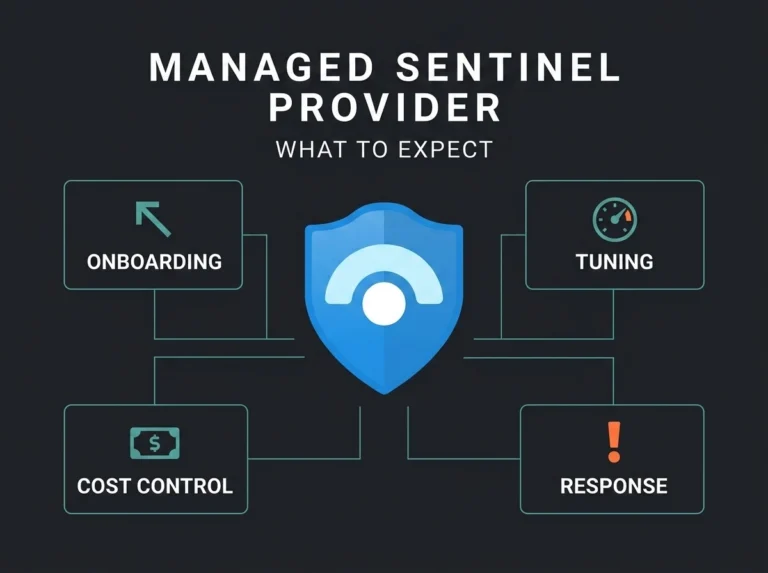
Yes. A managed Sentinel provider (MSSP) delivers the 24/7 monitoring, rule tuning, incident response, and compliance reporting NIS2 is asking for. That combination is particularly relevant to SMBs without in-house SOC capacity. A managed Sentinel service brings the expertise, 24/7 monitoring, and detection engineering the directive expects. Note that Article 21(2)(d) addresses supply chain security directly, so verify the provider’s own security practices hold up to the same standard. Our explainer on managed SIEM, MDR, and MXDR walks through how the service models differ.