Deploying Sentinel for a New Client: Our MSSP Onboarding Checklist

We onboard new clients to Microsoft Sentinel every month. The deployment itself is the easy bit. Enabling a workspace and wiring up a few data sources is a day’s work. The hard part is doing it in a way that survives first contact with production, keeps costs predictable, and gives your SOC team clean cross-tenant visibility from day one rather than three months in.
The checklist below covers what we actually configure for every new managed SIEM client. Access architecture decisions (Lighthouse, GDAP, or both), data connector strategy, the detection rule baseline we start with, and the cost controls that keep the first invoice from being a shock. This is the working document, not a theoretical framework.
- You need Lighthouse and GDAP. Lighthouse alone cannot deploy data connectors or reach the Defender portal, so every production Sentinel MSSP architecture configures both mechanisms.
- Client data never moves. The workspace lives in the client’s own tenant and subscription for sovereignty and compliance; the MSSP reaches it through delegated access only.
- Onboarding takes a week. A standard deployment runs 5 to 7 business days, of which 2 to 3 days is MSSP technical effort and the rest is client approvals and data flow checks.
- Curate connectors and rules. Start with Defender XDR, Entra ID, and Azure Activity, and enable only analytics rules whose data sources are actually connected and flowing.
- Wait on commitment tiers. The 100 GB/day tier breaks even near 67 GB/day of billable ingestion, and early numbers rarely reflect steady state, so evaluate after four weeks.
Pre-onboarding: what to establish before touching Azure
Three things need to be locked down before you create a single Azure resource. Skip any of them and the mistakes compound across every subsequent step.
Tenant and subscription inventory
Document every Azure AD (now Entra ID) tenant and Azure subscription the client uses. Many SMBs have multiple tenants kicking around from acquisitions, dev/test environments, or legacy configurations nobody has touched in years. You need the complete picture before deciding where Sentinel lives, because picking the wrong home subscription is one of those decisions you only discover was wrong six months later.
For each tenant, record:
- Tenant ID and primary domain
- Azure subscriptions and their purpose
- Microsoft 365 licensing tier (this determines which Defender products are available)
- Existing security tools and any current SIEM
- Compliance requirements (NIS2, GDPR, industry-specific)
Scope of service agreement
Define exactly what the MSSP will manage before configuring access. This shapes the RBAC roles you need and heads off the scope creep arguments that otherwise turn up six weeks later:
- Will you manage Sentinel only, or also Defender XDR products (Endpoint, Identity, Cloud Apps)?
- Will you manage incident response, or only detection and alerting?
- Will you manage the Azure subscription itself, or only the Sentinel workspace?
- Who approves analytics rule changes: the MSSP, the client, or both?
Licensing verification
Confirm the client has the licensing required before you promise capabilities. The common gaps that derail onboarding:
- No Microsoft Defender for Endpoint Plan 2 (required for full endpoint telemetry in Sentinel)
- No Entra ID P2 (required for Identity Protection signals and risky user detections)
- No Microsoft 365 E5 or E5 Security add-on (required for Defender for Office 365 Plan 2 data)
Clients on Microsoft 365 Business Premium get Defender for Endpoint P1 and Defender for Office 365 P1, but not the full signal set. Plan your detection coverage around what the license actually provides, not what you wish it did.
Access architecture: Lighthouse, GDAP, or both
This is the decision that shapes everything else. MSSPs managing Microsoft Sentinel across multiple client tenants need two separate access mechanisms, and most production deployments need both of them.
Azure Lighthouse for subscription-level access
Azure Lighthouse enables cross-tenant management of Azure resources without switching directories. It is free, customer-controlled, and provides the foundation for managing Sentinel workspaces at scale. Your SOC analysts work from your own tenant and see delegated customer workspaces in the Azure portal alongside your internal resources, which sounds minor until you have tried running a SOC with five browser tabs and separate sign-ins per client.
Lighthouse handles subscription-level and resource group-level delegation. For Sentinel, you need at minimum:
- Microsoft Sentinel Contributor role on the resource group containing the Sentinel workspace
- Log Analytics Contributor role on the same resource group (for workspace configuration and queries)
- Logic App Contributor role if you manage playbooks (automation response)
- Monitoring Contributor if you manage diagnostic settings and data collection rules
Onboard via ARM template or Bicep, not the Azure Marketplace, unless you actively need a public offering for lead generation. ARM templates give you version control, repeatability, and the ability to include eligible authorizations for PIM (Privileged Identity Management), which requires Entra ID P2 in the managing tenant only.
MSSP Best Practice: Always use PIM-eligible authorisations in your Lighthouse delegation. Your analysts have to activate their roles before accessing client resources, which produces a clean audit trail and enforces just-in-time access. The client’s Entra ID does not need P2 licensing for this to work, which is often a pleasant surprise for the licensing conversation.
GDAP for tenant-level access
Granular Delegated Admin Privileges (GDAP) provides access to tenant-level services: Defender for Endpoint, Defender for Identity, Defender for Cloud Apps, Entra ID, and the Microsoft 365 admin centre. GDAP is configured through Partner Center and is available exclusively to Cloud Solution Providers (CSPs).
Why GDAP on top of Lighthouse: when a Sentinel incident links to a Defender 365 alert (which happens constantly), your analyst needs access to the Defender portal to investigate. Without GDAP, those investigation links lead to access denied pages, and that is a very frustrating way to discover your access architecture is incomplete.
One critical GDAP consideration from Microsoft’s MSSP documentation: you cannot deploy data connectors in a Lighthouse-delegated Sentinel workspace without also configuring GDAP. Lighthouse alone is insufficient for a fully managed Sentinel deployment. File this one under “things Microsoft could have made clearer.”
GDAP role assignments to request (least-privilege approach):
- Security Reader for baseline investigation access across Defender products
- Security Operator for incident response actions (isolate devices, block users)
- Cloud Application Administrator only if managing app consent and OAuth configurations
Set GDAP relationships to the maximum 730-day duration and document the renewal process somewhere someone will actually read. Expired GDAP relationships break connector deployments and investigation workflows with no warning.
The combined architecture
| Access Mechanism | Scope | Use Case | Configuration |
|---|---|---|---|
| Azure Lighthouse | Azure subscriptions and resource groups | Sentinel workspace management, KQL queries, analytics rules, workbooks | ARM/Bicep template with PIM-eligible authorizations |
| GDAP | Tenant-level (M365, Entra ID, Defender) | Defender portal investigations, connector deployment, Entra ID signal access | Partner Center with least-privilege roles |
We configure both mechanisms during every client onboarding. The overhead is minimal (about 2 hours of setup). The alternative, discovering an access gap mid-incident at 2am, is significantly more expensive.
Sentinel workspace setup checklist
Once access is in place, create and configure the Microsoft Sentinel workspace in the client’s tenant.
Workspace architecture decision
The client’s security data lives in the client’s own tenant. This is non-negotiable for compliance, data sovereignty, and regulatory reasons. The Microsoft Defender portal implementation guide for MSSPs explicitly recommends this architecture.
Create the workspace in the client’s Azure subscription with these settings:
- Region: Match the client’s primary data residency requirement (for Nordic clients, typically West Europe or North Europe)
- Pricing tier: Start with Pay-As-You-Go, evaluate commitment tiers after 30 days of ingestion data
- Retention: 90 days interactive retention (included free), configure archive policies for anything beyond
- Resource group: Dedicated resource group for security resources (Sentinel workspace, playbook Logic Apps, data collection rules)
Resource provider registration
Sentinel will not function until two resource providers are registered in the client’s Azure subscription:
- Microsoft.OperationalInsights (Log Analytics)
- Microsoft.SecurityInsights (Sentinel)
Register the same pair in your MSSP tenant on at least one subscription. Missing provider registrations produce cryptic deployment errors that swallow hours of troubleshooting time, all of which could have been avoided by clicking two buttons.
Defender portal integration
Microsoft is retiring Sentinel in the Azure portal by March 31, 2027. All new deployments should configure the unified Defender portal experience from day one. The Defender portal has multitenant management capabilities purpose-built for MSSPs, including a unified view across all client tenants.
Data connector onboarding strategy
Do not enable every available connector. Every connector adds ingestion cost, and connectors without matching detection rules are expensive storage, nothing more.
Priority 1: enable immediately (Week 1)
These connectors deliver the highest security value per gigabyte ingested:
- Microsoft 365 Defender (XDR): Unified incidents from Endpoint, Identity, Office 365, and Cloud Apps. Single most valuable connector for Microsoft-environment clients.
- Entra ID audit and sign-in logs: Identity is the new perimeter. Every authentication event, Conditional Access decision, and risky sign-in flows through here.
- Azure Activity logs: Control plane visibility for Azure resource changes.
Priority 2: enable after baseline (Weeks 2-4)
- Microsoft Defender for Cloud: Cloud workload protection alerts and security recommendations.
- Office 365 audit logs: SharePoint, Exchange, and Teams activity beyond what Defender captures.
- DNS logs: Command-and-control detection relies on DNS visibility.
- Windows Security Events via AMA: Endpoint-level event data for devices not covered by Defender for Endpoint.
Priority 3: evaluate based on environment (Month 2+)
- Firewall and proxy logs (Palo Alto, Fortinet, etc.)
- Third-party SaaS applications (Salesforce, AWS, GCP)
- Custom applications via CEF/Syslog
- Network security group flow logs
Document the expected daily ingestion volume for every connector before you enable it. Use Microsoft’s free data sources list to identify connectors that do not count against billable ingestion. Azure Activity, Office 365 audit logs, and certain Defender alerts are free, which is worth knowing before you accidentally skip them.
Data collection rules
For connectors using the Azure Monitor Agent (AMA), configure data collection rules to filter events at the source. This is your first line of cost defence. Common filters:
- Windows Security Events: collect only Common or Minimal tiers unless specific Sigma rules require verbose events
- Syslog: filter to auth, authpriv, and security facilities; exclude informational severity
- Custom logs: apply transformations to drop noisy fields before ingestion
Getting ingestion cost controls right during onboarding is what keeps you from the cost surprises we routinely find in inherited Sentinel deployments where nobody put filters in front of a chatty connector.
Detection rule baseline
Turn on a curated set of analytics rules that matches the connectors you enabled. Signal quality over quantity; a SOC drowning in rules about data they do not have is worse than no SOC at all.
Content Hub solutions
Install the Content Hub solutions that match your active connectors. Each solution bundles analytics rules, hunting queries, and workbooks designed for that data source. For a typical Microsoft-environment client:
- Microsoft 365 Defender solution
- Microsoft Entra ID solution
- Azure Activity solution
- Microsoft Defender for Cloud solution
- UEBA Essentials solution
Rule activation strategy
Do not enable every analytics rule in a solution. Start with rules that have:
- High or Medium severity
- Low false positive rates in environments similar to the client’s
- Data sources that are actually connected and flowing
Disable rules that reference data sources not yet connected. A rule that cannot fire because its data source is missing is harmless, but a rule that fires on incomplete data is the thing that wakes an analyst at 3am for no real reason.
For detailed guidance on moving past default rules, see our guide on detection engineering for Microsoft Sentinel.
Automation rules
Configure basic automation rules during onboarding:
- Auto-assign incidents to your MSSP SOC queue
- Auto-tag incidents with the client name (critical for multi-tenant SOCs)
- Auto-close known false positives identified during your initial assessment (service account activity, scheduled backup jobs, known scanner IPs)
Playbooks (Logic Apps for automated response) come later, typically during month 2-3 of ongoing maintenance. Onboarding is the wrong time for complex automation. You need baseline data first, so you know what you are automating against.
Cost controls from day one
Sentinel is consumption-billed and costs can run away fast. Set these controls during onboarding, not after the first invoice arrives and somebody asks why the number has a comma in it.
Ingestion alerts
Configure Azure Monitor alerts on the Log Analytics workspace for:
- Daily ingestion exceeding 120% of expected baseline
- Any single table exceeding its expected daily volume by 200%
- Total monthly spend approaching commitment tier threshold
Commitment tier evaluation
After 2-4 weeks of production data, work out whether a commitment tier makes sense. The breakeven point for the 100 GB/day tier is approximately 67 GB/day of billable ingestion. Below that, Pay-As-You-Go is cheaper. Do not commit earlier than four weeks; early ingestion numbers are rarely the steady state.
Basic Logs and archive
Identify high-volume, low-query tables and configure them as Basic Logs (lower ingestion cost, limited query capabilities) or move them to archive retention (minimal cost, restore-on-demand). Good candidates:
- NetFlow/NSG flow logs
- Verbose diagnostic logs from non-security Azure resources
- Raw Syslog from network appliances (after extracting security events)
Post-deployment validation
Before declaring onboarding complete, validate every component. This is the step that catches the problems that otherwise surface as production incidents two weeks later.
Data flow verification
For every enabled connector, confirm data is actually arriving:
- Run a KQL query against each expected table to verify recent records exist
- Check the data connector health page for error indicators
- Verify the ingestion latency is within acceptable bounds (Entra ID logs should appear within 5-10 minutes)
Detection rule validation
- Confirm all enabled analytics rules show “Success” in their last run status
- Verify rules are running on their configured schedule (not stuck in a failed state)
- Generate a test incident to confirm the full pipeline works: detection, incident creation, assignment, notification
Access validation
- Verify SOC analysts can access the client workspace via Lighthouse from the MSSP tenant
- Verify analysts can move from a Sentinel incident to the Defender portal for investigation (GDAP working)
- Verify PIM activation works correctly for elevated actions
- Confirm the client can see MSSP delegation in their Service Providers page and can revoke access if needed
Stakeholder handoff
Document everything and hand it to the client. This is the artefact that survives the inevitable staff turnover on either side:
- Architecture diagram showing tenant relationships, Lighthouse delegations, and GDAP roles
- List of active data connectors with expected daily ingestion volumes
- List of enabled analytics rules with severity levels
- Escalation matrix: who to contact, when, and through which channel
- First-month expectations: what the MSSP will tune, optimize, and report on
The complete Sentinel MSSP onboarding checklist
Below is the consolidated checklist we use for every new Sentinel client deployment.
| Phase | Task | Owner | Timing |
|---|---|---|---|
| Pre-Onboarding | Inventory all tenants, subscriptions, and M365 licensing | MSSP + Client | Week 0 |
| Pre-Onboarding | Define scope of service and RBAC requirements | MSSP + Client | Week 0 |
| Pre-Onboarding | Verify licensing covers required Defender products | MSSP | Week 0 |
| Access Setup | Deploy Azure Lighthouse ARM template with PIM authorizations | MSSP | Day 1 |
| Access Setup | Configure GDAP relationship via Partner Center | MSSP | Day 1 |
| Access Setup | Client approves Lighthouse delegation and GDAP request | Client | Day 1-2 |
| Workspace | Register Microsoft.OperationalInsights and Microsoft.SecurityInsights resource providers | MSSP | Day 2 |
| Workspace | Create Log Analytics workspace and enable Sentinel | MSSP | Day 2 |
| Workspace | Configure retention and archive policies | MSSP | Day 2 |
| Workspace | Enable Defender portal integration | MSSP | Day 2 |
| Connectors | Enable Priority 1 connectors (Defender XDR, Entra ID, Azure Activity) | MSSP | Day 3 |
| Connectors | Configure data collection rules for AMA-based connectors | MSSP | Day 3 |
| Connectors | Verify data flow for all enabled connectors | MSSP | Day 4 |
| Detection | Install relevant Content Hub solutions | MSSP | Day 4 |
| Detection | Enable curated analytics rule set | MSSP | Day 4-5 |
| Detection | Configure automation rules (assignment, tagging, known FP suppression) | MSSP | Day 5 |
| Cost | Set ingestion volume alerts | MSSP | Day 5 |
| Cost | Configure Basic Logs for high-volume, low-query tables | MSSP | Week 2 |
| Cost | Evaluate commitment tier after 30 days of data | MSSP | Week 4 |
| Validation | Validate data flow, detection rules, and access from MSSP tenant | MSSP | Day 5 |
| Validation | Generate test incident and verify full pipeline | MSSP | Day 5 |
| Handoff | Deliver architecture documentation and escalation matrix | MSSP | Week 1 |
| Handoff | Schedule first monthly review | MSSP + Client | Week 1 |
Common onboarding mistakes we see
After onboarding dozens of clients and inheriting deployments from other MSSPs, these are the recurring mistakes:
- Lighthouse without GDAP: The SOC can see Sentinel data but cannot investigate incidents in the Defender portal. Every alert that touches Defender for Endpoint, Identity, or Cloud Apps becomes a dead end at the worst possible moment.
- All connectors enabled, no rule curation: Fifty data connectors feeding ten analytics rules. The client pays for 200 GB/day of ingestion while the SOC monitors a handful of generic detections and wonders why nothing ever fires.
- No cost alerts: A misconfigured diagnostic setting floods the workspace with 500 GB over a weekend. Nobody notices until the monthly invoice arrives, by which point the damage is done.
- Skipping resource provider registration: Sentinel deployment fails with generic error messages. Troubleshooting takes longer than the registration would have.
- Using B2B guest accounts instead of GDAP: Guest accounts in every client tenant create identity sprawl, violate least-privilege principles, and make offboarding a horror story the first time an analyst leaves the company.
From onboarding to ongoing management
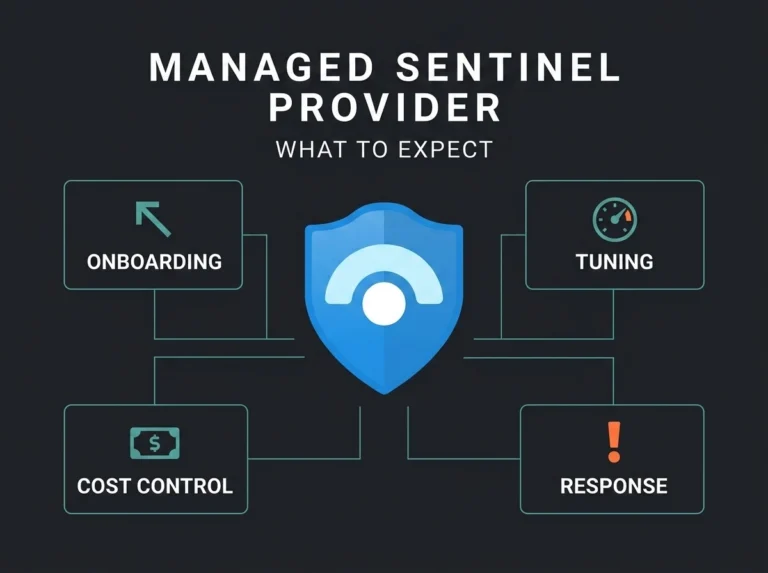
Onboarding gets Sentinel running. What happens next determines whether it actually delivers value. The first month after deployment is for tuning detection rules, expanding coverage, and building automation. That is the work that turns a fresh deployment into a reliable security operation rather than an expensive logging appliance.
Falconer Security provides managed Microsoft Sentinel services covering both the onboarding described in this checklist and the ongoing maintenance that follows. We handle everything from Lighthouse setup through detection engineering, cost optimization, and monthly reporting, including the ongoing work of tuning Sentinel rules across multiple client tenants.
Contact us for a free assessment to discuss how we deploy and manage Sentinel for clients like yours.
Frequently Asked Questions
Do MSSPs need both Azure Lighthouse and GDAP for Sentinel?
Yes. Azure Lighthouse provides access to the Azure subscription and Sentinel workspace, but it cannot deploy data connectors or reach tenant-level services like the Defender portal on its own. GDAP provides the tenant-level access needed for connector deployment, Defender investigations, and Entra ID management. Most production Sentinel deployments need both mechanisms working together.
How long does a Sentinel MSSP onboarding take?
A standard onboarding with Priority 1 connectors, curated detection rules, and validated access takes 5-7 business days. The bulk of that time is waiting for client approvals (Lighthouse delegation, GDAP acceptance) and verifying data flow. The technical configuration itself takes 2-3 days of MSSP effort.
Should client security data stay in the client’s tenant or the MSSP’s tenant?
Always in the client’s tenant. Microsoft’s official guidance and compliance best practices require that customer security data remains in the customer’s own Azure subscription and Sentinel workspace. The MSSP reaches this data through delegated access (Lighthouse and GDAP), not by copying it to their own environment.
What RBAC roles does an MSSP need for Sentinel management?
At minimum: Microsoft Sentinel Contributor and Log Analytics Contributor via Lighthouse for workspace management, plus Security Reader and Security Operator via GDAP for Defender portal access. Add Logic App Contributor if the MSSP manages playbooks. Always use PIM-eligible authorisations rather than permanent role assignments.
How does NIS2 affect Sentinel MSSP onboarding?
NIS2 Article 21 requires organisations in essential and important sectors to implement detection and monitoring capabilities proportionate to their risk. When onboarding a client subject to NIS2 requirements, the Sentinel deployment must be documented as part of the organisation’s cybersecurity risk management measures. That means maintaining architecture documentation, access control records, and evidence of ongoing monitoring, all of which should be established during onboarding.