AMA Destination Changes: What Your Sentinel Deployment Needs to Know

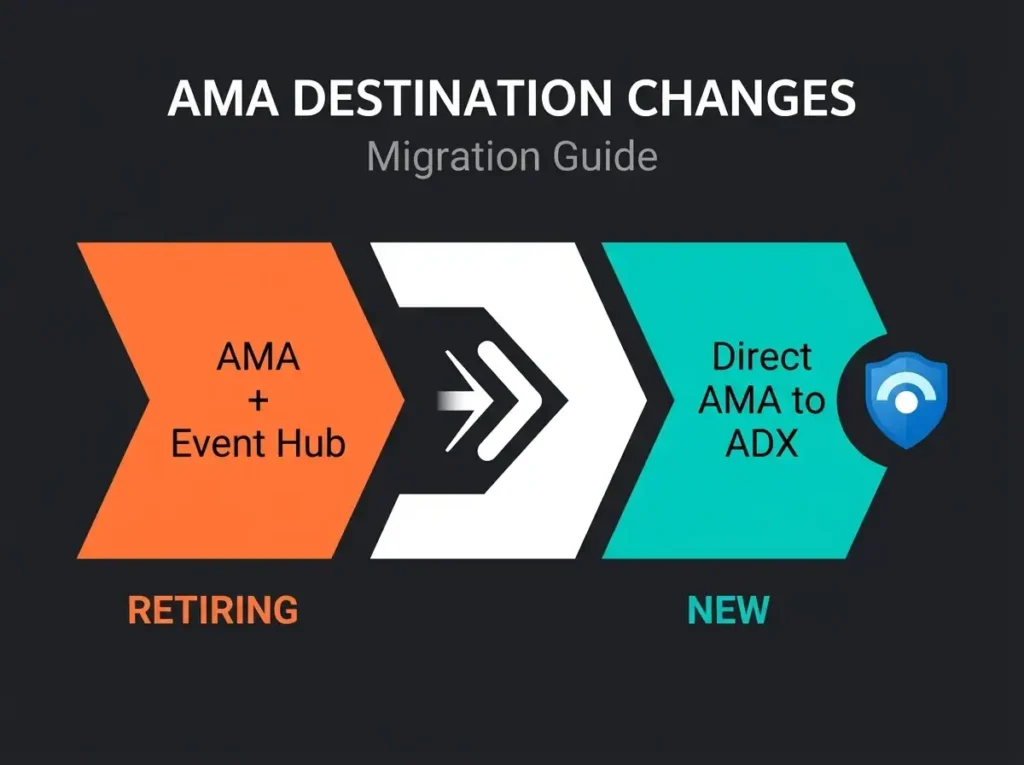
If your Sentinel deployment leans on Azure Monitor Agent (AMA) to fan logs out to Event Hubs or Storage Accounts, the AMA Event Hub retirement date of July 31, 2026 is the one on your risk register. That is when Microsoft shuts off the “Send data to Event Hubs and Storage” feature, a preview capability that quietly ended up load-bearing for a lot of production pipelines.
There is a replacement, and it is genuinely better than the thing it replaces. AMA can now write directly to Azure Data Explorer, with Arc-enabled machines in scope and KQL transformations supported at ingestion time. It is not, though, a drop-in swap. The Event Hub and Storage Account destinations are going away entirely, and if your architecture depended on fanning logs out to multiple downstream consumers, you have architectural work to do, not just a DCR refactor.
Below is what is actually changing, how it lands in a typical Sentinel deployment, and how I would sequence the migration.
- Hard deadline. AMA’s “Send data to Event Hubs and Storage” feature retires on July 31, 2026, and DCRs still pointed at those destinations stop delivering data on that date.
- The replacement is better. AMA now writes directly to Azure Data Explorer with Arc-enabled hybrid machines in scope and KQL transformations at ingestion time, neither of which the old pipeline supported.
- Real cost savings. Dropping Event Hub throughput units (roughly $11 per month each before scale-out) and filtering verbose tables with KQL can trim 30 to 60% of ingested volume.
- Two use cases get stranded. Direct-to-Storage archival has no successor, and Event Hub fan-out to multiple consumers must be redesigned because ADX is the only destination the new DCR speaks.
- Use a user-assigned managed identity. System-assigned identities fail DCR creation on a circular dependency, and the DCR must sit in the same Azure geography as its ADX cluster.
What is being retired, and why people cared
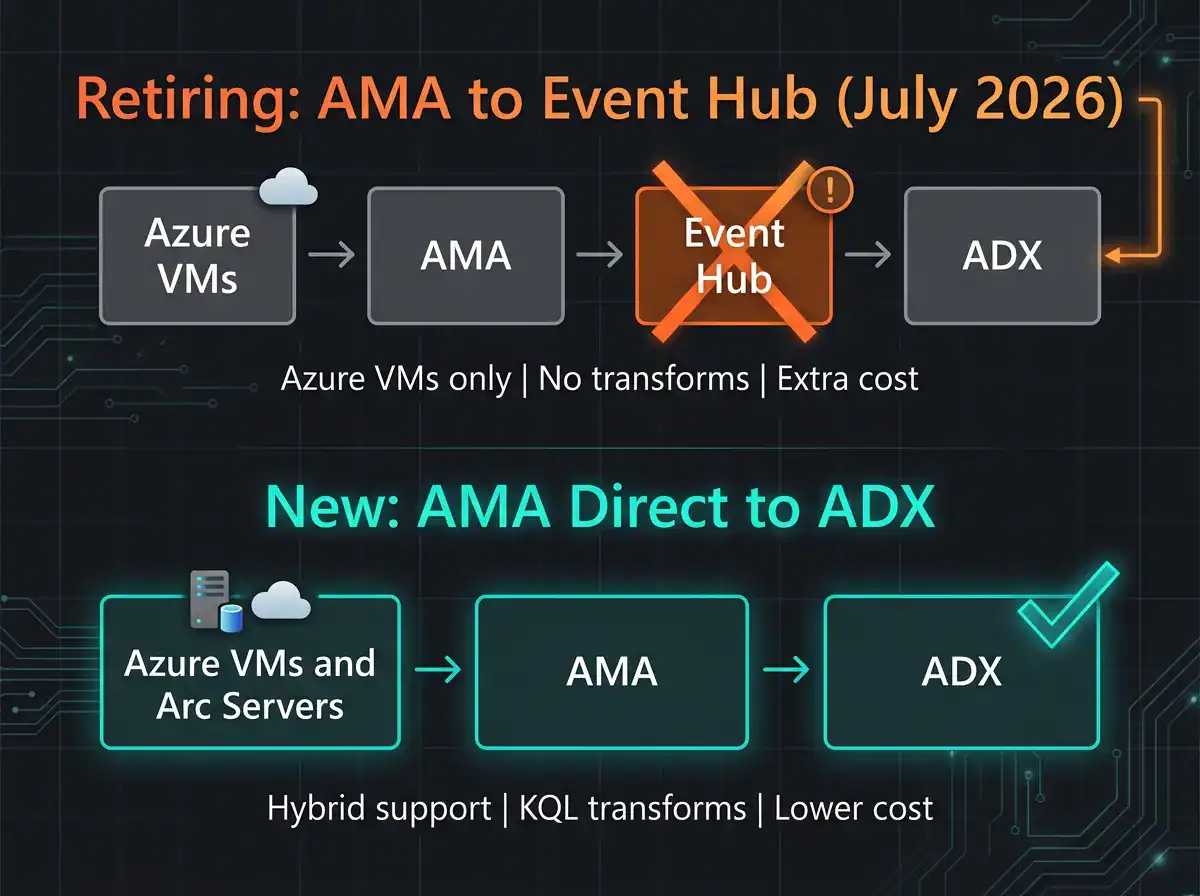
The retiring feature let an AMA-configured Data Collection Rule route its output to an Event Hub or Azure Storage Account instead of (or alongside) Log Analytics. In practice, that is how a lot of Sentinel customers bolted on low-cost long-term retention in Azure Data Explorer, or got logs out to a third-party SIEM, or stood up compliance archives in blob storage. AMA collected from the VMs, fed an Event Hub, and somebody else consumed from the Event Hub.
It did the job, but with real ceilings baked in. Azure VMs only, so hybrid machines needed a completely separate collection path. No transformations in the DCR, so every byte you collected was a byte you paid to ship and store. And it stayed in preview indefinitely, which meant no SLA and no serious Microsoft investment in making it better.
Plenty of shops built production pipelines on top of it anyway, because it was the only AMA-native way to land logs outside Log Analytics and Sentinel. That is the shape of the migration problem: the feature being retired is the feature the most careful customers chose when there was no real alternative.
What replaces it: AMA direct-to-ADX
The replacement is a new Data Collection Rule configuration that points AMA straight at an Azure Data Explorer cluster. No Event Hub in the path. The wiring is done through the new DCR creation experience in the portal (not the classic UI, which will silently not show you the ADX destination option).
The headline change is hybrid support. Azure Arc-enabled machines are first-class citizens now, so on-prem servers, edge workloads, and multi-cloud VMs can land logs directly in ADX through AMA. For any Sentinel customer with a real-world estate that is not 100% Azure, that alone makes the migration worth doing ahead of the deadline rather than at it.
The other genuinely useful change is KQL in the DCR. Transformations run at ingest, which means you can filter out the 40% of Windows security events nobody ever queries, project only the fields you care about, normalize schema on the way in, and stop paying to store columns you will never read. That is not a small cost optimization, and it is one the old pipeline never supported.
Operationally, dropping the Event Hub from the diagram removes a chunk of moving parts: throughput units, partition management, consumer groups, dead-letter queues. All of that becomes somebody else’s problem. Permissioning is also cleaner, with the DCR creation flow auto-provisioning the ADX database grants for the managed identity rather than making you do it by hand.
What you lose in the swap
Two use cases get stranded. If you were routing AMA logs to Azure Storage for compliance archival, there is no direct successor; you will need a different archival story, such as continuous export from ADX to Storage, or Sentinel’s native long-term archival into the data lake. And if you were using Event Hub as a distribution fabric to fan logs into multiple consumers (ADX, a third-party SIEM, a custom app), you have architectural work to do, because ADX is the only destination the new DCR speaks.
How this lands in a real Sentinel deployment
The practical disruption depends on how your Sentinel deployment was using AMA in the first place. Three common shapes show up in client environments.
The AMA-to-Event-Hub-to-ADX pipeline
This is the most common pattern I see, and it is also the cleanest to migrate. If Event Hubs were just a conduit between AMA and ADX (for long-term retention, cost-optimized querying, or both), the new feature is a like-for-like replacement that happens to cost less. New DCR pointing at the same ADX cluster and database, migrate machines over, decommission the Event Hub infrastructure once the data is landing cleanly. You inherit the transformation capability for free and lose the Event Hub bill.
The Event Hub as distribution fabric
Messier. If Event Hub was where logs fanned out to ADX plus a third-party SIEM plus an internal app, the new AMA DCR only solves the ADX leg. For the other legs you have options, none of which are drop-in: ADX continuous export or data sharing to feed the other consumers from ADX onwards, Sentinel-native data export rules to push specific tables to Event Hubs or Storage out of Log Analytics, or a parallel ingestion path via Azure Monitor diagnostic settings for resources that support it.
Before you touch anything, map every consumer hanging off the existing Event Hub and design the replacement path for each one. The mistake to avoid is decommissioning the Event Hub before confirming each downstream consumer has a working substitute.
The AMA-to-Storage archival case
Rarer in Sentinel estates, more common in compliance-driven shops. If AMA was dumping logs to a Storage Account for archival reasons, the replacement is not a single feature; it is a choice between three archival strategies:
- Sentinel data lake auxiliary logs with long-term retention, which tends to be the cheapest option if you are already a Sentinel customer. See our piece on M365 security best practices for where this fits in the broader picture.
- Ingest into ADX via the new feature, then use ADX continuous export to drop blobs into Storage on a schedule. More moving parts, but keeps the queryable copy warm.
- Azure Monitor diagnostic settings for resources that natively support direct-to-Storage routing, bypassing AMA entirely for those sources.
Migration planning: what to do before July 2026
The deadline looks comfortable on paper, but realistic migrations take months once you account for inventory, testing, parallel running, and whatever surprises fall out of the validation phase. If you have a production pipeline on the retiring feature, start now.
Inventory (start immediately)
Pull a list of every DCR in scope. In the Azure portal or via CLI, filter Data Collection Rules by destination type and pull out anything pointed at Event Hub or Storage. For each one, capture the source machines, log categories, destinations, and owners, because you are going to need all of that again during cutover.
Then map the downstream consumers. Every Event Hub in the list needs a full list of who is reading from it, because that list drives the shape of the migration for that particular pipeline. An Event Hub with a single ADX consumer is a trivial migration. An Event Hub with three consumers and no documented owner is a project.
While you are at it, catalog the hybrid and on-prem machines that currently need a separate log path because the retiring feature was Azure-VM only. The new feature’s Arc support may let you collapse two pipelines into one, which is real operational savings and worth surfacing early.
Test (two to three months before deadline)
Build out a test environment first, against a non-production ADX database, using the new DCR creation wizard (the classic UI will not show the ADX destination, so you need to be on the new experience). Keep the test narrow: one or two machines, one DCR, clean inputs and outputs.
Use a user-assigned managed identity. This is the single most common reason DCR creation fails in the new experience. System-assigned identities do not exist until the resource is created, and the DCR creation flow tries to grant ADX Database Ingestor permissions on the identity before creation, so the whole thing fails on a circular dependency that is easy to misdiagnose as a platform bug.
Check regions. A DCR can only send data to an ADX cluster in the same Azure geography, and cross-region forwarding is not supported. If your AMA fleet is spread across geographies, plan on a DCR per geography and an ADX cluster per geography.
If you are using KQL transformations, run them against real data in the test environment before promoting. Transformation errors in DCRs silently drop data rather than surfacing the failure, which is a detection gap you do not want to discover in production at the end of a migration weekend.
For the step-by-step DCR configuration with the managed-identity gotchas and the corrections to Microsoft’s own documentation, Tokesi Cloud’s AMA-to-ADX guide is the most thorough walkthrough I have seen.
Migrate (one to two months before deadline)
Production cutover should run in parallel. Stand up the new ADX-destination DCRs alongside the old Event Hub ones, let both pipelines ingest for a minimum of two weeks, and compare the outputs. You are looking for data completeness (row counts matching), latency (the new path should be comparable or faster), and schema accuracy (transformations producing the same columns downstream systems expect).
Validate every downstream consumer before teardown. Every system that was previously reading from the retiring pipeline needs a confirmed working read from the replacement path before you decommission anything. Write this down; the teardown phase is where migrations quietly lose data in ways that are hard to reconstruct later.
Once parallel running is clean, decommission the old DCRs, the Event Hub namespaces dedicated to this pipeline, and the Storage Accounts used for log routing. Update runbooks, cost dashboards, and diagrams as you go, not at the end.
Cost implications
For most organizations, the new pipeline will cut costs, but not by a single lever. Event Hub throughput units, ingress and egress charges, and partition management overhead all disappear, and each throughput unit starts at roughly $11 per month before scale-out. Busy pipelines often run half a dozen, so the Event Hub bill alone is not trivial.
The KQL transformation lever is where a bigger optimization lives. Filtering verbose tables (Windows Security, network flow logs) and projecting only the fields you actually query can trim 30 to 60% of ingested volume on tables that are normally bulk ingested. Less data stored is less ADX cluster capacity to pay for.
And then there is the operational overhead side, which is real money even if it does not show on the Azure invoice. One fewer moving part is one fewer thing to monitor, to page on, to explain to auditors, and to onboard new engineers to.
The one place to watch is ADX cluster sizing. Event Hubs were silently buffering ingestion bursts for you. Without that buffer, your ADX cluster now sees the raw bursts directly, and undersized clusters will start throttling. Check cluster utilization during the parallel phase and size up if needed before cutover.
What to ask your managed Sentinel provider
If a managed SIEM or MDR service is looking after your Sentinel deployment, this migration should be their problem to drive, not yours. The questions I would want answered, in writing, well before July:
- Have you inventoried every DCR in our environment that is on the retiring feature, and what is the count?
- What is your migration schedule, and will there be any detection coverage gaps during the cutover window?
- Are you implementing KQL transformations as part of this work, and what is the expected volume and cost reduction?
- How are hybrid machines and Arc-enabled workloads being handled in the new pipeline?
- What is the rollback plan if the new DCR experience has an outage or behavioral surprise before the deadline?
For anyone evaluating their Sentinel architecture more broadly, a Microsoft 365 security audit should now include a review of log collection pipelines and migration readiness against the AMA destination retirement, alongside newer risk areas like MCP security risks in Sentinel that SOC teams are only starting to account for.
Frequently asked questions
When is the AMA Event Hub and Storage destination being retired?
Microsoft has set the retirement date for July 31, 2026. On that date, the “Send data to Event Hubs and Storage (Preview)” feature in AMA stops functioning. DCRs still pointed at those destinations will stop delivering data, so any organization running a production pipeline on this feature has to migrate before the deadline.
Does the new AMA-to-ADX feature work with on-premises servers?
Yes, via Azure Arc. On-prem servers, edge workloads, and multi-cloud VMs that are Arc-enabled can land logs directly in ADX through AMA. That is a meaningful improvement over the retiring feature, which was limited to Azure VMs and forced hybrid estates to maintain a parallel collection path for non-Azure machines.
Can I still send AMA logs to Event Hubs after July 2026?
Not through AMA natively. If you need Event Hub as a distribution point after the cutoff, you will have to use alternative mechanisms: Sentinel data export rules out of Log Analytics, Azure Monitor diagnostic settings for supported resources, or ADX continuous export to Event Hub as a secondary distribution layer after the primary landing in ADX.
Will this affect my Sentinel data ingestion?
If your Sentinel deployment ingests logs through AMA to Log Analytics workspaces (which is the default), this retirement does not touch you. The change only affects tenants that configured AMA to also send logs to Event Hubs or Storage Accounts as secondary destinations. Your primary Sentinel ingestion path is unchanged.
Why does DCR creation fail with system-assigned managed identity?
The DCR creation flow needs to grant Database Ingestor permissions on the ADX cluster to the managed identity before the DCR is fully created. A system-assigned identity does not exist until its parent resource is created, but the parent resource creation depends on the permission grant succeeding first. Circular dependency, opaque error message. Create a user-assigned managed identity beforehand and point the DCR at that instead.