CISA M365 Security Baseline: Complete Implementation Guide

Every M365 assessment I run starts with the same question from the client: “what does good actually look like?” For the last eighteen months, my answer to the CISA M365 security baseline question has been the same. Point at CISA’s SCuBA baselines.
They’re the most prescriptive, testable, vendor-independent M365 security standard that exists right now. CISA built them to protect federal civilian agencies after a string of cloud intrusions in 2021, and they cover seven M365 services with MUST/SHOULD policies written in plain language. You are not the target audience, technically. Use them anyway.
CISA also ships a free PowerShell tool called ScubaGear that audits your tenant against the baselines and spits out an HTML report showing exactly where you fail. Read-only. Runs in production. No excuse not to try it.
Free tool: ScubaGear assesses your M365 tenant against the SCuBA baselines and generates a compliance report showing where your configuration deviates from the recommended security policies.
- SCuBA is the standard to benchmark against. CISA’s baselines cover seven M365 services with RFC 2119 SHALL/SHOULD policies, and while only federal agencies must comply, any organization can use them.
- MFA alone no longer counts. The Entra ID baseline requires phishing-resistant MFA (FIDO2 keys or certificate-based auth), blocked legacy authentication, and PIM for privileged roles.
- Email authentication has a hard bar. SPF with hard-fail, DKIM on every custom domain, DMARC at p=reject on every domain you own, and external auto-forwarding disabled tenant-wide.
- ScubaGear is free and read-only. CISA’s PowerShell tool audits your tenant against all seven baselines via Microsoft Graph with Global Reader rights and is safe to run in production.
- Budget four to six weeks. The license floor is E3 or G3, risk-based Conditional Access and PIM need Entra ID P2, and a typical SMB implementation phases identity first, then email, then collaboration.
What Is the CISA M365 Security Baseline?
The short version: SCuBA is a set of Secure Configuration Baselines CISA published in 2022. They exist because cloud SaaS intrusions were chewing through federal agencies and nobody could agree on what a hardened M365 tenant was supposed to look like.
Each baseline uses RFC 2119 language. SHALL, SHOULD, MAY. The SHALLs are non-negotiable. There are seven of them, one per service.
- Microsoft Entra ID for identity and access management
- Microsoft Defender for Office 365 for email threat protection
- Exchange Online for mail configuration and authentication
- SharePoint Online and OneDrive for file sharing and collaboration
- Microsoft Teams for meeting and chat security
- Power BI for business intelligence data protection
- Power Platform for low-code app security
Every policy comes with a rationale, implementation guidance, and the license level it needs. The assumed floor is M365 E3 or G3. Some of the SHALLs require E5, Entra ID P2, or add-ons, which we’ll flag as we go.
What the Baseline Covers: Service by Service
Microsoft Entra ID
Identity is where I’d start on any assessment, full stop. If your identity tier is broken, everything downstream is theatre. The SCuBA Entra baseline lands harder here than almost anywhere else.
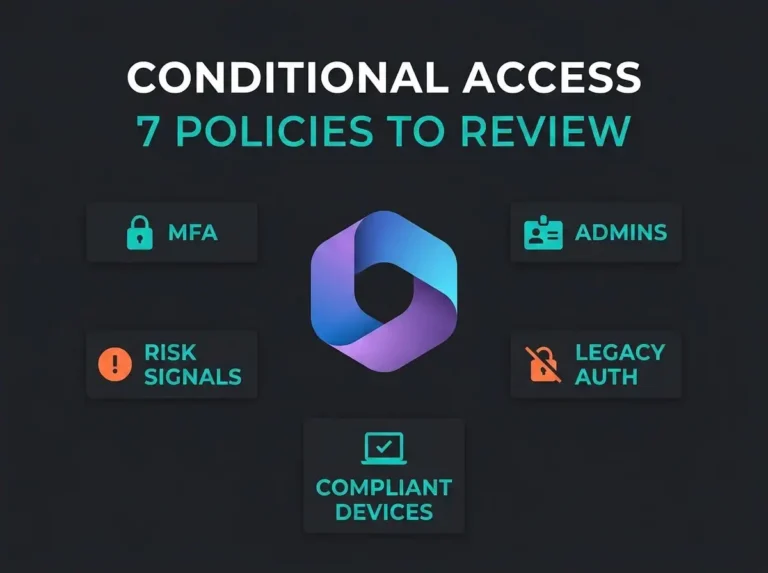
Phishing-resistant MFA is required for every user. Not push notifications. Not SMS. FIDO2 keys or certificate-based auth only. CISA is reading the same MFA-fatigue incident reports the rest of us are, and they concluded that “MFA” without the “phishing-resistant” prefix no longer counts.
Legacy authentication (IMAP, POP3, SMTP AUTH, basic auth in general) has to be blocked via Conditional Access. This is almost always where I find residual risk on assessments. Someone turned a legacy protocol on years ago for one specific mailbox and forgot to turn it off.
Highly privileged roles go through Privileged Identity Management. Global Admin, Privileged Role Admin, Exchange Admin, SharePoint Admin. Just-in-time activation, not permanent assignments. And the count of humans holding Global Admin SHALL be kept small. CISA doesn’t pin a number; Microsoft’s own guidance of two to four is what most SMBs I work with can justify.
Guest access gets restricted. External collaboration settings limit what an invited guest can see. High-risk sign-ins get blocked outright by risk-based Conditional Access policies (Entra ID P2 required for that one). None of this is exotic. The cliff most organizations fall off is simply deciding that “MFA is on” is good enough and stopping there.
Exchange Online
The Exchange Online baseline is mostly about email security configuration and email authentication. If you’re running M365 Defaults and haven’t touched DNS, you are currently failing most of these. For more background, see our guide on common M365 security defaults that create risk.
SPF is required on every sending domain, hard-fail (-all), not soft-fail (~all). DKIM has to be enabled on every custom domain. DMARC is required at p=reject for every second-level domain you own, including parked ones. CISA does not accept DMARC-as-monitoring. Reject, or nothing.
Automatic forwarding to external recipients is disabled. I put this one near the top of the list because it’s the single most useful signal of account compromise I’ve seen. Attacker lands in a mailbox, immediately sets up auto-forward to a Gmail address, walks away. If you block external auto-forward tenant-wide, you eliminate the easiest exfil path a phisher has.
Microsoft Defender for Office 365
This section only applies if you actually have Defender for Office 365 (P1 or P2). If you’re on Exchange Online Protection only, you’re doing pre-2015 email filtering and this post can’t save you.
Safe Attachments runs in block mode. Not monitor. The distinction matters: monitor mode delivers the message and then maybe tells you the attachment was bad after someone’s already double-clicked it. Block holds the message until the sandbox finishes.
Safe Links scans URLs at time-of-click, not just time-of-delivery. Anti-phishing covers user and domain impersonation, including mailbox intelligence for your C-suite and finance team. Zero-hour Auto Purge (ZAP) is enabled so messages that turn malicious after delivery get yanked out of mailboxes automatically. Turn all four of these on. They pay for themselves inside a month.
SharePoint and OneDrive
Sharing settings are the single most reviewed and least reconsidered area of most tenants I look at. Someone set “Anyone links” five years ago. Nobody has touched it since.
External sharing is restricted to authenticated guests at minimum. Anonymous “Anyone” links are off or tightly scoped to specific libraries. SharePoint requires managed, compliant devices for full access. Personal laptops on unmanaged networks get browser-only, no download. DLP covers SharePoint and OneDrive, not just Exchange.
That last one is easy to forget. A lot of organizations deploy Exchange DLP and assume file-sharing is covered. It isn’t.
Microsoft Teams
Teams security has a way of not getting looked at until something goes wrong. External federation is usually wide-open because someone needed it for a project in 2022.
External access is restricted to specific allowed domains instead of “any”. Anonymous users can’t start meetings; the lobby is on. Unmanaged users can’t see meeting content or downloaded files, enforced through device compliance, the same kind of hardening required to keep Microsoft Teams HIPAA compliant for healthcare clients. Auto-admit is off for external participants.
The failure mode I see on assessments is the finance team getting phished through a Teams chat from a compromised partner domain that your tenant federated with three years ago. Lock the federation list.
Power BI and Power Platform
These two get deployed without security team involvement at most mid-market shops. A business analyst gets a Power BI Pro license, starts publishing dashboards, and your CRM data is suddenly sitting in ten workspaces none of you knew about.
Power BI external sharing is off by default. Data export to external users goes through an approval workflow. Power Platform environment creation is restricted so random users can’t spin up production environments. DLP policies are applied to Power Platform connectors so data can’t silently pipe into consumer services.
If you’ve never audited your Power Platform connectors, do it this week. The findings tend to be uncomfortable.
CISA Baseline vs Microsoft Secure Score
People ask me this one constantly. Which should we use?
Both. They solve different problems.
Microsoft Secure Score is dynamic and built into your tenant. It grades your config against Microsoft’s own recommendations and gives you a number. Useful for momentum, useful for showing the board a graph. Limited as a security standard, because Microsoft is grading its own homework and the recommended controls are the ones Microsoft sells licenses for.
The CISA baseline is static, prescriptive, and external. MUST and SHOULD. No gamification. It covers things Secure Score doesn’t, including DMARC at p=reject, Power BI external sharing, Power Platform connector DLP, and specific Teams meeting controls. Where Secure Score recommends “MFA”, the CISA baseline specifies phishing-resistant MFA. The stricter bar survives an audit. The looser one gets you partial credit.
For a wider view of recommended controls, see our M365 security best practices guide. For the tactical version of this post, the M365 security checklist covers 30 critical controls across the five domains.
How to Assess Your Tenant with ScubaGear
ScubaGear is CISA’s free, open-source PowerShell tool that evaluates your tenant against the baselines. HTML report out, pass/fail per policy, no config changes on your tenant. It’s the fastest honest answer you can get about where your M365 security sits.
Running ScubaGear
- Install from PowerShell Gallery:
Install-Module -Name ScubaGearin an elevated PowerShell session. - Connect to your tenant: ScubaGear talks to the Microsoft Graph API and needs Global Reader or equivalent read-only rights.
- Run the assessment:
Invoke-SCuBAscans all seven services. - Review the report: Open the HTML output. Each policy gets pass, fail, or warning, organized by service, with a link back to the underlying baseline doc.
The failures are actionable. Every one links to the exact policy language and the remediation steps. No chasing documentation.
Important: ScubaGear is read-only. It does not change settings. You can run it safely in production without fear of breaking anything.
Implementing the Baseline: A Practical Approach
Full CISA implementation is a real project. For a non-federal SMB, not every MUST is equally important, and the honest answer is that you pick the subset that matches your risk profile. Here is the phasing I actually use on engagements.
Phase 1: Identity Foundation (Week 1-2)
Entra ID first. Always. MFA for everyone, phishing-resistant for admins, legacy auth blocked, Global Admin count trimmed to two or three, Conditional Access policies on risky sign-ins and geographic restrictions. If this phase breaks anything, you catch it fast and identity is recoverable.
Phase 2: Email Security (Week 2-3)
SPF, DKIM, DMARC. Start DMARC at p=none, watch the reports for two weeks to find the shadow IT that’s legitimately sending as your domain, then move to p=quarantine, then eventually p=reject. Enable Safe Attachments block-mode, Safe Links at time-of-click, anti-phishing impersonation. Do not try to go from zero to p=reject in one change window unless you enjoy hostile phone calls from the marketing team.
Phase 3: Collaboration Controls (Week 3-4)
Lock down SharePoint and OneDrive external sharing. Restrict Teams federation. Kill anonymous meeting join. Roll out DLP policies for the sensitive data types you actually handle (personnummer, credit cards, health data, whatever is applicable). Run DLP in test mode first and look at what it would have blocked before you flip it to enforce.
Phase 4: Advanced Controls (Week 4-6)
PIM for privileged roles. Power BI and Power Platform restrictions. Advanced audit logging extended beyond default retention. Logs flowing into a SIEM. For most of my clients that SIEM is Microsoft Sentinel, because the free data grants and M365 integration make the math work.
Phase 5: Validation and Ongoing Compliance
Re-run ScubaGear. Compare the report to your starting baseline. Schedule quarterly re-runs, because configuration drift is real and Microsoft keeps changing defaults. A professional M365 security audit catches the things automation can’t see, like misused sensitivity labels and admin accounts that are technically compliant but used sloppily.
That last point is the one I want to linger on. ScubaGear will tell you your DLP is enabled. It will not tell you the rules are tuned badly or that your help desk routinely approves the quarantine releases without reading them. Automation surfaces; humans judge.
Frequently Asked Questions
Is the CISA M365 security baseline mandatory for private companies?
No. It’s only mandatory for Federal Civilian Executive Branch agencies. CISA says plainly that any organization can use it. For private companies, the baseline is a credible external standard you can point at in an audit, a cyber insurance application, or a contract dispute when someone asks “what did you benchmark against?” That’s a useful thing to have.
What Microsoft 365 license do I need for the CISA baseline?
The baseline floor is M365 E3 or G3. Some SHALLs require more: risk-based Conditional Access needs Entra ID P2, PIM needs Entra ID P2, advanced audit logging needs E5 or the compliance add-on. For SMBs, Business Premium covers most of the identity and email SHALLs and leaves the advanced compliance pieces on the table.
How long does it take to implement the full CISA baseline?
A typical SMB tenant, four to six weeks. Identity and email are usually done in two to three. PIM, Power Platform restrictions, and DMARC at p=reject typically add another two to four weeks because they need real monitoring time before enforcement. After that it’s ongoing, not a project that ends.
What is ScubaGear and is it safe to run in production?
ScubaGear is CISA’s free PowerShell assessment tool. It reads your M365 tenant configuration through Microsoft Graph, compares it to the SCuBA baselines, and outputs an HTML report. It never writes back to your tenant. Global Reader is the permission it needs. Production-safe, yes.
How does the CISA baseline compare to the CIS Microsoft 365 Benchmark?
Both are security configuration standards; they overlap but aren’t identical. CIS is broader and more granular, with more settings documented. CISA is more prescriptive in language (MUST/SHOULD) and covers Power BI and Power Platform inside the core baselines where CIS treats those as separate documents. The right answer for most organizations is to use CISA as the primary standard and CIS as a deeper reference for anything CISA doesn’t cover.