Microsoft 365 Security and Compliance: Where Everything Moved

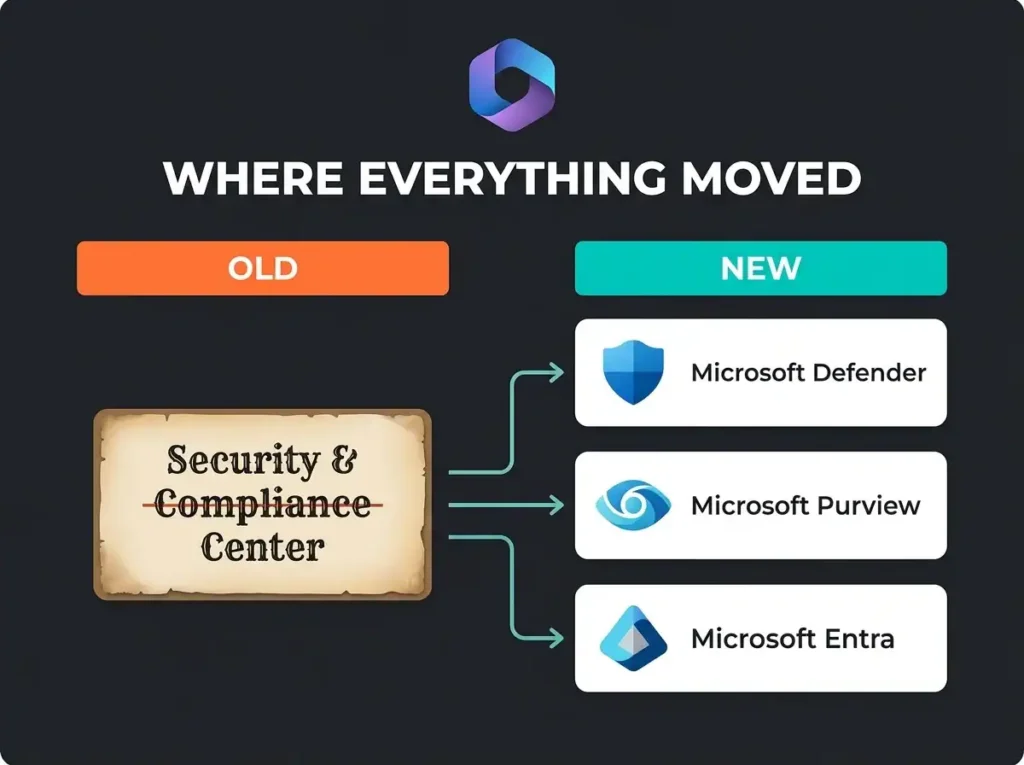
Half the tickets we see from SMBs start the same way: somebody clicked a bookmark for the old Office 365 Security & Compliance Center and ended up staring at a redirect. Microsoft retired protection.office.com and split its features across two modern portals. If your internal runbooks still point to the old URL, they’re out of date.
This guide tells you exactly where every security and compliance feature moved, what lives in each new portal, and which settings to configure first. It’s aimed at IT directors running Microsoft 365 in-house and MSPs managing multiple tenants.
- The old portal is gone. protection.office.com is retired; security features now live in the Defender portal at security.microsoft.com and compliance features in Purview at purview.microsoft.com, with existing policies migrated automatically.
- Know the split. Threat protection, incidents, and email security sit in Defender; DLP, sensitivity labels, retention, eDiscovery, and audit sit in Purview.
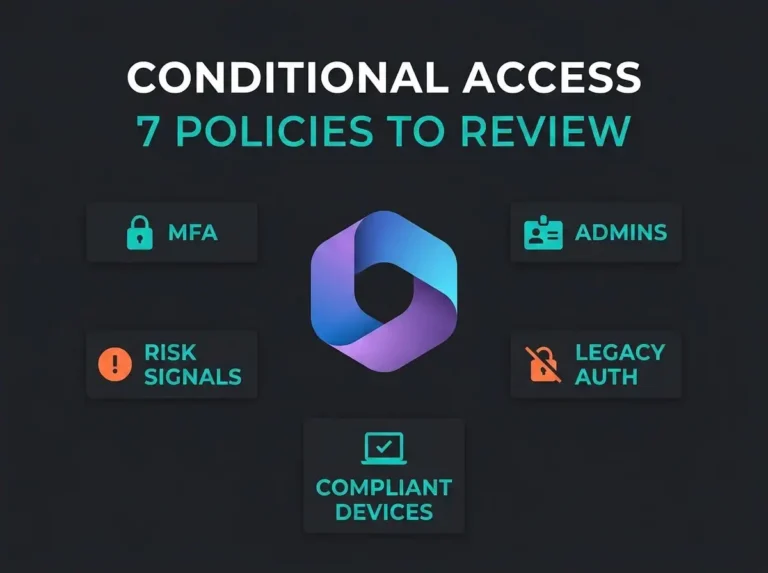
- Enforce MFA first. It blocks more than 99.2% of account compromise attacks and is configured through Entra Conditional Access, not either portal.
- License to your obligations. Business Premium covers the SMB baseline; E3 adds eDiscovery Standard, and E5 unlocks auto-labeling, insider risk management, and one-year audit logs.
- Expect a low starting score. SMBs typically score 30-45% on Secure Score at first assessment and can reach 65-70% within a few weeks of focused work.
The Office 365 Security and Compliance Center is gone
Microsoft’s original Security & Compliance Center (protection.office.com) tried to be one hub for threat protection, data governance, eDiscovery, and compliance management. It worked, after a fashion, but it was doing too many jobs at once.
Microsoft split the portal into two replacements:
- Microsoft Defender portal (security.microsoft.com): threat detection, incident response, email security, and endpoint protection.
- Microsoft Purview portal (purview.microsoft.com): data governance, compliance posture, DLP, retention, eDiscovery, and insider risk.
Old bookmarks pointing to protection.office.com redirect to one of these two portals. Existing policies and configurations were migrated automatically. Nothing was deleted. The work is knowing where Microsoft dropped it.
Where every feature moved: complete reference table
The table below maps every major feature from the old Security & Compliance Center to its new location. Bookmark it.
| Feature | Old Location (SCC) | New Portal | New Navigation Path |
|---|---|---|---|
| Threat Protection | Threat Management | Microsoft Defender | Email & Collaboration > Policies |
| Anti-phishing Policies | Threat Management > Policy | Microsoft Defender | Email & Collaboration > Policies > Anti-phishing |
| Safe Links / Safe Attachments | Threat Management > Policy | Microsoft Defender | Email & Collaboration > Policies |
| Alerts & Incidents | Alerts | Microsoft Defender | Incidents & Alerts |
| Data Loss Prevention (DLP) | Data Loss Prevention | Microsoft Purview | Data Loss Prevention > Policies |
| Sensitivity Labels | Classification > Labels | Microsoft Purview | Information Protection > Labels |
| Retention Policies | Information Governance | Microsoft Purview | Data Lifecycle Management > Retention Policies |
| eDiscovery | eDiscovery | Microsoft Purview | eDiscovery > Standard / Premium |
| Audit Log Search | Search > Audit Log | Microsoft Purview | Audit |
| Content Search | Search > Content Search | Microsoft Purview | Content Search |
| Insider Risk Management | Not available in SCC | Microsoft Purview | Insider Risk Management |
| Communication Compliance | Not available in SCC | Microsoft Purview | Communication Compliance |
| Compliance Manager / Score | Compliance Manager | Microsoft Purview | Compliance Manager |
Key point: the split made things better. Defender is focused on stopping threats. Purview is focused on governance and regulatory work. Both portals load faster and the navigation is less tangled than the old SCC.
Microsoft Defender portal: what’s in it
The Microsoft Defender portal is where you manage threat protection across email, endpoints, identities, and cloud apps. It’s the operational console for Microsoft Defender XDR, Microsoft’s extended detection and response platform.
What you get in the Defender portal
- Email & Collaboration Protection: anti-phishing policies, Safe Links, Safe Attachments, and quarantine management. Replaced the Threat Management section from the old SCC. See common email security gaps these tools address, plus our guide to Microsoft Defender for Office 365 for SMBs for the product-specific controls.
- Incident & Alert Management: a unified incident queue that correlates alerts from email, endpoint, identity, and cloud app signals into one thread per incident.
- Threat Analytics: real-time intelligence on active threat campaigns targeting your industry and region.
- Secure Score: your security posture with prioritized recommendations. We typically find SMBs scoring 30-45% on first assessment. Most can reach 65-70% within a few weeks of focused work. Our Microsoft Secure Score deep dive walks through the practical improvements.
- Attack Simulation Training: built-in phishing simulations to test employee awareness. Requires E5 or Defender for Office 365 Plan 2.
According to Microsoft’s Digital Defense Report 2025, MFA alone blocks more than 99.2% of account compromise attacks. You don’t enforce MFA from inside the Defender portal directly. It links out to the Entra admin center for Conditional Access, and you monitor identity-based threats back in Defender.
Priority configurations in the Defender portal
- Enable Safe Links and Safe Attachments for all users. Not just executives.
- Configure anti-phishing policies with mailbox intelligence and impersonation protection.
- Review Secure Score and work through the top 10 “High Impact” recommendations.
- Set up alert policies for impossible travel, mass file downloads, and forwarding rule creation.
Microsoft Purview portal: what’s in it
The Microsoft Purview portal handles data governance, regulatory compliance, and information protection. If you’re dealing with GDPR, NIS2, HIPAA, or any other regulatory framework, this is your primary workspace.
Core Purview capabilities
- Compliance Manager: a risk-based assessment tool that gives you a compliance score and pre-built assessment templates for more than 360 regulations, including GDPR, NIS2, ISO 27001, and HIPAA.
- Data Loss Prevention (DLP): policies that stop sensitive data (credit card numbers, national ID numbers, health records) from leaving via email, Teams, SharePoint, or OneDrive.
- Sensitivity Labels: classification labels that travel with the document and carry encryption, access restrictions, and visual markings.
- Data Lifecycle Management: retention policies and labels that automatically retain or delete content based on governance requirements.
- eDiscovery: search, legal hold, and export across Exchange, SharePoint, OneDrive, and Teams.
- Insider Risk Management: detection and investigation workflows for risky user activities like data exfiltration and policy violations. Requires E5.
- Audit: logging of user and admin activities across Microsoft 365. Standard audit retains logs for 180 days. Premium audit extends to one year, with a 10-year add-on available.
Priority configurations in the Purview portal
- Run Compliance Manager to get your baseline compliance score.
- Create DLP policies for your most sensitive data types first. Financial data, PII, and health records are the usual starting points.
- Configure retention policies for email, Teams chats, and SharePoint content.
- Verify audit logging is actually on. Standard audit is enabled by default, but we still find tenants where it’s been disabled.
- Deploy sensitivity labels starting with a simple scheme: Public, Internal, Confidential. You can always add more later. Starting with eight label tiers never ends well.
Licensing: what you get at each tier
Not every Microsoft 365 plan ships the same security and compliance features. Here’s what matters for SMBs.
| Feature | Business Premium | E3 | E5 |
|---|---|---|---|
| Conditional Access & MFA | Yes | Yes | Yes |
| DLP (basic) | Yes | Yes | Yes |
| Sensitivity Labels | Manual only | Manual only | Auto-labeling |
| Retention Policies | Yes | Yes | Yes |
| eDiscovery Standard | No | Yes | Yes |
| eDiscovery Premium | No | No | Yes |
| Insider Risk Management | No | No | Yes |
| Defender for Office 365 | Plan 1 | Not included | Plan 2 |
| Advanced Audit (1-year logs) | No | No | Yes |
| Attack Simulation Training | No | No | Yes |
| Compliance Manager | Basic | Full | Full + Premium assessments |
For most SMBs: Microsoft 365 Business Premium gives you a solid baseline. Organizations with regulatory obligations (NIS2, HIPAA, financial services) typically need E3 for eDiscovery or E5 for the full compliance stack.
NIS2 compliance and Microsoft 365
European organizations covered by the NIS2 Directive can use Microsoft 365 compliance features to satisfy several Article 21 requirements. Microsoft Purview Compliance Manager ships a NIS2 assessment template that maps specific controls to Microsoft 365 features.
NIS2 requirements that Microsoft 365 compliance features help address:
- Risk management measures (Art. 21.2a): Compliance Manager assessments, Secure Score, and DLP policies give you evidence of structured risk management.
- Incident handling (Art. 21.2b): Microsoft Defender incident management, alert policies, and audit logging cover detection and documentation.
- Business continuity (Art. 21.2c): retention policies, backup configurations, and data lifecycle management support continuity planning.
- Supply chain security (Art. 21.2d): Conditional Access policies and sensitivity labels control third-party access to organizational data.
- Encryption (Art. 21.2h): sensitivity labels with encryption, message encryption, and BitLocker managed through Intune.
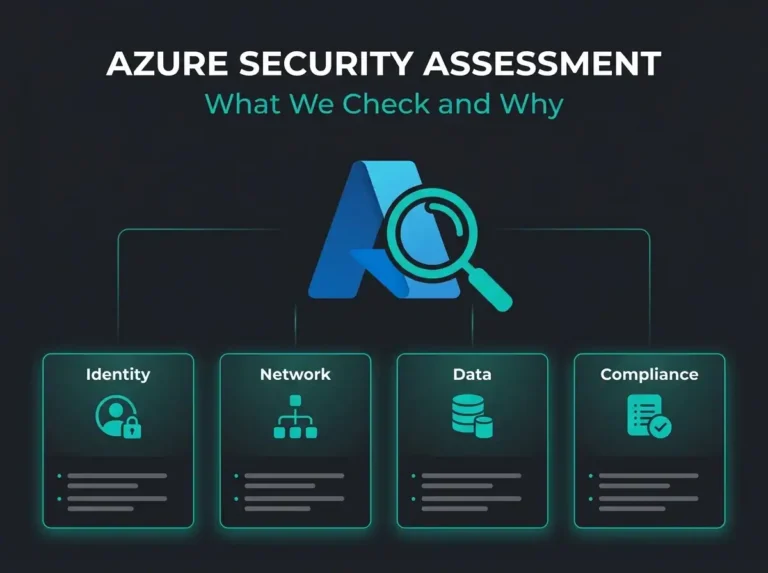
Important: Microsoft 365 features support NIS2 compliance, but they don’t guarantee it. Compliance requires proper configuration, documented policies, and usually third-party monitoring to confirm controls stay effective over time. A security assessment identifies which controls you have in place and which gaps remain.
Five steps to organize your Microsoft 365 security and compliance
If you’re starting from scratch or you’ve inherited an unconfigured tenant, here’s the order that delivers the most protection fastest:
- Enforce MFA for everyone. This one control blocks over 99% of account compromise attacks. Configure it in Entra admin center > Conditional Access. No exceptions for executives.
- Review your Secure Score. Open security.microsoft.com > Secure Score. Focus on “High Impact” recommendations first. Our M365 security checklist gives a structured approach to the critical controls.
- Enable DLP for sensitive data. Start with built-in templates for financial data and PII. Configure in purview.microsoft.com > Data Loss Prevention. Run everything in “test mode” first before enforcing.
- Configure retention policies. One year for email is a reasonable baseline, plus Teams chats and SharePoint documents. This covers both regulatory requirements and legal hold needs.
- Run a Compliance Manager assessment. Pick the regulatory framework that applies to you (NIS2, GDPR, ISO 27001) and review the improvement actions. Prioritize anything marked “Mandatory.”
For a full walkthrough of security controls, see our M365 security best practices guide and the CISA M365 security baseline implementation guide.
When to bring in outside help
Microsoft 365 security and compliance tools are powerful, but configuring them correctly takes expertise. Signs you need help:
- Secure Score below 50% with no internal plan to improve it.
- No DLP policies configured even though you handle sensitive client data.
- A regulatory deadline approaching (NIS2 enforcement, client audit requests).
- Multi-tenant management headaches for MSPs handling multiple client environments.
- Audit log gaps discovered during an incident investigation. See our M365 security audit guide.
Falconer Security runs Microsoft 365 security assessments that measure your current configuration against baselines like CISA SCuBA and your specific regulatory requirements. We identify gaps, prioritize fixes, and hand you a remediation plan you can actually work through.
Frequently asked questions
What happened to the Office 365 Security and Compliance Center?
Microsoft fully deprecated the Office 365 Security & Compliance Center (protection.office.com). Security features moved to the Microsoft Defender portal (security.microsoft.com) and compliance features moved to the Microsoft Purview portal (purview.microsoft.com). All existing policies and configurations were migrated automatically.
Where is Data Loss Prevention (DLP) now in Microsoft 365?
DLP policies are managed in the Microsoft Purview portal at purview.microsoft.com. Go to Data Loss Prevention in the left nav to create, edit, and monitor DLP policies across Exchange, SharePoint, OneDrive, and Teams.
What Microsoft 365 license do I need for compliance features?
Microsoft 365 Business Premium includes basic DLP, retention policies, sensitivity labels, and Conditional Access. E3 adds advanced information governance and eDiscovery Standard. E5 includes everything plus advanced eDiscovery, insider risk management, advanced audit, and Defender for Office 365 Plan 2.
Does Microsoft 365 compliance help with NIS2 requirements?
Yes. Microsoft Purview Compliance Manager includes assessment templates for NIS2, GDPR, and other EU regulations. Features like audit logging, DLP, encryption, and retention policies directly address NIS2 Article 21 requirements for risk management, incident handling, and business continuity.
How do I check my Microsoft 365 compliance posture?
Open the Microsoft Purview portal (purview.microsoft.com) and go to Compliance Manager. Your compliance score is on the dashboard, calculated from improvement actions across data protection, information governance, and device security controls. Use Secure Score in the Defender portal for your security posture.