AI-Powered Threat Detection: How Microsoft Sentinel Uses Machine Learning

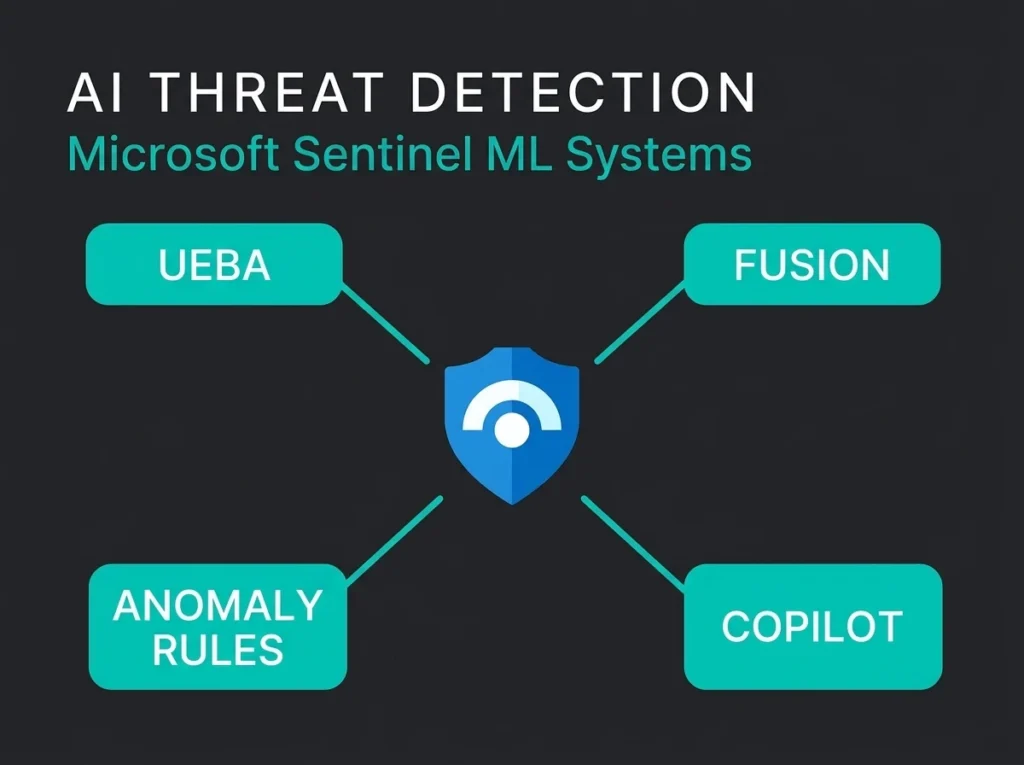
Every SIEM vendor now claims “AI-powered threat detection.” Most of those claims describe basic pattern matching with a fresh label slapped on. Sentinel is different in one specific way that matters. Microsoft ships four distinct machine learning systems inside the product, they work on different problems, and each one needs its own configuration before it does anything useful.
We deploy and manage these capabilities for clients every week at Falconer Security. The rest of this post is a working guide to what each system does, where the real value lives, and where the marketing gets ahead of the product.
- Four systems, not one engine. Sentinel ships UEBA, the Fusion correlation engine, customizable anomaly rules, and Security Copilot, and each solves a different detection problem with its own configuration.
- Enable UEBA first. In a 200-user tenant it surfaces 5 to 15 meaningful anomalies per week, but plan for 30 days of baseline learning before the scores are trustworthy.
- Anomaly rules over-fire in SMBs. The templates were calibrated for large enterprise tenants, so 100 to 300 user organisations need to retune login-location and resource-access thresholds.
- Only Copilot costs extra. UEBA, Fusion, and anomaly rules come with the Sentinel license; Security Copilot needs its own license and speeds up analysts without replacing their judgement.
- AI complements rules, never replaces them. Sentinel’s AI genuinely catches account compromise, multistage attacks, and behavioral anomalies, but it still needs well-tuned detection rules, correct connectors, and experienced analysts.
The four AI systems inside Microsoft Sentinel
There is no single “AI engine” inside Sentinel. Four separate ML systems run under that umbrella, each built for a different detection problem. Getting any value out of them starts with knowing which one does what.
| AI System | What It Detects | How It Works | Configuration Required |
|---|---|---|---|
| UEBA (User and Entity Behavior Analytics) | Anomalous user and entity behavior | Builds behavioral baselines per user, compares to peers and organization | Enable UEBA, connect Entra ID + Defender for Identity |
| Fusion Engine | Multistage attacks across kill chain | Correlates low-fidelity alerts into high-confidence incidents | Enabled by default, requires multiple data connectors |
| Customizable Anomaly Rules | Deviations from baseline behavior patterns | ML-based anomaly templates tuned by Microsoft, adjustable thresholds | Review and tune built-in anomaly rule templates |
| Security Copilot Integration | Assists investigation, generates KQL, summarizes incidents | Large language model applied to security context | Separate license (Security Copilot), embedded in Defender portal |
UEBA: behavioral baselines that actually work
Of the four, User and Entity Behavior Analytics is the one I would tell a client to enable first. It is the most mature, and in a 200-user tenant it is usually where the first genuinely useful AI-flagged incidents come from. Per Microsoft’s documentation, UEBA uses machine learning to build dynamic behavioral profiles for users, hosts, IP addresses, applications, and other entities, then flags anomalies by comparing current activity against those baselines.
Three things UEBA is genuinely good at, all of which are exactly what rule-based detection keeps missing. Compromised accounts operating inside their legitimate permissions. Insider threats where a normal user turns malicious. Lateral movement, the hop-between-systems kind, where stolen creds get used on hosts the real owner never touched.
How UEBA scoring works
The risk score is not a simple anomaly flag. What UEBA actually does is combine several signals into one number:
- Individual baseline deviation: How far the current behavior deviates from the entity’s own historical patterns
- Peer group comparison: Whether the behavior is unusual compared to the user’s peers (calculated using TF-IDF algorithm based on security group membership and mailing lists)
- Organization-wide patterns: Whether the behavior is unusual across the entire tenant
- Contextual factors: Geographic location changes, device switches, time-of-day anomalies, and activity frequency shifts
Numbers from a real 200-user tenant: UEBA surfaces 5 to 15 meaningful anomalies per week. Over the same period, rule-based analytics on the same data will produce hundreds of raw alerts. The value is prioritisation. Those risk scores tell an analyst which 3 to 5 events from the week’s pile actually deserve investigation, and which ones are just weekend IT work.
Practical example: A finance team member logs in from a new country, opens SharePoint files she has never touched, and downloads 50 documents in 10 minutes. None of those actions on their own would trip a rule. UEBA sees all three against her baseline and flags the session with a high anomaly score.
What UEBA needs to work properly
The profiles are only as good as the data sources feeding them. At a minimum you want:
- Microsoft Entra ID: Sign-in logs and audit logs (essential for user behavioral baselines)
- Microsoft Defender for Identity: On-premises Active Directory activity (if hybrid environment)
- Office 365 connector: Mailbox activity, SharePoint access, Teams usage patterns
Turn UEBA on without these and it will build baselines from partial data, then flag false positives for weeks because of it. Our MSSP onboarding process confirms every required connector is streaming before UEBA is enabled.
Time is the other requirement nobody wants to hear. Microsoft says 14 days minimum before baselines are reliable. I would say plan for 30. The first month is noisy regardless, and a lot of the “UEBA is broken” complaints we inherit come from clients who enabled it, got hammered with alerts, and gave up before the baselines settled.
Fusion engine: connecting the kill chain
Fusion solves a completely different problem from UEBA. Where UEBA looks at one entity’s behavior in isolation, the Fusion correlation engine looks across products and kill-chain stages to find patterns no single rule could see.
One failed login is nothing. A successful login from a suspicious IP, followed by a new inbox rule, followed by a mass file download, is a pattern. Fusion exists to catch the second case. It correlates low-fidelity signals across Microsoft security products using ML and promotes the combined picture to a high-confidence incident.
Three Fusion detection categories
Scenario-based detections come pre-built for known attack chains: credential theft followed by data exfiltration, suspicious sign-in followed by ransomware deployment, and others in the documented scenario reference. These are the ones that catch the attacks everyone writes blog posts about.
Then there is Fusion for ransomware, which specifically correlates alerts from Defender for Cloud, Defender for Endpoint, Defender for Identity, and Defender for Cloud Apps to spot the ransomware kill chain in progress rather than after the encryption starts.
Fusion for emerging threats is still in Preview. It uses anomaly-based correlation for novel attack sequences that don’t match any of the scenario-based rules yet, which matters more than it used to now that attackers change tradecraft faster than detection libraries update.
Why Fusion depends on your data sources
Here is the catch with Fusion. Its accuracy is bounded by how many Microsoft security products feed it. Connect only Entra ID sign-in logs and the engine can spot suspicious login patterns but cannot tie them to endpoint activity or mailbox events.
A full Microsoft stack, meaning Defender for Endpoint, Defender for Identity, Defender for Cloud Apps, Defender for Office 365, and Entra ID Protection, gives Fusion its widest correlation surface. Data sharing between Microsoft products is native rather than bolted on through API integrations, and that is the specific place where the ecosystem actually outperforms what you would stitch together from third parties.
Customizable anomaly rules: tunable ML detection
Sentinel’s customizable anomaly rules are ML-based detection templates that Microsoft’s data science team pre-tuned. They identify unusual patterns across authentication, data access, and network activity.
One distinction worth getting straight, because clients regularly confuse the two: anomaly rules are detection rules, which means they appear in your analytics rule list and generate anomaly records. UEBA scores entities. Anomaly rules fire alerts. You can tune anomaly rules through the analytics rule interface without any machine learning background. Adjust thresholds and parameters, compare performance against the original settings, promote changes to production when the new version is less noisy.
Practical tuning for SMB environments
The out-of-the-box anomaly rules were calibrated for large enterprise tenants. In a 100 to 300 user organisation they over-fire. Here are the ones we end up retuning on almost every engagement:
- Anomalous login location: Too sensitive for organisations with remote workers who travel frequently. Raise the threshold or narrow the scope to privileged accounts.
- Unusual resource access: SMBs with flat permission structures see frequent false positives. Tune to focus on sensitive data repositories.
- Anomalous service principal activity: Relevant for Azure-heavy environments but noisy for organisations with automated DevOps pipelines. Exclude known automation accounts.
Monthly anomaly-rule performance reviews are part of our managed Sentinel maintenance. The adjustments come from how alerts actually played out across client environments the previous month, not from a fixed cadence of vendor-recommended thresholds.
Security Copilot: where generative AI fits
Security Copilot is the newest AI layer in the Microsoft security stack. The other three are about detection. Copilot is about investigation and response efficiency, which is a different thing entirely and worth keeping separate in your head.
What Copilot does, specifically, is use LLMs to:
- Summarize incidents: Generate plain-language descriptions of complex multi-alert incidents
- Generate KQL queries: Convert natural language investigation questions into Kusto Query Language for Sentinel
- Assess impact: Analyze blast radius and affected entities during active incidents
- Suggest response actions: Recommend containment and remediation steps based on incident context
Honest assessment of Security Copilot
I will say the quiet part out loud. Security Copilot speeds up analyst workflows. It does not replace analyst judgement, and anyone selling you that story is selling you a story. The generated KQL needs validation. The incident summaries sometimes miss context that a human analyst would catch in the raw logs. Response suggestions are generic best practices, not advice specific to the client in front of you.
For SMBs on managed Sentinel services, Copilot’s value is indirect. It makes the managed SOC team faster, which translates into shorter investigation times for you. It also needs its own license on top of Sentinel, so check whether your managed provider already covers it before you buy it directly.
What AI detection actually catches (and misses)
Marketing says AI catches everything. Reality is more mixed. Here is where Sentinel’s AI systems reliably earn their place, and here is where they struggle.
Strong detection areas
- Compromised accounts: UEBA excels at detecting legitimate credentials used in abnormal patterns. For most organisations, this is the single highest-value AI detection Sentinel delivers.
- Multistage attacks: Fusion catches attack chains that would otherwise require an analyst to manually join the dots across multiple products. The CrowdStrike 2026 Global Threat Report puts the average breakout time at 29 minutes, so automated correlation is no longer optional.
- Insider threats: UEBA’s peer group analysis surfaces behavior that differs from what users in similar roles actually do, which catches data exfiltration and privilege abuse.
- Living-off-the-land attacks: Anomaly detection flags unusual use of legitimate tools like PowerShell, WMI, and administrative utilities that signature-based detection misses.
Known limitations
- Novel attack techniques: AI models trained on historical patterns struggle with genuinely new methods until the models retrain. This is where human detection engineering still matters.
- Low-and-slow attacks: Attackers who stay inside normal behavioral parameters for weeks can avoid triggering UEBA baselines. Patient adversaries deliberately keep their actions under anomaly thresholds.
- Misconfigured environments: AI baselines learn from your environment. If your tenant has poor security hygiene (excessive permissions, shared accounts, no MFA), the AI learns those bad patterns as “normal” and fails to flag the deviations that matter.
- Data quality issues: UEBA and anomaly rules are only as good as the data they ingest. Missing log sources, misconfigured connectors, or incomplete data create blind spots that no AI layer can paper over.
AI threat detection and NIS2 compliance
If you are in scope for the NIS2 Directive, AI-powered detection supports several compliance requirements. Article 21 requires “appropriate and proportionate” cybersecurity risk management measures, including incident handling and monitoring.
Sentinel’s AI capabilities contribute to NIS2 compliance in three specific ways:
- Continuous monitoring: UEBA and anomaly rules provide 24/7 automated detection that satisfies the monitoring requirement without round-the-clock human staffing
- Incident detection timeliness: Fusion’s automated correlation reduces mean time to detect (MTTD) for multistage attacks, supporting the NIS2 requirement to report significant incidents within 24 hours
- Proportionality: Tunable anomaly thresholds let organisations show that detection is calibrated to their risk profile, a core NIS2 principle
Full alignment between Article 21 requirements and Sentinel detection capabilities is in our NIS2 and Sentinel mapping guide.
How to enable AI detection in your Sentinel deployment
If Sentinel is already running in your tenant, there is a specific order for enabling AI detection that saves time and pain later.
Step 1: Verify data sources
Open the Microsoft Defender portal, go to Settings > Microsoft Sentinel > Data connectors, and confirm these connectors are active and receiving data:
- Microsoft Entra ID (sign-in logs + audit logs)
- Microsoft Defender for Endpoint
- Microsoft Defender for Identity
- Microsoft Defender for Cloud Apps
- Microsoft Defender for Office 365
Step 2: Enable UEBA
From Settings > Microsoft Sentinel > SIEM workspaces > Settings > UEBA, select the data sources for entity analysis. Give it 14 to 30 days for baselines to settle before you start tuning. Do not try to retune in the first two weeks. You will be retuning noise.
Step 3: Review anomaly rules
In Analytics > Rule templates, filter by “Anomaly” type. Review each enabled rule one by one. For SMB environments, the login-anomaly and resource-access thresholds are the first two to focus on.
Step 4: Verify Fusion is active
Fusion is on by default. Check Analytics > Active rules for “Advanced Multistage Attack Detection” and confirm the rule status is Enabled.
Step 5: Establish a review cadence
AI detection is not set-and-forget. A monthly review of anomaly-rule performance, UEBA alert quality, and Fusion incident accuracy keeps the thing tuned. This ongoing work is the core of managed SIEM services, and it is the main reason SMBs get more out of external expertise than they ever extract from DIY.
AI detection vs rule-based detection: not a choice
The mistake we see most often is treating AI detection as a replacement for traditional rule-based detection. They solve different problems and catch different threats.
| Aspect | AI/ML Detection | Rule-Based Detection |
|---|---|---|
| Best for | Unknown threats, behavioral anomalies, account compromise | Known attack patterns, compliance violations, specific IOCs |
| False positive rate | Higher initially, decreases with tuning and baseline maturity | Lower when well-tuned, but misses novel attacks entirely |
| Maintenance | Ongoing threshold tuning, data source validation | Regular rule updates as threats change |
| Time to value | 14 to 30 days (baseline learning period) | Immediate upon deployment |
| Expertise required | Understanding of UEBA scoring and anomaly interpretation | KQL proficiency and threat intelligence awareness |
Good Sentinel deployments use both layers. Rule-based detection catches known threats on day one. AI detection surfaces the behavioral anomalies and attack patterns that rules cannot anticipate. Our analysis of default Sentinel rules shows why: default rules on their own generate noise, and AI detection on its own misses specific known-bad activity. You need both layers, and you need someone paying attention to the results.
Frequently asked questions
Does Microsoft Sentinel AI detection require additional licensing?
UEBA, Fusion, and customizable anomaly rules come with your Microsoft Sentinel license at no extra cost. Security Copilot requires a separate license. UEBA does generate additional data in the BehaviorAnalytics and related tables, which counts toward your Sentinel ingestion costs.
How long does it take for AI detection to become effective?
UEBA needs a minimum of 14 days to establish behavioral baselines, with 30 days being more reliable in practice. Fusion starts correlating alerts immediately once data sources are connected. Anomaly rules start generating results within days but improve as the ML models learn your environment’s patterns.
Can AI detection replace a SOC team?
No. AI detection surfaces potential threats, but human analysts still have to investigate, validate, and respond. The IBM 2025 Cost of a Data Breach Report found that security automation and AI reduce breach costs, but only when paired with skilled security teams. For SMBs without internal SOC capacity, managed detection and response supplies the human layer.
Is AI-powered detection useful for small organizations?
Yes, with caveats. UEBA’s peer group analysis becomes less effective below 50 users because the statistical baseline is too thin. Fusion works regardless of organisation size as long as multiple data sources are connected. For organisations under 50 users, rule-based detection combined with Fusion typically gives better value than full UEBA deployment.
How does Sentinel AI detection compare to other SIEM platforms?
Sentinel’s main advantage is native integration with the Microsoft security ecosystem. UEBA correlates data from Entra ID, Defender products, and Office 365 without third-party connectors. Competing platforms like CrowdStrike’s Falcon Next-Gen SIEM and Exabeam offer similar AI capabilities but require connector configuration for Microsoft data sources. If your stack is already Microsoft-heavy, Sentinel has a data advantage competitors struggle to match.