Microsoft 365 Security Audit: What We Check and Why

Roughly four in five Microsoft 365 tenants we review in a Microsoft 365 security audit have the same four gaps. MFA carve-outs for the CEO. Legacy authentication on because nobody got around to switching it off. No DMARC enforcement. Global Admin accounts being used for day-to-day email and Teams. These are not obscure edge cases. This is the default state of most SMB tenants set up by an IT provider and never hardened afterwards, which is part of why organisations need an MSSP alongside their MSP in the first place. IT providers optimise for “it works”. Security is a different job.
An M365 security audit tests the tenant configuration against known baselines, finds the gaps that attackers actually use, and produces a prioritised plan to close them. Below is what we check, why each section matters, and the things we keep finding in Swedish SMBs.
Key finding: In over 80% of M365 security audits we run, the tenant’s Microsoft Secure Score is below 50%. More than half of Microsoft’s own recommended controls are not implemented.
- Four gaps dominate. Roughly four in five audited tenants share the same failures: MFA carve-outs for executives, legacy authentication left on, DMARC without enforcement, and Global Admin accounts used for daily email.
- Secure Score under 50% is the norm. In over 80% of audits the tenant scores below half, meaning more than half of Microsoft’s own recommended controls are not implemented.
- An audit is not a penetration test. It checks configuration against the CIS Benchmark, Secure Score, and CISA’s baseline across six areas; run the audit before testing defences that have not been configured.
- Expect four concrete deliverables. A one-page executive summary, findings with severity and remediation steps, a prioritised roadmap, and a benchmark comparison with deltas called out.
- Three to five business days, no downtime. Do a full audit annually, with quarterly reviews of MFA coverage, admin role assignments, and Conditional Access policies.
What an M365 security audit actually is
A structured review of your tenant’s identity, email, endpoint, data protection, and logging configuration. The goal: find the misconfigurations, missing controls, and policy gaps that create real risk.
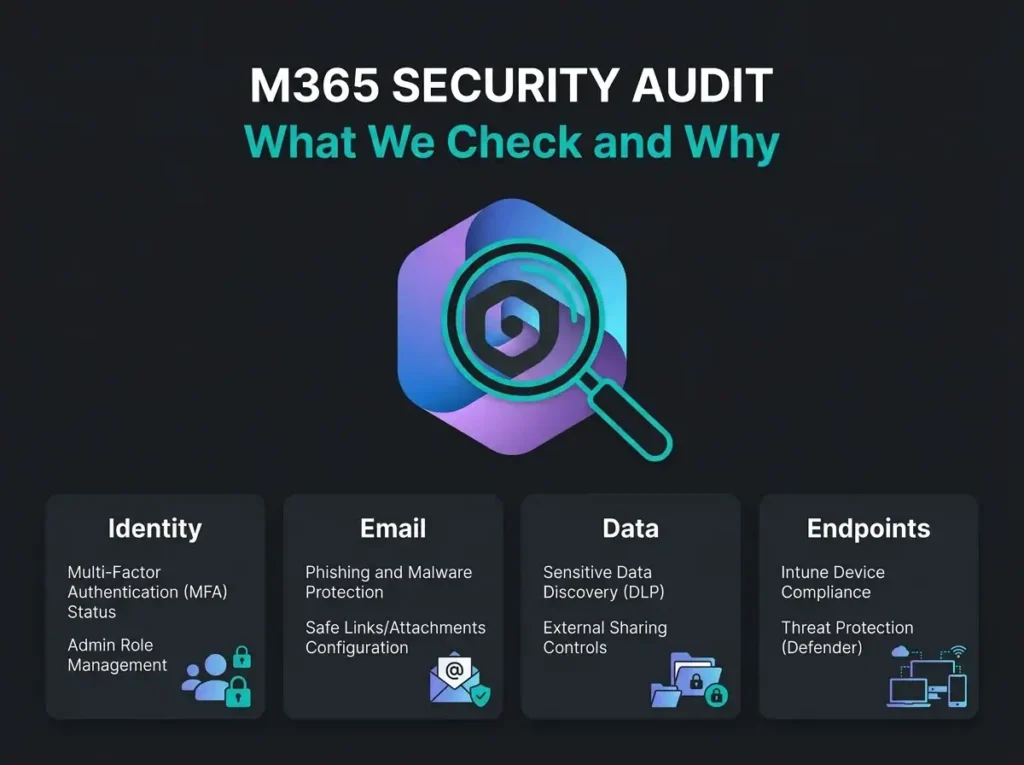
A thorough audit touches six areas. Identity and access. Email security. Endpoint protection. Data governance. Audit logging. Compliance posture. Each one maps to specific Microsoft 365 features and admin portals, and they have to be reviewed in sequence because several findings depend on context from earlier sections.
An audit is not a penetration test. A pen test simulates attacks against a live environment. An audit checks configuration against published best practices and standards: the CIS Microsoft 365 Benchmark, Microsoft’s own Secure Score recommendations, and CISA’s M365 Security Configuration Baseline. Different questions, different outputs.
Identity and access management
In cloud environments the identity is the perimeter. Compromise a user, inherit their access to email, files, SharePoint, and Teams. Compromise an admin, own the tenant. That is the whole threat model in two sentences.
Start with MFA enforcement. We look for actual coverage across every account, not just admins: the exceptions list, the service accounts running without MFA because nobody knew how to make them work, and whether the MFA method is phishing-resistant (FIDO2, Windows Hello) or a legacy method that can be phished (SMS, voice). SMS MFA is not the answer it was in 2019.
Then the Global Admin inventory. How many Global Admins does the tenant have? Are those admin accounts dedicated, or are people using them for daily email? Microsoft suggests no more than five. For most SMBs I argue for two, sometimes three. Admin accounts should not be the ones booking meetings in Outlook.
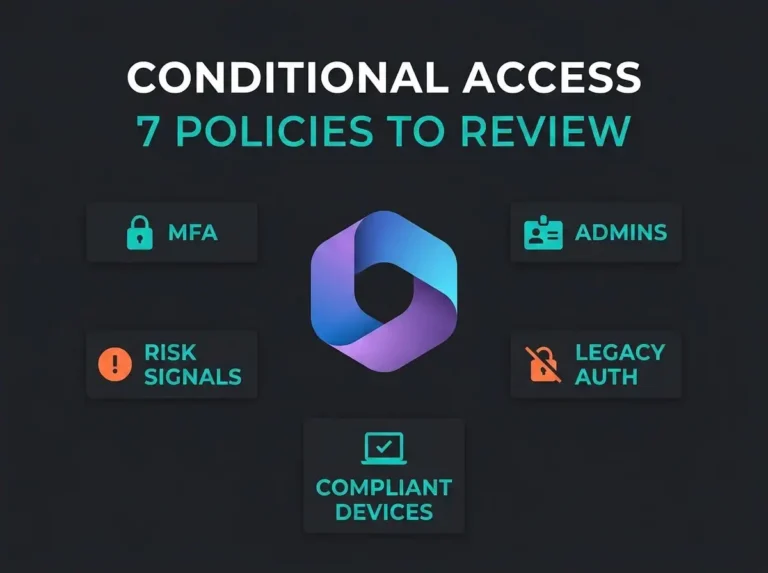
Conditional Access is next. Every policy gets reviewed for coverage gaps. Are all cloud apps in scope. Is legacy authentication blocked. Are sign-ins filtered by geography if the workforce is geographically bounded. Do risky sign-ins force additional verification, or just log a warning.
Legacy protocols. IMAP, POP3, SMTP AUTH. None of them support MFA. All of them are still the primary vector for password spray attacks. We verify these are blocked via Conditional Access or Security Defaults, and we confirm no exception has been punched through for that one integration that “needed it”.
Guest and external access: every guest user account, external sharing settings in SharePoint and OneDrive, Teams guest policies. Stale guest accounts from a 2022 project are routine. Overly permissive sharing defaults are routine too.
Finally, password policy. Expiration settings (Microsoft now recommends against forced rotation, and the research backs that up). Banned password lists. Self-service reset configuration.
Common finding: Service accounts with application passwords that bypass MFA entirely. These accounts often have elevated permissions and are shared among multiple team members.
Email security
Email is where SMBs lose money. Business email compromise, phishing, malware delivery: the inbox is target number one. Office 365 email security requires configuration well beyond the defaults, and the defaults are where most tenants stop.
DNS is always the first stop. SPF records must list every legitimate sender (legitimate including the 2019 marketing automation platform nobody remembers turning on). DKIM has to be enabled and signing on all active domains. DMARC should sit at p=quarantine or p=reject, not at p=none. A DMARC record in monitoring mode for three years is not DMARC enforcement. It is a status light that was never wired to anything.
Microsoft Defender for Office 365 anti-phishing policies come next. Impersonation protection for executives and the organisation’s domains. Mailbox intelligence. Safety tips. We verify each setting against the current recommendations, not the ones from whenever this tenant was set up. For the control stack and licensing differences, see our guide to Microsoft Defender for Office 365 for SMBs.
Safe Attachments: is it in blocking mode, or still in monitoring? Monitoring mode is a common finding. It means the detonation chamber runs, logs the result, and delivers the mail anyway. Users still click. Safe Links should scan URLs at time-of-click with real-time URL scanning enabled, not just at delivery.
Mail flow rules. This is where archaeology happens. Transport rules created in 2020 to exempt a now-defunct vendor from spam filtering. Auto-forwarding rules to external addresses (a classic indicator of compromise, and we find them). Rules that bypass filtering entirely for “trusted” senders.
And external email tagging. Messages from outside the organisation need to be visually tagged so users can actually see when something is external. It is a one-line policy change. Most tenants do not have it.
What we typically find
DMARC at p=none. Safe Attachments in monitoring mode. Transport rules from a previous administration exempting senders or domains from filtering. These three show up in the majority of audits.
Endpoint protection
Endpoints are where users meet data and attackers get their first foothold. EDR matters, but only if it is deployed properly and the policies are actually tuned.
Four checks. First: Defender for Endpoint onboarding. Every device onboarded, no exceptions. Unmanaged devices are blind spots. An unmanaged device compromised by an attacker is the quietest way to stay inside a tenant for 90 days.
Second: Attack Surface Reduction rules. Which ASR rules are enabled and in what mode (block vs. audit). The critical ones are blocking Office apps from creating child processes, blocking LSASS credential theft, and blocking executable content from email and webmail. A surprising number of tenants have all the ASR rules in audit mode and nobody reading the audit logs.
Third: Intune device compliance. Is encryption required. Are OS versions kept current. Is endpoint protection active on every compliant device. Non-compliant devices need to be blocked from corporate resources through Conditional Access, not just flagged.
Fourth: automated investigation and response. Turned on? At what level? Confirmed threats should get contained without waiting for a human to wake up.
Data protection and governance
DLP and information governance determine whether sensitive data can leave the tenant, and whether you can recover from deletion when something goes wrong.
The review covers five things, but none of them are as straightforward as a bullet makes them look. DLP rules across Exchange, SharePoint, OneDrive, and Teams. Whether sensitive information types (credit card numbers, Swedish personnummer, health records) are actually detected, and whether the policy blocks the action or only warns the user. Sensitivity labels: configured? Applied? In use? Classifying documents by sensitivity and enforcing encryption, watermarks, and access restrictions automatically is the theory; most tenants have one orphan label nobody applies.
SharePoint and OneDrive sharing settings deserve a full page in the report. Can users share with anyone via anonymous links? Are link expirations and password requirements configured? Is the default sharing scope “specific people” or “anyone with the link”? The default matters because most users accept the default.
Retention policies: do they meet regulatory requirements (the GDPR question, the sector-specific question, and increasingly the NIS2 question for essential and important entities). Is critical data being auto-deleted before a retention window expires because an old policy is still in force.
And backup. Microsoft’s shared responsibility model is explicit: data protection is the customer’s responsibility. Recoverability testing against a third-party backup is part of the audit, because a backup that has never been restored is not a backup.
Audit logging and monitoring
Without logging you cannot detect breaches, investigate incidents, or demonstrate compliance. Logging configuration is the single most neglected area in the SMB tenants I see.
Unified audit log status is the first check. It is on by default in most tenants, but it has been switched off manually more often than you would expect, usually during a troubleshooting incident years ago.
Log retention is the next one. Standard retention sits at 180 days. Assess that against your compliance obligations: NIS2 guidance leans toward longer, and E5 licensing extends retention up to ten years if you need it.
Alert policies. Which events trigger alerts, and are the alerts going somewhere useful. Admin role changes. Mail forwarding rule creation (one of the most reliable compromise signals there is). Mass file downloads. Sign-ins from unusual geographies. Impossible travel.
SIEM integration. If your organisation needs 24/7 monitoring, logs should be forwarded to a SIEM like Microsoft Sentinel for correlation and automated detection. Without that, the alerts live in a Defender portal that nobody opens outside business hours.
Why this matters: According to the IBM Cost of a Data Breach Report 2024, the average time to identify a breach is months. Proper audit logging and monitoring brings that down to hours or minutes.
Microsoft Secure Score
Secure Score gives you a number for your tenant’s security posture. It is not a full audit on its own; it is a starting point and a progress meter.
During the audit we use Secure Score to pick off quick wins (high-impact recommendations that take minimal effort) and we flag the recommendations that do not apply to your environment or that conflict with a documented business requirement. That context is the difference between implementing 47 controls blindly and implementing the 31 that actually make sense for your business.
M365 security best practices align closely with the controls Secure Score evaluates. A professional audit adds prioritisation, context, and implementation sequencing that the score itself cannot.
What comes out of the audit
A security audit is only useful if it produces action. The deliverables are four things.
An executive summary. One page, written for leadership, covering posture, key risks, and the recommended priorities. If the CEO reads nothing else, they should read this page.
A detailed findings report. Every gap documented with severity, business impact, and remediation steps specific enough that an IT team can execute without a follow-up call.
A prioritised remediation roadmap. Findings ranked by risk and effort, sequenced in a way that makes sense. Critical first, then high, medium, low. Items that unlock other remediations (like turning on unified audit logging before configuring alert policies) get sequenced correctly.
A benchmark comparison. Your tenant versus the CIS Microsoft 365 Benchmark and Microsoft’s recommended baseline, with the deltas called out.
For ongoing protection after remediation, we offer managed detection and response services providing 24/7 monitoring, detection, and incident response for your M365 and Azure environment. For Azure-specific security gaps, vulnerability scanning finds misconfigurations and unpatched systems across cloud infrastructure. See also our guide on Azure security assessment.
Frequently asked questions
How long does a Microsoft 365 security audit take?
Three to five business days for a full audit, depending on tenant size, domain count, application integrations, and custom configurations. The review itself is non-disruptive. No downtime, no changes to the environment during the assessment phase.
How often should we audit our Microsoft 365 security?
Full audit at least once a year. Quarterly reviews of the controls that change most (MFA coverage, admin role assignments, Conditional Access policies). Any significant environmental change, such as a merger, a new application integration, or a licensing change, should also trigger a review.
What Microsoft 365 license do we need for a proper audit?
Most audit checks work on any plan, but Business Premium or E5 gives you the most visibility. Business Premium includes Conditional Access, Defender for Office 365 Plan 1, and Defender for Business. E5 adds extended audit log retention, advanced hunting, and Microsoft Sentinel integration.
Can we do a Microsoft 365 security audit ourselves?
You can run basic checks with Microsoft Secure Score and the built-in admin portals. The value a professional audit adds is pattern recognition (knowing which findings matter), benchmark comparison against standards, and remediation guidance with business context. Most SMBs lack the dedicated Microsoft security expertise to run a thorough assessment internally.
What is the difference between a security audit and a penetration test?
An audit evaluates configuration against best practices and standards: are the controls properly configured. A pen test simulates real attacks to test whether those controls can be bypassed. Both are useful. Do the audit first. There is no point testing defences that have not been configured yet.