Is OneDrive HIPAA Compliant? BAA Coverage and Required Settings

OneDrive is where PHI ends up whether you planned it or not. Every Word document a clinician saves, every desktop folder synced through Known Folder Move, every “can you look at this?” attachment shared from a phone – it all lands in the same cloud storage. So the question “is OneDrive HIPAA compliant” usually arrives after the fact, from someone who just realized how much patient data is already sitting there.
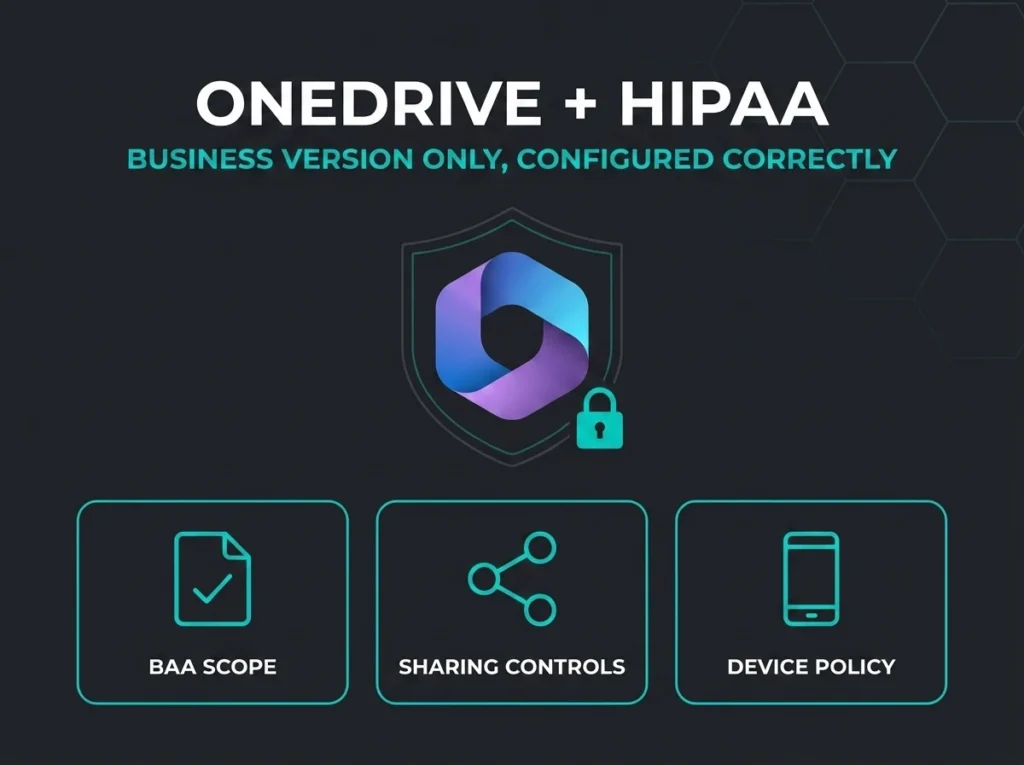
Here’s the answer up front. OneDrive for Business – the version bundled with commercial Microsoft 365 plans – is listed in Microsoft’s Business Associate Agreement (BAA) scope, so it can support HIPAA compliance. Personal OneDrive, the free or consumer version tied to a personal Microsoft account, is not covered and never will be under those terms. And as with every Microsoft service, being in BAA scope is a starting condition, not a result. Compliance depends on how your tenant handles sharing links, DLP, retention, auditing, and device access. That configuration work is yours.
- OneDrive for Business is in BAA scope. It appears in Microsoft’s Office 365 in-scope services list. Personal OneDrive runs under consumer terms with no BAA, so PHI on a personal account is a violation waiting to be found.
- Encryption is already handled. Microsoft encrypts OneDrive content at rest with BitLocker plus per-file AES 256-bit keys, and in transit over TLS. Encryption is the one safeguard you don’t need to build.
- Sharing links are the weak point. Anyone links require no authentication and leave no auditable identity. If they’re enabled, your PHI is one forwarded URL away from public.
- OneDrive is SharePoint under the hood. Same storage platform, same admin controls, same compliance tooling. Fix them together or you’ve fixed neither.
- Sync is the forgotten exposure. A clinician syncing PHI to a home PC takes it outside every technical safeguard you configured. Device controls close that gap, not policy documents.
Covered by the BAA, but only the business version
Microsoft’s HIPAA position is contractual. There’s no certified-compliant product – the Department of Health and Human Services approves no certification standard for HIPAA at all, as Microsoft’s HIPAA documentation notes. What Microsoft does is enter into a Business Associate Agreement with covered entities and business associates, folded into the Data Protection Addendum that commercial customers accept. OneDrive for Business is named in the Office 365 in-scope services list that BAA covers.
That makes the contractual side straightforward for most organizations: if you’re on a commercial Microsoft 365 plan and you’re a covered entity, the BAA is available to you by default. We walked through how that agreement works across the whole suite in our Office 365 HIPAA guide. What’s left is the part no contract can do for you – configuring the tenant so PHI in OneDrive is actually protected the way the HIPAA Security Rule expects.
Personal OneDrive vs OneDrive for Business
Two products, one name, very different legal standing. Personal OneDrive – the storage attached to a personal Microsoft account, including Microsoft 365 Personal and Family plans – runs under the consumer Microsoft Services Agreement. It has no BAA, no tenant admin, no DLP, no audit log your compliance officer can query. It does not appear in Microsoft’s HIPAA in-scope services list.
| HIPAA factor | Personal OneDrive | OneDrive for Business |
|---|---|---|
| Microsoft BAA coverage | No | Yes, in the Office 365 in-scope services list |
| Governing terms | Consumer Microsoft Services Agreement | Data Protection Addendum and Product Terms |
| Admin sharing controls | No | Yes, tenant and site level |
| DLP and sensitivity labels | No | Yes, via Microsoft Purview |
| Audit logging of file access | No | Yes, in the unified audit log |
| Acceptable for PHI | No | Only in a correctly configured tenant with the BAA in place |
The dangerous part is how easily the two blur on a device. Windows will happily sign into both a work and a personal OneDrive side by side, and the folders look identical in File Explorer. A tired clinician saving a patient report into the wrong OneDrive isn’t being malicious. They’re being human. Which is why the device controls later in this post matter as much as the tenant settings.
Encryption is the solved problem
If you’re evaluating OneDrive against the Security Rule’s encryption expectations, Microsoft’s side of the ledger is in good shape. Per Microsoft’s encryption documentation, OneDrive content at rest gets BitLocker disk-level encryption plus per-file encryption, where each file – and each update to each file – has its own AES 256-bit key, FIPS 140-2 compliant, with keys stored physically separate from content. In transit, client connections run over TLS.
So encryption is not where OneDrive HIPAA projects fail. We’ve never walked into an assessment and found Microsoft’s storage encryption to be the gap. The gaps are always in what happens above the encryption: who can create a link, where files sync to, and whether anyone is watching the logs.
The sharing problem: anyone links and external defaults
OneDrive’s whole reason to exist is sharing, and its sharing model is where PHI leaks. The worst offender is the Anyone link. Microsoft’s own sharing documentation describes it plainly: people using an Anyone link don’t have to authenticate, and their access can’t be audited. The link is a transferable secret key. Whoever holds it, has the file – forward it, post it, paste it into a group chat, it still works.
For a covered entity, that combination is disqualifying. You cannot demonstrate who accessed PHI through a link that records no identity. Anyone links have no place in a healthcare tenant, and turning them off is a two-minute change in the SharePoint admin center’s external sharing settings. While you’re there, set the default link type to “specific people” – leaving it at “people in your organization” quietly turns every casual share into org-wide access, which is how oversharing accumulates one casual share at a time.
Key point: An Anyone link on a file containing PHI is an unauthenticated, unauditable disclosure channel. If a breach investigation asks “who accessed this record,” your honest answer is “we have no way to know.” That sentence should never be true in a HIPAA environment.
OneDrive is SharePoint storage under the hood
One architectural fact simplifies all of this: OneDrive for Business is SharePoint. Each user’s OneDrive is a personal SharePoint site, running on the same storage platform, governed by the same admin center, covered by the same Purview tooling. That’s good news, because it means everything we documented in our SharePoint HIPAA guide – permissions, sharing governance, site-level controls – applies to OneDrive directly. It also means the reverse: a tenant that locked down SharePoint but left OneDrive sharing defaults untouched has a hole exactly the size of every user’s personal file store. The two are one compliance surface. Treat them as one project.
DLP, sensitivity labels, and retention
Three Purview capabilities turn OneDrive from “storage that happens to hold PHI” into something you can defend in an audit.
Data loss prevention
Purview DLP policies scan content in OneDrive against sensitive information types – medical record numbers, health conditions, insurance identifiers – and act on matches: block the external share, warn the user, notify compliance. This is your technical control against the well-meaning employee who tries to email a patient list to a partner clinic. Without DLP, your safeguard for that scenario is hope.
Sensitivity labels
Enable sensitivity labels for Office files in SharePoint and OneDrive so labeled and encrypted files keep their protection inside the service – searchable, co-authorable, but still access-controlled by the label’s encryption wherever the file travels. A “Patient Data” label that applies encryption protects the file even after someone downloads it, which is precisely the scenario sharing controls can’t reach.
Retention
HIPAA expects records kept for defined periods, and state law usually extends them. Purview retention policies applied to OneDrive keep deleted files recoverable for the retention window and stop a departing employee’s OneDrive from taking six years of records with it. Pair retention with a process for departed-user OneDrives; by default that content has a shelf life, and finding out during litigation is the expensive way to learn it.
Audit logging: who touched which file, when
OneDrive file operations – views, downloads, shares, deletions, sync events – flow into the Microsoft 365 unified audit log, with specific logged activities for file and sharing operations. This is your HIPAA Security Rule audit-controls story for OneDrive, and it mostly runs itself once auditing is confirmed on. Two things still go wrong in practice: nobody ever reviews the log until there’s an incident, and retention of audit records doesn’t match the organization’s documented policy. Decide who looks at OneDrive sharing reports, on what schedule, and write it down. An audit log nobody reads satisfies the letter of the control and none of its purpose.
The personal-device problem
The scenario that should worry you most isn’t in the tenant at all. A clinician installs OneDrive on a home laptop, signs in with work credentials, and syncs their whole document library – PHI included – onto an unencrypted family PC that the kids also use. Every tenant-side control you configured still applies to the cloud copy. The local copy is just files on a disk you don’t manage.
Microsoft gives you three tools to close this, in rising order of strictness:
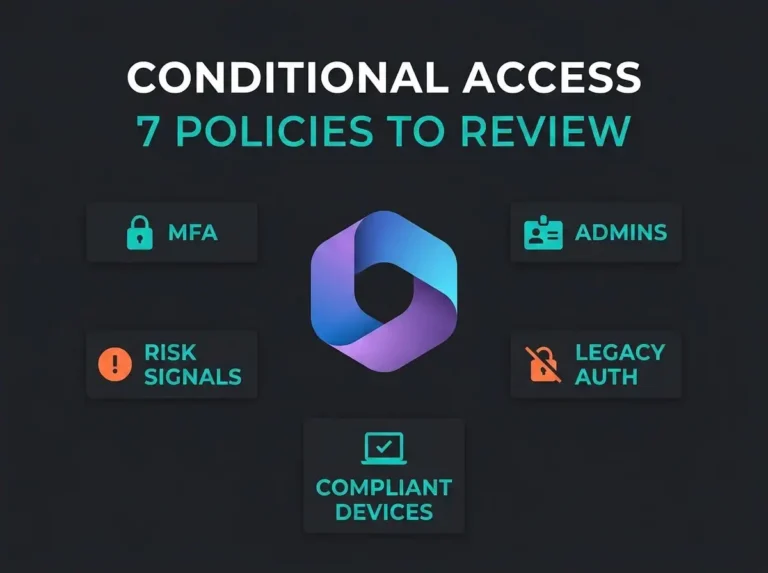
Unmanaged device controls let you block OneDrive access entirely from devices that aren’t Intune-compliant or hybrid-joined, or degrade them to browser-only access with no download, print, or sync. Sync restrictions limit the OneDrive sync client to devices joined to your domains. And on mobile, Intune app protection policies wrap the OneDrive app itself: PIN required, corporate data encrypted on the device, no copy-paste into personal apps, selective wipe when someone leaves. All of it rides on the identity layer, so if you haven’t built conditional access policies yet, start with our conditional access guide – it’s the enforcement point everything above plugs into.
Required tenant configuration for PHI in OneDrive
The settings that separate “in BAA scope” from “defensibly configured”:
| Setting | Why it matters | Where |
|---|---|---|
| Confirm BAA / DPA acceptance | The contractual precondition for PHI in any Microsoft service | Microsoft licensing terms; confirm with your CSP or account team |
| Disable Anyone links | Unauthenticated, unauditable access is indefensible for PHI | SharePoint admin center, Sharing |
| Default link type: specific people | Stops casual shares from becoming org-wide access | SharePoint admin center, Sharing |
| DLP policies for health data | Detects and blocks PHI leaving through shares and uploads | Purview portal, Data loss prevention |
| Sensitivity labels enabled for SharePoint and OneDrive | Label encryption follows files after download | Purview portal, Information protection |
| Retention policies on OneDrive | Meets record-keeping duties; survives employee departures | Purview portal, Data lifecycle management |
| Verify audit logging and assign log review | File-access records are your investigation trail | Purview portal, Audit |
| Block or limit unmanaged devices; restrict sync | Keeps PHI off home PCs and personal hardware | SharePoint admin center + Entra conditional access |
| Intune app protection on mobile | Encrypts and contains PHI inside the managed app | Intune admin center, App protection policies |
Where OneDrive fits in your Microsoft 365 HIPAA posture
OneDrive doesn’t get its own compliance program. It shares one with SharePoint, because it is SharePoint, and it depends on the same tenant foundations as Teams and Exchange – the BAA, identity controls, Purview policies, device management. Configure those once, apply them everywhere PHI lives, and OneDrive stops being a special worry.
If you want a straight answer on where your tenant actually stands – which links exist, what syncs where, whether the audit trail would hold up – our Microsoft 365 security assessment checks OneDrive and SharePoint against exactly this list and hands you the findings, ranked by how much they’d hurt in a breach investigation.
Frequently Asked Questions
Is OneDrive HIPAA compliant?
OneDrive for Business can support HIPAA compliance: it is listed in the Office 365 services covered by Microsoft’s Business Associate Agreement, and it provides the encryption, access controls, DLP, and audit logging the Security Rule expects. It is not compliant by default. The organization must accept the BAA and configure sharing, device access, and Purview policies correctly.
Is personal OneDrive HIPAA compliant?
No. Personal OneDrive accounts, including those in Microsoft 365 Personal and Family plans, run under the consumer Microsoft Services Agreement and are not covered by Microsoft’s BAA. Storing PHI in a personal OneDrive is a HIPAA violation regardless of how carefully the account is used.
Does Microsoft sign a BAA for OneDrive?
Yes. Microsoft’s HIPAA Business Associate Agreement is part of the Data Protection Addendum available by default to commercial customers that are covered entities or business associates, and OneDrive for Business is named in the in-scope services list. No separate OneDrive-specific agreement is needed.
Is OneDrive encrypted enough for HIPAA?
Microsoft encrypts OneDrive content at rest using BitLocker plus per-file AES 256-bit encryption, and protects data in transit with TLS. That satisfies the technology side of the Security Rule’s encryption expectations. The compliance risk sits in sharing settings, device sync, and auditing rather than in the encryption itself.
Can employees sync PHI to personal computers?
Technically yes, unless you stop it, and that is one of the most common OneDrive HIPAA failures. Unmanaged device controls can block or limit access from non-compliant devices, sync can be restricted to domain-joined machines, and Intune app protection contains OneDrive data on mobile. Without those controls, PHI ends up on hardware you neither encrypt nor manage.
Should we use Anyone links if the file has no PHI?
In a healthcare tenant, the safer policy is to disable Anyone links entirely. They require no authentication and produce no auditable identity, and no admin can reliably guarantee which files will never contain PHI. Authenticated sharing with specific people costs users a few seconds and preserves your ability to answer who accessed what.