Managed Sentinel Maintenance: What the First 12 Months Actually Look Like

Dozens of Microsoft Sentinel deployments pass through Falconer Security’s hands every year, across SMBs and MSPs. The deployment phase always gets the budget and the attention: connectors wired up, analytics templates enabled, workbooks tidied. Then the go-live document gets signed, the implementation partner leaves, and the client moves on to the next project, with no managed Sentinel maintenance plan in place.
Six weeks later the queue is on fire.
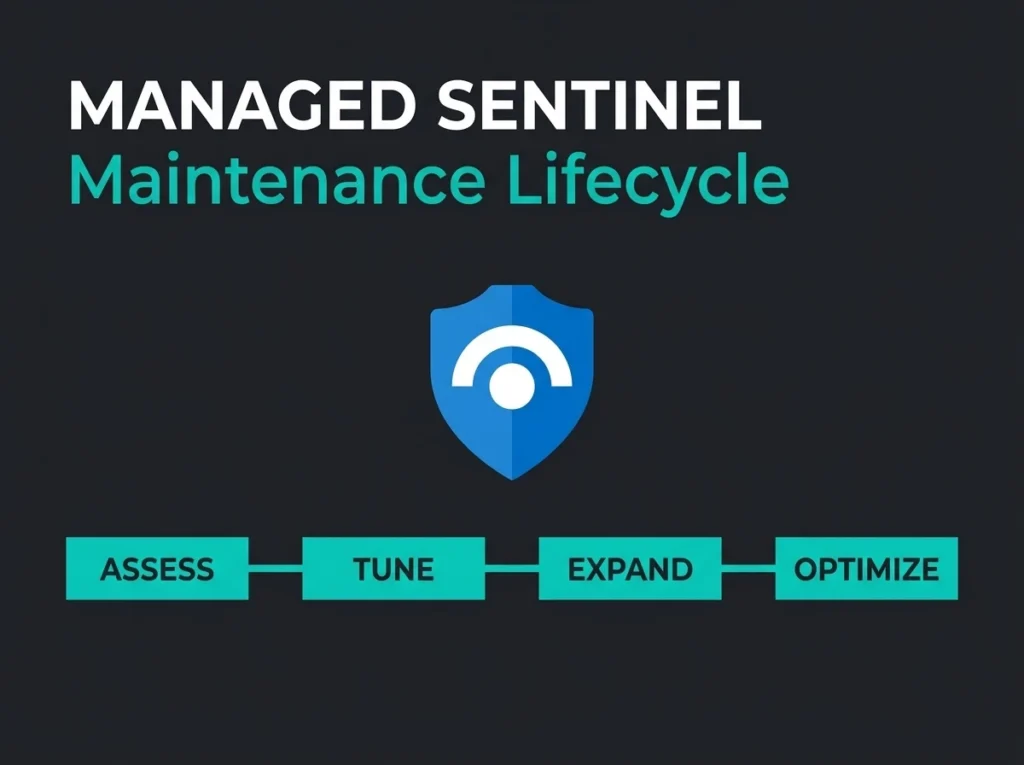
Managed Sentinel maintenance is what happens after go-live. It is the unglamorous work of tuning detection rules, trimming ingestion, expanding coverage, and keeping the platform aligned with threats you actually face. Skip it, and a precision tool turns into an expensive alert generator that nobody trusts. I have walked into workspaces where the SOC has learned to ignore the queue entirely because nothing in it is real. The SIEM was still “working”. It was also worthless.
What follows is what a serious 12-month maintenance engagement looks like, based on how we actually operate Sentinel for our managed SIEM clients.
- Deployment is only the starting line. Untuned Sentinel workspaces drift to false positive rates above 90%, and the SOC learns to ignore the queue entirely.
- Tuning cuts alert volume 60 to 80%. The first 90 days on a typical inherited deployment achieve that through rule tuning alone, before touching ingestion or automation.
- Month one usually pays for itself. Log filtering, tiered retention, and removing unused connectors deliver a 30 to 40% ingestion cost reduction on most inherited deployments.
- Automation beats the 29-minute breakout. Playbooks respond in seconds where manual response takes 45 minutes to two hours, which decides whether a credential attack is contained or becomes a breach.
- The Azure portal deadline is real. Microsoft retires Sentinel in the Azure portal on March 31, 2027, so Defender portal migration planning belongs in year one, not Q1 2027.
Why Sentinel maintenance matters more than deployment
Deployment is a project. Maintenance is a posture. Microsoft ships new analytics templates, connector updates, and platform features every month, attackers adjust their tactics, and your own environment keeps changing underneath the SIEM: new hires, new tools, new cloud workloads, a team suddenly pushing data through a SaaS nobody told security about.
A workspace that was cleanly tuned on day one will be generating junk within weeks if nobody is watching it. Microsoft’s operational guide for Sentinel says as much: daily monitoring of analytics rules, data connectors, and playbook health is the baseline, not a stretch goal. Most clients we inherit are nowhere near that baseline.
In practice, untuned deployments I have seen run at false positive rates above 90%. Analysts burn out, real threats get buried, and the SOC starts closing incidents by pattern-matching the subject line. Our first 90 days on a typical inherited deployment cut alert volumes by 60 to 80% through rule tuning alone. That is before we touch ingestion, hunting, or automation.
Key insight: Managed Sentinel maintenance is the ongoing cycle of detection tuning, cost control, coverage expansion, and platform upgrades that keeps a SIEM deployment useful. Deployment is the starting line. The race is everything after.
Month 1: baseline assessment and quick wins
Month one is diagnostic. We are trying to figure out what you have before we change anything, and picking off the obvious wins along the way.
Detection rule audit
Every engagement opens with a full audit of active analytics rules. Three questions drive it: which rules are generating the most alerts and how many of those alerts anyone acts on, which rules have never fired (and whether that is because nothing happened or because the rule is broken), and which rules are sitting disabled that should probably be live.
Sentinel ships with more than 300 built-in detection templates. Most organisations enable a subset during deployment and never revisit them. Generic rules do not know your environment, and that is where the noise starts. We documented the 5 default rules that generate the most noise and what we substitute. “Risky sign-in from new location” is the classic: it fires nonstop for a sales team that travels. “Multiple failed authentication attempts” fires on every password-reset wave, every quarterly retraining, every time someone comes back from parental leave and forgets their password.
KQL against the SecurityIncident table over the past 90 days pulls out the noisy rules quickly. We prioritise tuning by volume weighted against false positive rate, not raw volume alone. A rule firing 50 times a week at 95% FP is higher priority than one firing 200 times at 30% FP.
Ingestion cost review
Sentinel is consumption-priced. You pay per gigabyte ingested into Log Analytics, so every byte is an ongoing bill. Month one includes a full review of which data sources are flowing, what volume each one generates, and whether that data is actually being consumed by a rule or a hunting query.
The same findings come up on inherited deployments more often than not. Verbose diagnostic logs at full fidelity with zero analytics rules referencing them. Duplicate streams because two connectors were configured for the same source. No retention tiering: everything sitting at the same period regardless of whether it is an Entra sign-in log (worth keeping) or a Windows DNS debug log (almost never). Basic and auxiliary log tiers unused for the high-volume, low-signal data that is exactly what those tiers exist for.
Typical month-one ingestion cost reduction across our book is 30 to 40%, mostly from filtering and tiered retention. For the full walkthrough of what we find, our Sentinel cost autopsy goes deeper.
SOC optimization recommendations
Microsoft built a SOC optimization feature into Sentinel that analyses the workspace and surfaces coverage gaps, unused data, and missing detections. Most clients have never opened it. During month one, we walk every recommendation, judge whether it actually applies, and build a prioritised remediation backlog.
That same engine maps your current detections to the MITRE ATT&CK framework, showing precisely which tactics and techniques you can detect and where the holes are. The map becomes our roadmap for months 2 through 6. It is also what we hand the CISO when they ask what they are paying for.
Months 2 and 3: systematic tuning and automation
Baseline done. Months two and three are where the slow, careful improvement happens, rule by rule.
Rule-by-rule tuning
Each high-noise rule gets individual attention using a consistent sequence. Step one is reading the rule logic properly and identifying what triggers the false positives. Step two is building exclusion lists for known-good activity: service accounts, backup jobs, the scheduled task that runs at 02:17 every morning for reasons nobody on the current team remembers. Step three is adjusting thresholds against your environment’s normal patterns, which means having a normal-patterns baseline first. Step four is attaching automation rules that auto-close confirmed false positive patterns with the justification documented in the incident. Step five is testing changes in staging or notifications-only mode before modifying the live rule. Step six is measuring the before-and-after volume and confirming real threats still trigger.
This is detail work, and it is slow. A single analytics rule can take a week to tune properly when it spans multiple data sources and entity types. Moving a rule from 300 weekly alerts to 15 actionable ones is worth every hour. The client’s SOC gets that hour back every day for the rest of the engagement.
Automation playbook development
Detection without response is expensive observation. Months two and three introduce automated response playbooks for incident types that are well-understood and safe to automate. Compromised account: revoke sessions, force a password reset, page the on-call, create the ticket. Phishing hit: quarantine the message, block the sender domain, check who clicked across the tenant. Impossible travel: enrich with device compliance, escalate if the device is unmanaged, auto-close if the user is on the known-travellers watchlist. Malware detected on an endpoint: isolate via Defender for Endpoint, pull forensic data, notify the SOC.
Playbook response is measured in seconds. Manual response against our own data runs 45 minutes to two hours depending on who is awake. For credential-based attacks where CrowdStrike’s 2026 Global Threat Report puts average breakout time at 29 minutes, automation is the line between contained and breached. No amount of analyst excellence makes up for being asleep.
Data connector expansion
Most deployments arrive with the basics connected: Entra ID, Microsoft 365 audit, Defender XDR, the same core set covered in our guide to the 5 Sentinel data connectors an SMB actually needs. Months two and three fill the gaps surfaced in the baseline. Firewall and proxy logs for network visibility. DNS for command-and-control detection. Cloud workload logs (AWS CloudTrail, GCP audit) when the environment is multi-cloud. SaaS logs beyond the Microsoft ecosystem, which in Nordic environments usually means Salesforce, a handful of HR tools, and whatever the finance team is using this quarter.
Every new data source follows the same discipline. Connect. Verify data flow. Build or enable rules. Then watch the cost impact. A connector without rules is storage you are paying for with no detection return.
Months 4 through 6: detection engineering and coverage expansion
By month four the platform is stable, tuned, and priced correctly. The work shifts from fixing problems to building capability, which is a different muscle.
Custom detection rules
Detection engineering moves past Microsoft’s built-in templates into rules tailored to your specific threat profile. Custom detections target business logic abuse specific to your applications, lateral movement patterns within your network topology, data exfiltration indicators based on where your sensitive data actually lives, and attack techniques trending in your industry vertical (different for a Swedish financial services firm than for a manufacturer with OT exposure).
Custom rules want KQL expertise and deep understanding of both the Sentinel data model and the environment. This is where managed SIEM services earn their fee: you get detection engineering talent without having to recruit and retain it yourself, which in the current market is nearly impossible for Nordic SMBs.
Threat hunting program
Proactive hunting uses KQL and behavioural analytics to look for threats that rule-based detection missed. Sentinel hunting includes built-in queries mapped to MITRE, custom queries, and livestream for real-time monitoring.
A structured program runs monthly hunts against newly published threat intelligence (checking for indicators of compromise in your historical logs), MITRE ATT&CK coverage gaps from the baseline, unusual user or entity behaviour flagged by User and Entity Behavior Analytics, and techniques from recent IR engagements on other clients. When a hunt surfaces a real pattern, it graduates into an analytics rule. That feedback loop is how the detection catalogue stays sharp.
Content Hub updates
Microsoft publishes new solution packages, analytics rules, and hunting queries through the Sentinel Content Hub. Microsoft’s operational guide recommends weekly review. In the wild, most organisations stopped checking after go-live and are sitting two years behind.
Managed maintenance includes a weekly Content Hub pass: evaluate new templates, assess fit against the client environment, test in staging, deploy if appropriate. The deployment then benefits from Microsoft’s ongoing threat research spend without anyone internally having to chase it.
Months 7 through 9: platform maturity and reporting
By month seven the deployment has been through two full quarters of optimisation. The work shifts again, this time to measuring effectiveness and proving value to people who do not speak KQL.
Security posture metrics
Effective maintenance produces outcomes you can count. Mean time to detect (MTTD): how fast new threats are spotted after initial compromise. Mean time to respond (MTTR): time from detection to containment action taken. Alert-to-incident ratio: what percentage of alerts become investigated incidents (healthy range 15 to 25%). False positive rate: alerts closed as benign, which after proper tuning should be under 30%. MITRE ATT&CK coverage: the percentage of relevant techniques with active detections, tracked over time.
These numbers tell the story of whether the SIEM is delivering security outcomes or producing dashboards. We report on them monthly to every managed Sentinel client, and the trend lines are often more useful than the absolute values.
Stakeholder reporting
Technical metrics serve the security team. Leadership wants a different picture: risk reduction, cost trend, compliance posture. Monthly executive summaries translate SOC metrics into board language. Real threats detected and contained this month, with named outcomes. Cost per protected asset, trending the way it should as optimisation matures. Compliance coverage against frameworks like NIS2 Article 21 detection requirements. Comparison against industry benchmarks where we have them, with appropriate caveats about whose numbers those are.
For organisations under NIS2, the same reports double as evidence of the “appropriate and proportionate” technical measures that Article 21 demands. Showing an auditor a trend line of MTTD improving over 12 months is a better argument than showing them a policy document.
Workspace health monitoring
Behind the detections, the Log Analytics workspace itself needs watching. Monthly health checks look at data connector status (are all sources still sending at expected volumes, or did something silently drop two weeks ago), analytics rule execution health (are rules running on schedule without errors, and if not, why not), workspace capacity against ingestion limits, and retention policy compliance (data held for the required period, archived or purged when the regulation says so).
Microsoft provides data connector health monitoring and analytics rule integrity monitoring out of the box. Both should be in every operational workflow, and rarely are.
Months 10 through 12: strategic evolution
The final quarter of year one is about improvements that compound and about planning year two.
Defender portal migration planning
Microsoft is retiring Sentinel in the Azure portal on March 31, 2027. After that date, Sentinel lives only in the Microsoft Defender portal. This is more than a UI rebadge. The unified security operations experience in Defender pulls Sentinel alerts, Defender XDR incidents, and investigation tools into one workflow, and it changes how analysts actually work.
Clients who have not yet migrated use months 10 through 12 for the migration plan: testing analytics rules and playbooks in the Defender portal, validating automation, training SOC staff on the unified interface. Waiting until Q1 2027 is the wrong play.
Data lake strategy
Sentinel’s data lake capability makes long-term storage of security data affordable. As the deployment matures, you accumulate a dataset worth real money for trend analysis, retroactive hunting, and compliance evidence. Year-end planning weighs whether to move more high-volume, low-frequency-query data into the lake, balancing real-time analytics pricing against archival storage pricing.
Year two roadmap
Year one builds the foundation. Year two usually expands in three directions that I have seen pay off. Additional data sources like OT/IoT environments, custom applications, and third-party SaaS beyond the obvious suspects. Advanced analytics: machine learning models, anomaly detection customisation, threat intelligence platform integration. Cross-tenant operations, particularly for MSPs managing multiple client tenants through Azure Lighthouse.
The managed Sentinel maintenance checklist
The cadences below are based on Microsoft’s operational guide and the practice we run across our managed SIEM book. Use it as a checklist, not a script. What matters is that somebody owns every row.
| Cadence | Task | Purpose |
|---|---|---|
| Daily | Triage and investigate new incidents | Threat containment |
| Daily | Monitor analytics rule execution health | Catch rule failures before they become gaps |
| Daily | Verify data connector status | Ensure data is still flowing |
| Daily | Review playbook execution logs | Surface automation failures quickly |
| Weekly | Content Hub review | Stay current with Microsoft detections |
| Weekly | Audit Sentinel changes (rules, bookmarks) | Change management and accountability |
| Weekly | Work SOC optimization recommendations | Close coverage gaps |
| Monthly | Run structured threat hunts | Find what rules miss |
| Monthly | Review MITRE ATT&CK coverage map | Measure detection breadth |
| Monthly | Ingestion cost analysis | Prevent cost drift |
| Monthly | Stakeholder and executive reporting | Demonstrate SIEM ROI |
| Monthly | Review user access and permissions | Least-privilege enforcement |
| Quarterly | Detection rule effectiveness review | Retire or retune underperforming rules |
| Quarterly | Data retention policy review | Compliance and cost alignment |
| Quarterly | Workspace capacity planning | Prevent ingestion limits |
Why most organisations need managed Sentinel maintenance
Running this cycle in-house wants a specific combination of skills that is hard to assemble. KQL fluency for writing and tuning detection queries. Threat intelligence for translating current attack techniques into detection logic. Microsoft platform depth across Sentinel, Defender XDR, Entra ID, and Purview, because these things only make sense together. Cost engineering against Log Analytics tiers, retention rules, and data lake economics. Compliance knowledge for mapping detections to NIS2, GDPR, and the sector-specific frameworks your auditor cares about.
The ISC2 2025 Cybersecurity Workforce Study found 33% of organisations cite budget constraints as the primary barrier to adequate security staffing. Managed SIEM provides the skill mix at a fraction of what an internal team costs, and with the consistency that comes from running the same playbook across a portfolio of deployments rather than one.
Bottom line: Managed Sentinel maintenance is the daily, weekly, monthly, and quarterly work that keeps a SIEM deployment effective. It covers detection tuning, cost control, threat hunting, platform updates, and stakeholder reporting. Without it, even a textbook deployment degrades into expensive noise within months.
Getting started
If your Sentinel deployment is more than 90 days old and nobody has reviewed the analytics rules since go-live, you are almost certainly dealing with alert fatigue, cost inefficiency, or detection gaps. In my experience you are dealing with all three at once. The good news is the first month of maintenance work usually pays for itself in ingestion savings alone.
Falconer Security offers managed Microsoft Sentinel services that include the full maintenance lifecycle described above. We start with the baseline, deliver quick wins in month one, and build toward a mature, continuously optimised security platform from there.
Contact us for a free assessment of your current Sentinel deployment. We will identify the biggest optimisation opportunities and show you what managed maintenance looks like in practice on your actual workspace, not a slide deck.
Frequently Asked Questions
What does managed Sentinel maintenance include?
Managed Sentinel maintenance covers daily incident triage, analytics rule tuning, ingestion cost optimisation, threat hunting, Content Hub updates, MITRE ATT&CK coverage reviews, automated playbook management, and monthly executive reporting. It is the operational work required to keep Microsoft Sentinel effective after the initial deployment is done.
How often should Sentinel detection rules be tuned?
Tuning is continuous, not a quarterly exercise. High-noise rules want immediate attention, the full rule set should be audited at least once a quarter, and new templates from Microsoft’s Content Hub should be reviewed weekly. Any organisational change (a new application, staff rotation, cloud migration) should trigger a review of the rules that touch the affected scope.
What is the typical cost reduction from managed Sentinel optimization?
We generally see 30 to 40% ingestion cost reduction in the first month through log filtering, tiered retention, and removing unused connectors. Further savings come from moving high-volume, low-query data into basic logs or the Sentinel data lake. Total first-year savings often exceed the cost of the managed service, which is why this work pays for itself.
Can managed Sentinel maintenance help with NIS2 compliance?
Yes. NIS2 Article 21 wants detection and response capabilities proportionate to risk. Managed maintenance produces documented evidence of ongoing detection tuning, threat monitoring, and incident response, which is exactly the kind of evidence auditors ask for. Monthly reporting maps security operations against NIS2 requirements to support compliance reviews. For the detailed mapping see our guide on NIS2 mapped to Microsoft Sentinel.
When is Microsoft retiring Sentinel in the Azure portal?
Microsoft has set March 31, 2027 as the retirement date for managing Sentinel in the Azure portal. After that date Sentinel is available exclusively in the Microsoft Defender portal. Migration planning should start now so that analytics rules, playbooks, and SOC workflows all function correctly in the unified Defender experience before the deadline, not after.