How We Tune Sentinel Rules Across Multiple Client Tenants

Most Sentinel rule tuning advice assumes one workspace, one team, one set of business exceptions. MSSPs do not live in that world.
We inherit ten tenants with ten different travel patterns, admin workflows, service accounts, noisy connectors, and compliance constraints. Turn on every template and you get alert spam. Tune each tenant from scratch and you burn hours rebuilding the same logic over and over.
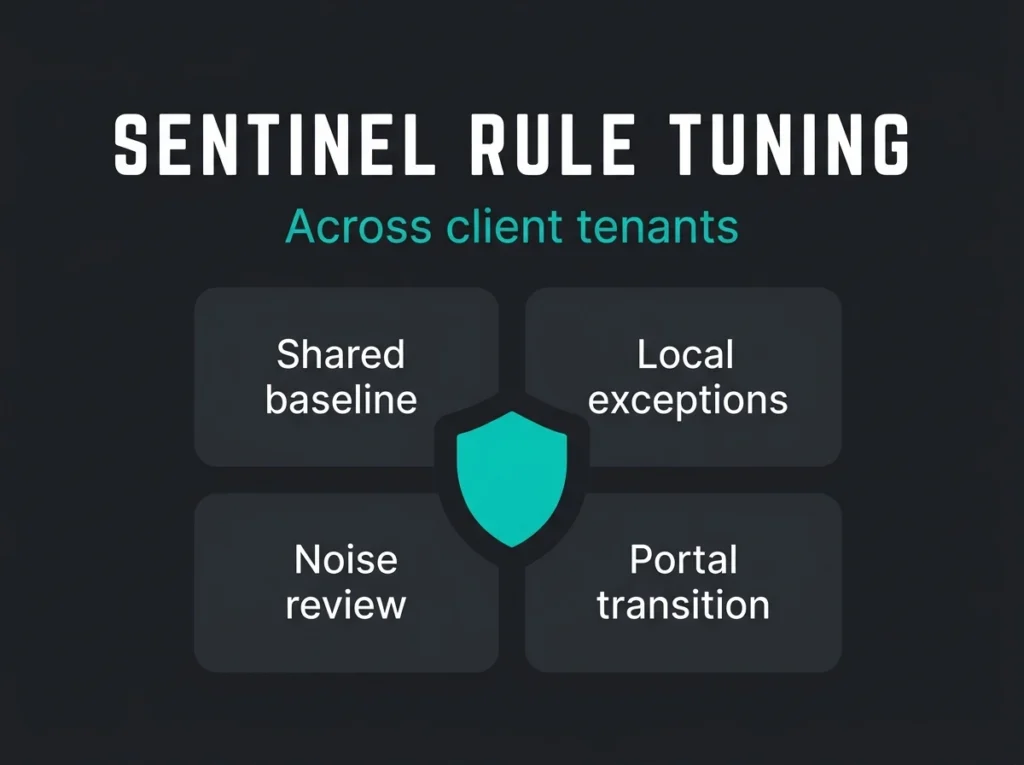
The workable middle ground is this: standardize the detections that should be standard, localize the exceptions that should stay local, and review rule performance constantly. Microsoft Sentinel gives you the building blocks for that approach, but it does not do the thinking for you.
For MSSPs running Microsoft-heavy environments, rule tuning is where margin, analyst sanity, and actual detection quality meet. It is also where a lot of managed Sentinel providers quietly struggle.
The short version: Good multi-tenant Sentinel tuning is not about reducing alerts at any cost. It is about removing predictable noise without blinding the SOC to real abuse of identity, email, endpoint, and cloud signals.
- Split baseline from overlay. Standardize core detection logic across tenants and keep thresholds, allow lists, and business exceptions local to each customer.
- Use watchlists, not hard-coded KQL. Microsoft documents watchlist-based exceptions as the way to handle known-good entities, and every exception needs an owner, a reason, and a review date.
- Tune on evidence, not annoyance. Suppress a rule only after reviewing repeat false-positive entities, the triggering connector, and whether the rule still catches the abuse case.
- Review drift monthly. Tenants change offices, VPNs, and tooling, so a rule tuned in February can be useless by June without a standing review rhythm.
- Plan for the portal shift. Sentinel in the Azure portal reaches end of support after March 31, 2027, and workspace manager is still preview and Azure-portal tied, so map those dependencies now.
What Sentinel rule tuning looks like in an MSSP model
At tenant level, rule tuning means adjusting analytics rules so they fit how that customer actually works. Microsoft documents two main ways to handle false positives in Sentinel: modify the analytics rule itself, or add exceptions such as watchlists for known-good entities and scenarios. The same guidance notes that false positives often trace back to specific users, IP addresses, or subnets that should be excluded deliberately rather than ignored globally, according to Microsoft Learn.
In an MSSP model, the job gets wider. You are not just tuning one detection. You are deciding which parts belong in your shared detection baseline and which parts belong in customer-specific overlays.
| Layer | What stays standard | What gets tuned per tenant |
|---|---|---|
| Detection logic | Core KQL for known attack patterns, entity mapping, severity model | Thresholds, allow lists, device naming quirks, business-hour assumptions |
| Data sources | Preferred Microsoft connectors, baseline onboarding order | Which sources are worth paying for, connector depth, retention choices |
| Response flow | Escalation paths, incident naming, standard enrichment steps | Tenant approvers, emergency contacts, approved containment actions |
| Exceptions | Exception governance and expiry rules | Named service accounts, office IPs, scanner addresses, break-glass accounts |
That split matters. Store every exception inside the rule query and your content is a mess by month three. Keep every tenant identical and your analysts drown in known-good alerts.
The mistakes that create noise across client tenants
I see the same pattern on inherited workspaces. The problem is rarely that Sentinel missed detections. It is that nobody decided what “normal” meant for each customer before enabling the content.
Templates were enabled without a tenant hypothesis
Microsoft encourages teams to start from built-in templates and customize them for their own scenario when needed, in its scheduled analytics rule guidance. That is sensible. What goes wrong is the next part. Teams install content, skip the customization, then treat the resulting noise as proof that Sentinel is noisy by nature.
It is not. The rule is often fine. The tenant is different.
A manufacturer with a fixed office footprint does not need the same impossible-travel tuning as a consulting firm with constant travel. A hospital with large volumes of service-account traffic will generate different authentication noise than a 90-person SaaS company. An MSP customer that uses remote admin tools all day long will trip detections that make perfect sense elsewhere.
Exceptions were handled informally
Known scanners, approved VPN egress points, trusted automation accounts, break-glass identities, and merger-related migration activity all create legitimate anomalies. Microsoft recommends managing some of these by excluding entities, subnets, or watchlist entries rather than teaching analysts to click past them forever.
What MSSPs need is discipline. Every exception needs an owner, a reason, and a review date. Without that, the exception list grows until it turns into a blindfold.
Content was copied across tenants with no central operating model
Microsoft offers two relevant scale options here. Azure Lighthouse lets service providers manage multiple Sentinel workspaces across tenants at scale, and workspace manager can centrally manage analytics rules, automation rules, hunting queries, workbooks, and related content across workspaces. Microsoft is also clear that workspace manager is still in preview and tied to the Azure portal.
That last detail matters, because Sentinel in the Azure portal has an end-of-support date. After March 31, 2027, Sentinel will no longer be supported there and will be available only in the Microsoft Defender portal, according to the Defender portal transition documentation.
So yes, central management helps. Just keep one eye on the portal transition while you build your operating model.
How we tune Sentinel rules across multiple tenants
The process that scales is boring in a good way. It runs on repeatable categories, documented exception patterns, and a steady rhythm of review. If your team depends on one analyst remembering why a rule changed six weeks ago, the whole thing breaks the moment that analyst goes on holiday.
1. Build a shared baseline first
We start with detections that should behave similarly across most Microsoft tenants: risky sign-ins, impossible travel, high-value role changes, suspicious inbox activity, endpoint detections that correlate with identity events, and obvious privilege abuse. Those rules belong in the common baseline.
That does not mean every rule ships at production severity on day one. Some land as lower-severity content until we see how the tenant behaves. Others stay disabled until the right data connectors are live. If a tenant has not onboarded the right sources, pretending the rule is ready just creates junk incidents.
If you are still building that foundation, our posts on detection engineering for Microsoft Sentinel and Sentinel SIEM integrations cover the groundwork that has to exist before tuning gets meaningful.
2. Separate tenant exceptions from the rule body
This is where a lot of teams save themselves pain later. Rather than hard-coding approved IP ranges, service-account names, or scanner hosts into every rule, keep those local exceptions in the place your team expects to find them. Microsoft calls out watchlists specifically as one method for managing exceptions in analytics rules.
That approach buys you cleaner KQL, easier reviews, and fewer copy-paste mistakes when the same baseline rule lives in twenty tenants. It also makes it far easier to explain why one customer keeps an exception another does not, which matters when the service is sold as a governed managed Sentinel offering rather than ad hoc analyst work.
3. Tune with incident evidence, not gut feeling
The fastest way to wreck a detection program is to suppress rules because analysts are annoyed. Annoyance is understandable. It is not a tuning method.
Each noisy rule needs a short evidence review:
- What entities appear repeatedly in false positives?
- Which connector produced the trigger?
- Is the issue thresholding, timing, entity mapping, or missing business context?
- Would a watchlist-based exception solve it without weakening the rule globally?
- Does the rule still catch the abuse case we care about after the change?
Microsoft’s newer SOC optimization guidance helps here because it is built around coverage gaps and data-value tradeoffs, not just alert counts. It frames SOC optimization as a way to close coverage gaps and tighten ingestion against data that provides little security value, in the SOC optimization reference. That is a much healthier lens than “make the queue smaller.”
4. Push what is reusable, leave what is local
MSSPs earn leverage by reusing good work. A cleaned-up correlation rule for suspicious Entra role elevation should not be rewritten from scratch for every tenant. The per-tenant allow list for emergency admin accounts absolutely should not be shared with everyone else.
Workspace manager and Azure Lighthouse support the central-management side of this model. Use them for governed reuse. Do not use them as an excuse to flatten every customer into the same security posture.
For teams already managing multiple onboarding waves, our guide to Sentinel MSSP onboarding pairs well with this, because onboarding mistakes become tuning headaches later. The same goes for default content choices: our write-up on noisy default Sentinel rules shows how quickly an untuned baseline can bury useful incidents.
5. Review drift every month
Tenants change. New offices appear. VPN providers change. Contractors come and go. Migrations flood logs. Security tools get swapped out. A rule that was perfectly tuned in February can be useless by June.
Monthly drift review sounds mundane, and it is the difference between a service that gets sharper and one that slowly rots. We usually look at:
- highest-volume rules by tenant
- repeat false positive entities
- new exceptions added since the last review
- rules with no alerts, which may mean either good security or broken assumptions
- connector changes that alter event shape or volume
That rhythm also keeps tuning aligned with the longer operational cycle described in our breakdown of managed Sentinel maintenance.
Where Microsoft is moving, and why MSSPs should care now
One line in Microsoft’s documentation is easy to miss but carries real design weight: the Sentinel false-positive guidance now says custom detections are the best way to create new rules across Microsoft Sentinel SIEM and Microsoft Defender XDR. If you manage Microsoft-centric customers, that should shape how you think about future rule engineering.
It does not mean scheduled analytics rules vanish tomorrow. They are still very much part of the platform. It does mean your tuning strategy should account for the broader Defender portal experience, especially with the Azure portal retirement already dated.
Pragmatically, MSSPs should be asking three questions this year:
- Which detections should stay as classic Sentinel analytics rules for now?
- Which new detections belong in the unified Defender experience?
- Which parts of our multi-tenant rollout depend on preview features or Azure-portal-only workflows that need a migration plan?
If those questions are still unanswered, your tuning model is not finished yet.
What good tuning should produce for the client
Clients do not care that you cut incident volume by 37 percent unless the alerts that remain are better. They care that the SOC stopped paging them for nonsense, caught suspicious behavior faster, and can explain why certain detections changed.
A tuned multi-tenant Sentinel service should produce cleaner escalation, faster triage, and fewer recurring arguments about whether the platform is broken. Usually it is not broken. It just has not been taught the tenant.
If you are evaluating a provider, ask how they separate global detection content from local exceptions, how they govern watchlists, how often they review noisy rules, and how they are preparing for the Defender portal shift. If the answer is basically “our analysts tune as needed,” keep looking.
That is not a process. That is hope with a Microsoft logo on it.
FAQ
What is Sentinel rule tuning in an MSSP context?
It is the process of adapting Microsoft Sentinel analytics and related detection content so it works across many customer tenants without flooding analysts with false positives. The shared detection logic stays reusable, while thresholds, allow lists, and business-context exceptions stay local to each customer.
How do MSSPs reduce false positives in Microsoft Sentinel?
MSSPs usually reduce false positives by adjusting analytics rule logic, excluding known-good entities, using watchlists for controlled exceptions, and reviewing repeat noise patterns by tenant. Microsoft specifically documents these methods for handling false positives in Sentinel.
Can MSSPs manage Sentinel content centrally across tenants?
Yes, but with caveats. Azure Lighthouse supports cross-tenant management of Sentinel workspaces, and workspace manager supports centralized management of certain content types such as analytics rules and hunting queries. Workspace manager is still in preview and is tied to the Azure portal.
Does the Defender portal transition affect Sentinel tuning workflows?
Yes. Microsoft says Sentinel in the Azure portal reaches end of support after March 31, 2027. MSSPs that depend on Azure-portal-only workflows or preview features should map those dependencies now instead of treating migration as a later admin task.
What should buyers ask a managed Sentinel provider about rule tuning?
Ask how they separate reusable baseline content from customer-specific exceptions, how exceptions are reviewed and expired, how often noisy rules are revisited, which metrics they use beyond raw alert counts, and how their process changes as Microsoft shifts more Sentinel capability into the Defender portal.