Virtual SOC: What It Is and When You Need One

If your security alerts stop at 17:00, you do not have a detection capability. You have office hours. A virtual SOC closes that gap, giving you continuous monitoring, investigation, and response without standing up an in-house security operations centre from scratch.
For Nordic SMBs running Microsoft 365 and Azure, that usually takes the shape of a provider-operated security function built around Microsoft Sentinel and Defender XDR, backed by analysts who triage alerts, investigate incidents, and coordinate response around the clock. We treat this as the practical route for organisations that need genuine coverage but cannot justify the cost of a full internal SOC team.
The short version: A virtual SOC is not a dashboard you log into. It is an operating model, people plus process plus tooling plus response, running continuously on your behalf.
- An operating model, not a dashboard. A virtual SOC is a remotely delivered security operations function combining analysts, process, and tooling for 24/7 monitoring, investigation, and response.
- Weeks to value, not months. Compared with an in-house SOC, the virtual model brings 24/7 coverage from day one and stands up in weeks when telemetry already exists, while internal builds take months of hiring.
- 29 minutes is the clock. CrowdStrike’s 2026 report puts average breakout time at 29 minutes, so an alert queue that waits for the next business morning is not a response strategy.
- Demand tuning and response authority. A provider that only forwards vendor-default alerts is a monitoring service wearing a SOC label; agree containment authority and SIEM ownership before signing.
- NIS2 strengthens the case. Article 21 requires incident handling and operational measures; a virtual SOC gives auditable evidence of review and escalation, though it is not compliance on its own.
What is a virtual SOC?
A virtual SOC, sometimes written vSOC, is a remotely delivered security operations centre that provides 24/7 monitoring, threat detection, investigation, and incident response using cloud-based tooling and specialist analysts. It delivers the same core functions as a traditional in-house SOC, monitor the data, spot suspicious activity, investigate alerts, contain incidents, and sharpen detections over time. What changes is delivery. Rather than hiring a round-the-clock team and running the stack yourself, you consume the whole capability as a managed service.
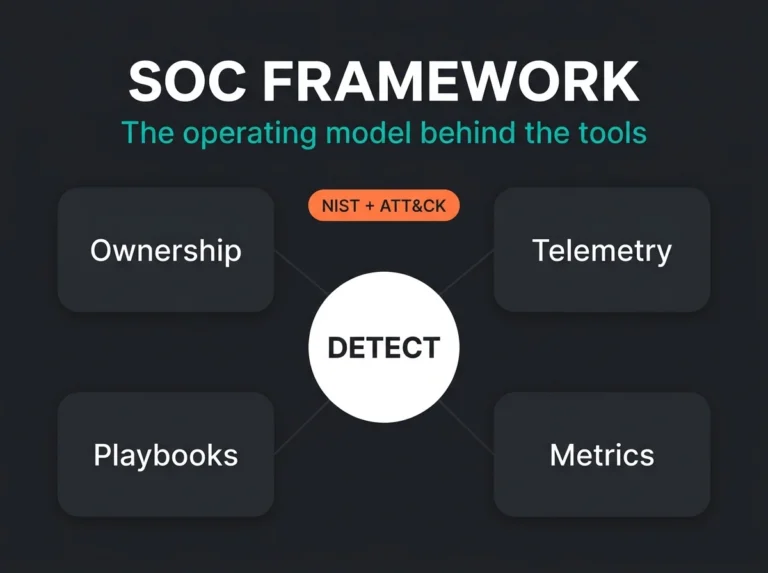
Microsoft defines a SOC as the team or function responsible for preventing, detecting, and responding to cyber threats. The NIST Cybersecurity Framework splits that work into concrete functions like Detect and Respond. A virtual SOC is just the outsourced way of doing it, continuously.
How a virtual SOC works in a Microsoft environment
In a Microsoft-centric estate, the telemetry from Microsoft 365, Entra ID, Defender XDR, Azure, firewalls, endpoints, and selected third-party platforms flows into Microsoft Sentinel or an equivalent SIEM. Analysts then work from that central layer to investigate incidents and drive response, increasingly aided by AI copilots and MCP integrations that bring their own Sentinel MCP security risks to manage. The pieces line up roughly like this:
- Data collection: Sign-in logs, audit logs, endpoint alerts, email security events, cloud activity, and network telemetry, all normalised into one monitoring platform.
- Detection logic: Analytics rules, threat intelligence, baselines, and correlation that surface suspicious patterns.
- Triage: Analysts review the high-signal alerts, discard the noise, and escalate the real incidents.
- Containment: Revoking sessions, isolating devices, disabling accounts, blocking indicators, or walking your internal IT team through the response.
- Continuous improvement: Detection rules, watchlists, playbooks, and runbooks tuned as the environment changes.
Sentinel is built to collect, detect, investigate, and respond across cloud and hybrid environments, and Microsoft’s own identity guidance notes that multifactor authentication blocks more than 99.2% of account compromise attacks when it is properly enforced. A good virtual SOC uses that product telemetry to cut noise and move fast. A weak one just forwards raw alerts to your inbox and calls it monitoring.
Virtual SOC vs in-house SOC
| Area | Virtual SOC | In-house SOC |
|---|---|---|
| Staffing model | Provider supplies analysts, engineering, and escalation process | You hire and retain the full team |
| Coverage | Usually 24/7 from day one | Expensive and difficult to maintain 24/7 |
| Time to value | Weeks, if telemetry is already available | Often months of hiring, tooling, and process work |
| Tool ownership | Shared model: your tools, provider expertise, or bundled service | Fully your responsibility |
| Detection tuning | Included as part of service maturity | Depends on internal engineering depth |
| Best fit | SMBs and mid-market teams needing immediate coverage | Large enterprises with scale and mature SecOps leadership |
On paper, an internal SOC can absolutely be the better option. The catch is funding the headcount, keeping the rota staffed through holidays and turnover, and holding the engineering discipline that makes any of it worth having. Most SMBs run out of one of those three long before the tooling is the problem.
Why more SMBs are choosing a virtual SOC
Three pressures keep pushing organisations toward the virtual model: alert volume, the staffing shortage, and compliance expectations. The ISC2 Cybersecurity Workforce Study 2025 still points to a persistent skills gap, and budget pressure is a big part of why teams stay understaffed. Meanwhile the tools keep getting faster and louder, not quieter.
Speed is the part that catches people out. The CrowdStrike Global Threat Report 2026 puts average breakout time at 29 minutes. If an attacker can move laterally in under half an hour, an alert queue that waits for the next business morning is not a response strategy. It is a hope, especially against the state-linked and opportunistic activity covered in our breakdown of geopolitical cyber threats facing Nordic SMBs in 2026.
For Microsoft-heavy shops the issue is rarely too little telemetry. It is the flood. Entra ID, Defender, Exchange Online, SharePoint, Teams, and Azure generate more than enough signal to drown a small IT team, unless someone is continuously tuning detections and deciding what actually deserves attention.
What a good virtual SOC should include
Every vendor page promises the same headline: 24/7 monitoring, threat intelligence, incident response. The more useful question is what you should actually expect once the contract is signed and the honeymoon marketing is over.
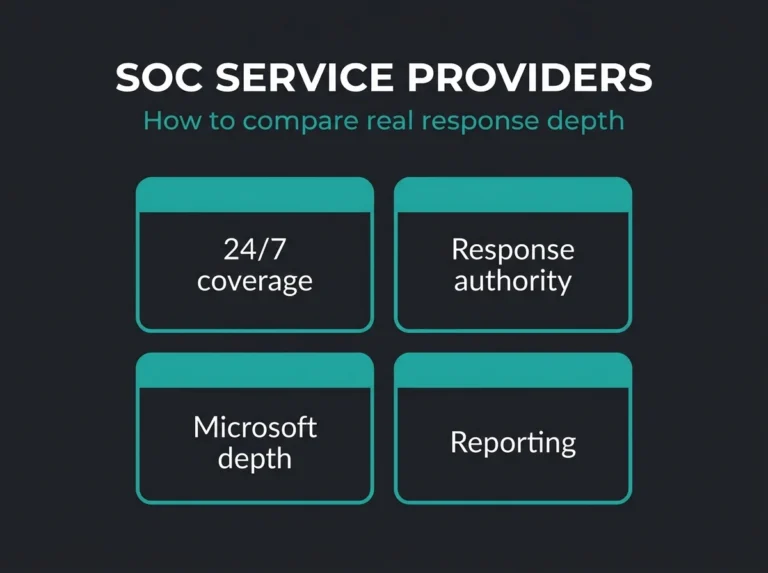
- 24/7 monitoring and triage: real analyst review, not alert forwarding dressed up as a service.
- Detection engineering: rules and use cases tuned to your environment rather than vendor defaults left on autopilot.
- Runbooks and escalation paths: clear actions for user compromise, BEC, ransomware, and suspicious admin activity.
- Response support: the provider either acts within agreed authority or tells you exactly what to do next, with no ambiguity at 2am.
- Reporting for both audiences: metrics for executives, real incident detail for the technical team, and concrete recommendations for both.
- Platform ownership clarity: you know from the start whether the SIEM is yours, theirs, or shared.
Falconer view: If a virtual SOC only sends tickets, and never tunes detections, cuts false positives, or improves response workflows, what you have bought is a monitoring service wearing a SOC label.
Where a virtual SOC fits with Microsoft Sentinel and Defender XDR
A virtual SOC does not replace the Microsoft security stack. It puts the stack to work. Sentinel supplies the SIEM and automation layer, Defender XDR supplies the high-value detections across endpoints, identities, email, SaaS, and cloud apps, and the virtual SOC turns those raw capabilities into a running service with someone accountable for it.
That overlap is why the labels blur together. A virtual SOC shares a lot of ground with managed SOC, SOC as a service vs MSSP, and managed SIEM services. The names shift, but the buyer’s question never really does: who is watching, who investigates, and who acts when something looks wrong?
If you are already weighing outsourced coverage, it helps to hold a virtual SOC up against MSP vs MSSP, and against Falconer’s managed security services and MDR service. Those comparisons draw the service boundary much more sharply than a feature list ever will.
Virtual SOC and NIS2: why this matters in Europe
NIS2 never says you must buy a virtual SOC. What it does require, for organisations in scope, is appropriate technical, operational, and organisational measures to manage risk, detect incidents, and handle them properly. Article 21 of the NIS2 Directive spells out incident handling, business continuity, supply-chain security, and access control among them.
For a lot of Nordic SMBs and their suppliers, a virtual SOC is the shortest path from scattered tooling to defensible, auditable monitoring. It gives you something concrete to point at: alerts are being reviewed, incidents are being escalated, controls are being improved rather than left to drift. It will not make you compliant on its own. It does strengthen the parts of NIS2 that rest on real operational discipline instead of policy documents in a shared drive nobody opens.
Common mistakes buyers make
- Buying coverage without response authority. If the provider can detect but cannot act or coordinate, containment still stalls exactly when it counts.
- Ignoring onboarding quality. A rushed onboarding buys you months of alert noise and blind spots.
- Assuming every “24/7” claim means the same thing. Some providers monitor continuously but only escalate during defined hours.
- Overlooking Microsoft-specific depth. Generic coverage is not the same as real Entra ID, Defender XDR, and Sentinel experience.
- Falling for the dashboard. Visibility is nice, but the value is in decisions and response speed, not screens.
How to evaluate a virtual SOC provider
Ask direct questions. You will learn more in ten minutes of straight answers than in twenty pages of brochure copy.
- Which telemetry sources will you monitor in our environment from day one?
- Do you tune detections, or mainly forward alerts from vendor defaults?
- What actions can you take directly during an incident?
- How do you handle Business Email Compromise in Microsoft 365?
- How do you report false-positive reduction and detection improvement over time?
- Who owns the SIEM content, playbooks, and documentation if we leave?
Vague answers usually mean a vague service.
Is a virtual SOC right for your business?
A virtual SOC tends to fit when you need 24/7 detection and response, already lean heavily on Microsoft 365 or Azure, and have no appetite for building a full in-house SOC. It earns its keep fastest in regulated organisations, lean IT teams, and companies that have already noticed their tooling produces far more alerts than anyone can realistically investigate.
Still deciding between platform management, full MDR, or a broader service wrapper? Start with the operational question, not the product one: do you need someone to run the tooling, someone to investigate around the clock, or both? The answer points you toward a virtual SOC, a managed security service provider, or something more tightly scoped.
FAQ: Virtual SOC
What is a virtual SOC?
A virtual SOC is an outsourced security operations centre delivered remotely by a provider using cloud-based security platforms, analysts, and response workflows.
Is a virtual SOC the same as SOC as a service?
Often yes. Many vendors use the terms interchangeably, although some use virtual SOC to emphasise remote delivery and SOC as a service to emphasise the commercial model.
What is the difference between a virtual SOC and MDR?
A virtual SOC describes the operating model for monitoring and response. MDR is usually a service category focused on threat detection, investigation, and response. In practice, they often overlap, but scope and response authority vary by provider.
Can a virtual SOC help with NIS2?
Yes. It helps organisations strengthen monitoring, incident handling, and operational security governance, which are all relevant to NIS2. It is part of compliance readiness, not a compliance shortcut.
Do SMBs really need a virtual SOC?
If the business depends on Microsoft 365, handles sensitive data, or cannot investigate alerts outside business hours, then yes, a virtual SOC is often more realistic than building an internal SOC team.