SIEM vs EDR: Which Do You Need? (And Why Many SMBs Need Both)

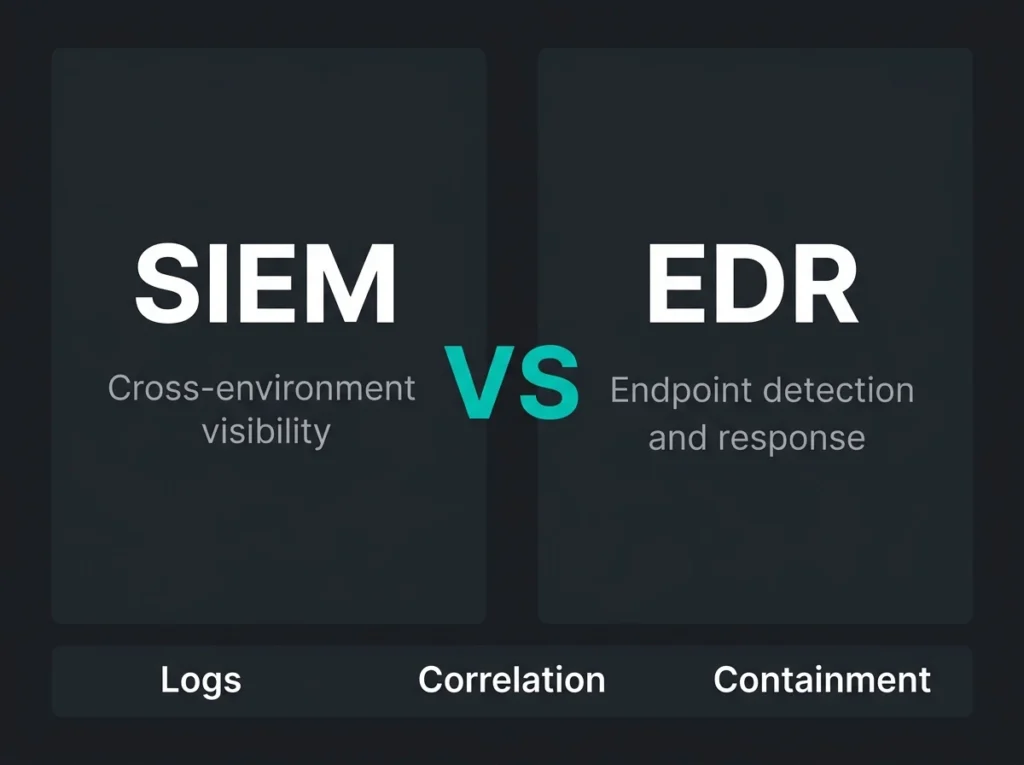
If your IT team is asking whether to buy SIEM or EDR, the real problem usually isn’t product selection. It’s visibility. Most SMBs already have alerts coming from Microsoft 365, endpoints, identity, firewalls, and cloud services. The gap is that those signals live in different places, land with different levels of context, and rarely tell a complete story on their own.
For a Microsoft-heavy business, this usually comes down to Microsoft Sentinel on one side and Microsoft Defender for Endpoint on the other. One helps you pull signals together across the environment. The other watches what is happening on the device itself and can act fast when something turns bad. They overlap a little. They do not solve the same problem.
Falconer Security usually sees the confusion show up during assessments: a company buys an endpoint tool and assumes it now has broad detection coverage, or it turns on a SIEM and assumes someone can suddenly investigate incidents properly. Neither assumption holds up for long.
Short answer: EDR is the better first investment when you need immediate endpoint detection and response. SIEM becomes essential once you need cross-environment visibility, log retention, investigation depth, and correlation across endpoint, identity, email, cloud, and network events.
- Buy EDR first. For most SMBs with neither tool, EDR delivers the fastest jump in real defensive capability through direct endpoint detection and device isolation.
- SIEM answers the wider question. Add Microsoft Sentinel when you need cross-source correlation, log retention, threat hunting, and visibility into identity, email, and cloud misuse.
- Check the Defender plan. Defender for Endpoint Plan 1 has no EDR; the detection and response features live in Plan 2, so validate licensing before promising outcomes.
- Neither replaces the other. Verizon’s 2026 DBIR finds 31% of breaches start with software vulnerabilities and 48% involve ransomware, which calls for layered visibility plus fast containment.
- Budget for operators. Tools do not clear alerts; without an owner for tuning and response you have a subscription, not a capability, which is where managed SIEM or MDR earns its keep.
SIEM vs EDR at a glance
| Area | SIEM | EDR |
|---|---|---|
| Primary job | Collect, normalize, correlate, and investigate security data across many sources | Monitor endpoint behavior and stop or contain endpoint threats |
| Main scope | Identity, cloud, SaaS, servers, endpoints, firewalls, apps, and logs | Laptops, desktops, servers, and other managed endpoints |
| Best at | Cross-source investigations, compliance evidence, threat hunting, incident context | Behavioral detection, device isolation, malware containment, forensic endpoint detail |
| Microsoft example | Microsoft Sentinel | Microsoft Defender for Endpoint |
| Response capability | Automation through playbooks and connected tooling | Direct endpoint actions such as isolation and remediation |
| Typical failure mode | Too much data, weak tuning, nobody reviewing alerts properly | Strong device visibility, weak visibility beyond the endpoint |
| Best fit | Maturing security operations and Microsoft-native SOC workflows | Organizations that need practical endpoint protection quickly |
What SIEM actually does
SIEM stands for security information and event management. Gartner’s definition gets quoted a lot, but the operational version is simpler: a SIEM gathers telemetry from different systems, stores it, and helps analysts connect events that would look harmless in isolation.
According to Microsoft Learn, Microsoft Sentinel is a cloud-native SIEM that supports data collection across users, devices, applications, infrastructure, and multiple clouds. It also provides analytics, threat intelligence, hunting, investigation tools, automation rules, and playbooks built on Azure Logic Apps.
That broad scope matters. An endpoint alert alone might tell you a suspicious process ran on one laptop. A SIEM can show whether the same user also had an unusual Entra sign-in, whether a mailbox rule changed ten minutes earlier, whether a firewall saw outbound traffic, and whether similar activity hit other systems.
In other words, SIEM is where separate clues start becoming an incident.
What SIEM is good at
- Collecting logs from Microsoft 365, Entra ID, Azure, endpoints, firewalls, and third-party tools
- Correlating events across those sources into incidents that make sense
- Keeping historical data for investigations, audits, and compliance
- Supporting threat hunting when you need to ask broader questions across the estate
- Automating response flows through ticketing, notifications, and playbooks
Where SIEM disappoints people
It does not create a SOC by itself. A SIEM can reduce noise, but it still needs engineering, tuning, ownership, and someone who knows what to do with the output. That’s where many small and mid-sized businesses get burned. The platform gets turned on. The detections stay close to default. Alert queues fill up. Three months later, people say SIEM creates noise.
Usually, the real issue is not that SIEM is useless. It’s that nobody budgeted for operating it well.
What EDR actually does
EDR stands for endpoint detection and response. It focuses on what is happening on the device: process execution, persistence changes, suspicious scripts, lateral movement signs, ransomware behavior, and other activity that older antivirus products often miss.
Microsoft Learn describes Defender for Endpoint as an endpoint security platform designed to help organizations prevent, detect, investigate, and respond to advanced threats on endpoints. Microsoft also states that Defender for Endpoint Plan 1 includes next-generation antivirus, attack surface reduction, and centralized management, while Plan 2 adds endpoint detection and response, automated investigation, and vulnerability management.
That licensing detail trips people up more often than it should. If you’re comparing Microsoft options, don’t assume every Defender for Endpoint plan gives you the same depth. The EDR piece lives in the higher tier.
What EDR is good at
- Watching endpoint behavior in close detail
- Spotting suspicious process chains and attacker tradecraft
- Isolating compromised devices fast
- Supporting forensic review on a specific host
- Reducing the time between detection and containment on endpoints
Where EDR hits its limit
EDR sees the endpoint well. It does not, by itself, explain the whole environment. Business email compromise is a good example. If an attacker steals credentials, logs in from a risky location, sets mailbox rules, and starts working inside Microsoft 365 without dropping malware, endpoint telemetry might be thin or delayed. You need identity, email, and cloud context too.
That’s one reason Microsoft’s own architecture leans toward connected signals. Defender for Endpoint feeds into the unified Defender portal, and Sentinel can correlate signals beyond the device. On a real incident, that cross-product context is where the story becomes obvious.
Why the SIEM vs EDR debate usually ends with “both”
Some comparison pages dodge the buying decision by saying every company needs both. That’s too lazy. Budget and maturity still matter. But the reason people keep landing on both is not vendor upsell. It’s because the tools answer different questions.
- EDR answers: what happened on this device, and can I stop it now?
- SIEM answers: what happened across the environment, how does it connect, and where else did it spread?
If you only have EDR, you may contain a device and still miss the mailbox compromise, the cloud persistence, or the identity abuse behind it. If you only have SIEM, you may see the pattern but lack fast host-level control when you need to isolate a machine at once.
That combination matters even more because the attacker mix keeps shifting. Verizon’s 2026 DBIR says 31% of breaches now start with software vulnerabilities, while 48% involve ransomware. That’s not a clean endpoint-only problem or a clean log-only problem. It is an argument for layered visibility and quick containment.
For Microsoft environments, the overlap is useful but limited
Microsoft has done a decent job tightening the joins between endpoint, identity, email, and SIEM workflows. Still, the overlap should not be confused with replacement.
Sentinel can ingest Defender for Endpoint signals. Defender for Endpoint feeds the unified Defender portal and contributes incident context. Microsoft also notes that Sentinel is now generally available in the Defender portal, and after March 31, 2027 it will no longer be supported in the Azure portal. That matters if you’re still thinking of Sentinel as a separate Azure-only console. The operational center of gravity is moving.
In practice, here’s the split we recommend most often:
- Use EDR to get immediate endpoint visibility and response.
- Use SIEM to tie endpoint events to identity, email, cloud, and network evidence.
- Use managed operations if your internal team cannot monitor and tune both consistently.
That last point is not theory. Mid-sized firms often have capable IT teams, but not enough people for 24/7 review, detection tuning, workbook maintenance, log cost control, and incident handling. That’s where managed Sentinel or a broader managed detection and response service starts making financial sense.
Which should you buy first?
If you have neither, start with EDR in most SMB cases.
That answer annoys SIEM vendors, but it is usually the practical one. EDR gives you direct endpoint coverage, immediate behavioral detection, isolation capability, and a better chance of stopping something ugly before it spreads. For many companies, that’s the fastest jump in real defensive capability.
Then add SIEM when one or more of these become true:
- You need cross-source investigations instead of single-tool alerts
- You need log retention for compliance or incident review
- You run a Microsoft stack with enough cloud and identity complexity that endpoint-only visibility is no longer enough
- You are trying to mature into a real SOC workflow
- You need better detection for email, identity, and cloud misuse
If you already have Defender for Endpoint and you’re leaning on Microsoft 365 heavily, the next smart step is often managed SIEM services or a review of how Sentinel should be deployed and tuned for your environment.
Common buying mistakes
Buying SIEM for compliance and leaving it half-built
This happens all the time. A business wants reporting and audit evidence, so it enables a SIEM, ingests a lot of data, then never gets around to tuning detections or controlling ingestion cost. The result is a bigger bill and very little trust in the platform.
Assuming EDR covers identity and cloud risk
It doesn’t. Not fully. EDR helps enormously, but it does not replace cloud telemetry, email detections, identity monitoring, or cross-source hunting.
Ignoring licensing details in Microsoft
Plan 1 and Plan 2 are not interchangeable. If you need full EDR capability, validate the entitlement before you promise an outcome to the board.
Forgetting the operator problem
Tools don’t clear alerts. People do. If there is no realistic owner for tuning, review, investigation, and response, you do not have a finished security capability. You have a subscription.
How this fits NIS2 and practical security operations
NIS2 is not a product checklist, but it does push organizations toward stronger detection, response, logging, and incident handling discipline. That tends to favor architectures where endpoint signals, identity activity, and central monitoring work together rather than in silos.
For Microsoft-first businesses in Sweden and the Nordics, a sensible path often starts with endpoint visibility, hardens identity controls, and then adds central correlation and response workflows. Microsoft notes that MFA blocks more than 99.2% of account compromise attacks in its guidance on mandatory multifactor authentication. That is a reminder that SIEM and EDR do their best work when identity basics are not a mess.
If you are still sorting out those basics, an M365 security assessment usually gives a clearer starting point than another rushed tooling purchase.
Falconer’s recommendation
If you’re a small or mid-sized Microsoft shop, buy in this order unless you have a strong reason not to:
- Get EDR coverage in place and verify the licensing actually includes EDR features.
- Lock down identity basics, especially MFA and conditional access.
- Add SIEM when you need correlation, retention, hunting, and broader operational visibility.
- Outsource monitoring and tuning if your team cannot run it consistently.
That sequence is less glamorous than the all-in platform pitch. It’s also how companies avoid paying for security operations they never really operationalize.
If you’d like a deeper look at the endpoint side, read our guide to EDR vs antivirus. If you’re already planning a SOC model, our breakdown of managed SOC and our overview of managed SIEM services are the next useful reads.
FAQ
Is SIEM better than EDR?
No. They solve different problems. EDR is better for host-level detection and response. SIEM is better for cross-environment visibility, correlation, and investigations.
Should an SMB buy EDR before SIEM?
Usually, yes. If you have no mature detection capability today, EDR tends to improve real-world defensive value faster because it gives direct endpoint monitoring and containment.
Can Microsoft Sentinel replace Defender for Endpoint?
No. Sentinel can correlate and investigate data from many sources, including endpoint telemetry, but it does not replace the endpoint-level prevention, detection, isolation, and remediation functions in Defender for Endpoint.
Does Defender for Endpoint Plan 1 include EDR?
No. Microsoft states that Plan 1 includes core endpoint protection such as next-generation antivirus and attack surface reduction. Plan 2 adds endpoint detection and response, automated investigation, and vulnerability management.
How does SIEM vs EDR relate to NIS2?
NIS2 does not tell you to buy a specific product category, but it does push organizations toward stronger monitoring, incident response, and governance. In practice, that often means combining endpoint detection with central logging and investigation capability.