Microsoft Purview for SMBs: Data Security and Compliance Guide

Most SMBs already have a data security problem that Microsoft Purview is built to solve. Sensitive files live in SharePoint, OneDrive, Teams, Outlook, and employee laptops. The issue is not storage. The issue is control. Who can open the file, forward it, download it, or paste it into an AI prompt?
That is where Microsoft Purview starts to matter. Purview is Microsoft’s data security and compliance layer for Microsoft 365. It gives you the tools to classify sensitive data, apply labels, block risky sharing, investigate incidents, and keep better audit records across the places your team already works.
For smaller companies, the important question is not whether Purview has a huge feature list. It does. The real question is which parts are actually useful for an SMB, what licensing has changed, and how to roll it out without creating chaos for users.
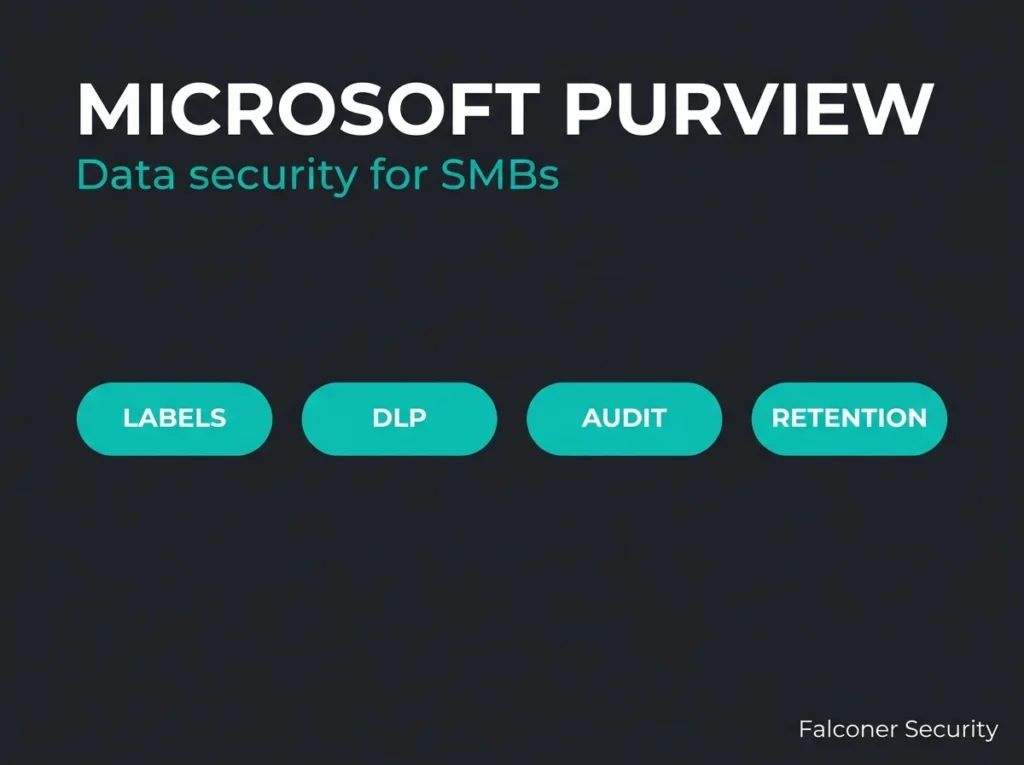
Short version: most SMBs should start with sensitivity labels, data loss prevention, audit visibility, and a small set of retention rules. Leave the heavyweight features for later unless you have a legal or regulatory reason to move faster.
- Start small and boring. Most SMBs should begin with sensitivity labels, DLP, audit visibility, and a few retention rules, leaving heavyweight features like advanced eDiscovery until there is a legal or regulatory reason.
- Four labels beat twelve. A simple Public, Internal, Confidential, Restricted taxonomy is enough for most organizations, and an overbuilt label structure just drives users to work around it.
- Licensing moved downmarket. Purview Suite for Microsoft 365 Business Premium costs 10 dollars per user per month for organizations up to 300 users and bundles Information Protection, DLP, Insider Risk, Audit, and eDiscovery.
- Simulate before you block. Run DLP in simulation mode first, clean up false positives, then decide where warnings, overrides, and hard blocks belong.
- Fix the foundation first. If MFA rollout is incomplete and admin roles are messy, Purview should not be your first project. Stabilize the Microsoft 365 security baseline before layering data controls on top.
What Microsoft Purview is in plain English
Microsoft Purview is the umbrella brand for Microsoft’s data security, information protection, compliance, and governance tools. For SMBs using Microsoft 365, the most relevant pieces are the ones tied directly to Microsoft 365 workloads rather than the larger enterprise data catalog side of Purview.
In practice, Purview helps you do four things:
- find sensitive data across Microsoft 365,
- label and protect that data,
- stop or limit risky sharing, and
- investigate what happened when something goes wrong.
If you have already worked on Microsoft 365 security best practices, Purview is the layer that brings data classification and policy enforcement into that baseline. It also fits naturally with a broader Microsoft 365 security audit because it shows where your data protection controls are weak or missing.
The Purview capabilities SMBs will actually use
Sensitivity labels
Microsoft documents sensitivity labels as the main way to classify and protect content. A label can apply encryption, watermarks, headers, footers, or container-level controls for Teams and SharePoint. The label stays with the file or email as metadata, which means protection follows the content rather than staying tied to one location.
For an SMB, this usually starts with a simple structure such as Public, Internal, Confidential, and Restricted. That is enough for most organizations. If you create twelve labels and six sublabels on day one, users will hate it and admins will spend weeks cleaning up the mess.
Data loss prevention
Microsoft Purview DLP can inspect content across Exchange Online, SharePoint, OneDrive, Teams, endpoints, and supported cloud app scenarios. Microsoft also states that DLP policies can block sharing, show policy tips, require user justification, or simply run in simulation mode while you tune them.
That makes DLP useful for SMBs that need to reduce accidental leakage of personal data, financial records, HR files, or customer documents. The win is not flashy. It is practical. Someone tries to send the wrong file to the wrong place and the system catches it before the mistake becomes an incident.
Audit and investigation
Purview also gives you better visibility when you need to answer basic but painful questions: who accessed the file, who changed the label, who shared the message, and what policy triggered the alert? That matters for internal investigations, customer assurance, and regulated environments where you need more than guesswork.
eDiscovery and retention
Not every SMB needs advanced eDiscovery on day one. Some do. If you have legal discovery requirements, board-level retention demands, or industry-specific evidence handling rules, Purview’s eDiscovery and data lifecycle tools become more important. If not, they can wait until the first phase is stable.
What changed for SMB licensing
This part matters because Microsoft has moved Purview downmarket more aggressively than it used to. Microsoft now offers Microsoft Purview Suite for Microsoft 365 Business Premium as an add-on for organizations with up to 300 users. Microsoft’s current product page lists it at $10 user/month paid yearly and says it requires Microsoft 365 Business Premium.
That bundle now includes SMB-focused access to Information Protection, DLP, Insider Risk Management, Audit, eDiscovery, Data Lifecycle Management, Compliance Manager, and Communication Compliance. It is effectively Microsoft packaging a chunk of the old E5-style compliance stack for smaller businesses.
That changes the conversation. A year or two ago, many SMBs looked at Purview as something that was technically possible but commercially awkward. Now there is a clearer path for Business Premium customers who need more than basic controls.
Where competitors get this wrong
In competitor content, three patterns kept showing up during research.
- One set of articles tries to explain the entire Purview product family in one pass. That is accurate but not very helpful for an SMB that just wants to stop oversharing in Microsoft 365.
- Another set focuses almost entirely on licensing tables. Useful, but incomplete. Licensing does not tell you where to start.
- The best practical competitor content narrows the scope to one job, such as DLP for SMBs. That is closer to reality, because most successful Purview deployments start with one workflow and expand from there.
The mistake is treating Purview like a single rollout. It is not. It is a stack of controls. You pick the controls that solve today’s problem first.
How we would phase a Purview rollout for an SMB
Phase 1: classify and label the obvious data
Start with the content people already know is sensitive: HR files, finance data, contracts, customer records, and documents tied to regulated work. Build a short label taxonomy and publish it to a pilot group.
Phase 2: turn on DLP in simulation mode
Microsoft’s DLP guidance explicitly recommends planning, testing, and simulation before restrictive enforcement. That is the right move for SMBs. Watch what would have triggered. Clean up false positives. Then decide where you want warnings, where you want overrides, and where you want hard blocks.
Phase 3: add endpoint and AI-related controls where needed
If your team handles high-risk client data or is actively rolling out Copilot, the next step is tightening controls around downloads, browser-based sharing, and AI-related oversharing scenarios. Microsoft now positions Purview as part of AI-ready data protection, which is a sensible framing as long as the basics are already in place.
Phase 4: expand to investigation and retention use cases
Once labels and DLP are working, add the workflows that matter for disputes, compliance reviews, or internal investigations. That is usually the point where stronger audit retention and eDiscovery start paying off.
Common Purview mistakes in smaller environments
- Too many labels. Keep the first version boring. Boring is maintainable.
- Going straight to blocking. Simulation mode exists for a reason.
- Buying licenses before defining use cases. Start with the controls you need, not the longest feature list.
- Ignoring user behavior. If staff do not understand why a label exists, they will apply the wrong one or work around it.
- Treating Purview as separate from the rest of Microsoft 365 security. It works best when it is tied to identity, device, and baseline hardening work such as the controls discussed in our CISA M365 security baseline guide and Microsoft 365 security checklist.
Is Microsoft Purview worth it for SMBs?
Yes, if you have a real data control problem to solve. No, if you are still missing the basics.
If MFA rollout is incomplete, admin roles are messy, and guest access is unmanaged, Purview should not be your first project. Get the underlying Microsoft 365 security foundation stable first. Our Microsoft 365 security and compliance guide is a useful starting point for that bigger picture.
But if your organization already runs on Microsoft 365 and needs better control over sensitive data, Purview is no longer just an enterprise conversation. Microsoft has made it much more practical for smaller businesses, especially those already on Business Premium.
The strongest SMB use case is simple: classify the data that matters, stop the most common leakage paths, and keep enough audit evidence to investigate what happened later. That is a solid return, even before you touch the more advanced parts of the platform.
FAQ
Is Microsoft Purview only for large enterprises?
No. Microsoft now offers Purview Suite for Microsoft 365 Business Premium for organizations with up to 300 users, which makes it directly relevant to SMBs that need stronger data security and compliance controls.
What should an SMB implement first in Purview?
Start with sensitivity labels, a small DLP pilot, and the audit visibility needed to review policy events. Those three areas usually deliver value fastest without overwhelming users.
Does Purview help with AI and Copilot risk?
Yes. Microsoft states that Purview protections now extend into Microsoft 365 Copilot scenarios, especially where labels and DLP policies are used to reduce oversharing of sensitive content.
Do you need E5 to use Microsoft Purview?
Not necessarily. Some advanced features still depend on higher-tier licensing in enterprise plans, but Microsoft also sells Purview capabilities to Business Premium customers through the Purview Suite add-on.
Can Purview replace a broader Microsoft 365 security program?
No. Purview handles data protection, compliance, and investigation controls. It does not replace identity hardening, device security, email protection, or incident response operations.