Is Microsoft Copilot HIPAA Compliant? BAA Scope and Setup Guide

Somewhere in your organization right now, a clinician is asking an AI assistant to summarize a patient file. The only question is whether that AI is the one your tenant controls or a free chatbot in a browser tab. That’s really what people are asking when they search “is Microsoft Copilot HIPAA compliant” – can we let staff use this thing without creating a breach?
The short answer: Microsoft 365 Copilot, the paid version that runs inside your work tenant, is listed in Microsoft’s Business Associate Agreement (BAA) scope, so it can support HIPAA compliance. The consumer Copilot that anyone can open with a personal Microsoft account is not covered at all. And even the enterprise version isn’t compliant by default – Microsoft’s own documentation says it supports HIPAA compliance “for properly configured implementations.” The configuration is your job, and with Copilot the configuration mostly means fixing permissions you broke years ago.
- The BAA covers Microsoft 365 Copilot. Both Microsoft 365 Copilot and Copilot Chat appear in Microsoft’s in-scope services list for the Office 365 BAA. Consumer Copilot on a personal account does not.
- Your data doesn’t train the models. Prompts, responses, and Microsoft Graph data from a commercial tenant aren’t used to train foundation LLMs. Microsoft states this directly.
- Oversharing is the real exposure. Copilot surfaces anything the signed-in user can already open. If your SharePoint permissions are a mess, Copilot turns that mess into search results.
- Web search queries sit outside the BAA. When Copilot reaches out to Bing, that traffic is governed by different terms. Decide deliberately whether to allow it.
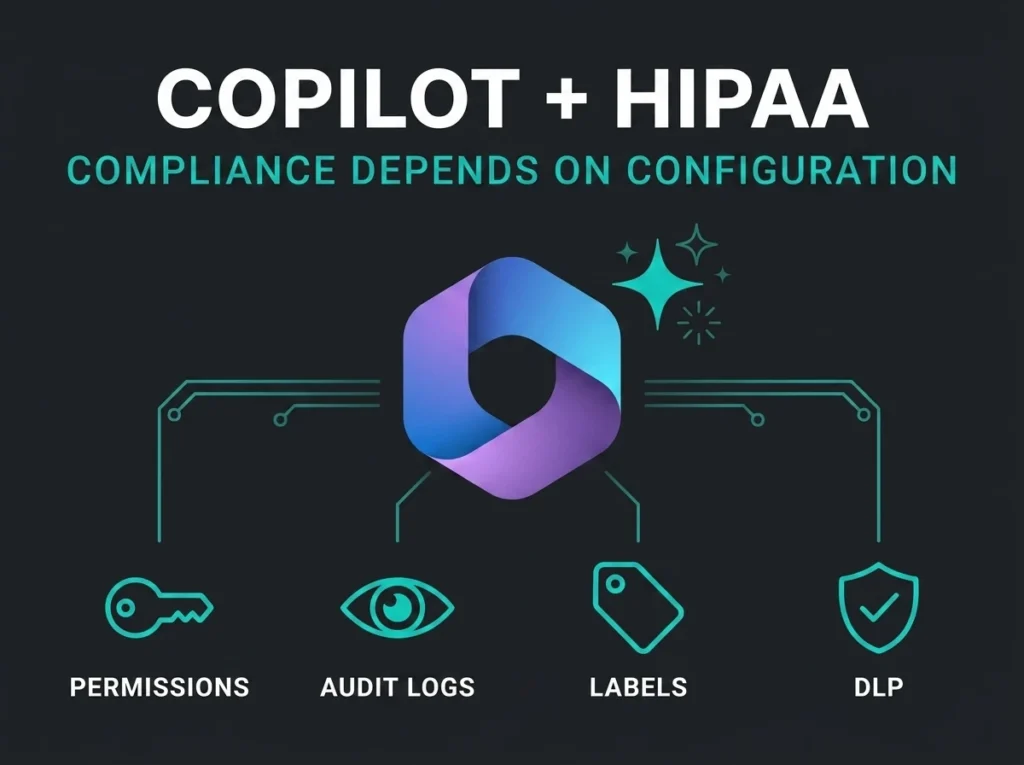
- Purview does the heavy lifting. Audit logs, sensitivity labels, and DLP policies for the Copilot location are what turn “in BAA scope” into an actual defensible setup.
Covered by the BAA, compliant only if you do the work
No Microsoft product is HIPAA compliant on its own, Copilot included. There is no such thing as HIPAA-certified software – the Department of Health and Human Services doesn’t approve any certification standard for it, a point Microsoft’s own HIPAA documentation makes explicitly. What Microsoft offers is a Business Associate Agreement, folded into the Data Protection Addendum that commercial customers accept, plus a list of services that BAA covers.
Microsoft 365 Copilot and Microsoft 365 Copilot Chat are both on that list, in the Office 365 in-scope services table for commercial and GCC tenants. That matters because it’s the contractual precondition HIPAA requires before a cloud vendor touches protected health information (PHI) on your behalf. We covered how the BAA works across the suite in our Office 365 HIPAA guide; Copilot inherits that same arrangement.
But a signed BAA is the start of your obligations, not the end. Microsoft runs the infrastructure: encryption at rest and in transit, tenant isolation, physical data center security. Everything above that line – who can access what, whether interactions are logged, whether PHI leaks into places it shouldn’t – is on you. The footnote in Microsoft’s enterprise data protection documentation is unusually blunt about it: Copilot supports HIPAA compliance “for properly configured implementations.” Deploy it into a badly configured tenant and the BAA won’t save you.
Consumer Copilot vs Microsoft 365 Copilot
This distinction does more compliance work than any other fact in this post. There are two very different products wearing the Copilot name:
Consumer Copilot is what you get at copilot.microsoft.com with a personal Microsoft account, or through Microsoft 365 Personal and Family subscriptions. It runs under the consumer Microsoft Services Agreement. No BAA, no enterprise data protection, no tenant admin controls, no audit trail your compliance officer can pull. It does not appear anywhere in Microsoft’s HIPAA in-scope services list.
Microsoft 365 Copilot is the licensed add-on inside a commercial tenant, signed in with a work account. Prompts and responses get the same contractual protections as mail in Exchange and files in SharePoint, under the Data Protection Addendum and Product Terms.
| HIPAA factor | Consumer Copilot (personal account) | Microsoft 365 Copilot (work account) |
|---|---|---|
| Microsoft BAA coverage | No | Yes, listed in the Office 365 in-scope services |
| Governing terms | Consumer Microsoft Services Agreement | Data Protection Addendum and Product Terms |
| Tenant admin controls | No | Yes, via Microsoft 365 admin and Purview |
| Audit logging of interactions | No | Yes, automatic in Purview Audit |
| Sensitivity labels and DLP apply | No | Yes, once configured |
| Acceptable for PHI | No | Only in a correctly configured tenant with the BAA in place |
The practical problem: both products look nearly identical to an end user. A nurse who hits a license wall on the work version will happily open the free one in a browser and paste the same discharge summary into it. At that moment PHI has left your BAA-covered environment, and no Microsoft contract protects you. Your acceptable-use policy and your browser controls have to close that gap, because licensing alone won’t.
Does Copilot train on your patient data?
No. For commercial tenants, Microsoft’s Copilot privacy documentation states that prompts, responses, and data accessed through Microsoft Graph aren’t used to train the foundation LLMs, including the models Copilot runs on. Your patient data doesn’t end up baked into a model that answers other people’s questions.
Worth being precise here, because this is the fear most executives actually have. The model-training question and the HIPAA question are separate. Microsoft not training on your data removes one risk. It does nothing about the bigger one, which lives inside your own tenant.
The real risk is what your users can already open
Copilot only surfaces organizational data the signed-in user has at least view permission on. Microsoft is careful to state that, and it’s true. It’s also exactly the problem.
Most tenants are sitting on years of permission sprawl: sites shared with “everyone,” links created as company-wide because it was Tuesday and someone was in a hurry, HR folders inherited by groups nobody audits. Before Copilot, that sprawl was mostly invisible – finding an overshared file required someone to go looking. Copilot removes the looking. Ask it “what do we know about patient X” and it will cheerfully assemble an answer from every file the user technically has access to, including the ones nobody remembered were shared.
Key point: Copilot doesn’t break your permission model. It executes it, faithfully and at speed. If the permission model is wrong, Copilot is a discovery engine for your own oversharing.
Microsoft considers this risk serious enough that it published a dedicated oversharing blueprint for Copilot deployments, built around three pillars: remediate oversharing, set up guardrails, meet regulations. For a healthcare organization, that remediation step is not optional pre-work. It is the deployment. We walk through the permission mechanics in our SharePoint HIPAA guide, and every finding there applies double once Copilot can query the same content.
Web search queries sit outside the BAA
Copilot can optionally send generated search queries to Bing to ground answers in current web content. Useful feature, different legal regime. Microsoft’s enterprise data protection page carries a footnote most people miss: HIPAA compliance doesn’t apply to web search queries, because they aren’t covered by the DPA and BAA. Bing operates as a separate service under its own terms.
Microsoft does strip user and tenant identifiers from those queries, and the web search documentation describes admin controls and a user-facing web content toggle for managing the feature. You have three sane options: turn web search off for clinical users, leave it on and accept that query fragments derived from prompts travel outside BAA scope, or split the difference with a DLP policy – Purview can block Copilot from using web search when a prompt contains sensitive information types. What you shouldn’t do is leave the default in place without ever having made the decision.
Audit logs, sensitivity labels, and DLP
Three Purview capabilities carry most of the HIPAA weight for a Copilot deployment.
Audit logging
Purview automatically generates audit records when users interact with Copilot: who prompted, when, where, and – the part your security team will care about during an incident – references to the files and resources Copilot accessed to build its response. When someone asks “did anyone use Copilot to pull records on this patient,” this log is how you answer. Confirm auditing is on and that your retention of those records matches your HIPAA documentation requirements.
Sensitivity labels
Copilot honors sensitivity labels and their encryption. When a label applies encryption, a user needs the EXTRACT usage right for Copilot to process that content on their behalf. Two catches: labels only protect what’s actually labeled, and you need labels enabled for SharePoint and OneDrive for the protection to extend beyond files open in Office apps. If your labeling program is still a pilot that never left the IT department, fix that before Copilot ships to clinicians.
DLP for the Copilot location
Purview DLP now has a dedicated Microsoft 365 Copilot policy location. Policies scoped to it can stop Copilot from using labeled files and emails as grounding data for responses, block web search when prompts contain sensitive info types, and exclude external email from Copilot’s context. This is the control that lets you say “content labeled Patient Data never appears in a Copilot answer” and mean it technically, not just on paper.
What to configure before clinical staff get Copilot
Run this checklist before assigning the first license to anyone who touches PHI. Order matters: the permission cleanup is the long pole, so start it first.
| Setting | Why it matters | Where |
|---|---|---|
| Confirm BAA / DPA acceptance | The contractual basis for putting PHI in any Microsoft service, Copilot included | Microsoft licensing terms; verify with your CSP or account team |
| Remediate SharePoint and OneDrive oversharing | Copilot surfaces everything a user can open; stale broad permissions become instant exposure | SharePoint admin center, following Microsoft’s oversharing blueprint |
| Enable sensitivity labels for SharePoint and OneDrive | Extends label protection and encryption checks to the files Copilot grounds on | Purview portal, Information protection |
| Create DLP policies for the Copilot location | Keeps labeled PHI out of Copilot responses and sensitive prompts away from web search | Purview portal, Data loss prevention |
| Decide the web search question | Web queries fall outside BAA scope; this should be a documented decision, not a default | Copilot admin settings and user web content toggle |
| Verify audit logging and retention | Interaction records with accessed-file references are your investigation trail | Purview portal, Audit |
| Enforce conditional access and MFA for Copilot users | A hijacked account with Copilot summarizes your PHI for the attacker | Microsoft Entra ID |
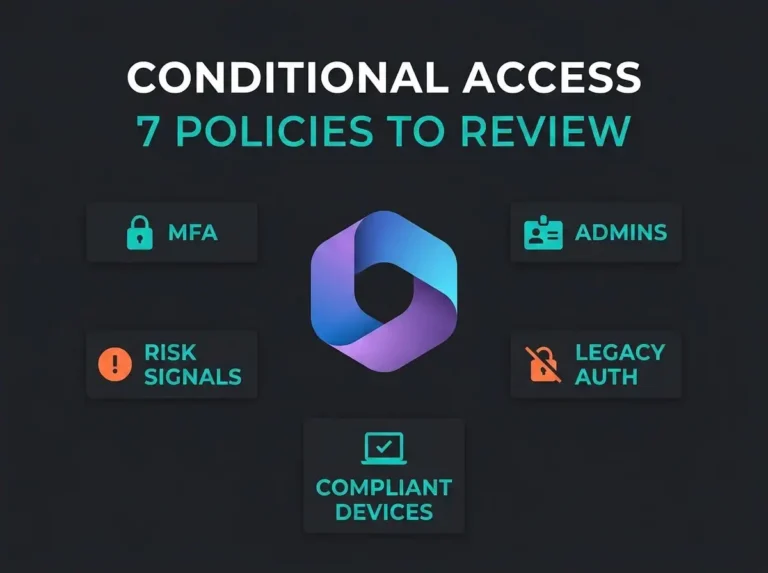
That last row deserves a sentence more. Copilot compresses the time between “attacker gets a password” and “attacker has your most sensitive data” from hours of manual searching to one well-phrased prompt. If you haven’t locked down sign-ins yet, our conditional access guide covers the policies that should exist before any AI assistant does.
Where Copilot fits in your Microsoft 365 HIPAA posture
Copilot isn’t a standalone compliance project. It sits on top of the same tenant foundations as everything else: the BAA and configuration baseline from our Office 365 HIPAA guide, the permission hygiene from the SharePoint work, and the collaboration controls covered in our Teams HIPAA breakdown. If those layers are solid, adding Copilot is mostly the checklist above. If they aren’t, Copilot amplifies every weakness they have.
If you’d rather know than hope, our Microsoft 365 security assessment maps your tenant against exactly these controls – permissions, labels, DLP, auditing, access policies – and tells you whether you’re Copilot-ready before your users find out the hard way.
Frequently Asked Questions
Is Microsoft Copilot HIPAA compliant?
Microsoft 365 Copilot, the enterprise version, is covered by Microsoft’s Business Associate Agreement and can support HIPAA compliance in a properly configured tenant. It is not compliant by default, and no software product can be HIPAA compliant on its own. The consumer Copilot available with personal Microsoft accounts is not covered by the BAA and should never touch PHI.
Do we need to sign a separate BAA for Copilot?
No. Microsoft’s HIPAA BAA is part of the Data Protection Addendum that applies to commercial Microsoft 365 customers, and Microsoft 365 Copilot appears in the same Office 365 in-scope services list. If your organization already relies on the Microsoft BAA for Exchange and SharePoint, Copilot falls under the same agreement.
Does Microsoft use our prompts or files to train Copilot’s AI models?
No. For commercial tenants, Microsoft states that prompts, responses, and data accessed through Microsoft Graph are not used to train the foundation large language models. This applies to Microsoft 365 Copilot under enterprise data protection, not to consumer Copilot used with a personal account.
Can Copilot show users files they shouldn’t see?
Copilot only returns content the signed-in user already has at least view permission on. The risk is that most tenants have years of accumulated oversharing, so users technically have access to far more than anyone intended. Copilot makes that overshared content easy to find, which is why Microsoft recommends remediating oversharing before deployment.
Should we disable Copilot’s web search for clinical staff?
Web search queries sent to Bing are not covered by the BAA, so many healthcare organizations either disable the feature for users who handle PHI or use a Purview DLP policy that blocks web search when a prompt contains sensitive information types. Either approach works; the mistake is leaving the default untouched without a documented decision.
Is Copilot Chat safe to use with patient information?
Microsoft 365 Copilot Chat, used with a work account under enterprise data protection, is listed in Microsoft’s BAA scope alongside Microsoft 365 Copilot. The same conditions apply: the tenant must be configured correctly, and the free consumer chat experience on a personal account remains out of scope for PHI.