SIEM Integration: Connecting Your Security Stack to Microsoft Sentinel

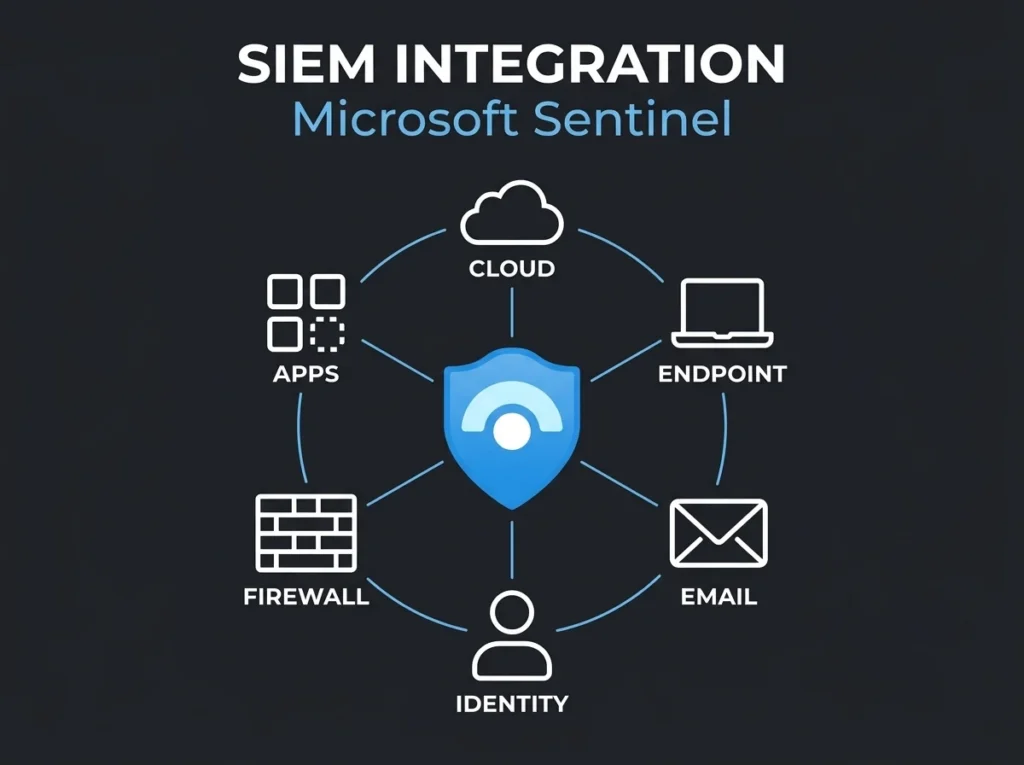
Falconer Security wires hundreds of data sources into Microsoft Sentinel every year. The single biggest factor separating a successful SIEM deployment from an expensive failure is integration planning, and there’s no close second. The most common failure pattern we see is also the most predictable: the client plugs in every available connector on day one, watches their ingestion bill triple inside a month, and then wonders why their analysts are drowning in noise instead of catching anything useful.
SIEM integration with Microsoft Sentinel, stripped of the marketing, is the work of connecting security tools, cloud platforms, endpoints, and applications into a central Security Information and Event Management platform that can correlate events and detect threats across your environment. Get it right and what used to be isolated alerts collapses into a coherent picture of what’s actually happening in your network. Get it wrong and you’ve built an expensive log archive that nobody reads.
This guide covers the practical side of SIEM integration with Microsoft Sentinel. Which connectors matter first. Which ones waste budget. How the Content Hub fits in. And the deployment order that gets you to useful detection fastest, rather than to the biggest invoice.
- Five connectors cover most needs. Defender XDR, Entra ID, Microsoft 365 activity, Azure activity, and firewall logs handle about 80% of SMB detection use cases.
- Phase the rollout over 8 weeks. Clients who enable every connector at once see false positive rates roughly 3x higher in their first month than phased deployments.
- Expect $500 to $3,000 monthly. Sentinel bills per gigabyte ingested, and a 100 to 300 user SMB running the five priority connectors lands in that range; DCR filtering and tiered retention can cut it by 30 to 40%.
- AMA migration has a deadline. Microsoft retires the legacy HTTP Data Collector API after September 14, 2026, so any MMA-based collection must move to the Azure Monitor Agent now.
- Data without rules is storage. Every connected source needs at least one active analytics rule consuming its data, or you are paying ingestion fees for logs nobody reads.
What is SIEM integration with Microsoft Sentinel?
A SIEM integration plugs your security data sources into a centralised platform that collects, normalises, correlates, and analyses security events in near real time. Instead of checking firewall logs in one console, endpoint alerts in another, and identity events in a third, your team gets a single place to investigate threats spanning the whole infrastructure.
In a Microsoft shop, Microsoft Sentinel is the cloud-native SIEM. It pulls telemetry through data connectors from Microsoft 365, Azure, on-premises servers, firewalls, endpoint protection platforms, and third-party security tools into a single Log Analytics workspace where queries and analytics run. If the bigger architectural question is still whether to centralise in the cloud at all, pair this with cloud SIEM vs on-prem SIEM.
Where Sentinel breaks from legacy SIEMs like Splunk or IBM QRadar is the integration model. Traditional SIEMs make you maintain log parsers, forwarders, and custom integrations yourself. Sentinel packages all of that through the Content Hub, which bundles data connectors with analytics rules, workbooks, and playbooks into ready-to-deploy solutions. Install a solution, get the connector, the detection rules, and the dashboards in one motion.
How Microsoft Sentinel data connectors work
Sentinel’s data connectors fall into three broad categories, and understanding the differences up front saves real hours during deployment. Most teams discover the distinctions the hard way.
Service-to-service connectors
These wire Microsoft services directly into Sentinel with barely any configuration on your side. The Microsoft Defender XDR connector, for example, streams incidents, alerts, and raw event data from Defender for Endpoint, Defender for Office 365, Defender for Identity, and Defender for Cloud Apps straight into Sentinel with no middleware. Microsoft Entra ID sign-in and audit logs connect the same way, as do most first-party Microsoft sources.
Service-to-service connectors are the fastest to deploy and the most reliable once they’re in. No agents to babysit, no log forwarders to keep patched, no custom parsers to maintain when someone at Microsoft renames a field.
Agent-based connectors
On-premises servers, firewalls, and network appliances that emit Syslog or Common Event Format (CEF) data need the Azure Monitor Agent (AMA). The agent collects logs from the source device, parses them, and forwards them to your Log Analytics workspace where Sentinel picks them up.
Plan around a deadline here: Microsoft has announced the retirement of the legacy HTTP Data Collector API after September 14, 2026. If parts of your environment still run on the older Log Analytics Agent (MMA/OMS), the migration to AMA is no longer optional. The Logs Ingestion API and Codeless Connector Framework (CCF) are the supported replacements going forward, and starting that work now beats starting it under a deadline.
API and custom connectors
Third-party security tools that don’t speak Syslog or CEF almost always speak REST. Sentinel pulls data from those APIs via Azure Functions, Logic Apps, or the Codeless Connector Framework. That’s how tools like CrowdStrike, SentinelOne, or Palo Alto Cortex get wired in when they sit outside the Microsoft ecosystem.
The Content Hub now lists hundreds of solutions from Microsoft and third-party vendors, each bundling the connector with pre-built analytics rules and workbooks. You rarely have to build integrations from scratch any more; you mostly have to pick well.
The 5 data connectors every SMB needs first
Falconer Security deploys Sentinel for organisations with 50 to 500 employees across the Nordic and European markets. Across dozens of onboardings, the connectors that deliver the most detection value per euro spent are consistent enough to write down.
1. Microsoft Defender XDR (unified incidents)
This is connector number one for any Microsoft environment, full stop. It streams incidents and alerts from the entire Defender suite into Sentinel, giving the SOC correlated, multi-signal threat detection across endpoints, email, identity, and cloud apps. Incidents flow without the ingestion cost you’d expect, because Microsoft doesn’t charge twice for data it already stores in Defender.
2. Microsoft Entra ID (sign-in and audit logs)
Identity is the new perimeter, and every MSSP will say that line back to you. What matters is whether they act on it. Entra ID sign-in logs capture every authentication event your users go through: successful logins, failed attempts, MFA challenges, risky sign-ins, conditional access outcomes. Audit logs cover the administrative side: role assignments, group changes, application consent grants. Microsoft’s own numbers put the stakes in context: MFA blocks more than 99.2% of account compromise attacks, which makes sign-in anomaly detection one of the highest-value use cases any SIEM can run.
3. Microsoft 365 activity logs
SharePoint, OneDrive, Exchange Online, and Teams each emit activity logs that surface data exfiltration attempts, suspicious file sharing, mailbox delegation changes, and anomalous user behaviour. For any organisation handling sensitive data, these logs earn their keep twice: once for threat detection and again for regulatory compliance.
4. Azure activity and resource logs
If there’s Azure in the mix, resource logs capture changes to virtual machines, storage accounts, networking configurations, and key vault access. Azure Activity logs track the control plane: who created, modified, or deleted which resource, and when it happened. The control plane is where sophisticated attackers tend to operate once they have a foothold, so losing visibility there costs you more than you’d guess.
5. Firewall or Network Security Group (NSG) logs
Network telemetry completes the picture. Whether you run Azure Firewall, a Palo Alto next-gen appliance, or Fortinet, wiring the network logs in lets Sentinel correlate identity events with network traffic. A risky sign-in followed immediately by unusual outbound traffic to a known command-and-control IP stops being two separate low-priority alerts and becomes a single high-confidence incident.
Budget tip: these five connector groups cover about 80% of detection use cases for a typical SMB. Adding more connectors grows cost linearly and detection value logarithmically, so start here, tune hard, then expand only when the SOC tells you they’ve hit a real blind spot during an investigation.
SIEM integration order: a practical deployment sequence
Integration order matters more than most onboarding playbooks admit. Connect everything at once and the result is a flood of untuned alerts that nobody can sort through. The phased approach below is what Falconer Security uses when onboarding new Sentinel clients, and it trades a slightly longer ramp-up for a workspace that’s actually useable when the SOC goes live.
Week 1 to 2: identity and email
Start with Entra ID sign-in/audit logs and Defender for Office 365. Enable detections for impossible travel, password spray attacks, suspicious inbox forwarding rules, and active phishing campaigns. Thresholds get tuned against the organisation’s real patterns: how often do legitimate users travel, where is the remote workforce, which admins do high-volume activity as part of their normal job?
Week 3 to 4: endpoint and cloud apps
Bring up the Defender XDR connector next to stream endpoint, cloud app, and identity incidents. Deploy automation playbooks for the most common incident types you’ll see first: compromised account isolation, malware quarantine confirmation, suspicious file hash lookups. Our guide on detection engineering for Microsoft Sentinel walks through rule-tuning methodology in detail if you want to go deeper.
Week 5 to 6: cloud infrastructure and network
Layer in Azure Activity logs, resource diagnostics for the services you actually care about, and network appliance logs via AMA. By this stage the alert volumes from weeks 1 through 4 give you real baseline data, which informs tuning decisions for the noisier network and infrastructure sources before they flood the workspace.
Week 7 to 8: third-party tools and custom sources
Finish with the long tail: vulnerability scanners, HR systems (for user lifecycle correlation), physical access systems, industry-specific applications. Build custom analytics rules for the cross-source correlation that nothing off-the-shelf will cover, because by this point you know enough about the environment to write them usefully.
Why phased deployment matters: our own data says clients who deploy every connector simultaneously hit false positive rates roughly 3x higher in their first month compared with phased deployments. A phased rollout lets the team learn the platform while the behavioural baselines that drive detection accuracy build up naturally.
Common SIEM integration mistakes (and how to avoid them)
After inheriting and auditing enough Sentinel environments from organisations that tried to run the platform themselves, you see the same integration failures turn up again and again. Our Sentinel cost autopsy post covers the financial fallout. The integration-specific problems are below.
Mistake 1: ingesting everything at full verbosity
Sentinel is priced by the gigabyte. Enabling every connector at maximum verbosity is the security equivalent of leaving every light on in the building around the clock in case someone needs to see something.
The fix is two questions asked before any data source gets switched on. Which detection rules actually query this data? If the answer is none, it’s just expensive storage dressed up as security. And second, can Data Collection Rules (DCRs) filter or transform the data before ingestion to drop volume without dropping security value? Usually they can, and the savings compound month after month.
Mistake 2: ignoring the Content Hub
Plenty of Sentinel workspaces we’ve inherited have connectors configured manually with no analytics rules attached. Somebody wired in the data source and then never deployed the detection logic that was supposed to go with it. The Content Hub packages connectors with matching rules specifically so this doesn’t happen, but enough teams skip it and reinvent everything by hand.
Mistake 3: no Data Collection Rules for filtering
Azure Monitor Agent supports Data Collection Rules (DCRs) that filter and transform logs before they ever reach the workspace. Without DCRs, you ingest raw verbose logs at full price and pay for data your detection rules never look at. DCRs let you drop unnecessary fields, filter out informational noise, and route different log types to different tables with different retention settings. In mature deployments they’re not a nice-to-have; they’re how you keep the bill sane.
Mistake 4: forgetting log retention strategy
Not every log deserves the same retention. Sentinel offers tiered retention with different pricing for interactive (hot) storage versus long-term (cold) storage. Security event logs might justify 90 days hot. Compliance-driven audit logs may need 365 days of archival retention that costs a fraction of the hot tier. Plan retention per table during the integration and you’ll avoid the cost surprise six months later when someone notices. For the detail on the pricing tiers, see our Sentinel cost optimization guide.
Mistake 5: skipping the Azure Monitor Agent migration
As flagged earlier, Microsoft is retiring the legacy HTTP Data Collector API after September 2026 and has already deprecated the Log Analytics Agent (MMA). Organisations still running MMA-based connectors face a mandatory migration to AMA. Starting that migration during the initial SIEM integration, rather than as a fire drill later in the year, saves meaningful rework.
SIEM integration and NIS2 compliance
For organisations in the European Union, the NIS2 Directive spells out specific requirements that map fairly cleanly onto SIEM integration capabilities. Article 21 tells “essential” and “important” entities to implement cybersecurity risk management measures including incident handling, business continuity, supply chain security, and security monitoring.
A well-integrated Sentinel supports NIS2 compliance in four practical ways:
- Incident detection and handling (Art. 21.2.b): continuous monitoring across integrated data sources delivers the timely detection NIS2 expects.
- Supply chain security (Art. 21.2.d): integrating third-party vendor logs and monitoring API access patterns lets you actually see supply chain risk instead of attesting to it on paper.
- Audit trail and accountability (Art. 21.2.g): centralised log collection with defined retention creates the evidence trail regulators ask for when they come looking.
- Incident reporting (Art. 23): automated playbooks triggered by correlated SIEM events can generate the initial notifications inside the 24-hour “early warning” window.
For a deeper mapping of NIS2 requirements against Sentinel detection capabilities, see our guide on NIS2 Article 21 mapped to Microsoft Sentinel.
Third-party integration: beyond the Microsoft ecosystem
Almost every SMB runs at least a few tools outside the Microsoft stack. Here’s how the common third-party integrations fit into Sentinel in practice.
| Source Type | Examples | Integration Method | Content Hub Solution Available |
|---|---|---|---|
| Next-gen firewall | Palo Alto, Fortinet, Sophos | CEF/Syslog via AMA | Yes |
| EDR (non-Microsoft) | CrowdStrike, SentinelOne | REST API via Azure Function | Yes |
| Cloud platforms | AWS CloudTrail, GCP | S3/API connector | Yes |
| Identity provider | Okta, Duo | REST API via Azure Function | Yes |
| Vulnerability scanner | Qualys, Tenable | REST API connector | Yes |
| On-prem servers | Windows Event Logs, Linux Syslog | AMA agent (direct) | Built-in |
The Codeless Connector Framework (CCF) is Microsoft’s newer approach for vendors shipping Sentinel integrations. It lets vendors define data connectors in a JSON configuration file instead of writing code, which gets you faster vendor updates and more consistent data normalisation via the Advanced Security Information Model (ASIM). If a vendor is still insisting on custom code in 2026, ask why.
Measuring SIEM integration success
How do you tell if your integration is actually working? The first 90 days after deployment are where you pay attention to these numbers. Miss them and you’ll catch up later, but the catch-up is painful.
- Mean time to detect (MTTD): how quickly Sentinel identifies a confirmed threat from the first indicator. Target: under 15 minutes for automated detections.
- False positive rate: percentage of alerts that turn out to be benign. Target: under 20% after the initial tuning period. Untuned deployments regularly hit 80% or higher.
- Data connector health: monitor connector status for gaps in log ingestion. A connector that silently stops sending data becomes a blind spot your team won’t notice until an incident investigation goes sideways.
- Ingestion cost per detection: monthly Sentinel cost divided by the number of true positive detections. This metric ruthlessly exposes the connectors that contribute cost but not detection value.
- Rule coverage: percentage of connected data sources with at least one active analytics rule consuming their data. Data without rules is just storage, and you’re paying for it.
Frequently asked questions
What is SIEM integration?
SIEM integration is the process of wiring your organisation’s security tools, cloud platforms, endpoints, and applications into a centralised Security Information and Event Management platform. That platform collects, normalises, and correlates security events from each source so it can detect threats that no individual tool would notice on its own.
How many data connectors does Microsoft Sentinel support?
Microsoft Sentinel supports hundreds of data connectors via the Content Hub, covering Microsoft services, third-party security tools, cloud platforms, network appliances, and custom sources. The exact number grows regularly as Microsoft and partner vendors publish new solutions.
What is the difference between AMA and MMA for Sentinel integration?
The Azure Monitor Agent (AMA) is the current supported agent for collecting Syslog, CEF, and custom logs from on-premises and cloud servers. The older Microsoft Monitoring Agent (MMA, also called the OMS agent) is deprecated, and Microsoft has announced retirement of the HTTP Data Collector API after September 2026. That means AMA migration is essential for any Sentinel deployment that still depends on agent-based data collection.
Does SIEM integration help with NIS2 compliance?
Yes. NIS2 Article 21 tells organisations in essential and important sectors to implement cybersecurity risk management measures including incident detection, handling, and reporting. A properly integrated SIEM delivers continuous monitoring, centralised logging, and automated incident response capabilities that stand up as evidence of compliance with those requirements.
How much does SIEM integration with Microsoft Sentinel cost?
Sentinel is priced by the gigabyte of data ingested, so integration cost depends on which data sources you wire in and at what volume. A typical SMB with 100 to 300 users connecting the five priority connectors described in this guide can expect monthly Sentinel costs somewhere between $500 and $3,000, depending on log volumes and retention settings. Managed SIEM services like those from Falconer Security tend to cut ingestion costs by 30 to 40% through optimised Data Collection Rules and tiered retention.