MDR vs SIEM: Why You Need Both (And What Each Actually Does)

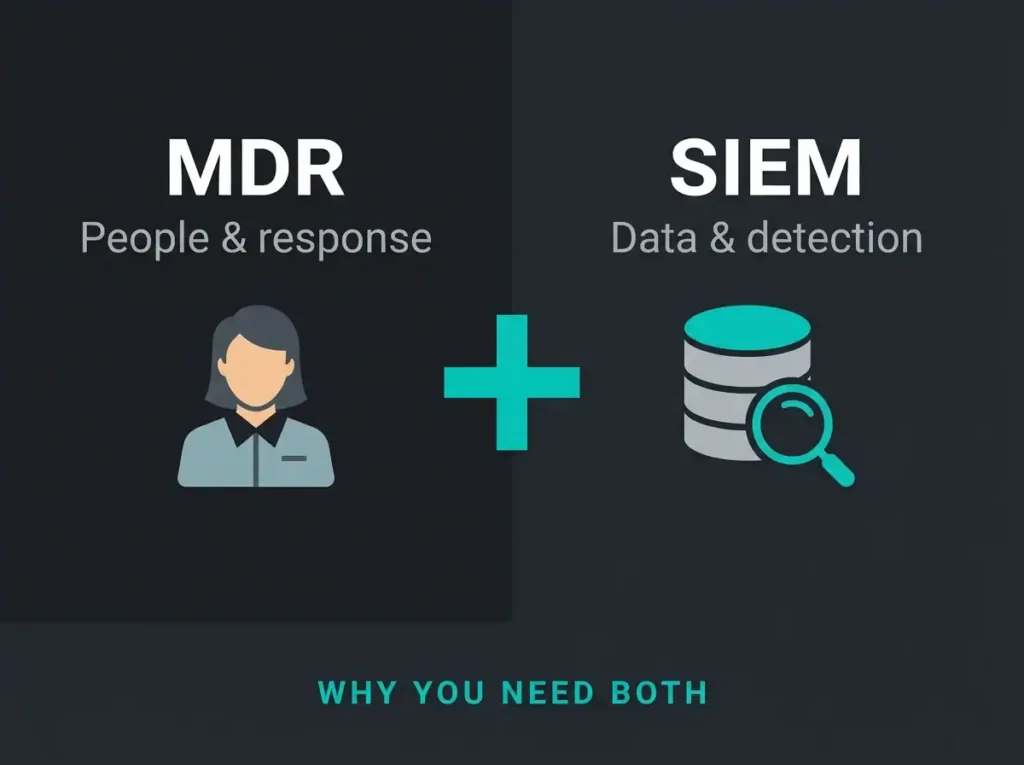
A client asked me last month whether they should buy SIEM or MDR. Wrong question, I said, and the conversation went sideways for about fifteen minutes before we got onto the same page. SIEM is a thing you install. MDR is people you hire. One is inert without the other, and plenty of Swedish SMBs have learned that the expensive way.
This post walks through what each one is, where each one breaks down if you try to use it alone, and why the pairing of Microsoft Sentinel and a managed detection service is how most organisations end up with working security operations without an in-house SOC. For organizations weighing outsourced SOC options more broadly, see our comparison of SOC as a Service vs MSSP.
Most SIEM alerts go unreviewed in organizations without a dedicated SOC team.
A common finding in security operations assessments
- Platform versus people. SIEM is software that collects and correlates logs, MDR is the analyst team that watches, hunts, and responds, and neither delivers working security operations alone.
- Dwell time tells the story. Attackers stay hidden 21 days on average, 45 or more in shops with SIEM but no SOC team, and under 24 hours when MDR runs on top of SIEM.
- DIY SOC costs triple. An internal SOC runs $1.2M to $1.85M a year against $351K to $454K for managed Sentinel plus MDR, and takes 6 to 12 months versus 2 to 4 weeks to go operational.
- Headcount decides the model. Teams with 2 to 4 analysts can run managed Sentinel alone at roughly $40K to $60K a year, while organisations without an internal SOC need full MDR at $96K to $144K.
- SMB pricing is per endpoint. MDR typically costs $15 to $50 per endpoint per month, less than one in-house SOC analyst at $80K to $120K in salary alone.
SIEM is the platform, not the security
Security Information and Event Management. The name gets shortened to SIEM because nobody wants to say the whole thing, and because after the third meeting the acronym is doing the work anyway. It’s a piece of software. You point your logs at it, it stores and analyses them, and it pushes alerts when something correlates into a pattern worth looking at.
The data warehouse analogy is accurate but incomplete. It’s a data warehouse that’s been opinionated about what it accepts: authentication events, configuration changes, endpoint activity, network traffic, application output, and the exhaust from other security tools. Everything lands in one place, where the correlation engine can actually see it.
The working parts
Log aggregation is the obvious one. Microsoft 365, Azure, Entra ID, the Defender products, firewalls, VPN concentrators, line-of-business applications, endpoints. All of it gets funnelled into a central store so that queries can run against the full picture rather than a fragment.
On top of that sits the correlation engine, which is the part most buyers underestimate. A failed Entra ID sign-in isn’t interesting on its own. Nor is a SharePoint file touched at an unusual hour. Nor is an outbound connection to an AWS IP you’ve never talked to before. Put all three together inside a forty-minute window and you have something worth waking an analyst for. The SIEM is the thing that sees the connection; no individual security tool does.
Detection rules encode what “worth waking an analyst for” actually means. In Sentinel these are written in KQL, Microsoft’s query language. A decent rule library covers failed-authentication spikes, impossible-travel patterns, privilege escalation indicators, data-exfiltration signatures, and whatever else your threat model cares about. Alerts fire when a rule matches. That’s the part that makes it to a human.
Two other things worth mentioning, because they get undervalued until you need them. The first is forensic investigation: when something has already gone wrong, the SIEM’s searchable log archive is how you reconstruct what the attacker did, on which machines, and for how long. The second is compliance reporting. ISO 27001, SOC 2, GDPR, HIPAA. Auditors want evidence that monitoring was actually happening, and a SIEM with properly retained logs is that evidence.
Critical Gap: What SIEM Doesn’t Do
SIEM is a tool. It is not a security team. It doesn’t watch alerts 24/7. It doesn’t investigate suspicious events. It doesn’t sort real threats from false positives, respond to incidents, or proactively hunt. Organizations that deploy SIEM without a security team end up with data collection capability, not threat detection capability.
Microsoft Sentinel specifically
Sentinel is the Microsoft-native answer to this, and for clients already inside the Microsoft 365 and Azure world it’s usually the right choice purely on connector economics. Microsoft’s own telemetry flows in without third-party adapters, KQL is already the query language for Azure Monitor and other tooling, the Logic Apps runtime handles automated response playbooks, and the pay-per-GB pricing means you don’t bury capital in an appliance that will be obsolete in four years. Machine-learning anomaly detection and threat intelligence sourced from Microsoft’s global incident response work come in the box. You can read the longer version of that case in our piece on cloud-native SIEM.
But again: the platform doesn’t detect threats. Rules and the people running them do.
MDR is the people, not the platform
Managed Detection and Response reverses the noun. Where SIEM is a thing, MDR is a relationship. A managed SOC watches your environment around the clock, triages the alerts the SIEM fires, hunts for things the rules didn’t catch, and executes response when something real turns up.
MDR uses SIEM. MDR is not SIEM. The service layer sits on top of the technology layer, and removing either one breaks the arrangement. If you’re weighing MDR against other managed security offerings, our MDR vs MSSP comparison covers the service-model distinctions in more depth.
What you actually pay for
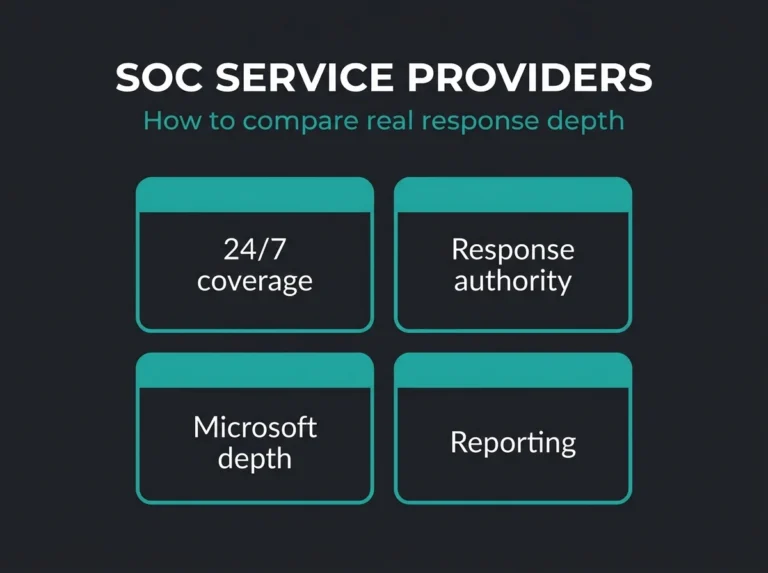
The most visible piece is round-the-clock monitoring. SOC analysts see the Sentinel alert queue at 03:00 on a Sunday and the queue gets worked. Decent providers will triage high-severity alerts inside fifteen minutes, regardless of the hour. That sounds unremarkable until you price out the alternative: a four-analyst in-house shift rotation adds roughly 3.5 MSEK a year to your payroll before benefits, and still leaves you short during vacation weeks.
Triage is the quiet expensive part. Sorting real compromises from sales engineers connecting through hotel Wi-Fi is the day-to-day labour, and it’s what separates useful MDR from an alert-forwarding service masquerading as one. Analysts pivot between Sentinel logs, EDR telemetry, identity signals, and whatever cloud visibility they have, work out severity and scope, and escalate the survivors.
Threat hunting is the piece most sales decks oversell but the good teams actually do. Scheduled queries across the log repository looking for patterns that no rule was written for yet: unusual parent-child process trees, low-and-slow data staging, lateral movement via legitimate admin tooling. When hunting finds something, it usually means a new detection rule lands in production the same week.
Response is where the service earns its keep. A compromised device gets isolated through Defender for Endpoint. A suspicious user gets sessions revoked in Entra ID. OAuth tokens get pulled. Accounts get disabled. Investigation follows, working back toward root cause and attacker scope, and remediation either gets executed by the MDR team directly or handed back with guidance, depending on the service tier you paid for.
The two pieces that tend to get missed on the sales call: detection tuning (a rolling feedback loop where noisy rules get adjusted, real alerts get promoted, and new attacker techniques get folded in as they appear) and reporting (weekly threat summaries and monthly executive reports that also happen to serve as compliance evidence).
Why MDR Requires SIEM
MDR can’t function without the underlying technology. It needs SIEM for centralized log collection and correlation. MDR analysts use SIEM to investigate alerts, hunt for threats, and run forensic analysis. MDR is the expert service. It still needs security tools (SIEM, EDR, cloud security) to operate.
MDR vs SIEM: putting them side by side
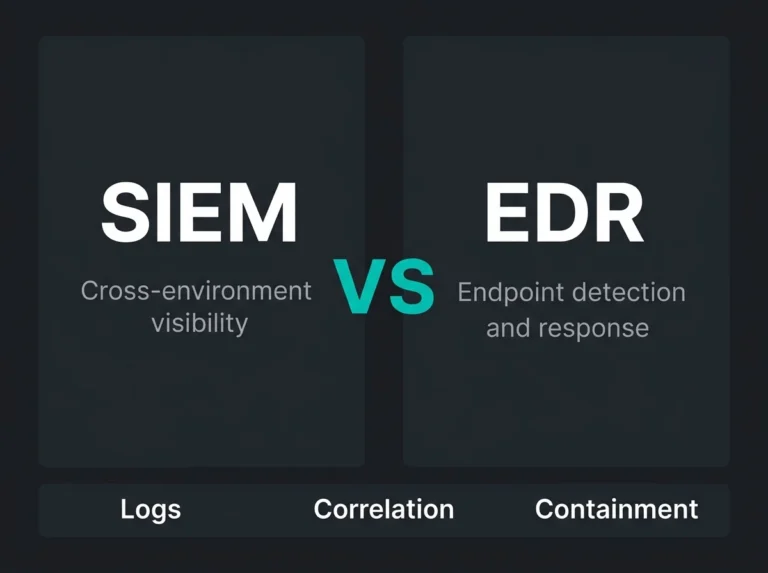
| Feature | SIEM (Technology) | MDR (Service) |
|---|---|---|
| What it is | Software platform for log collection and analysis | 24/7 security operations service |
| What it does | Aggregates logs, correlates events, generates alerts | Monitor alerts, investigate threats, respond to incidents |
| Staffing | You provide security analysts | Vendor provides SOC team |
| Coverage | 24/7 data collection (no staffing gaps) | 24/7 human monitoring (no coverage gaps) |
| Detection approach | Automated detection rules only | Automated rules plus human threat hunting |
| Tuning | Requires your team to tune rules | Vendor tunes detection continuously |
SIEM is the platform. MDR is the expert team running the platform to actually detect and respond to threats.
The Bottom Line
Where SIEM-only deployments break down
I’ve walked into Sentinel environments that are technically immaculate and operationally useless. The logs are flowing, the rules are mostly tuned, the retention is set correctly. And nobody is looking at any of it, because there’s no human loop. That’s the default failure mode for DIY SIEM, and it shows up in three different guises.
Alert volume eats the team alive
A competently configured Sentinel workspace in a midsize Swedish organisation will generate somewhere between 200 and 500 alerts a day. A badly configured one pushes 1,000 to 1,500. Either number is more than a two-person IT team can process alongside their existing ticket queue, and when the IT team tries to cover it anyway, the usual sequence is triage discipline degrades, the real incidents get missed, and alert fatigue sets in until everyone is ignoring the console by default. The “boy who cried wolf” failure mode is well documented in security operations and it’s the single most common reason expensive SIEM deployments deliver poor outcomes.
SIEM without a dedicated team is a data collection system. Calling it a threat detection system is generous.
No hunting means you only catch what you already expected
Detection rules codify the attacks you already know about. Sophisticated attackers design around that. The slow credential-stuffing campaign that stays below threshold. The lateral movement that rides on legitimate admin credentials. The living-off-the-land techniques that abuse PowerShell or WMI or scheduled tasks and look identical to sysadmin activity. The supply-chain compromise where the third-party vendor is already trusted. Rules won’t catch those. Hunting will, or at least hunting stands a fighting chance where rules don’t, and SIEM-only shops have neither the capacity nor the inclination to do any.
Rule drift is a quiet killer
Detection rules age badly. The impossible-travel rule that worked on day one starts firing constantly when the sales team goes to a conference in Berlin. The privileged-operation rule floods the queue when a scheduled maintenance window kicks off. The company goes remote-first and three weeks of “unusual location” alerts buries the queue. Meanwhile ingestion costs creep up because nobody’s looking at the log sources list, and new attacker techniques appear faster than new rules get written. All of this is fixable with ten hours a week of tuning work, and almost nobody who builds a DIY SIEM has that ten hours.
The Dwell Time Problem
Average dwell time (attacker present before detection) is 21 days industry-wide. Organizations with SIEM but no SOC team average 45 days or more. Organizations running MDR on top of SIEM are under 24 hours. Speed to detection decides breach severity.
Where MDR-only deployments break down
The reverse failure is less famous but just as common. An MDR service without a decent SIEM foundation ends up blind to most of the attack surface it was sold against.
Visibility is the first problem. A large fraction of MDR providers are EDR-first shops. They’re good at endpoint telemetry because they grew out of endpoint security. Cloud visibility is a later bolt-on, and it shows. Microsoft 365 sign-ins from compromised credentials slip past. SharePoint and OneDrive exfiltration patterns don’t get surfaced because the tool isn’t looking at SharePoint logs. Azure resource manipulation goes unseen. Business email compromise, which by definition uses legitimate accounts rather than malware, lands in a gap. OAuth consent abuse is invisible without Entra ID signal. The endpoint agent doesn’t help you with any of this.
Investigation is the second. When an alert fires and an analyst starts digging, the amount of useful context they have is directly proportional to how much log data the SIEM retains. An EDR-only shop can tell you what happened on the endpoint and very little about what happened before the endpoint or after it. Building an attack timeline without historical log data is like trying to solve a jigsaw puzzle with most of the middle pieces missing. You can infer shapes but you can’t verify them.
Response scope is the third. EDR-based containment handles the endpoint: isolate the machine, kill the process, block the hash. It doesn’t handle the cloud account compromise that prompted the endpoint activity in the first place. Sentinel wired into Entra ID and Azure lets automated response reach across the full environment, blocking sign-ins, revoking tokens, disabling SaaS access. Endpoint-only response stops at the hardware.
The pairing is what works
So the argument converges on the obvious: Sentinel is the substrate, MDR is the operating team, and neither one delivers useful security outcomes without the other. The practical question in any given engagement is how to divide the labour.
Sentinel’s contribution is the data layer plus the automation layer. Everything funnels in: M365, Azure, Entra ID, the Defender stack, and the third-party tooling that usually takes an hour of KQL and a few custom connectors. Retention gets set correctly for compliance and forensics. Custom detection rules get written to match the environment (the default rule library is a starting point and nothing more). Logic Apps playbooks get built for the response actions that don’t need human judgement.
The MDR service’s contribution is the human layer on top. Round-the-clock eyes on the alert queue, triage with real analyst judgement, proactive hunting across the Sentinel log archive, incident response when something real surfaces, rolling detection tuning, and reporting that serves both operational and compliance needs.
The way the combination actually pays off is worth walking through, because the value is in the end-to-end speed. Picture a phishing email that slips past the Office 365 content filters (logged in Sentinel). A user clicks and the credential harvest succeeds (Defender for Office 365 fires an alert). The attacker signs in from a new country (Entra ID flags a risky sign-in). A Sentinel correlation rule fires on the combined signal: phishing click, credential compromise, suspicious sign-in, all within a tight window. The MDR analyst sees the high-priority alert within minutes, not hours. Sentinel’s log history gives the analyst the context to confirm the compromise. A playbook revokes sessions and disables the account before the analyst has finished typing the incident summary. Containment, start to finish, is under half an hour. Without MDR the same chain runs for days or weeks before anyone notices.
Why Microsoft-Native MDR Works Better
Generic MDR providers run third-party SIEM (Splunk, QRadar) that needs complex connectors to pull Microsoft data. Microsoft-native MDR uses Sentinel with built-in M365 and Azure integration. The result is faster detection, deeper visibility, lower costs, and better automated response. In practice, Microsoft-native MDR investigates in under 5 minutes versus 15 to 30 minutes for generic MDR.
The cost argument against doing it in-house
Annual cost analysis
| Cost Category | DIY Approach: Internal SOC | Managed Services: Sentinel + MDR |
|---|---|---|
| Technology | $255K-350K/year | $255K-310K/year (optimized) |
| SOC analysts (6-8) | $600K-900K/year | Included in MDR service |
| SOC manager | $120K-150K/year | Included in MDR service |
| Security engineers | $150K-250K/year | Included in MDR service |
| Training | $50K-100K/year | No hiring/training costs |
| Full MDR service | N/A | $96K-144K/year |
| Total | $1.2M-1.85M/year | $351K-454K/year (70% savings) |
| Timeline to operational | 6-12 months | 2-4 weeks |
The breach avoidance maths
The breach-cost data that matters to a Swedish midsize organisation runs roughly as follows. An average midsize data breach, per the IBM 2025 Cost of a Data Breach Report, costs somewhere in the $2.5M to $4.5M range. A ransomware incident, factoring in ransom, downtime, and recovery, runs $1.8M to $5.6M. Business email compromise averages around $130,000 per event according to FBI IC3 data, though the tail distribution is long and the worst cases are much larger.
MDR’s contribution to that arithmetic is detection speed and containment scope. Confirmed compromises surface in under twenty-four hours rather than weeks. Containment happens in minutes rather than hours. Blast radius stays at a single endpoint or account rather than spreading domain-wide. Preventing a single moderate ransomware event pays for several years of MDR service at SMB scale.
ROI Scenario
An organization pays $150K annually for MDR. MDR prevents a single ransomware attack that would have cost $2.5M (conservative estimate). ROI: $2.35M benefit divided by $150K cost equals a 15.7x return on investment. Prevent even one moderate incident annually and the MDR investment pays for itself.
Managed Sentinel or full MDR: how the decision usually breaks
There’s a genuine fork in the road when organisations come to us, and the right answer depends mostly on how much security headcount already exists internally.
When managed Sentinel is enough
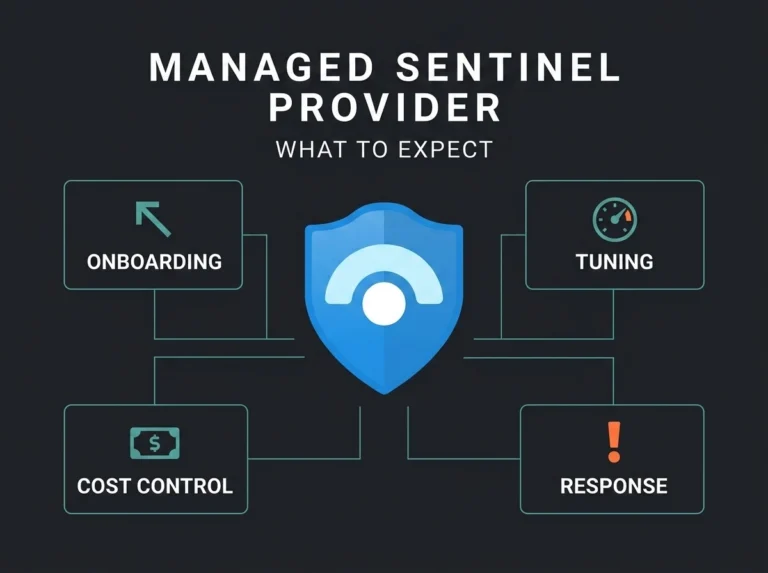
If you already have two to four analysts who can reasonably cover the alert queue during working hours, and what you’re missing is Sentinel expertise rather than headcount, managed Sentinel on its own is probably the right call. The managed service deploys and tunes the platform, builds the custom detection rule library, keeps ingestion costs optimised, and writes the playbooks. Your internal team handles day-to-day monitoring and incident response. Pricing runs roughly $40K to $60K a year rather than the $96K to $144K a year for full MDR, and your team builds Sentinel muscle over time. The trade-off is that 24/7 coverage is on you, or you accept coverage gaps outside business hours. Undersized teams will still run into alert fatigue, just at a slower rate. And threat hunting tends to get deprioritised when the team is already flat out on alert triage.
When full MDR is the only option that works
If there’s no internal SOC team, or the small one you have can’t reasonably cover evenings, weekends, and Swedish public holidays, full MDR becomes the default. You outsource the operational layer in its entirety: monitoring, triage, investigation, response, hunting. Knowing the difference between MSPs and MSSPs helps frame why MDR is the specific service model that closes this particular gap (spoiler: your MSP almost certainly isn’t going to step in and cover it, because that’s not what MSPs are). Full MDR costs more than platform-only management, but you’re buying capacity you can’t practically build in-house. The trade-off is less direct operational control. Good providers build proper escalation into the engagement to keep you informed on anything that matters, but the day-to-day calls are happening without you.
Can’t decide? Start with managed Sentinel and upgrade to MDR later. A common progression: deploy managed Sentinel (optimized platform), train the internal team on alert monitoring, evaluate coverage gaps over 3 to 6 months, and move to full MDR when the need for 24/7 coverage outgrows internal capability.
Flexible Approach
When you clearly need both
A few signals are reliable indicators that you’re past the point where either SIEM or MDR alone will work: the SIEM is generating hundreds of alerts daily and nobody is investigating them consistently; the team can’t realistically cover nights, weekends, and holidays; there’s been an incident in the last twelve months and the attacker was present for weeks before anyone noticed; alert fatigue has reached the point where the console is being ignored; qualified SOC hires aren’t arriving within any acceptable timeline; the internal team doesn’t have hunting capacity; or compliance has started asking pointed questions about 24/7 monitoring that you can’t answer honestly.
If any of those is familiar, the right next step is a conversation rather than more reading. We’ll go through the existing security tooling, identify visibility gaps, assess realistic team capacity for SIEM operations, and come back with a recommendation sized for your environment.
In practice, most assessments surface somewhere between $50K and $150K of annual licensing waste, two or three critical detection gaps that went unnoticed, and a right-sized service approach that avoids both overspending and overexposure.
Part of our full managed security services offering, covering assessment, deployment, optimization, and ongoing security operations.
Stop choosing between SIEM and MDR when you need both. Book your security assessment today.
Frequently asked questions
What is the difference between MDR and SIEM?
SIEM (Security Information and Event Management) is a technology platform. It collects, correlates, and analyzes security logs from across your environment. MDR (Managed Detection and Response) is a service. Security analysts monitor your environment, investigate alerts, and respond to threats on your behalf. SIEM provides the data and detection engine. MDR provides the human expertise to operate it. Most organizations need both. SIEM without analysts produces unactionable alerts. MDR without SIEM lacks the visibility to detect threats in the first place.
Can MDR replace SIEM?
MDR cannot fully replace SIEM. MDR providers need a detection platform to monitor, and that platform is usually a SIEM. Some MDR providers include their own SIEM or rely on endpoint-only telemetry. That limits visibility to endpoints and misses network, cloud, and identity-based threats. The most effective setup pairs a SIEM like Microsoft Sentinel (broad visibility) with MDR services (expert analysis and response).
How much does MDR cost for a small business?
MDR pricing for SMBs typically runs $15 to $50 per endpoint per month, depending on provider, coverage scope, and response capability. For a 100-employee organization, that’s $1,500 to $5,000 per month. It’s significantly less than hiring even one in-house SOC analyst (typically $80,000 to $120,000 per year in salary alone) and gives you 24/7 coverage a single analyst can’t.
Do we need SIEM if we already have Microsoft Defender?
Microsoft Defender gives you detection at the endpoint, email, and identity level. Each product generates its own alerts in isolation. A SIEM like Microsoft Sentinel correlates signals across all these sources, which lets you spot multi-stage attacks no single Defender product can see. A phishing email leading to credential theft leading to lateral movement spans three Defender products. Only a SIEM connects those events into a single incident timeline.
What is Microsoft Sentinel and how does it relate to MDR?
Microsoft Sentinel is Microsoft’s cloud-native SIEM platform, built on Azure. It ingests security data from Microsoft 365, Azure, on-premises systems, and third-party sources, then uses analytics rules and machine learning to detect threats. Sentinel is the technology platform. It needs security analysts to investigate alerts and respond to incidents. MDR services supply those analysts. Run together, Sentinel and MDR deliver full security operations capability without building an internal SOC.