MDR Vendor Evaluation Checklist: How to Choose the Right Provider

You’ve decided the organisation needs Managed Detection and Response. The hard part should be over. It isn’t. Falconer Security watches IT directors and MSP owners across Sweden trip on the same problem every quarter: the MDR market has hundreds of vendors, and most of their marketing reads like it was cut and pasted from a shared template. Skip the MDR vendor evaluation checklist and you end up paying for alert noise dressed up as threat response.
What follows is a structured evaluation checklist built from years of helping Nordic SMBs assess and switch MDR providers. By the end you’ll know what questions to put to vendors, which answers should give you confidence, and which red flags should send you back to the shortlist.
- Half the market is forwarding alerts. In roughly half of our MDR transition engagements, the previous provider was reselling SIEM alerts with a thin human layer; “we alert, you respond” is monitoring, not MDR.
- Know the price bands first. SMB MDR runs $15 to $40 per endpoint per month, or $5,000 to $15,000 monthly for 100 to 500 endpoints, against $500,000+ a year for an in-house SOC.
- Response must beat 29 minutes. CrowdStrike puts average attacker breakout at 29 minutes; an MDR with slower MTTR on critical threats acts after lateral movement has already happened.
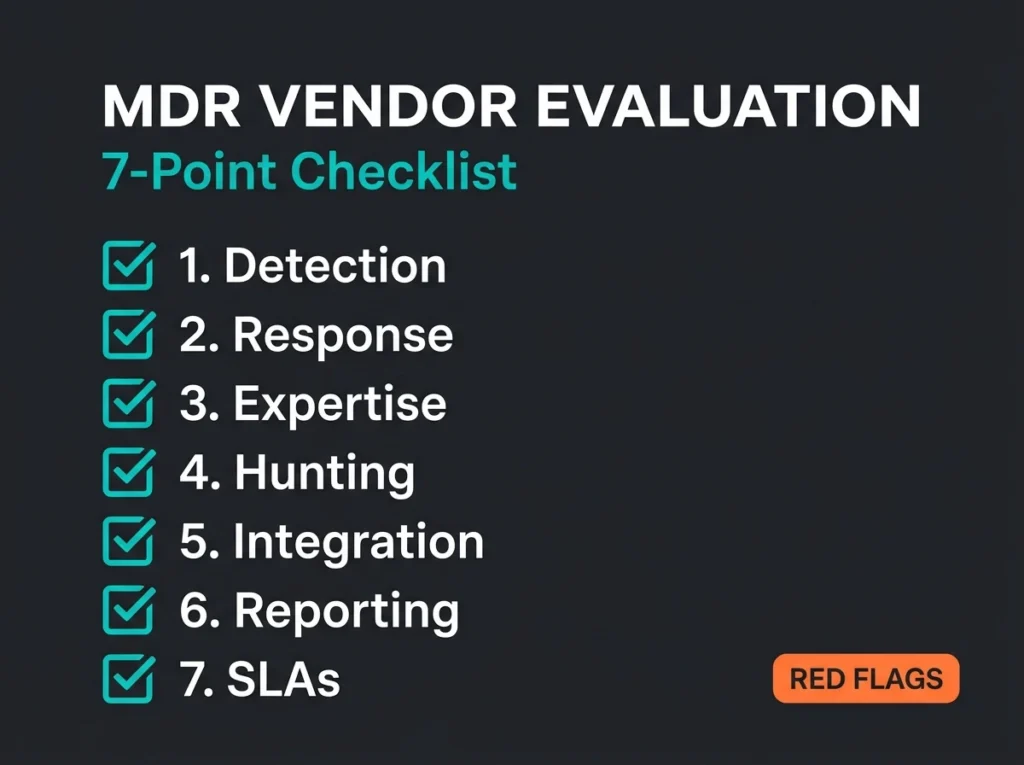
- Score all vendors on seven weighted criteria. Detection coverage and response capability carry 20% each; endpoint-only coverage, “best effort” SLAs, and hunting billed as an extra are walk-away red flags.
- NIS2 shapes the shortlist. No EU data residency kills the deal for regulated organisations, and the provider must support 24-hour incident notification under Article 23.
Why MDR vendor selection matters more than you think
MDR isn’t a commodity, even though the marketing language makes it sound like one. The 2025 Gartner Market Guide for Managed Detection and Response points out that the market now holds hundreds of vendors claiming MDR capability. Actual service delivery varies by an order of magnitude between them. At one end you have full investigation, containment, and remediation. At the other, somebody’s set up an email relay that forwards Defender alerts to your inbox with a service fee attached.
Picking poorly costs more than the subscription fee. The real cost is false confidence. IBM’s 2025 Cost of a Data Breach Report puts the global average at $4.44 million and notes that organisations using security AI and automation see significantly lower numbers. An MDR running purely reactively, passing alerts to your team without acting on them, barely improves on what you had before you signed the contract.
To give you a sense of how often this goes wrong: in roughly half of the MDR transition engagements we get called into, the client’s previous provider turned out to be reselling SIEM alerts with a thin human layer on top. No detection engineering. No active response. Just forwarding.
Step 1: Define your requirements before talking to vendors
The biggest self-inflicted wound in MDR evaluation is ringing vendors before you’ve decided what you actually want. Document these three areas first. Everything downstream leans on this step.
Your environment
- Endpoints to cover, including laptops, servers, and mobile devices. Get to an accurate count, not a ballpark.
- Cloud platforms in use: Azure, AWS, GCP, hybrid combinations. Microsoft 365 and Google Workspace count as cloud surface too.
- Identity estate. Entra ID in the cloud, Active Directory on-premises, or the usual messy combination of both.
- Security tools already deployed. Firewall, EDR, SIEM, or XDR that any new MDR will have to sit alongside or replace.
Your constraints
- Budget ceiling. SMB MDR pricing typically runs $15 to $40 per endpoint per month. Know where your cap sits before the sales engineer quotes you.
- Data residency. GDPR and NIS2 will often require telemetry to stay inside the EU, and sometimes inside specific member states.
- Compliance obligations: NIS2, GDPR, ISO 27001, or whatever sector-specific regime applies.
- Integration needs. Which of your existing tools must the MDR talk to natively, and which can you live without?
Your expectations
- Response depth. Do you want containment actions executed on your behalf, or just a page?
- Coverage hours. Round-the-clock, or business hours with an on-call rota?
- Reporting needs. What does the board actually read, and what does the compliance team need for audit?
Write all of this down. It becomes your scoring rubric when vendor conversations start and helps keep the evaluation honest once every salesperson starts telling you they can do everything.
The 7-point MDR vendor evaluation checklist
The framework below scores every MDR provider against the same seven criteria. For each one, you’ll find the questions to put to the vendor and what the acceptable answers look like.
1. Detection coverage and quality
Detection is foundational. If the provider can’t see threats in your environment, every other capability is decoration.
Questions to ask:
- Which data sources do you ingest? Endpoints, network, cloud, identity, email.
- Do you use behavioural analysis, or is this primarily signature-based detection?
- How do you handle threats that don’t match any known pattern?
- Which threat intelligence feeds inform your detections, and how often are they refreshed?
- Can you detect lateral movement and privilege escalation inside Microsoft environments specifically?
What good looks like: coverage across endpoints, identity (Entra ID), cloud workloads, and email simultaneously. Behavioural and anomaly-based detection working alongside threat intelligence. A provider who can walk you through their detection engineering process in detail, not hand you a slide deck of ingested data sources.
2. Response capabilities
Response is where the delta between MDR providers opens up. Many vendors that market response actually deliver recommendations. An MDR isolating a compromised endpoint inside five minutes is a different product to one that emails you with a suggestion to do it yourself.
Questions to ask:
- Which response actions can you execute without prior approval from our team? Which require authorisation?
- What’s your mean time to respond (MTTR) on critical incidents, and how is that measured?
- Can you isolate endpoints, disable compromised accounts, and block malicious IPs directly, or do you raise a ticket and wait for us?
- Is incident response included, or only initial containment?
What good looks like: pre-authorised playbooks with clearly defined escalation thresholds. MTTR under 30 minutes on critical threats. The CrowdStrike 2026 Global Threat Report pegs average attacker breakout time at 29 minutes. If your MDR can’t beat that number, lateral movement has already happened by the time they act.
3. 24/7 human expertise
Automation and AI genuinely help. They shouldn’t be carrying the service. The Gartner 2025 Market Guide makes the point explicitly: AI should support analysts, not stand in for them.
Questions to ask:
- How many analysts are in the SOC, and what are their qualifications?
- Are analysts actively monitoring through night shifts, or on an on-call rota?
- Where are SOC locations? Do they cover EU time zones without relying on a single team?
- What’s the analyst-to-customer ratio?
What good looks like: a genuine follow-the-sun SOC with analysts actively on the queue, not just reachable by phone. SOC locations across at least two time zones. Analysts with credible security certifications and demonstrable threat-hunting experience, not a recruitment pipeline of fresh graduates.
4. Threat hunting
Hunting is what separates an MDR from what most vendors call managed monitoring. Proactive hunting turns up threats automated detection never raised an alert for, and it’s the capability most often missing from the cheap end of the market.
Questions to ask:
- How often do you actually run proactive hunts? Weekly, monthly, quarterly?
- Are hunts included in the base service, or billed separately as a premium?
- Can you show anonymised examples of threats previously surfaced through hunting?
- Do you share hunt findings and recommendations with our team, or keep the work internal?
What good looks like: scheduled hunts (weekly or monthly) included in the base service. Hunt scope informed by current threat intelligence rather than a generic playbook. Written reports after each hunt with findings the client team can actually act on.
5. Technology stack and integration
Whatever the MDR runs on has to coexist with your existing stack, which for Nordic SMBs almost always means Microsoft at the core.
Questions to ask:
- Which SIEM or XDR platform powers your service? Is it yours, or a commercial product?
- Do you integrate natively with Microsoft Sentinel, Defender XDR, and Entra ID?
- Can we bring our own technology (BYOT), or does your service require us to adopt yours?
- How are log ingestion costs handled, and who absorbs them when volumes spike?
What good looks like: native integration with the platforms you already run. Transparent treatment of data ingestion and storage costs (not a surprise in month four). If you’ve already invested in Microsoft Sentinel, the MDR should plug into it rather than insist on a parallel SIEM that duplicates your log pipeline.
6. Reporting and visibility
You’re outsourcing detection and response. You’re not outsourcing visibility. The in-house team still needs to know what the MDR is doing and what the threat picture looks like inside your environment.
Questions to ask:
- What dashboards and reports do you provide, and to which audiences?
- Can we access raw alert data and investigation notes ourselves, without opening a ticket?
- Do you produce monthly executive summaries appropriate for board reporting?
- How do you report on your own SLA compliance?
What good looks like: live dashboards, monthly executive reports, and on-demand access to investigation detail. Reports should be legible to non-technical stakeholders and useful as supporting evidence for cyber insurance applications and NIS2 compliance documentation.
7. Service level agreements
SLAs are how verbal promises become enforceable. Without them, the commitments your sales engineer made at the demo aren’t worth the slide they were written on.
Questions to ask:
- What are your SLAs for alert triage, investigation, and response?
- What happens when you miss one? Financial penalty, service credit, both, neither?
- How is service degradation or an outage handled?
- What’s the contract term, and are there exit clauses if the service underperforms?
What good looks like: written SLAs with specific time commitments (for example, 15-minute acknowledgment, 1-hour investigation on critical alerts). Financial remedies attached to SLA breaches. Contract terms flexible enough that you’re not locked in for three years if the service turns out to be unworkable.
MDR evaluation scoring table
| Criterion | Weight | Key Question | Red Flag |
|---|---|---|---|
| Detection Coverage | 20% | Does it cover endpoints, identity, cloud, and email? | Endpoint-only coverage |
| Response Capabilities | 20% | Can they contain threats directly, or just alert? | “We send you recommendations” |
| 24/7 Human Expertise | 15% | Are analysts actively monitoring around the clock? | On-call only during nights/weekends |
| Threat Hunting | 15% | Are proactive hunts included in the service? | Hunting billed separately or not offered |
| Technology Integration | 10% | Does it work with your Microsoft stack? | Forces rip-and-replace of existing tools |
| Reporting | 10% | Can you see what they’re doing and share with leadership? | No dashboards, quarterly reports only |
| SLAs | 10% | Are commitments written and enforceable? | “Best effort” with no penalties |
Red flags that should make you walk away
After sitting in on dozens of MDR proposal reviews with clients, we’ve built up a short list of warning signs that correlate reliably with poor service delivery once the contract is signed.
Technical red flags
- Endpoint-only coverage. Modern attack chains lean heavily on identity abuse and cloud pivots. An MDR that only looks at endpoints is missing most of the ground an attacker now uses.
- No behavioural detection. Signature-based detection on its own cannot catch living-off-the-land tradecraft, credential abuse, or anything that hasn’t yet been seen in the wild.
- Black-box detection logic. If the provider can’t explain how their detections work, you can’t validate coverage and you can’t tune false positives. That’s not a service, that’s a faith-based subscription.
Operational red flags
- “We alert, you respond.” That’s managed monitoring. MDR includes active response, and vendors who draw that line carefully in contract negotiations are worth their pricing.
- No dedicated analyst team. When a shared pool handles everyone’s tenant, nobody knows your environment well enough to produce anything but generic responses.
- Vague SLAs. If response times aren’t written into the agreement, they don’t exist.
Business red flags
- Long lock-in contracts. Three-year minimums with no exit clause suggest the vendor’s business model relies on customer inertia rather than service quality.
- Hidden costs. Data ingestion fees, DFIR retainers, per-incident surcharges that don’t appear on the first quote and appear loudly in month two.
- No EU data residency option. For NIS2-regulated organisations this isn’t a preference. It’s a compliance blocker that kills the deal.
The evaluation process: a practical timeline
A proper MDR evaluation runs 8 to 12 weeks. Compressing it reliably produces regret. Here’s how we typically run the process with clients.
- Weeks 1 to 2: define requirements. Document environment, constraints, and expectations using the framework above before any vendor gets a call.
- Weeks 3 to 4: shortlist. Research 5 to 8 providers. Request proposals. Cut anyone who doesn’t clear your baseline.
- Weeks 5 to 7: deep evaluation. Detailed demos with the top three. Score each against the seven-point checklist. Arrange reference calls with customers in a similar industry or region.
- Weeks 8 to 9: negotiate and decide. Compare scores, negotiate pricing and SLAs, pick a provider.
- Weeks 10 to 12: onboarding. Deploy agents, configure integrations, validate detection coverage against live conditions in your environment before you consider the project finished.
NIS2 considerations for MDR selection
Organisations inside the scope of the NIS2 Directive carry extra constraints that shape the shortlist directly.
Article 21 requires “appropriate and proportionate” cybersecurity risk management measures. Incident handling. Supply chain security. Business continuity. Your MDR provider becomes part of your supply chain the moment the contract is signed, which means their capabilities directly shape your compliance posture, not just your operational security.
NIS2-specific questions to ask:
- Can you support 24-hour incident notification under NIS2 Article 23?
- Where is data processed and stored, and does that comply with EU residency requirements?
- Can you provide documentation suitable for NIS2 compliance audits without extra charge?
- How do you manage supply chain security in your own operations?
For a deeper view of NIS2 mapped to detection controls, see our writeup on NIS2 Article 21 mapped to Microsoft Sentinel.
MDR vs MSSP vs in-house SOC: quick comparison
| Factor | MDR | MSSP | In-House SOC |
|---|---|---|---|
| Typical cost (SMB) | $5,000 to $15,000/month | $3,000 to $10,000/month | $500,000+/year |
| Active response | Yes, included | Rarely included | Yes, if staffed |
| Threat hunting | Usually included | Rarely included | Depends on team skill |
| 24/7 coverage | Standard | Usually standard | Requires 8 to 12 FTEs |
| Time to value | 2 to 6 weeks | 4 to 8 weeks | 6 to 12 months |
| NIS2 support | Vendor dependent | Vendor dependent | Full control |
| Best for | SMBs wanting outcomes | SMBs wanting monitoring | Large enterprises |
For a detailed breakdown of these service models, see our guides on MDR vs MSSP, SOC as a Service pricing, and SIEM vs SOC. That last comparison is especially useful when a vendor is blurring the line between platform management and a true operating function.
Frequently asked questions
How many MDR vendors should I evaluate?
Start with 5 to 8 in research, then shortlist to three for detailed evaluation. Taking more than three into depth leads to decision fatigue without meaningfully improving the outcome.
What should MDR cost for an SMB?
For organisations running 100 to 500 endpoints, expect $5,000 to $15,000 per month depending on coverage scope and response depth. Per-endpoint pricing generally lands between $15 and $40. See our MDR pricing guide for detailed breakdowns.
Should the MDR provider use my existing SIEM, or bring their own?
Depends on your existing investment. If you’re already on Microsoft Sentinel, shortlist providers that integrate natively and avoid dual SIEM architectures, which push up cost and complexity. Some providers, like Falconer Security’s MDR service, build directly on Sentinel.
Does NIS2 require MDR specifically?
NIS2 doesn’t mandate MDR by name. Article 21 does require incident handling capabilities and continuous monitoring that most SMBs can only achieve cost-effectively through MDR or a managed SOC. An MDR provider with documented SLAs significantly strengthens the compliance posture.
How do I evaluate an MDR provider’s detection quality before signing?
Ask for a proof-of-concept period or a detection assessment run against your environment. Request anonymised examples of threats they’ve found for similar organisations. Review their detection engineering process and ask how often they write or update detection rules. Providers who can’t articulate a detection methodology are almost always leaning on vendor defaults.