Cloud-Native SIEM: Why It Matters for Modern Security

Your on-premises SIEM was designed for a world where servers sat in your data center, users worked from the office, and security logs came from a handful of known sources. That world no longer exists. Your data now lives in Microsoft 365, Azure, SaaS applications, and home offices. Your on-premises SIEM cannot see half of it.
A cloud-native SIEM is built from the ground up for this reality. It runs in the cloud, scales automatically with your data volumes, integrates natively with cloud services, and removes the infrastructure management work that drains security teams before they even start detecting threats. Microsoft Sentinel is the cloud-native SIEM built into the Microsoft ecosystem that most organizations already use.
- Cloud-native beats cloud-hosted. A cloud-native SIEM is architected for elastic scaling, API-first ingestion, and pay-per-GB pricing, not traditional software moved onto rented servers.
- Deployment is measured in days. Cloud-native setup takes hours to days and new connectors take minutes, against weeks to months for on-premises SIEM hardware and configuration.
- Real numbers for budgeting. Sentinel pay-as-you-go runs about $2.46/GB, commitment tiers drop that to $1.50 to $2.00/GB, and a typical SMB at 10 to 50 GB/day lands between $750 and $3,750 a month.
- Ingestion costs are controllable. Smart log filtering and tiered retention cut Sentinel ingestion costs by 30-40% in a typical managed deployment.
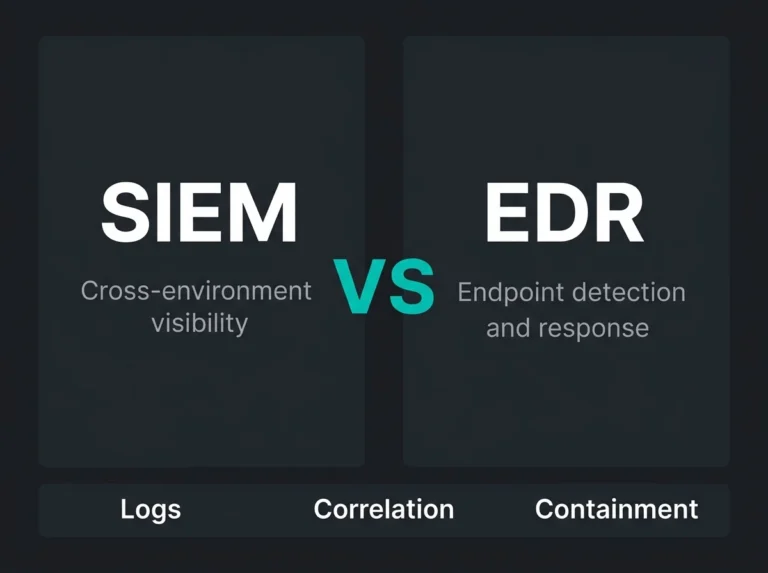
- Defender alone is not a SIEM. Defender XDR handles product-level detection; Sentinel adds cross-source correlation, third-party log coverage, and the retention compliance demands.
What is a cloud-native SIEM?
A cloud-native SIEM is a Security Information and Event Management platform designed to run as a cloud service rather than on-premises infrastructure. Unlike traditional SIEMs that were later adapted for cloud deployment (“cloud-hosted”), cloud-native SIEMs are architected for cloud from the start: consumption-based pricing, elastic scaling, API-first data ingestion, and native integration with cloud platforms and SaaS applications.
The distinction matters. A cloud-hosted SIEM is traditional SIEM software running on someone else’s servers. A cloud-native SIEM is architecturally different: serverless compute, automatic scaling, pay-per-use pricing, and built-in integrations with cloud services. Microsoft Sentinel, for example, runs on Azure Log Analytics and scales automatically based on the volume of data you ingest, with no capacity planning, no hardware provisioning, and no database administration.
Cloud-native SIEM vs traditional SIEM
| Traditional (on-premises) SIEM | Cloud-native SIEM | |
|---|---|---|
| Infrastructure | Self-managed servers, storage, and databases | Fully managed cloud service, no infrastructure to maintain |
| Scaling | Manual capacity planning. Adding capacity requires hardware procurement and setup | Automatic elastic scaling. Capacity adjusts with data volume in real time |
| Deployment time | Weeks to months for hardware, software, configuration | Hours to days for initial setup, minutes for new data connectors |
| Pricing model | Upfront license + hardware capital expenditure + annual maintenance | Consumption-based (pay per GB ingested). No upfront capital expenditure |
| Cloud visibility | Requires custom integrations for Microsoft 365, Azure, AWS, SaaS | Native connectors for cloud platforms and SaaS applications |
| Updates and patches | Manual upgrades with planned downtime | Automatic updates. New features and detection rules deploy continuously |
| Availability | Depends on your infrastructure and DR planning | Built-in redundancy across cloud regions. Provider-managed SLA |
| Staff requirements | Dedicated SIEM engineers for infrastructure + security analysts for operations | Security analysts only. No infrastructure management overhead |
Why traditional SIEMs fail in cloud-first environments
Traditional SIEMs were built for a world of on-premises firewalls, Windows event logs, and syslog feeds. They work well when your whole infrastructure sits in data centers you control. They struggle, and often fail, when your organization moves to cloud and SaaS.
The visibility problem
When your users work in Microsoft 365, your applications run in Azure, and your identities are managed in Entra ID, your on-premises SIEM has no native way to see this activity. You end up building custom integrations, forwarding logs through intermediary systems, and dealing with latency that makes real-time detection impossible. According to Microsoft’s documentation, Sentinel provides out-of-the-box data connectors for Microsoft sources and hundreds of third-party integrations, which removes the custom integration burden.
The cost problem
Traditional SIEMs charge per data volume with steep upfront licensing. Cloud environments generate exponentially more log data than on-premises systems. Azure activity logs, Microsoft 365 audit logs, Entra ID sign-in logs, and Defender alerts all pile up. Costs spiral beyond what anyone budgeted. Cloud-native SIEMs use consumption-based pricing that lets you control costs by choosing which data to ingest, setting retention tiers, and using commitment-based discounts. With Microsoft Sentinel, organizations can reduce ingestion costs by 30-40% through smart log filtering and tiered retention strategies.
The scaling problem
A security incident generates a surge in log data. Your marketing team onboards a new SaaS tool that produces unexpected volumes. A compliance requirement means you need to start collecting a new data source. With on-premises SIEM, each of these scenarios requires capacity planning, hardware procurement, and configuration. With cloud-native SIEM, the platform scales automatically. You never hit a ceiling during an active investigation because your SIEM ran out of disk space.
Key capabilities of cloud-native SIEM
Native cloud and SaaS integration
Cloud-native SIEMs connect to cloud platforms and SaaS applications through built-in data connectors. Microsoft Sentinel, for example, provides native connectors for Microsoft 365, Azure, Entra ID, Defender XDR, AWS, GCP, and hundreds of third-party services. Enabling a new data source takes minutes, not the weeks of custom development that traditional SIEMs require.
Automated threat detection with AI and machine learning
Cloud-native SIEMs use machine learning models that improve continuously from aggregated threat data across all customers. Microsoft Sentinel uses analytics rules that combine built-in ML models, user and entity behavior analytics (UEBA), and custom KQL detection rules. These catch threats that signature-based detection misses: impossible travel, anomalous login patterns, unusual data access volumes, and lateral movement across cloud services.
Security orchestration and automated response (SOAR)
Automated response is a defining feature of cloud-native SIEM. When a threat is detected, the platform can automatically isolate an endpoint, disable a compromised account, block an IP address, or open a ticket in your ITSM system. Microsoft Sentinel’s automation rules and playbooks (built on Azure Logic Apps) run response actions in seconds, reducing mean time to respond from hours to minutes.
Elastic scaling and consumption-based pricing
Cloud-native SIEMs scale with your organization. Whether you ingest 10 GB per day or 10 TB per day, the platform handles it without infrastructure changes. Pricing is based on data volume ingested, giving you direct control over costs. Microsoft Sentinel offers commitment tiers (100 GB/day, 200 GB/day, and up) that provide significant discounts over pay-as-you-go pricing.
Threat intelligence integration
Cloud-native SIEMs integrate threat intelligence feeds that enrich your security data with context about known malicious indicators. Microsoft Sentinel supports multiple threat intelligence sources and provides a dedicated threat intelligence workbook for visualizing and correlating indicators of compromise with your environment’s data.
Microsoft Sentinel as cloud-native SIEM
Microsoft Sentinel is a cloud-native SIEM and SOAR solution built on Azure. For organizations already using Microsoft 365, Azure, and Defender XDR, Sentinel is the natural choice because it integrates natively with the tools you already operate.
Key advantages of Sentinel for Microsoft-centric organizations:
- Zero-friction data ingestion from Microsoft sources. Microsoft 365 audit logs, Entra ID sign-in and audit logs, Defender XDR alerts, Azure activity logs, and Azure Diagnostics connect with one-click connectors. No agents, no forwarders, no custom parsing.
- Unified security operations. Sentinel is moving into the Microsoft Defender portal, providing a single interface for SIEM, XDR, and incident management. This convergence removes the context-switching between separate tools that slows investigation.
- KQL query language. Kusto Query Language provides powerful, flexible querying across all ingested data. KQL is also used in Defender XDR, Azure Monitor, and Azure Data Explorer, so skills transfer across the Microsoft ecosystem.
- Built-in SOAR via Logic Apps. Automation playbooks connect to hundreds of services (ServiceNow, Jira, Slack, Teams, PagerDuty) without custom code. Automate triage, enrichment, containment, and notification workflows.
- Azure Lighthouse for multi-tenant management. For MSSPs and MDR providers, Lighthouse allows managing multiple client Sentinel workspaces from a single pane of glass without accessing client tenants directly.
- Cost optimization tools. Commitment tiers, basic logs, archive tiers, and data collection rules (DCRs) allow fine-grained control over what you ingest and how long you retain it. A managed Sentinel service typically reduces ingestion costs 30-40% through these optimization strategies.
When cloud-native SIEM makes sense for SMBs
For small and medium businesses, cloud-native SIEM is not a luxury. It is increasingly the only practical option. Traditional SIEMs require dedicated infrastructure, ongoing maintenance, and specialized engineers that SMBs cannot afford or hire. Cloud-native SIEM removes these barriers.
Cloud-native SIEM is the right choice when:
- Your environment is cloud-first. If you run Microsoft 365, Azure, or other cloud platforms, a cloud-native SIEM gives you native visibility that on-premises alternatives cannot match.
- You cannot staff a SIEM engineering team. Cloud-native SIEM removes infrastructure management. Your team (or your MSSP) focuses on security operations, not server maintenance.
- You need to comply with NIS2 or GDPR. NIS2 requires security monitoring and incident detection capabilities. A cloud-native SIEM provides the audit trail, detection, and reporting that compliance demands, without building a data center. For more detail, see our guide on NIS2 requirements mapped to Sentinel.
- Your budget favors OpEx over CapEx. Consumption-based pricing means no large upfront investment. You pay for what you use, and costs scale with your organization.
- You want to start small and grow. Begin with core Microsoft data sources (Entra ID, M365, Defender), add more connectors as your security maturity grows. No rip-and-replace required.
Getting started with cloud-native SIEM
Deploying cloud-native SIEM does not require starting from scratch. A practical deployment path for SMBs:
- Start with identity. Connect Entra ID sign-in and audit logs. Identity is your perimeter in cloud environments, and this data source alone gives you visibility into compromised accounts, impossible travel, and privilege escalation. A proper M365 security audit identifies which identity data sources matter most.
- Add Microsoft 365 and Defender. Connect M365 audit logs and Defender XDR incidents. This covers email threats, endpoint detections, and data access patterns.
- Enable built-in detection rules. Microsoft Sentinel ships with hundreds of analytics rules mapped to the MITRE ATT&CK framework. Enable the rules relevant to your environment and tune thresholds based on your baseline activity.
- Build automation. Start with simple automation rules: auto-close known false positives, auto-assign incidents by severity, send Teams notifications for critical alerts. Expand to full playbooks as you learn your environment’s patterns.
- Optimize costs from day one. Configure data collection rules to filter verbose logs, use basic log tiers for high-volume, low-security-value data, and evaluate commitment tiers once your daily ingestion stabilizes.
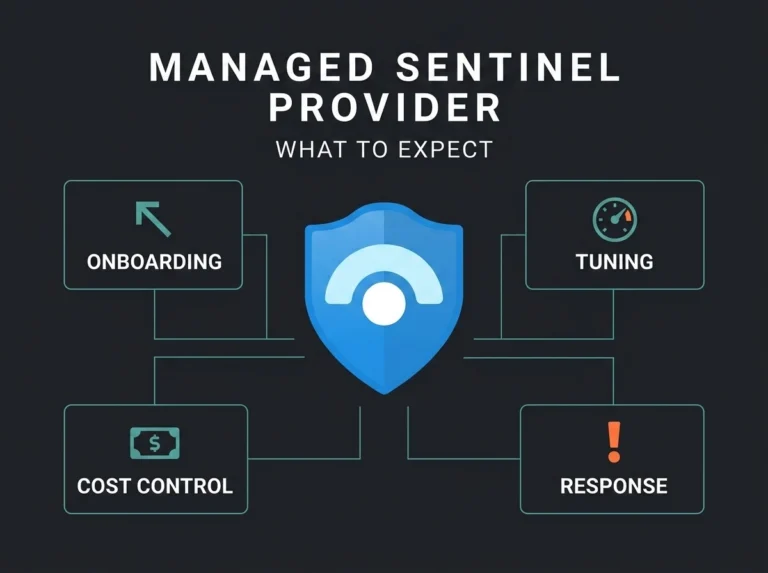
For organizations that want expert deployment and ongoing optimization without building an internal SOC, a managed Sentinel service provides the expertise to deploy, tune, and operate cloud-native SIEM at a fraction of the cost of building it in-house.
Frequently asked questions
What is a cloud-native SIEM?
A cloud-native SIEM is a security information and event management platform built to run as a cloud service. Unlike traditional on-premises SIEMs or cloud-hosted SIEMs (traditional software running on cloud servers), cloud-native SIEMs are architected for cloud from the ground up with automatic scaling, consumption-based pricing, native cloud integrations, and no infrastructure management required. Microsoft Sentinel is an example of a cloud-native SIEM built on Azure.
What is the difference between cloud-native SIEM and traditional SIEM?
Traditional SIEMs require on-premises servers, manual capacity planning, upfront licensing costs, and dedicated engineers to manage infrastructure. Cloud-native SIEMs run as managed cloud services with automatic scaling, pay-per-use pricing, built-in redundancy, and native connectors for cloud platforms and SaaS applications. The key operational difference is that cloud-native SIEM removes infrastructure management, letting security teams focus entirely on threat detection and response.
Is Microsoft Sentinel a cloud-native SIEM?
Yes. Microsoft Sentinel is a cloud-native SIEM and SOAR solution built on Azure Log Analytics. It provides automatic scaling, consumption-based pricing (per GB ingested), native integration with Microsoft 365, Azure, Entra ID, and Defender XDR, and built-in automation through Azure Logic Apps. Sentinel requires no on-premises infrastructure and scales automatically with data volume.
How much does cloud-native SIEM cost?
Cloud-native SIEM uses consumption-based pricing, charged per gigabyte of data ingested. Microsoft Sentinel pay-as-you-go pricing is approximately $2.46/GB. Commitment tiers reduce this to $1.50-$2.00/GB depending on volume. A typical SMB ingesting 10-50 GB/day can expect $750 to $3,750/month for Sentinel data costs. Managed service fees add to this but typically reduce total cost by optimizing data ingestion and removing the need for in-house SIEM engineers.
Do I need cloud-native SIEM if I already have Microsoft Defender?
Microsoft Defender XDR provides detection and response for endpoints, email, identity, and cloud apps within the Microsoft ecosystem. A SIEM like Microsoft Sentinel aggregates data from Defender and other sources (firewalls, third-party tools, custom applications) to provide centralized visibility, cross-source correlation, and long-term log retention for compliance. Most organizations benefit from both: Defender for product-specific detection and response, Sentinel for centralized security operations and compliance.