Microsoft Defender for Endpoint: Why EDR Beats Traditional Antivirus

Modern attackers don’t drop suspicious .exe files anymore, which is the whole story behind the EDR vs antivirus gap. They log in with stolen credentials, pivot through PowerShell, reach across to another box with PsExec, and encrypt half the finance share before anyone notices. Your antivirus watched the whole thing and didn’t raise a single alert, because nothing it scanned was technically malicious.
That’s the gap I keep finding on assessments. Endpoints have AV. AV is up to date. AV has never flagged anything real in two years. Meanwhile the attacker’s entire kill chain runs on tools that shipped with Windows.
Microsoft research puts most successful breaches in that bucket: credential theft, east-west movement, escalation via built-in binaries. None of it triggers a signature lookup.
90% of successful breaches use techniques that signature-based antivirus cannot detect.
Microsoft Security Report 2024
- Signature AV misses the modern kill chain. 90% of successful breaches use techniques it cannot detect: stolen credentials, PowerShell, and living-off-the-land binaries that ship signed by Microsoft.
- EDR watches behaviour, not files. Process trees, LSASS access, lateral-movement patterns, and C2 beaconing all get flagged even when every individual piece looks legitimate.
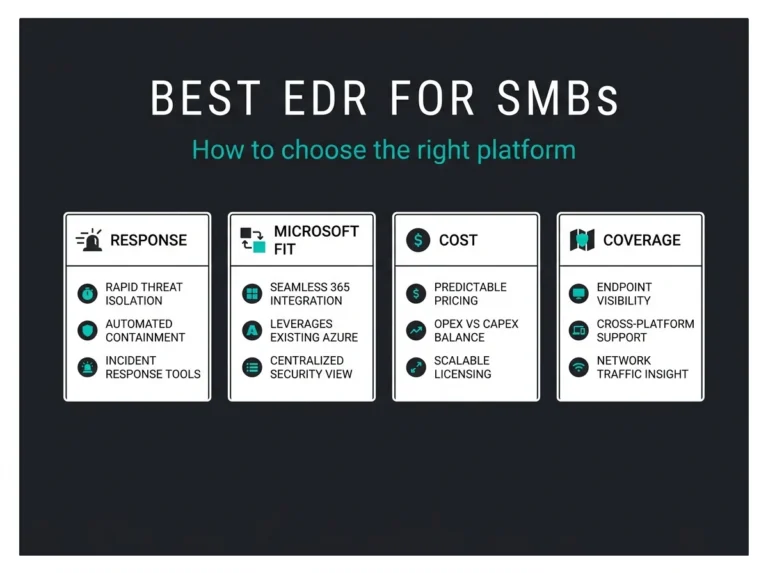
- You may already own MDE. Defender for Business comes with Business Premium and full Defender for Endpoint with E5; at roughly $15 per seat per month it is cheap next to a $4.45M average breach cost.
- Replace the old AV, never stack it. MDE includes next-generation antivirus in the same agent, and running two products creates conflicts and exclusions attackers hide inside.
- Deploy in phases. Two weeks detection-only to baseline, ASR rules in audit mode before block, then automated remediation; skipping the audit phase is how line-of-business apps break on day three.
Where signature-based antivirus falls over
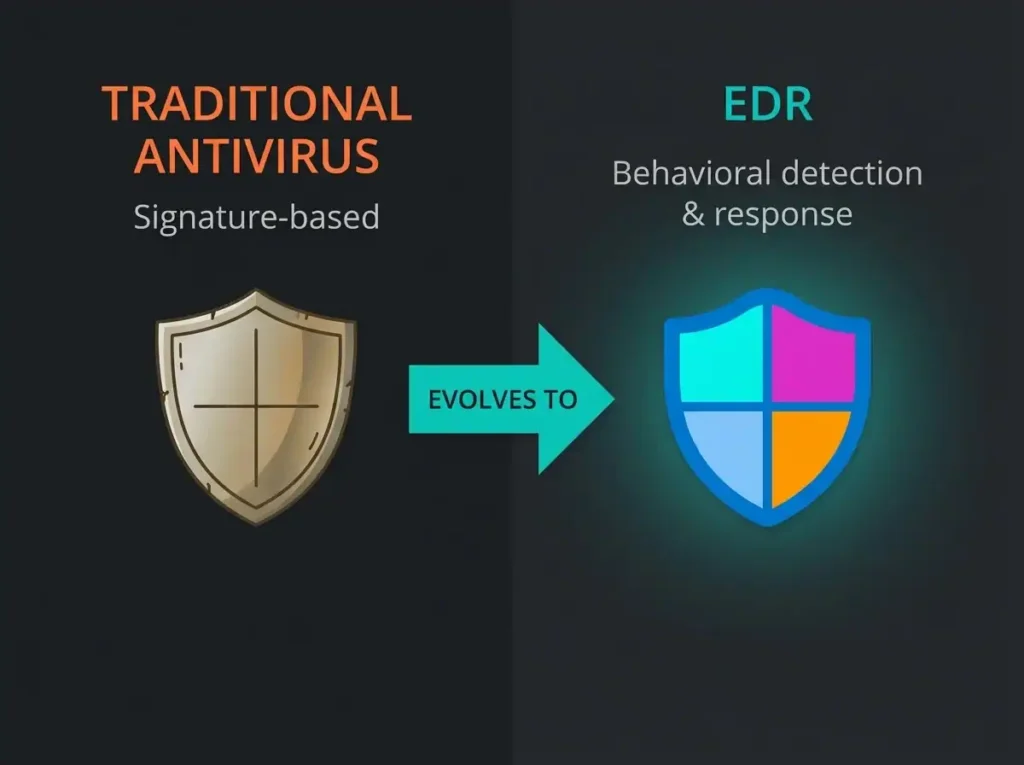
Traditional AV is a file scanner. When a file lands on disk, the scanner hashes it, checks the hash against a database of known bad, and either blocks or allows. This worked in 2008 when attackers mass-mailed identical binaries to a thousand victims. Some analyst back at the vendor would grab a sample, extract indicators, push a signature update, and the attack was over by Tuesday.
Three things broke that model.
Zero-days are the obvious one. A vulnerability gets disclosed, the exploit appears in a toolkit, and you’ll usually wait one to two weeks before any vendor ships a signature that catches it. Attackers live inside that window. If your only defence is the signature, you were exposed the whole time and nobody told you.
Fileless malware broke it harder. If the payload never touches disk, there’s nothing for the file scanner to scan. The code runs in the memory of a legitimate process: PowerShell, rundll32, a .NET host. AV sees PowerShell running. PowerShell is allowed. End of check.
Living-off-the-land broke it completely. An attacker with valid admin credentials can compromise a domain using only tools that Microsoft built and signed. PowerShell. PsExec. Windows Remote Management. Scheduled Tasks. Net.exe. Each of these is essential for administrators. Blocking them is a non-starter. So the AV sits there watching admin tooling do admin-looking things, and the domain falls anyway.
Common ransomware playbook: attackers use signed Windows commands to stop the AV service, then use another signed Windows command to schedule the ransomware binary. The AV never detected anything because it was busy being uninstalled by a tool it trusts.
What EDR sees that antivirus misses
Endpoint Detection and Response stops asking “is this file bad?” and starts asking “does this combination of things make sense?”
Take a concrete example. Outlook.exe is fine. PowerShell is fine. Downloading a file from a web server is fine. Outlook spawning PowerShell, which then downloads an executable from a Dropbox share and runs it, is not fine. EDR watches the process tree and the behaviour around it, so the combination raises an alert even though no individual piece of it would.
The same logic applies to credential theft. Attackers dump LSASS memory to pull cached credentials. Mimikatz is the famous tool, but it’s rewritten and re-signed constantly to dodge signature detection. EDR ignores the tool name and watches the behaviour: a process opening a handle to LSASS with suspicious access rights. Catches Mimikatz. Catches the clone of Mimikatz that was compiled this morning. Catches the custom tool the attacker wrote last week.
Lateral movement is where the correlation really pays off. One user account authenticating to 47 different workstations inside an hour, when their normal pattern is 2 to 3 a day, is a screaming signal. An individual authentication event looks perfectly legitimate. It’s the shape of the pattern across the tenant that gives it away.
Privilege escalation leaves similar fingerprints. A standard user suddenly running code that needs admin rights. A service account authenticating to a domain controller for the first time. A scheduled task being created with SYSTEM privileges by a process that has never done that before. EDR baselines what each account and each process normally does, and screams when the shape changes.
The last big one is C2 traffic. Once an endpoint is owned, it needs to talk back to the attacker. Modern malware uses HTTPS and DNS, so the traffic looks boring to a firewall. What it can’t hide is the cadence. Beaconing every 47 seconds to the same IP for six hours is not normal web browsing. EDR analyses communication patterns and flags the beaconing where the firewall sees only successful HTTPS.
How Microsoft Defender for Endpoint actually works
Microsoft Defender for Endpoint (MDE) is Microsoft’s EDR. It ships inside Microsoft 365 E5, inside Defender for Business (the Business Premium SKU), and as a standalone licence if you need it elsewhere.
The AV part of MDE is not the AV you remember. Signature lookups still happen, but they’re layered on top of machine-learning based classification, cloud-delivered reputation checks that happen at first-execution time, and behavioural blocking that can halt a process mid-run if it starts doing something that resembles ransomware. In independent testing it holds up well against the stuff that signature-only AV misses by design.
Behaviour monitoring is the second layer. MDE records process creation, command-line arguments, file modifications, registry writes, and network connections continuously, then runs analytics over that stream. Automated investigation takes a single alert, walks the related events, and presents an investigation with a recommended action. On a typical SMB tenant this drops investigation time from two or three hours of an analyst squinting at logs to five or ten minutes of reviewing a timeline that’s already assembled.
There’s a vulnerability management piece too. MDE exposes unpatched software per device, ranks it by whether attackers are actively exploiting that CVE in the wild, and ties into patch management for remediation tracking. It overlaps with our Azure vulnerability scanning coverage if you’re running hybrid.
Attack surface reduction rules are worth singling out. These are policy-level blocks on specific attacker behaviours: Office documents launching child processes, PowerShell obfuscation tricks, LSASS credential theft, mass-encryption patterns that look like ransomware. Turning ASR rules on knocks a meaningful percentage off successful execution without breaking legitimate work, provided you audit first (more on that below).
The actual EDR piece gives you the timeline view. Every action on the endpoint, before, during, and after an incident, with a live-response shell for remote triage and automated isolation that can quarantine a compromised host off the network within minutes.
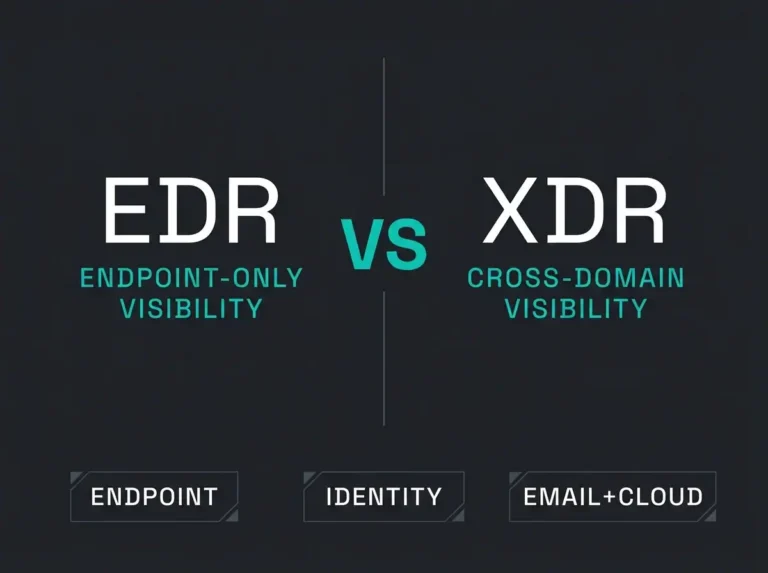
And all of it talks to the rest of the Microsoft security stack, the correlation layer we break down in our XDR vs EDR comparison. A phishing payload that slips past Defender for Office 365 gets caught on the endpoint by MDE. If credentials were stolen, Defender for Identity notices the anomalous authentication. Microsoft Sentinel stitches the whole chain together into a single incident for the SOC to work.
What integration actually looks like. User clicks a phishing link. MDE detects the payload on execution and isolates the host. Defender for Identity sees the same user’s account attempting lateral authentication and locks it. Sentinel correlates both events into one incident. The SOC sees one ticket with the full story, not three disconnected alerts.
EDR vs antivirus at a glance
| Capability | Traditional antivirus | EDR (Defender for Endpoint) |
|---|---|---|
| Detection method | Signature matching on files | Behavioural analytics on process activity |
| Zero-day protection | None until a signature ships | Yes, via behavioural rules |
| Fileless malware | Invisible | Visible via in-memory process monitoring |
| Lateral movement | Not detected | Correlated across devices and identities |
| Automated investigation | Manual analyst work | Built-in investigation graphs |
| Threat hunting | Not available | KQL query language over 30 days of telemetry |
| Incident response | Quarantine a file and hope | Isolate host, kill process, roll back changes, collect forensics |
One thing worth saying plainly: if you deploy MDE, you turn the old AV off. Running both will fight each other, burn CPU, and create exclusions that the attacker will happily hide inside. Consolidate to one agent.
The excuses I hear for staying on legacy antivirus
Every time this comes up with a client, the same four objections appear. Worth addressing them head-on because none of them hold up.
“We already paid for AV licences.” Sure, and that money is gone whether you keep using the product or not. Legacy AV is cheaper than EDR. It’s also why the average breach costs $4.45M and EDR licensing costs fifteen bucks a seat a month. The maths is not subtle.
“EDR is too noisy for us to manage.” This one is fair. EDR surfaces far more alerts than signature AV because it’s actually seeing things. An internal team that was coping with 3 AV alerts a week will drown if you point MDE at 500 endpoints and walk away. The answer isn’t to avoid EDR, it’s to put an MDR service behind it so an actual SOC triages the noise.
“Performance hit is too high.” This was true around 2018. It’s not true now. Cloud-native EDR offloads analysis to the service side, and MDE runs at minimal CPU on a modern laptop. I’ve yet to have a user complain about it after deployment. I’ve had plenty complain about the AV product it replaced.
“We’re not sophisticated enough to be a target.” Every time I’ve heard this, we’ve deployed EDR and found something within the first week. Attacker infrastructure beaconing from an accounting workstation. A dormant webshell on a public-facing server from three years ago. Credential dumper running under a service account at 4 AM. The absence of alerts from your old AV didn’t mean you were clean. It meant the AV couldn’t see.
What EDR usually finds in the first 30 days. Months-old compromises nobody noticed. Lateral movement across three or four hosts. Outbound beaconing to a C2 server. Credential harvesting tools idling in memory. The lack of AV alerts was never evidence the environment was healthy.
Deploying MDE without shooting yourself in the foot
Installing the agent is easy. Making it useful is where people trip. A rough sequence that works.
In the first two weeks, get agents onto everything. Windows, macOS, Linux, iOS, Android. Use Endpoint Manager to push them where you can, and hand-onboard the stragglers. Run in detection-only mode. No blocking yet. The goal is to baseline what normal looks like in your environment so the automation doesn’t start strangling legitimate work the moment you flip it on.
Weeks three and four: ASR rules go into audit mode. You watch which legitimate tools trip them. Some will. Your accounting package is probably doing something weird that looks like credential theft if you squint. You build exclusions for the genuinely-legitimate, then flip the rules into block mode one or two at a time. The organisations that skip the audit phase and enable ASR in block mode on day one are the ones that call back three days later because their line-of-business app stopped working.
From week five, automated investigation and response gets turned on for low and medium severity. Review the recommended actions for a week or two. Once you trust what the automation is doing, let it auto-remediate. Keep high-severity on human review for longer.
Ongoing, feed MDE alerts into Microsoft Sentinel so endpoint events get correlated with email, identity, and network signals. That’s where the real value of the integrated Microsoft stack shows up, because a single phishing incident becomes one investigation instead of three siloed alerts.
The usual implementation failures I see, in rough order of frequency:
- Flipping MDE on everywhere at once with no pilot, then discovering a legacy accounting app is incompatible the hard way.
- Enabling every ASR rule in block mode immediately, then turning them off in a panic when the finance team can’t work on Friday.
- Having no plan for who investigates the alerts. EDR without a SOC is just a louder AV.
- Deploying to Windows only and ignoring Mac, Linux, and the cloud workloads. Attackers are pragmatic. If Windows is hard and your web servers aren’t monitored, guess where they’ll go.
Signs you’ve outgrown traditional antivirus
Some practical indicators, drawn from conversations on actual engagements:
- Your last malware incident wasn’t caught by AV. Someone else noticed it first.
- A compliance framework or a customer contract now requires “advanced threat protection” or similar language.
- You’re moving workloads into Azure or AWS and realising the old endpoint agent doesn’t follow.
- You’ve needed forensic data during an investigation and had nothing to give the responders.
- Someone has actually tried to phish or social-engineer your people, and succeeded, and you only heard about it because the attacker asked for money.
- You know, on some level, that signature AV isn’t seeing what attackers actually do today.
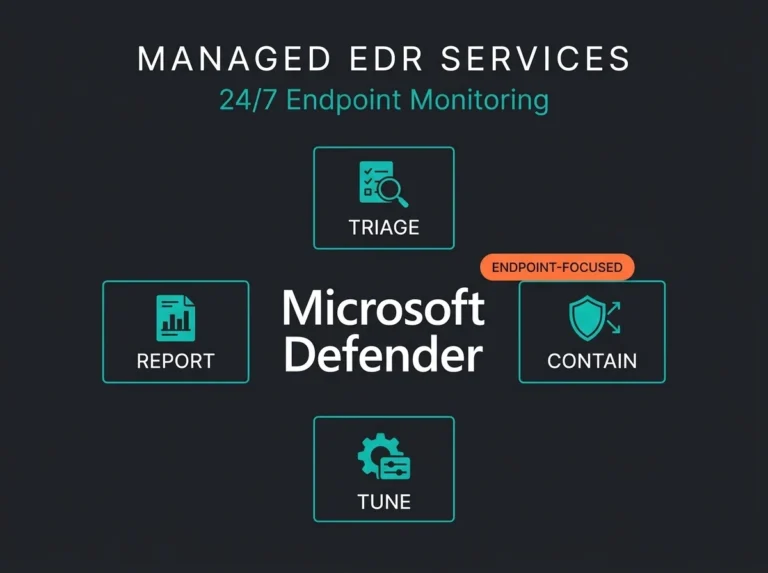
Falconer Security deploys, monitors, and responds to Defender for Endpoint 24/7 for clients across the Nordics. You get expert MDR without hiring six SOC analysts of your own, and the mean-time-to-detect on managed tenants tends to land around 15 minutes for high-severity events. About 70% of alerts get handled by automation before a human needs to look at them, which frees the team to hunt for the weird stuff that automation will never catch.
This is one layer of our Microsoft security services. The rest covers email, identity, and cloud posture.
If your AV hasn’t flagged anything real in two years, that’s not a sign it’s working. Book an EDR assessment and we’ll show you what’s running in your environment that nobody’s seen yet.
Frequently asked questions
What is the difference between EDR and antivirus?
Antivirus matches files against known-bad signatures. EDR watches how processes actually behave on the endpoint, so it catches credential theft, lateral movement, and fileless attacks that never produce a malicious file to scan. EDR also includes a next-generation antivirus engine, so deploying EDR gives you both.
Is Microsoft Defender for Endpoint free with Microsoft 365?
No. Basic and Standard plans include the built-in Windows Defender antivirus, not the EDR product. You get the EDR version as Defender for Business in Microsoft 365 Business Premium, or the full Defender for Endpoint in Microsoft 365 E5. Standalone licences are also sold separately. For most SMBs, Business Premium is the cheapest route in.
Does EDR replace antivirus or work alongside it?
It replaces it. Microsoft Defender for Endpoint includes next-generation AV and EDR in the same agent. Running a second AV product alongside it creates conflicts and exclusions that attackers love. Consolidate to one agent.
How does EDR detect fileless malware?
By watching process behaviour instead of scanning files. When PowerShell downloads code and executes it in memory, or when a signed Windows tool starts doing something inconsistent with its usual behaviour, EDR flags the activity. Signature AV sees a legitimate process and lets it run.
What is the performance impact of EDR on endpoints?
On modern cloud-native EDR like Defender for Endpoint, it’s minimal. Typically under 5% CPU on a working laptop because the heavy analytics run in the cloud and the on-device agent only gathers telemetry. Older on-premises EDR products were resource hogs, but that generation is mostly gone.