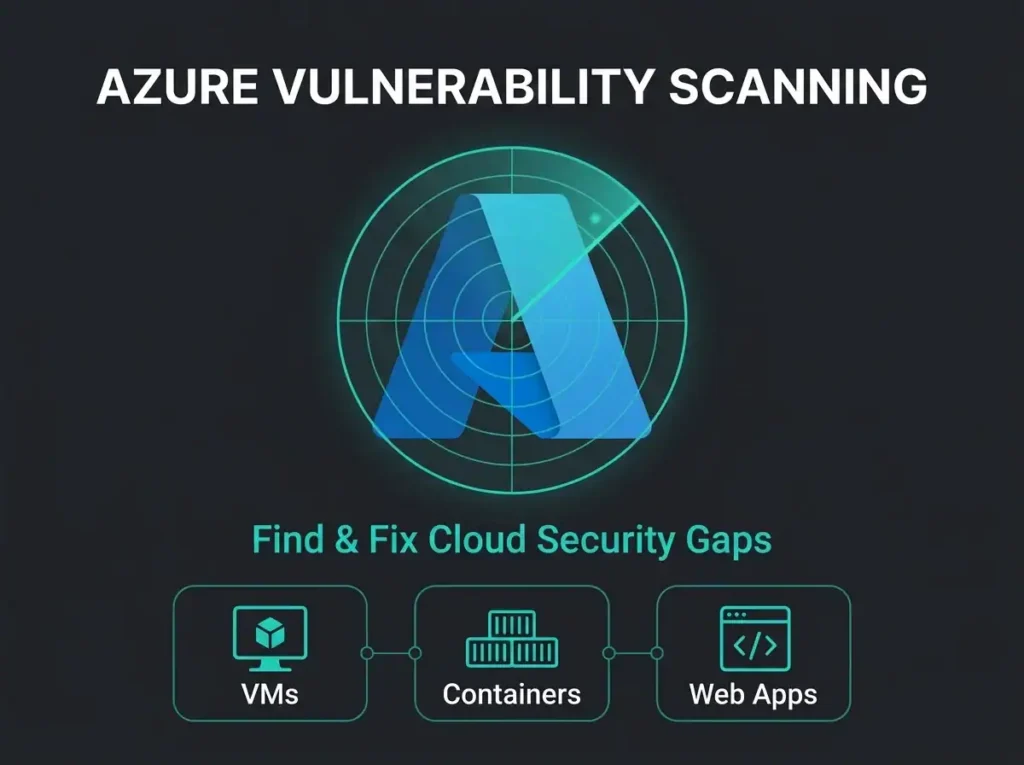
Azure Vulnerability Scanning: Find & Fix Cloud Security Gaps Fast

A client called last month. Their Qualys scanner had just finished its monthly pass and produced 4,217 “Critical” findings across 312 Azure VMs. He wanted to know which ones to fix first. That is the wrong question, and it is the question almost everyone asks.
Most Azure vulnerability scanning programs drown people in severity labels that do not map to real risk. Below is how scanning actually works inside Microsoft’s stack, where it breaks down in practice, and what a functional program looks like once you stop treating every red icon the same way.
60-90 days Average time to remediate “Critical” vulnerabilities (attackers exploit within 7 days)
Industry Vulnerability Management Data
- The remediation gap is the breach window. Critical vulnerabilities take 60 to 90 days to fix on average while attackers weaponise published CVEs within 7.
- Context beats CVSS. Out of 50 flagged Criticals, perhaps 5 have public exploit code and 2 sit on internet-facing systems; start with those 2, not the list of 4,217.
- You already own the tooling. Defender for Cloud, Defender Vulnerability Management, and Network Watcher ship with Azure and M365 E5 licensing; they are just not switched on by default.
- Scan continuously, not monthly. Defender for Cloud assesses VMs every 12 hours and container images on every push, while a monthly scan can leave a new CVE invisible for 23 days.
- Automate the easy fixes. Azure Policy auto-remediation plus Intune patching cuts total vulnerability count by 40 to 60% with no extra manual effort.
What vulnerability scanning actually finds
Scanning looks at servers, endpoints, network devices, cloud resources, and applications, then reports weaknesses it recognises.
Penetration testing does something else entirely: it simulates a real attacker working a narrow target. Scanning gives you breadth. Pen testing gives you depth. Confusing the two is where a lot of buyer conversations go sideways.
Health screening versus surgery is the analogy I keep coming back to. A scan checks everything for known problems. A pen test verifies whether a specific weakness is exploitable inside your environment given the way your systems are actually wired up.
What scanners pick up
Software with published CVEs. Unsupported versions that stopped receiving security updates two years ago. Microsoft Defender Vulnerability Management tracks unpatched systems across Windows, macOS, Linux, iOS, and Android, and it hands the results to Intune for automated patching if you wire it up correctly.
Misconfigurations are a bigger problem than unpatched software in most environments I audit. Weak password policies. Security features turned off during a troubleshooting session six months ago and never turned back on. Firewall rules written by someone who left the company. Admin interfaces exposed because “it was easier during the migration”. Azure Defender for Cloud flags the Azure-specific version of this against the Azure Security Benchmark.
Then the unglamorous stuff. Expired SSL/TLS certificates. Weak cryptographic algorithms still allowed on a public endpoint because nobody updated the cipher suite. Self-signed certs on production systems. Broken certificate chains.
Compliance gaps show up in the reports too: missing controls for GDPR, ISO 27001, SOC 2, or a sector-specific framework. Audit logging disabled on a sensitive database. Configuration drift from whatever baseline you agreed to six quarters ago.
And network exposure. Open ports that should not be accessible. RDP or SSH facing the internet with no jump host. Zero segmentation between dev and production. You would be surprised how often those last two show up in Swedish SMBs running modest Azure estates.
Why most programs fail
Scanning gets funded. Remediation does not. That is the short version.
Scanning without fixing anything
Running a scan produces data. Fixing a vulnerability reduces risk. Most shops are excellent at the first half and indifferent about the second.
Your typical organisation carries 3,000 open findings. Mean time to remediate Critical issues sits around 60-90 days. Attackers weaponise published CVEs inside 7. There is your breach window, right there, in the arithmetic.
Critical gap
The space between detection and remediation is where breaches happen. Detection without action creates false security.
Treating every “Critical” the same
Scanners label hundreds of issues Critical or High. They are not equally dangerous.
A Critical on an internet-facing web server with a known exploit in the wild? Stop reading this and go fix it. A Critical on an isolated dev VM that three people touch? It can wait.
The CVSS score is a theoretical severity rating. It tells you nothing about your environment. Whether the system faces the internet, whether an exploit is actually in active use, what data sits behind the box, what compensating controls you already have in front of it: those four questions decide actual risk. See our guide on Azure security assessments for how we sequence that analysis.
Organisations drowning in a thousand Criticals never get to the ten that would have stopped the breach.
Assets you do not know about
You cannot fix a vulnerability on a system you did not know existed. A dev team spun up a Resource Group last quarter for a POC. Someone plugged a personal laptop into the corporate network. A server from the 2018 infrastructure project is still humming in a rack, running an unsupported OS, forgotten.
Unknown asset problem
Discovery runs during vulnerability assessments routinely turn up assets nobody in IT can identify. Shadow IT and forgotten infrastructure, usually. Unknown assets equal unmanaged risk.
Point-in-time scans in a world that moves daily
Monthly scans give you monthly snapshots. New CVEs are published every day.
A Critical Windows vulnerability drops on a Tuesday. Your scheduled scan runs the last Friday of the month. For 23 days the system shows green on your dashboard and red in reality. Continuous scanning picks up the new CVE as soon as the signature hits. Pair vulnerability management with a regular Microsoft 365 security audit so your cloud posture and your infrastructure posture move together instead of drifting apart.
Azure vulnerability scanning: the Microsoft tools
If you run Azure or Microsoft 365, you already own enterprise-grade vulnerability tooling. It just is not switched on out of the box, which is a detail Microsoft licensing reps do not emphasise.
Microsoft Defender for Cloud
Continuous posture assessment for Azure resources: VMs (Windows and Linux), Azure SQL, storage accounts, container registries, App Services, network security groups. It flags misconfigurations against the Azure Security Benchmark, missing patches, endpoint protection gaps (missing AV, disabled firewalls), public IPs on resources that should be private, and overly permissive RBAC. Then it quantifies the whole picture as a Secure Score from 0-100%, with recommendations ranked by how much each one would move the number. Azure Policy handles automated remediation for the easy ones.
Secure Score impact
Organisations that work the Secure Score systematically shrink their attack surface and suffer fewer successful cloud intrusions. It is not a vanity metric if you actually drive it.
Microsoft Defender Vulnerability Management
Built into Microsoft Defender for Endpoint and included with Microsoft 365 E5, MDVM covers Windows, macOS, and Linux endpoints. It inventories software across all managed devices, flags network shares and exposed services, and picks up browser extensions and installed applications that it considers risky. What it finds: missing OS and app updates, software reaching end-of-life, weak configurations (BitLocker off, firewall off), and credentials leaked in memory or config files.
Risk-based prioritisation uses Microsoft’s threat intelligence feed. That matters because it tells you which vulnerabilities already have exploits circulating, not just which ones are theoretically severe. Intune does the patch deployment.
Azure Network Watcher
Network-layer analysis for Azure VNets. NSG rule review, traffic flow between subnets, VPN and ExpressRoute connections, Azure Firewall policies. It surfaces NSGs that are too permissive, production workloads with unrestricted internet access, missing segmentation, and allow-all rules masquerading as firewall policy.
Building a program that reduces risk
Scanning is step one. Steps two through five are where most of the value lives.
Start with asset discovery. You cannot protect what you do not know exists. Defender for Cloud auto-discovers everything in a subscribed Azure tenant, and Azure Resource Graph queries give you a cross-subscription inventory that actually matches reality. For on-prem and hybrid, Defender for Endpoint deploys to Windows, macOS, and Linux, plus Active Directory integration for automatic device discovery, plus agentless scanning for network devices where you cannot get an agent installed. Defender for Cloud Apps (used to be MCAS) shows you which SaaS tools your users are actually using, sanctioned or not.
Move to continuous, not monthly. Defender for Cloud runs continuous assessment with new misconfigurations flagged within minutes. MDVM updates daily as new CVEs publish. Critical vulnerabilities with active exploits trigger alerts in near-real-time instead of waiting for the next calendar scan.
Prioritise on context, not CVSS. Actual risk depends on internet exposure, existence of public exploit code, active exploitation in the wild (per Microsoft Threat Intelligence), the data classification of the affected system, and compensating controls already in place (WAF, segmentation, MFA requirements). Defender for Cloud exposes “exploitability” indicators that show which findings have working exploits, which is how you separate theoretical risk from today’s problem.
Prioritisation example
50 Criticals flagged. 5 have public exploit code. 2 of those sit on internet-facing systems. Start with the 2.
Automate the boring stuff. Manual remediation does not scale past a few hundred findings. Azure Policy handles infrastructure auto-remediation: “all storage accounts must enforce HTTPS” fixes non-compliant storage accounts without a human. Intune handles patch deployment across Windows, macOS, iOS, and Android. Conditional Access blocks access from unpatched devices or requires an updated OS version before a user can touch corporate data.
Automation impact
Shops that automate the low-hanging fruit cut total vulnerability count by 40-60% with no extra manual effort.
Measure remediation, not activity. The numbers worth tracking are mean time to remediate for Critical and High, percentage of internet-facing systems fully patched, Secure Score improvement month over month, and SLA compliance (Critical within 7 days, High within 30). A dashboard of 3,000 open findings is noise. A dashboard showing 90% of Criticals remediated within SLA is something an executive can actually act on.
Scanning vs. penetration testing
Both find weaknesses. They answer different questions.
Choosing the right approach
| Feature | Vulnerability Scanning | Penetration Testing |
|---|---|---|
| Coverage | Broad coverage across all systems | Focused testing of specific systems/applications |
| What it finds | Known vulnerabilities and misconfigurations | Validates whether vulnerabilities are exploitable |
| Approach | Automated, scheduled regularly | Manual testing by security experts |
| Cost and scale | Cheaper, scales to large environments | Expensive, typically annual |
| Key question answered | What CVEs and misconfigurations exist? | Can an attacker exploit these findings? |
Scanning is for continuous monitoring. Pen testing is for validation before major releases, after architectural changes, or to satisfy a compliance requirement that asks for it explicitly. Most organisations need both. Budget for both.
Best Practice Approach
Common mistakes
A full scan can tank system performance if the target is anaemic. Schedule aggressive scans during maintenance windows; use non-intrusive modes during hours. Nothing ends a vulnerability program faster than the support desk fielding complaints because marketing cannot load the CRM.
Skipping the baseline is the second trap. First scan reports 5,000 issues. Everybody panics. Baseline the starting point, then track the delta. Focus on keeping new vulnerabilities out while you grind down the legacy backlog over quarters, not weeks.
Then there is the communication gap. The security team runs scans. The security team emails a PDF to IT. Nothing happens. Vulnerability management is a three-party game: security identifies, system owners fix, leadership holds people accountable when the numbers do not move. Remove any one of those three and the program collapses.
Ignoring Medium-severity findings is another classic. Five Mediums on the same server routinely chain into an exploitable attack path. Context-based analysis beats CVSS-only prioritisation every time.
And the one that still catches big organisations: compliance-driven scanning. PCI DSS asks for quarterly scans, so people scan quarterly and then ignore the findings until next quarter. Compliance is the floor. It is not the ceiling, and it is absolutely not the program.
Signs your program needs work
- Thousands of open “Critical” findings with no prioritisation strategy
- Remediation time averaging past 60 days on Criticals
- New assets discovered on every scan
- Monthly scans instead of continuous
- CVSS-only prioritisation
- Zero automation on common misconfigurations
- Security team generates reports with no downstream accountability
- Scan results that never make it into patch management
We audit Azure security posture, review Defender for Cloud configuration, flag the high-risk findings, and hand you a prioritised roadmap you can actually execute. Typical engagements produce a 35-50 point Secure Score increase, 60-70% reduction in Critical and High findings, and automated remediation for about 40% of the recurring issues.
Part of our full Microsoft security services covering M365, Azure, Entra ID, and security operations.
Stop drowning in scan reports. Book an assessment.
Frequently asked questions
What is Azure vulnerability scanning?
Azure vulnerability scanning identifies security weaknesses across Azure cloud infrastructure: virtual machines, container images, SQL databases, and platform configurations. Microsoft Defender for Cloud ships with built-in vulnerability assessment using Qualys and Microsoft Defender Vulnerability Management agents. They scan continuously without any manual scheduling.
How often should Azure vulnerability scans run?
Continuously, not on a fixed schedule. Defender for Cloud runs automated assessments every 12 hours for virtual machines, and on every image push for container registries. The metric that matters is not scan frequency but remediation speed. Remediate critical vulnerabilities within 7 days, because attackers typically weaponise new exploits inside that window.
What is the difference between vulnerability scanning and penetration testing?
Scanning compares configurations and software versions against vulnerability databases and flags known weaknesses. Penetration testing puts a human attacker against the environment to measure real-world impact. Scanning tells you what is vulnerable. Pen testing tells you what is exploitable. Both are needed. Scanning gives breadth. Pen testing gives depth.
Does Microsoft Defender for Cloud replace third-party vulnerability scanners?
For most SMBs running Azure workloads, Defender for Cloud covers the requirement without additional tools. It handles virtual machines, container images, SQL databases, and Azure resource configurations. Organisations in regulated industries, or those with strict PCI DSS obligations, sometimes still need supplementary scanning for specific controls.
How do you prioritise thousands of vulnerability findings?
Combine severity score (CVSS), exploitability (is there a known exploit in the wild?), asset exposure (is the system internet-facing?), and business criticality. A critical on an internet-facing production server needs immediate action. The same vulnerability on an isolated dev box with no sensitive data can wait a sprint. Defender for Cloud’s risk-based prioritisation factors all of this in automatically.