SIEM Implementation: Step-by-Step Guide for Microsoft Sentinel Deployments

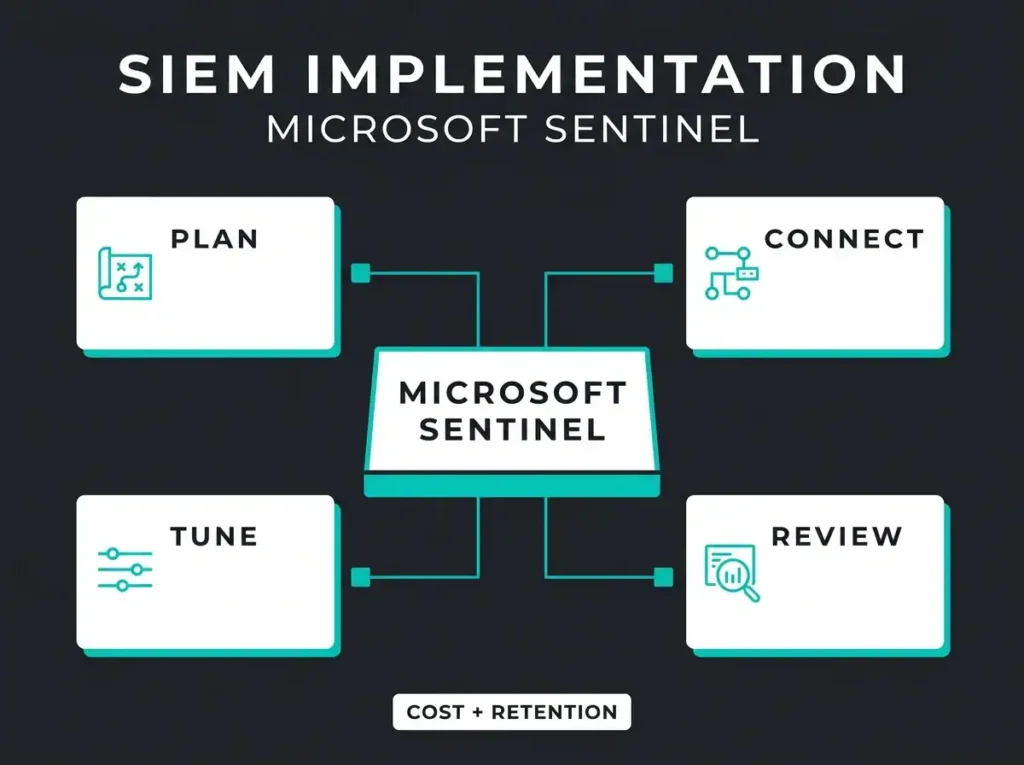
Most SIEM projects do not fail because the platform is bad. They fail because the rollout runs backwards: too many data sources, vague use cases, unclear ownership, and no plan for tuning once it is live.
If you run Microsoft 365, Azure, and a small internal security team, a good SIEM implementation is less about buying another dashboard and more about making sure the right logs, detections, and workflows are in place on day one.
What follows is a practical approach for Microsoft Sentinel: planning, onboarding, connector priorities, rule tuning, retention, automation, and the handoff into steady-state operations.
- Sequence beats speed. Use cases first, workspace design second, connectors third, tuning immediately after, and cost review running throughout.
- Do not ingest everything. Both Microsoft and Cyber.gov.au say to onboard high-value logs in stages; identity, Azure Activity, and Defender telemetry come first.
- Set retention to 90 days. A Log Analytics workspace can default to 30 days, but Microsoft recommends 90 to unlock the full range of Sentinel functionality.
- Plan for the Defender portal. New customers from July 2025 onward work in Sentinel through the Defender portal, so legacy Azure-portal runbooks need updating.
- Tuning is where SIEMs are won. Post-go-live rule tuning, ingestion cost checks, and a standing review cadence separate a working SIEM from an expensive log bucket.
What SIEM implementation actually means
SIEM implementation is the work of planning, enabling, connecting, tuning, and operating a security information and event management platform until it earns its place in production. In Microsoft environments, that means building around Microsoft Sentinel, its Log Analytics workspace, and the data sources that matter most for your threat model.
Sentinel is a cloud-native SIEM that handles data collection, threat detection, investigation, response, and hunting across multicloud and multiplatform environments. Microsoft breaks the deployment into three broad phases: plan and prepare, deploy, then fine-tune after deployment. That order is not decorative. Skip the planning phase and you tend to pay for it later in cost, noise, or missed coverage.
Start with use cases, not connectors
The fastest way to burn a SIEM budget is to ingest data before deciding what the platform is supposed to detect. Microsoft’s own deployment guidance frames connector priority around the sources you actually need, the value they return, and the budget and timeline they imply. Australia’s Cyber.gov.au practitioners put it more bluntly: treat logging as a risk-based decision and build up sources gradually instead of switching everything on at once.
For an SMB or midmarket Microsoft tenant, the first implementation workshop should answer four questions:
- Which attacks do we care about first: account compromise, privilege escalation, ransomware, BEC, suspicious admin changes, or data exfiltration?
- Which systems hold the evidence for those attacks?
- Who owns review and response when a rule fires?
- What retention, compliance, and cost constraints apply to this workspace?
If those answers are fuzzy, connector onboarding can wait.
The minimum architecture you need for Microsoft Sentinel
Sentinel runs on top of a Log Analytics workspace, and the workspace design has to come before any connector rollout. That is not a detail you can defer.
At minimum, an implementation plan should cover:
- workspace location and region
- single-workspace versus multi-workspace design
- role-based access control for security, IT, and service providers
- data retention targets
- expected ingestion volumes and cost model
- whether the team will use Sentinel in the Defender portal
That last point is current, not cosmetic. New customers starting from July 2025 onward work in Microsoft Sentinel through the Defender portal rather than the old Azure-only experience. If your implementation runbook still assumes the legacy portal path, update it now.
Which logs should you onboard first?
Day one does not need every log. It needs the logs that make your first detections possible. The Cyber.gov.au priority-logging guidance argues for exactly this staged approach, and warns against treating the SIEM as a dumping ground for every log you happen to have. Centralize what carries security value, not whatever is easy to reach.
For a Microsoft-focused environment, the usual first wave is:
- Microsoft Entra ID sign-in and audit logs
- Azure Activity logs
- Microsoft Defender XDR or Defender for Endpoint alerts and telemetry
- Microsoft 365 audit data where it supports specific use cases
- high-value infrastructure logs such as firewalls, VPN, or domain controller events where those systems sit on your attack paths
Sentinel ships with out-of-the-box connectors for Microsoft services and also handles Syslog, CEF, REST API ingestion, and custom connector patterns when you need them. Microsoft’s quickstart happens to use Azure Activity as its example, but the point holds regardless of which connector you start with.
Cost discipline lives here too. The deployment checklist is explicit about reviewing commitment tiers, tracking ingestion costs, and using ingestion-time transformation and data collection rules to filter irrelevant data before it ever lands in the workspace. This is the single easiest place to save money, and the easiest to ignore.
A practical SIEM implementation plan in six phases
1. Plan the workspace and permissions
Before enabling Sentinel, decide who needs Contributor, Reader, or something more limited. Sentinel has its own roles that layer on top of Azure RBAC inheritance, so there is no reason to improvise permissions after the platform is live.
Settle retention in this phase as well. A Log Analytics workspace can default to 30 days, but Microsoft recommends raising that to 90 days to unlock the full range of Sentinel functionality. If compliance demands longer, design it in now rather than retrofitting it under pressure later.
2. Enable Sentinel and install the right content
The onboarding flow itself is short: create or select the Log Analytics workspace, add Microsoft Sentinel, then install the solutions you need from the content hub. The mistake is enabling content without deciding why each piece is there.
Install only the solutions that back your initial use cases. A smaller, cleaner build is far easier to validate than a sprawling one stuffed with unused analytics and half-configured connectors.
3. Connect the first data sources
For most Microsoft tenants that means identity, Azure control-plane activity, endpoint detections, and selected Microsoft 365 telemetry. Sentinel will happily ingest both Microsoft-native and third-party data, and that flexibility is genuinely useful, but it also tempts teams into onboarding niche sources early. Resist it unless a source ties directly to a documented detection or investigation need.
4. Validate detections before scaling up
Out-of-the-box analytics are a starting point, not a finished detection program. Sentinel’s built-in rules reduce noise by grouping alerts into incidents, and you can run them as-is or use them as the basis for custom logic, but you still have to test whether they reflect your environment, your admins, your naming conventions, and your business hours. That validation comes down to a few checks:
- whether alerts trigger when expected
- whether false positives dominate a rule
- whether incidents reach the right queue or owner
- whether the alert carries enough context for triage
If any of those fail, tune before you add more data.
5. Add automation for obvious response actions
Sentinel supports automation rules and playbooks for incident handling. Good automation is boring on purpose: it handles repeatable steps the same way every time. Useful early candidates include tagging or routing incidents by severity, enriching them with entity or threat-intelligence context, opening tickets for specific alert types, and triggering tightly controlled containment steps after a human has reviewed them.
Do not open by auto-remediating everything. Start with enrichment, routing, and workflow acceleration, then widen the scope once the rules have earned your trust.
6. Fine-tune after go-live
Teams consistently underestimate this phase, and it is where a SIEM is won or lost. Microsoft’s post-deployment checklist runs through reviewing incidents, fine-tuning analytics rules, revisiting automation, updating watchlists, checking commitment tiers, monitoring ingestion costs, tuning data collection rules, and reviewing MITRE ATT&CK coverage. None of that is optional admin overhead. It is the line between a working SIEM and an expensive log bucket.
For a sense of what that steady-state work looks like, read our breakdown of Managed Sentinel maintenance. The implementation project ends. The tuning cycle does not.
Common SIEM implementation mistakes
Ingesting everything
Cyber.gov.au warns against using a SIEM as the central repository for all logs, and Microsoft independently points to budgeting, connector prioritization, and data filtering as core deployment tasks. When a national cyber agency and the platform vendor both tell you to control scope, that is worth listening to.
Treating built-in rules as final
Built-in analytics give you a head start, and that is all they give you. Different tenants produce different noise, and a rule that behaves perfectly in a lab can misfire badly in a real business.
Ignoring retention and cost early
Ingestion, retention, and related services all feed the bill, and Azure Monitor pricing spells out several log plans while noting that Sentinel-enabled workspaces get billed through Sentinel meters in the relevant cases. Leave cost design until after onboarding and you usually spend month two unpicking bad ingestion choices from month one.
No incident ownership
A rule without an owner is just a notification. Decide before launch who triages, who escalates, and who can approve response actions.
No internal review cadence
The whole model assumes recurring review. If your team has no weekly or monthly Sentinel review on the calendar, the deployment is unfinished, whatever the project plan says.
How long should a SIEM implementation take?
There is no universal timeline, because scope drives the schedule. A focused Sentinel rollout for a small or midsize tenant can move quickly when the use cases, owners, and core connectors are already known. A messy environment with multiple business units, unclear data ownership, or compliance-heavy retention will take longer, and no amount of urgency changes that.
The sharper question is not “how fast can we enable Sentinel?” but “how fast can we enable the first useful detections without creating cost and noise problems we will regret in month two?” If your team needs the platform live quickly but lacks deep Sentinel engineering capacity, that is usually the moment a Managed Sentinel service starts to make sense. It shortens the path from workspace creation to useful detections, and it gives you a tuning owner from day one.
When to use managed help
Internal teams usually handle the front of an implementation fine: approvals, subscriptions, workspace creation, some connector onboarding. Where they get stuck is the middle layer between platform setup and actual security outcomes, the part that includes:
- mapping use cases to detections
- prioritizing high-value logs without overspending
- tuning analytics and watchlists
- building playbooks that fit real incident processes
- measuring whether the deployment is getting better month by month
If that sounds familiar, compare your rollout plan against our guides on cloud-native SIEM, Microsoft Sentinel pricing and cost optimization, and managed SIEM services. They cover the operational tradeoffs most teams hit once the deployment excitement fades.
Final takeaway
A successful SIEM implementation is not measured by whether Sentinel is switched on. It is measured by whether the platform ingests the right data, produces incidents worth investigating, and supports response without burying the team in noise or cost.
Get the sequence right: use cases first, workspace design second, connectors third, tuning immediately after, and cost review running throughout. It is the boring approach, and it is also the one that works.
If you want a second set of eyes on a planned rollout, our Managed Sentinel service helps Microsoft-focused teams design, deploy, and tune Sentinel around real operational use cases instead of a generic connector checklist.