SOC Optimization in Microsoft Sentinel: What It Gets Right and Wrong

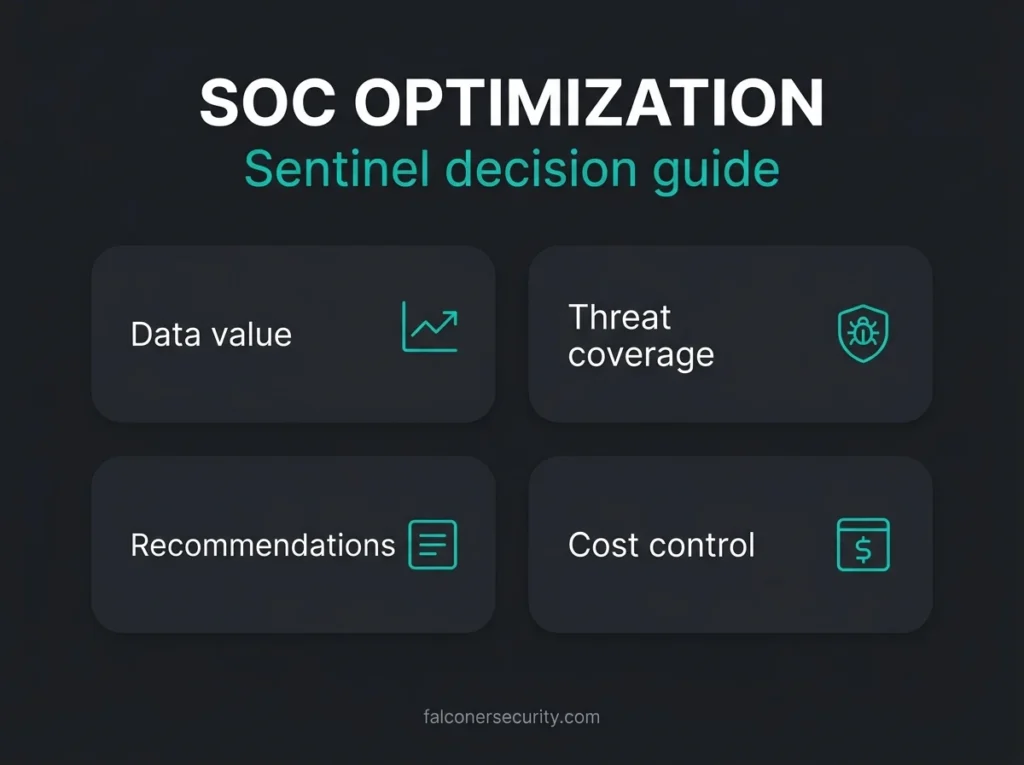
Microsoft built SOC optimization in Sentinel for a reason: most teams are either paying for data they do not use, or missing detections they assumed were already covered.
That matters even more for lean security teams. A midmarket company can buy Microsoft Sentinel, connect a few big data sources, and still end up with the same two problems a year later: alert noise and runaway ingestion costs. SOC optimization gives you a structured way to spot both. It is useful. It is not a strategy by itself.
For Microsoft-heavy environments, the real value of SOC optimization is not that it tells you something magical. It is that it turns scattered maintenance work into a visible queue: unused tables, weak coverage against specific attack paths, and recommendations you can hand to an analyst instead of hoping someone remembers next quarter.
Falconer Security uses this kind of review as part of ongoing Managed Sentinel service delivery. The hard part is not opening the dashboard. The hard part is knowing which recommendation improves detection, which one saves money, and which one should be dismissed because it does not fit your environment.
- It is a work queue. SOC optimization surfaces recommendations across data value, threat coverage, and similar organizations, recalculated every 24 hours; nothing improves until someone applies them.
- Start with data value. Cleaning up billable tables unused by detections in the last 30 days cuts cost first and stops you tuning coverage on top of noisy data.
- The thresholds are visible. Coverage rates High at over 75% of recommended rules active, Medium at 30 to 74%, and Low at 0 to 29%, so you can argue with the benchmark instead of guessing.
- Dismissing is a valid outcome. Verify compliance, retention, and investigation needs before changing any table plan; some recommendations should be closed as not applicable on purpose.
- Plan the portal move. Sentinel loses Azure portal support after March 31, 2027, so build your optimization workflow in the Defender portal now.
What Microsoft Sentinel SOC optimization actually does
SOC optimization is Sentinel’s built-in recommendation engine. According to Microsoft’s SOC optimization reference, it reviews your analytics rules, ingested data, and current coverage, then surfaces actions that can improve security value or reduce waste. There are three main recommendation families: data value, coverage based, and similar organizations recommendations, with preview items for AI MITRE ATT&CK tagging and risk based optimization.
That is the clean product definition. In practice, the feature is a health check for detection engineering and data governance.
| Area | What Sentinel checks | What you still need to decide |
|---|---|---|
| Data value | Whether billable tables were used in the last 30 days | Keep, downgrade, move, or stop ingesting based on detection and compliance needs |
| Threat coverage | Whether you have the data sources and rules needed for specific attack scenarios | Which recommendations fit your stack, risk profile, and analyst capacity |
| Similar organizations | Whether peers with similar profiles ingest sources you do not | Whether that peer pattern is relevant or just more noise for your team |
| Status tracking | Active, in progress, completed, and dismissed recommendations | Whether your process actually assigns owners and verifies outcomes |
Microsoft’s access guide says recommendations are recalculated every 24 hours, and the overview includes metrics such as recent optimization value, total data ingested over the last 90 days, threat-based coverage level, and optimization status. In the Defender portal, SOC optimization also benefits from the broader unified SecOps view once Sentinel is onboarded there.
Practical takeaway: SOC optimization is best treated as a work queue, not a scorecard. A pretty dashboard does not reduce cost or improve detections until someone validates and applies the recommendation.
What it gets right
The strongest part of SOC optimization is that it exposes drift. Most Sentinel environments drift. New connectors get added. Old workbooks stick around. Analytics rules are enabled once and never reviewed again. Teams assume they are covered because the platform is collecting data, but coverage and collection are not the same thing. If anything, that assumption is what creates the mess.
Microsoft’s data value recommendations are especially useful because they focus on billable tables that ingested data in the last 30 days. If a table is not used by analytics rules or detections, Sentinel can suggest a better data plan, long term retention, or stopping ingestion. That is not glamorous work, but it is the sort of housekeeping that has a direct effect on monthly cost.
The coverage side is more interesting. Microsoft compares your ingested logs and active rules to the detections and data sources it believes are needed for specific attack scenarios. If you have the right data but no matching rules, it tells you to enable or build detections. If you have rule templates but not the required source, it pushes you toward connector work. That is far better than a generic “improve your SOC” message.
I also like that Microsoft exposes the coverage thresholds instead of hiding them behind a vague maturity label. In the Defender portal, High means more than 75% of recommended rules are active, Medium means 30% to 74%, and Low means 0% to 29%. You may disagree with the benchmark, but at least you can see the benchmark.
For overstretched teams, that transparency matters. The 2025 ISC2 Cybersecurity Workforce Study says budget constraints remain a major driver of staffing shortages. When your analyst bench is thin, features that reduce manual hunting for wasted data or missing controls are worth using.
What it gets wrong, or at least leaves to you
SOC optimization can tell you what looks inefficient. It cannot tell you what is politically safe, operationally realistic, or contractually required. That gap is where people get into trouble.
Take a recommendation to move a table to a cheaper plan or stop ingesting it. On paper, that sounds obvious. In reality, the table may support an investigation workflow, a quarterly audit request, or a compliance retention rule that never shows up in the optimization logic. Microsoft explicitly warns that you should confirm plan limits and make sure the data is not needed for compliance before changing ingestion. Good. More teams should slow down at that point.
The same goes for threat coverage. Competitor posts often present these recommendations as if you can just click your way to better security. You cannot. One recommendation might point you toward content built for products you do not use. Another may improve theoretical coverage but dump another stream of low confidence alerts onto an already tired analyst team. I see this most often in inherited workspaces: the environment is technically “integrated,” but half the rules were never tuned for the business that owns them.
Microsoft’s similar organizations recommendations are useful as prompts, not decisions. The model does not inspect your log contents, and Microsoft notes that not every workspace will receive these recommendations. It also excludes custom data sources and tables used by fewer than 10 workspaces. That is fine for pattern spotting. It is not fine as proof that your business should ingest the same source as someone else.
Where teams stumble: they treat every optimization card like a backlog item that must be closed. Some recommendations should be completed. Some should be dismissed on purpose. A mature Sentinel practice can explain the difference.
How to use SOC optimization without making your Sentinel workspace worse
Start with data value, not threat coverage. That sounds backward, but it is usually the fastest route to a cleaner workspace. If you are ingesting noisy or low value data, your analysts are working from a distorted baseline. Fixing coverage on top of bad data hygiene just creates more expensive noise.
Review tables that were ingested in the last 30 days and ask three blunt questions:
- Is this table used by active detections?
- Is it used by analysts for hunting, workbooks, or investigations?
- Is there a legal, contractual, or compliance reason it must stay where it is?
If the answer is no across the board, you probably have a cost problem, not a visibility problem. That is the right time to compare your current setup with guidance in Microsoft’s Sentinel cost reduction documentation, your own retention requirements, and any connection dependencies described in our SIEM integration guide.
Only after that should you work through threat coverage recommendations. Pick a small number of high-consequence scenarios. Business email compromise, identity abuse, and ransomware usually deserve attention first in Microsoft-centric estates. Then check whether the recommended content maps to real telemetry you trust. If it does, move forward. If it depends on data you do not collect well, fix the source before turning on another rule.
There is also a multi-tenant reality here that Microsoft’s marketing does not really dwell on. If you manage several client workspaces, consistency matters as much as cleverness. You need naming standards, change control, and a way to track why one tenant accepted a recommendation while another tenant dismissed it. Otherwise, you are building a pile of one-off exceptions that nobody can defend six months later.
Why the Defender portal shift matters
There is a timing issue many older Sentinel guides miss. Microsoft states that after March 31, 2027, Microsoft Sentinel will no longer be supported in the Azure portal and will be available only in the Microsoft Defender portal. If your operating model still assumes analysts live in the Azure portal all day, that clock is already ticking.
This matters for SOC optimization because Microsoft positions the Defender portal as the place where broader Microsoft security coverage comes together. The recommendation engine is more valuable when your workflows, incidents, and related controls are already moving into that unified SecOps experience. If your team has not planned the transition yet, add that to the backlog before you spend weeks polishing Azure-portal-only habits.
Access-wise, SOC optimization runs on standard Sentinel roles and permissions, and Sentinel must be onboarded to the Defender portal if you want to use the feature there. That sounds minor. It is not. A lot of “we’ll tidy this up later” work turns into permission debt, and permission debt slows down every review cycle.
What a sensible monthly review looks like
A good SOC optimization review should be boring. That is a compliment. You are looking for repeatable improvement, not heroics.
- Review new Active recommendations and assign an owner.
- Separate cost items from coverage items immediately.
- Validate whether each recommendation fits your actual tooling and retention obligations.
- Implement a small batch, then verify the effect on alert volume, rule quality, and ingestion cost.
- Mark items completed only after the change is visible in the workspace, not when the change request is filed.
- Dismiss recommendations that do not fit, and document why.
If you are already doing regular detection engineering in Sentinel, this process becomes much more useful. You can connect Microsoft’s prompts to your own rule tuning, connector priorities, and incident learnings. If you are not, SOC optimization can still help, but it will mostly show you how much unfinished operational work is sitting under the hood.
One last point. The API preview is worth watching if you run Sentinel across multiple workspaces. Microsoft documents a recommendations API for custom dashboards, automation, and large scale management. For MSSPs or internal teams with several environments, that is where SOC optimization starts to become operationally interesting instead of just visually interesting.
Our view: use it, but do not outsource judgment to it
SOC optimization in Microsoft Sentinel is good product work. It gives security teams a better starting point for detection coverage reviews and ingestion cleanup. That alone makes it worth using.
Still, the feature does not know your compliance boundaries, your false positive tolerance, your staffing reality, or the weird exceptions that accumulate in real client environments. It cannot make those calls for you. If you hand that judgment to the dashboard, you will save time right up until you create a blind spot or a billing surprise.
The better model is simple: let Microsoft surface the opportunities, then apply human review before you touch cost, detection logic, or retention. That is how you get the upside without sleepwalking into the downside.
If your team is trying to clean up a noisy workspace, reduce ingestion spend, or make Sentinel more useful for a lean SOC, start with the basics in our managed SIEM services guide, review your Sentinel cost optimization options, look at how ongoing Sentinel maintenance should work, and make sure your operating model can support the rules you enable. More coverage is only better when somebody can trust it.
FAQ
What is SOC optimization in Microsoft Sentinel?
SOC optimization is Microsoft’s recommendation feature for Microsoft Sentinel. It reviews your ingested data, analytics rules, and current coverage, then suggests actions to reduce waste or improve protection against specific attack scenarios.
How often does Sentinel SOC optimization update?
Microsoft says SOC optimization recommendations are recalculated every 24 hours. That means it is useful for recurring review cycles, but it is not a live incident management tool.
Can SOC optimization reduce Sentinel costs?
Yes, especially through data value recommendations that identify billable tables with weak security value. The catch is that you still need to confirm compliance, investigation, and retention requirements before changing a table plan or stopping ingestion.
Is SOC optimization enough to tune a Sentinel workspace?
No. It is a strong starting point, but it does not replace detection engineering, alert tuning, connector governance, or monthly operational review. It surfaces opportunities. Your team still has to decide what belongs in production.
Does the Azure portal retirement affect SOC optimization?
Yes. Microsoft says Sentinel will no longer be supported in the Azure portal after March 31, 2027. Teams that still manage Sentinel primarily in Azure should plan the move to the Defender portal now, including permissions and workflow changes.